${qp-signupeferrer-js}
  Login   |   Help  


Creating Your Micropoll
Step #1
Enter Your Question
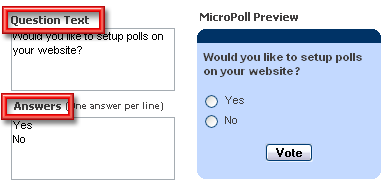
Start by entering the Question Text and the Answer options for the poll that you plan to add to your website. As you make changes to the MicroPoll text, you will see the preview automatically reflect these changes.

Screenshot
 
Step #2
Adjust MicroPoll Settings
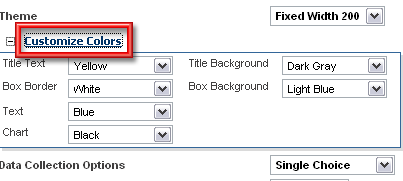
The system automatically allows a multitude of setting to customize your MicroPoll. The setting are readily changed by using the drop down boxes next to each option. You will see the changes automatically in the MicroPoll preview.

Screenshot
 
Step #3
Copy and Paste the Code on Your Website
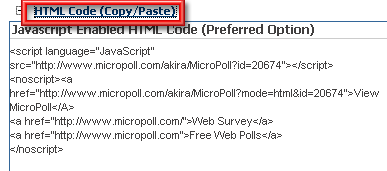
The MicroPoll code is automatically generated for you. Simply copy and paste this code into your website.

Screenshot


© Copyright 2012 MicroPoll


MicroPoll Legal
Features Terms of Use
Login Privacy Policy
Sign Up  
About Us  
Pricing  
Top Polls  
Enterprise Polling  

  On the Blog
Connect