


How to add an agent app to a partner account
The Agents tab inside a Partner record lets you connect external AI agents to QuestionPro using the A2A Agent-to-Agent protocol.
Before adding an Agent App, make sure you have access to the QuestionPro Partnerships portal, an existing Partner record or details to create a new Partner, and a valid Agent Card URL.
Follow the steps below to register an Agent App under a Partner.
Step 1: Go to the Partnerships Home
Sign in to Partnerships Home page at partnerships.questionpro.com
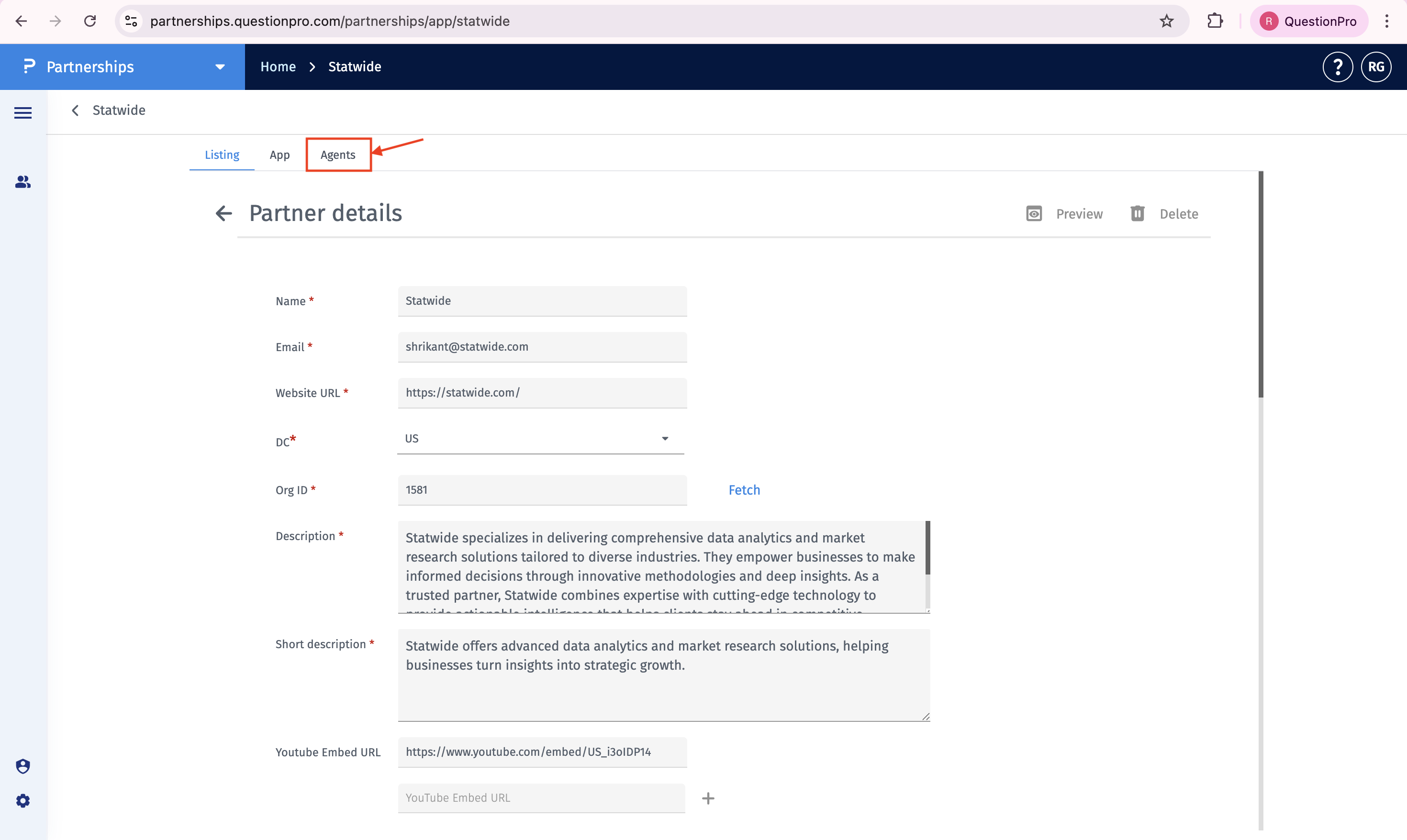
Step 2: Click the Agents tab
Inside the Partner record, click the Agents tab.
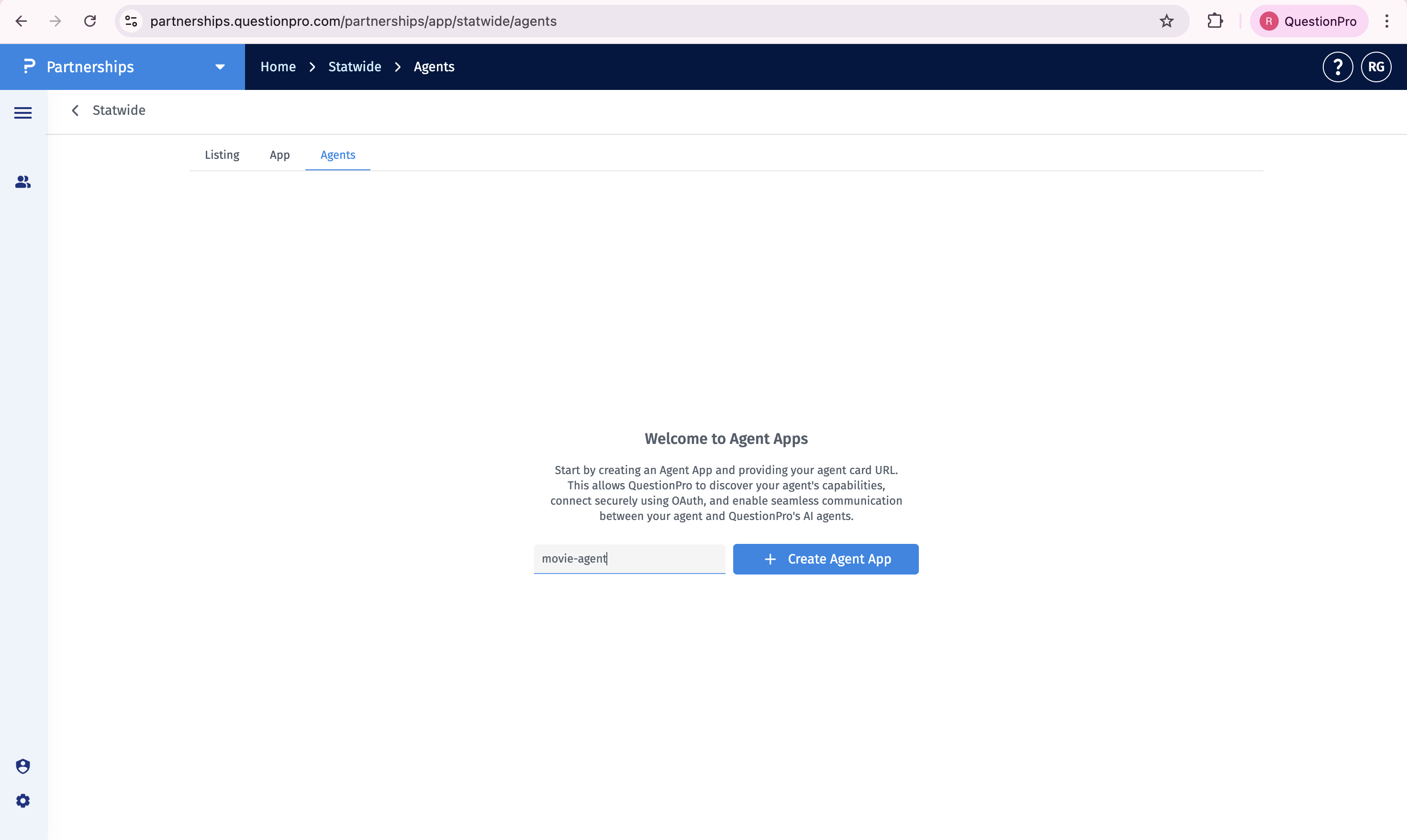
Step 3: Enter the agent name and click Create Agent App
Enter a descriptive name for the agent, then click Create Agent App to open the agent configuration screen.
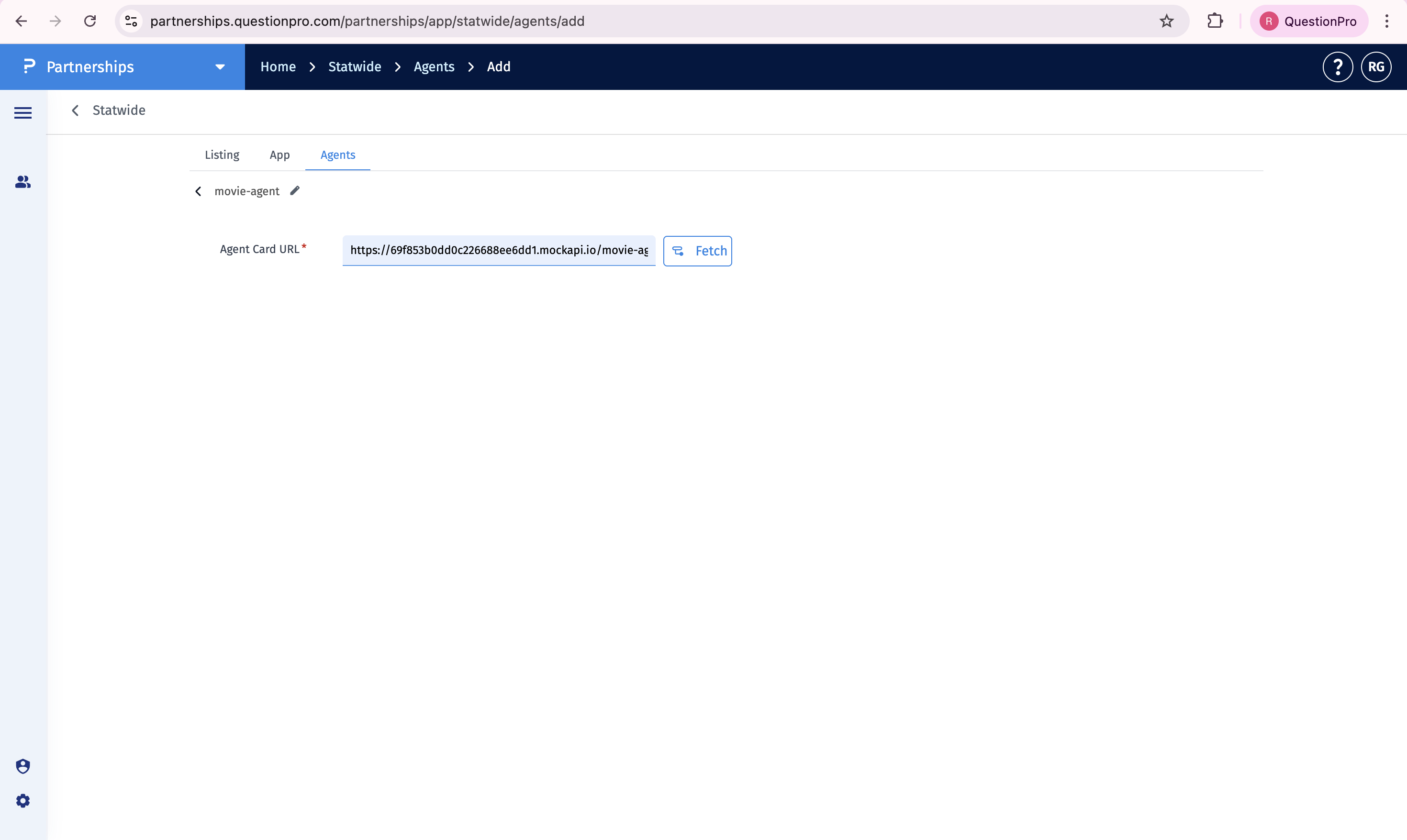
Step 4: Enter the Agent Card URL and click Fetch
Paste the Agent Card URL into the Agent Card URL field, then click Fetch.
Step 5: Review the settings and save the Agent App
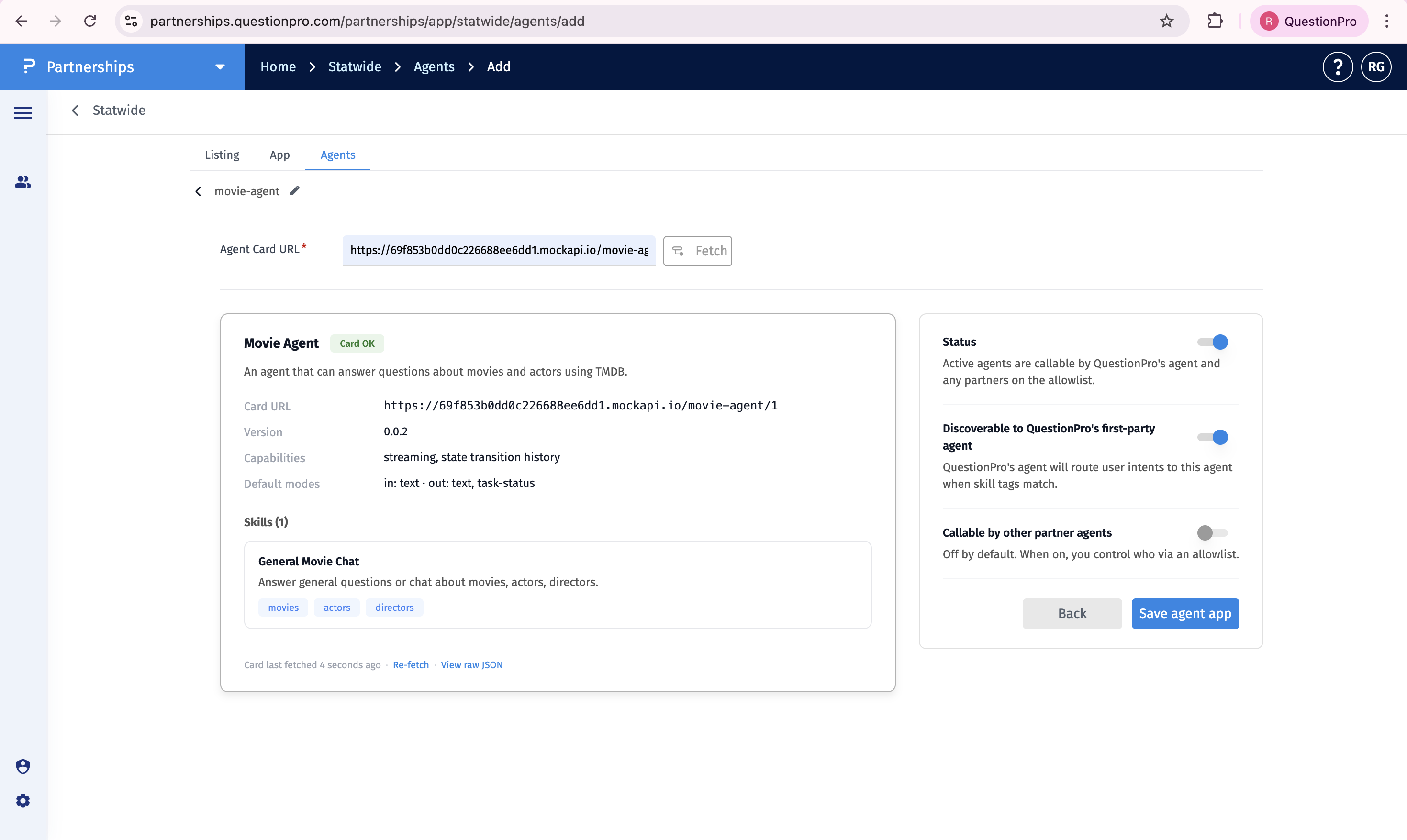
Review the fetched details and settings, then click Save agent app.
An Agent Card URL is a publicly accessible endpoint that returns a JSON document describing an AI agent's identity, capabilities, skills, and authentication details.
Once the fetch succeeds, the portal shows a Card OK badge and displays the agent name, description, card URL, version, capabilities, default modes, and skills.
After the card is fetched, configure the Status, Discoverable, and Callable settings as needed. Then click Save agent app.
This feature is available with the following licenses :
Essentials Advanced Team Edition Research Edition Communities Customer Experience Employee Experience Contact Sales University - Research Edition
