


InsightsHub Repository
The InsightsHub Repository is a centralized platform designed to house all organizational research assets. It eliminates the need to hunt through emails and shared drives by providing a single, authoritative version of every insight. By revamping how data is stored, the repository improves decision speed and reduces redundant work by ensuring valuable research is never lost or underutilized.
Consolidating your research project files into one place is simple with integrated import tools. Follow these steps to bring your data into the repository:
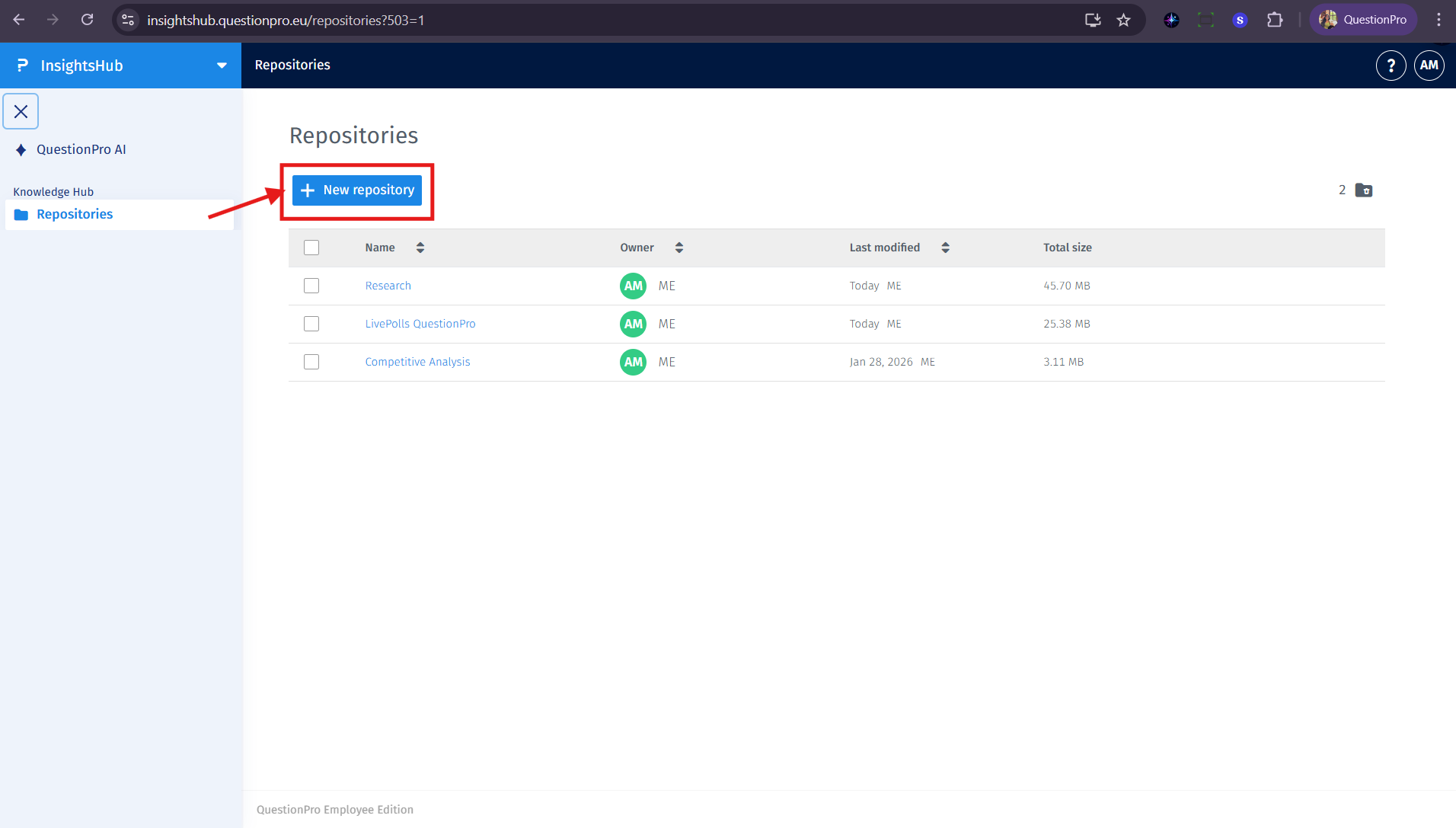
- Navigate to the Repositories section from the left-hand sidebar.
- Open a specific repository or create a new one using the New Repository button.
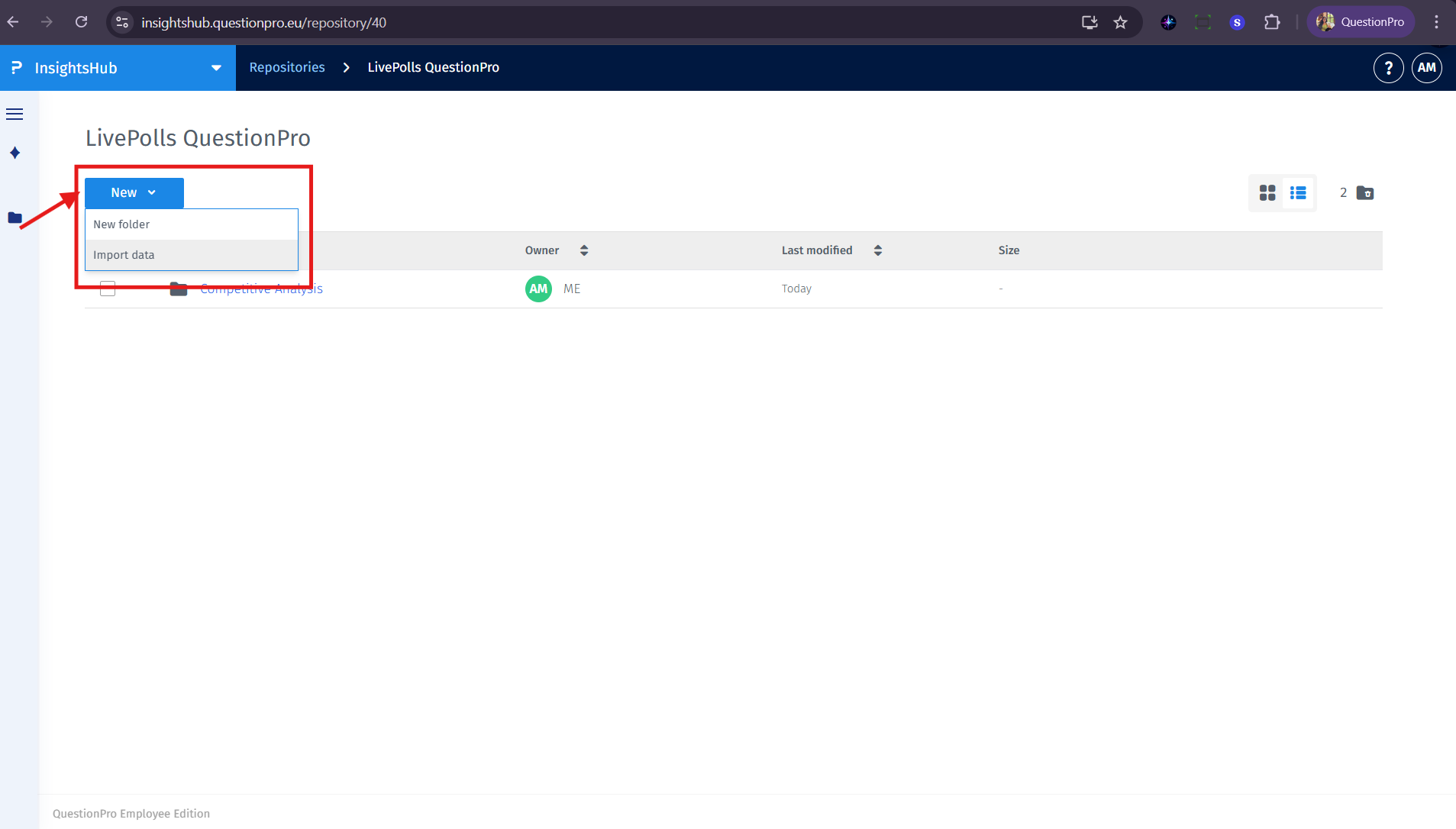
- Click the "New" combo button and select "Import Data".
- The system supports dragging and dropping files directly or selecting an active integration such as Google Drive or SharePoint.
- Review the import summary to confirm the number of folders and files scheduled for ingestion.
The repository provides several tools to help you organize and navigate your research assets:
- Hierarchical structure: View your data in an intuitive folder hierarchy to quickly and intuitively navigate to the knowledge assets you need.
- View toggles: Switch between the list view and grid view depending on your browsing preference.
- File actions: Use the interface to star items as important, download for offline use, or archive assets.
- Data provenance: Every imported asset displays its origin and the user who performed the import to ensure transparency and trust in the information.
Any file stored in the repository supports a specialized file analysis view and is fully integrated into the AI knowledge base:
- File analysis view: When you open a file, a modal provides automatic summaries, generated insights, and the ability to view tags or start comment threads. This allows you to understand key points without reading the entire document.
- AI chat: All data stored in your repositories is accessible by the AI chat interface. You can query and ask questions about the data you store in the repositories using natural language to receive instant and accurate answers.
The repository uses an archiving system to manage items you no longer need in your active view.
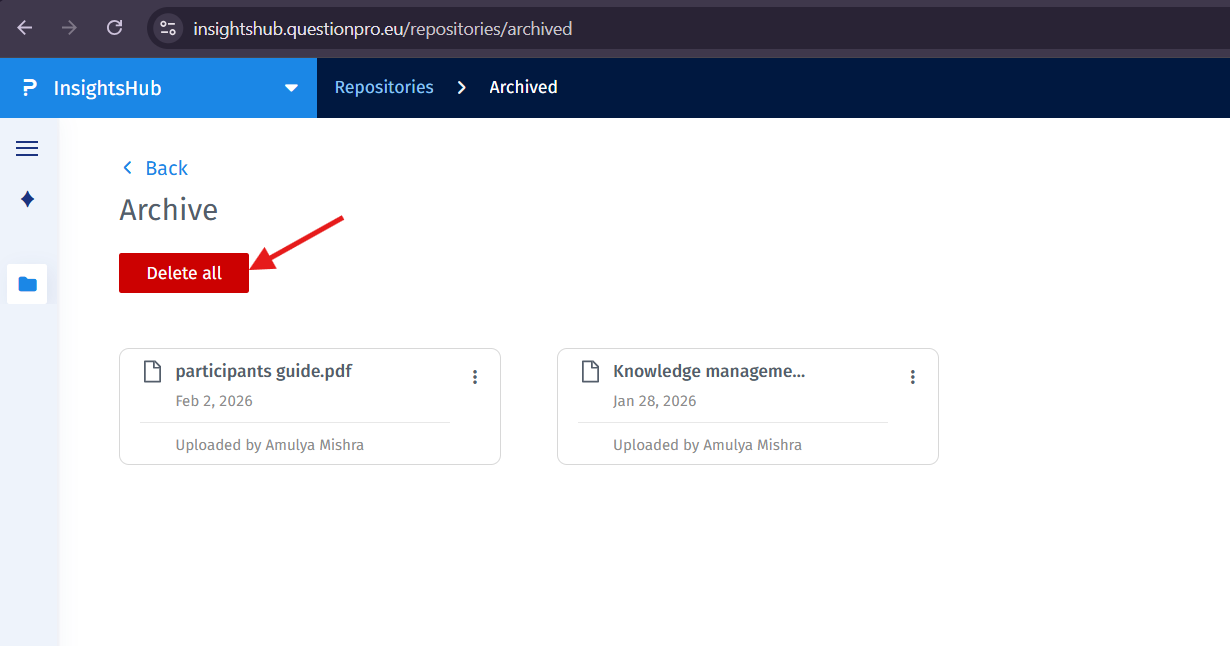
- You cannot directly delete repositories, files, or folders; instead, you must archive them.
- To access your archived items, click the folder icon located next to the view toggles.
- Within the Archive view, you can use the Delete all button to permanently remove all archived items at once.
- Items in the archive can be restored to their original repository if needed.
The repository supports .pdf, .docx, .pptx, and .txt files.
For performance reasons, the maximum file size for a single upload is currently limited to 20 mb.
This feature is available with the following licenses :
Advanced Team Edition Research Edition Communities Customer Experience Employee Experience
