


Rating Question Type
The rating question type lets you collect quantitative feedback during a live session. Choose a numeric or star scale, add optional anchor labels, and see responses visualized in real time as a bar chart with an average score — all without interrupting the flow of your session.
It is especially useful for training evaluations, employee pulse checks, town hall sentiment, and any scenario where you need honest, structured feedback in the moment rather than after the fact.
- Open your LivePoll in the editor.
- Click Add question in the sidebar.
- Select Rating from the question type list.
- Enter your question text, for example: "How would you rate today's session?"
- Choose a style: Numeric or Star.
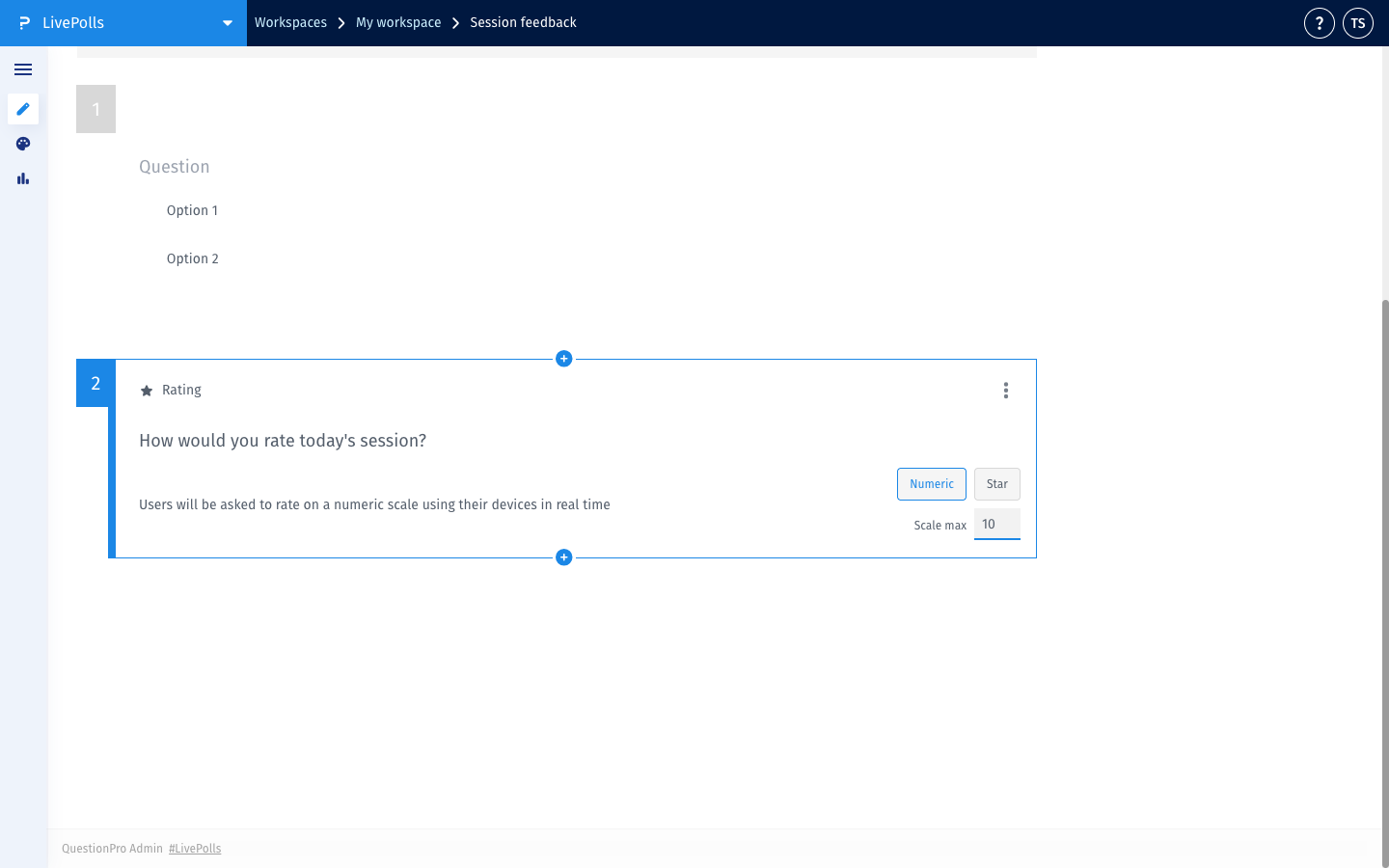
- For Numeric: set the Max value (2–10). The scale always starts at 1.
- Optionally add anchor labels — a short label for the low end and high end (e.g. "Poor" and "Excellent", max 64 characters each).
- Click Save.
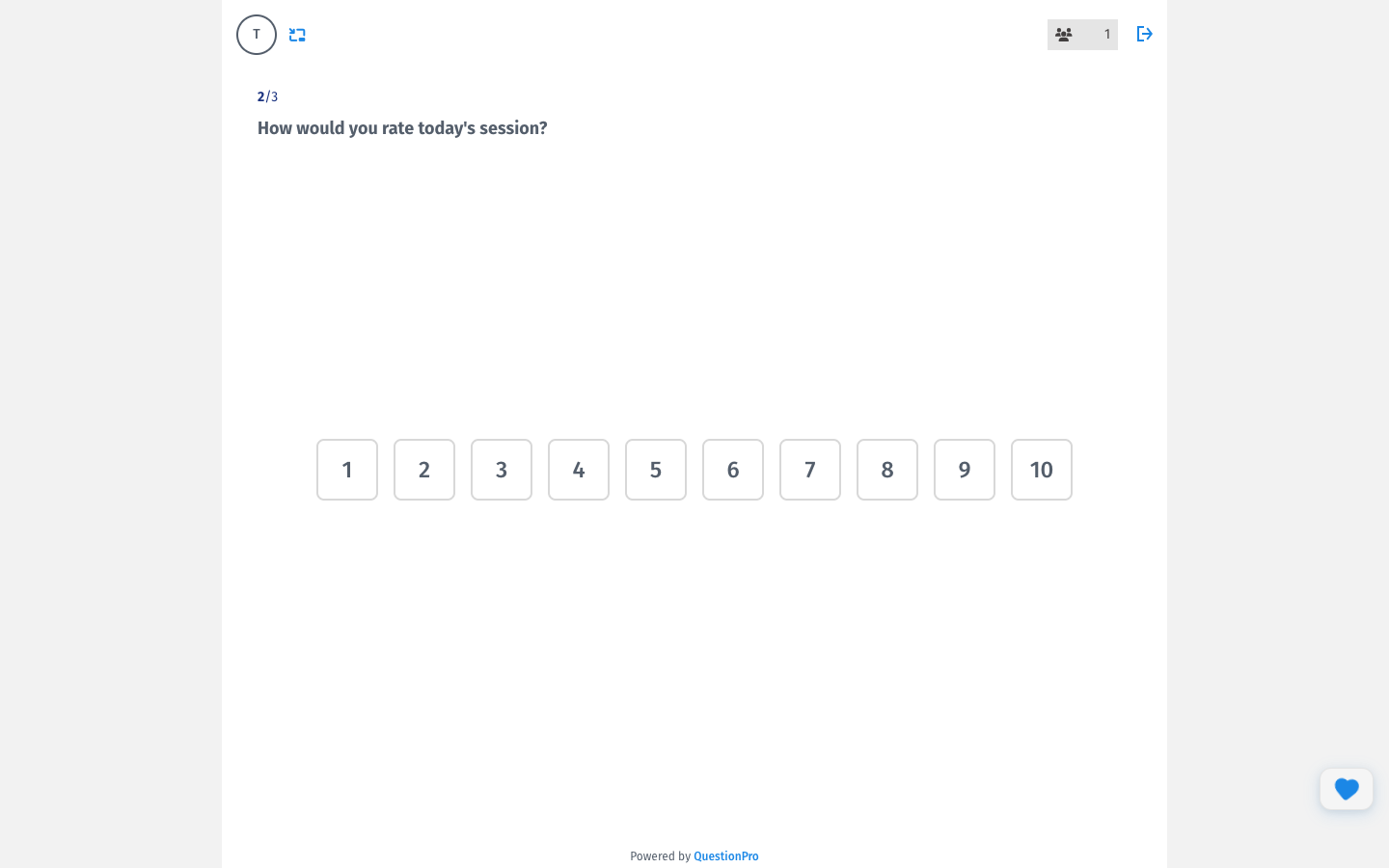
Numeric — displays clickable number buttons from 1 up to your chosen max value (up to 10). Best for granular scales (1–10 satisfaction) or structured feedback where a specific number carries meaning.
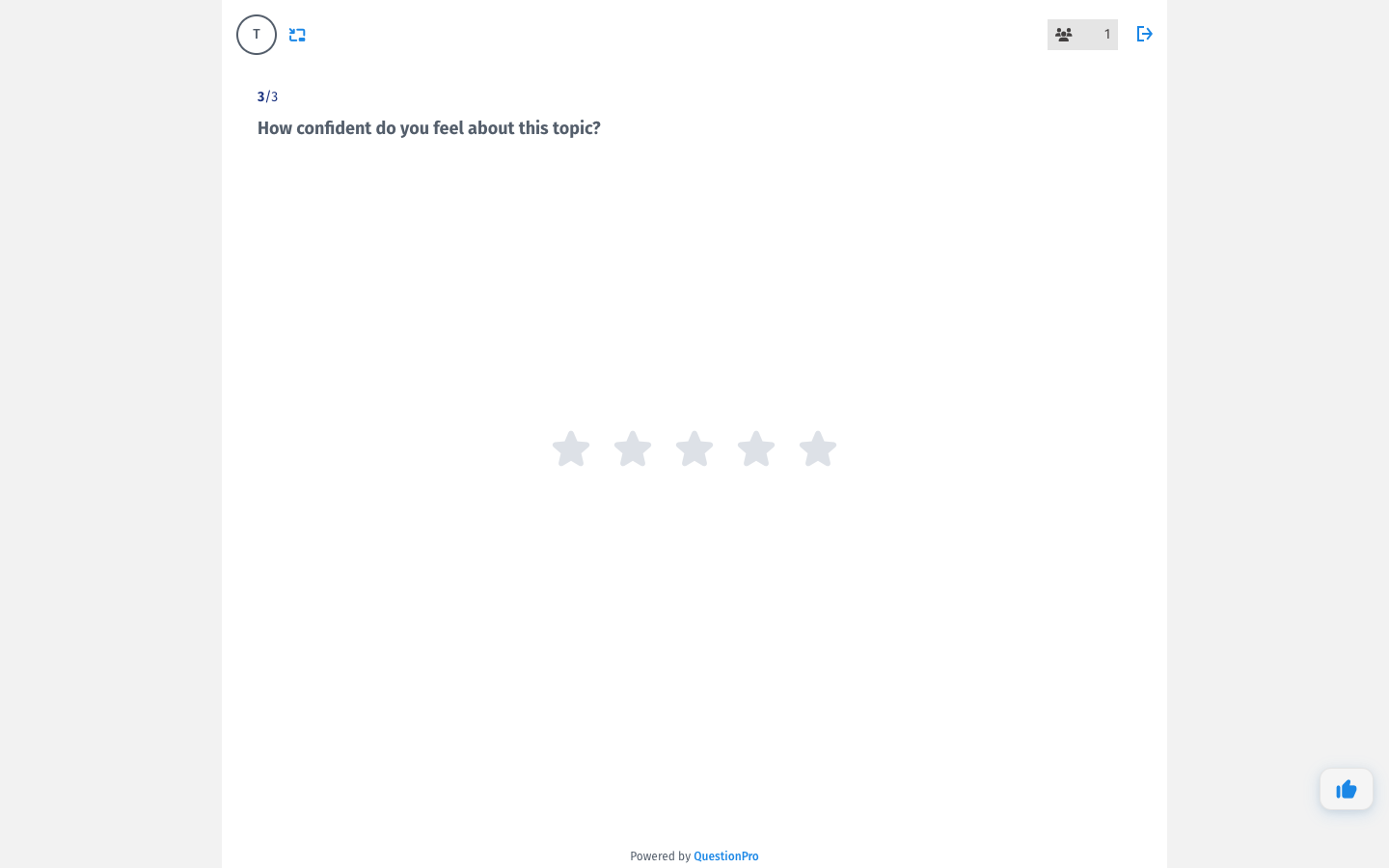
 Star — displays a 5-star widget with a hover cascade effect. Best for quick, familiar ratings where the visual metaphor does the explaining. The star style is fixed to a 1–5 scale.
Pair the rating question type with Essential Mode for a fully anonymous, distraction-free session:
- Navigate to your Team Workspace settings.
- Locate the Essential Mode toggle and switch it ON.
- Click Save.
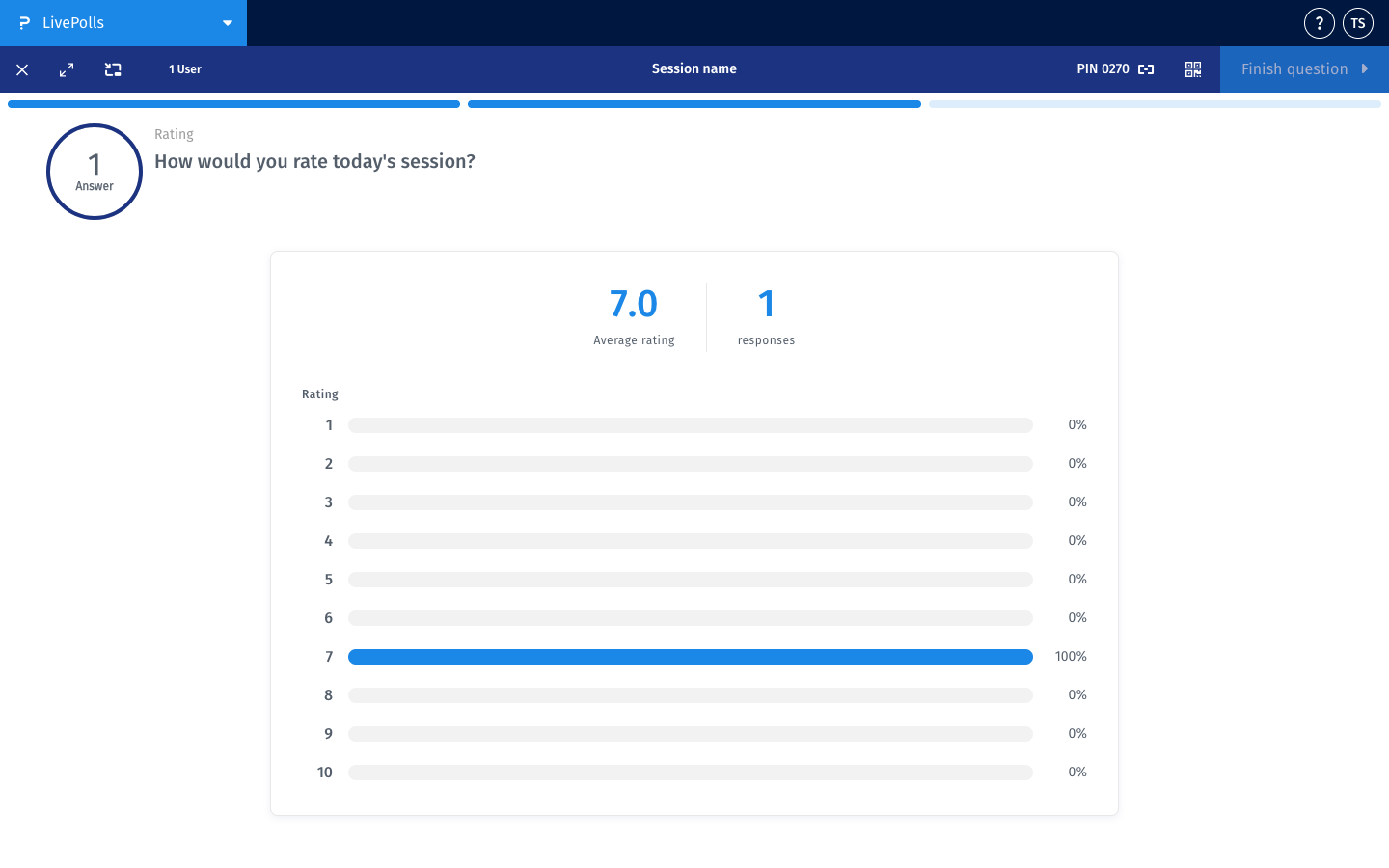
During a live session the presenter screen updates in real time and shows:
- Bar chart: the response count and percentage for each value on the scale, including values with zero responses so the full distribution is always visible.
- Average rating: calculated across all responses and displayed to one decimal place.
- Total response count: the number of participants who have submitted a rating.
No. Once a rating is submitted the input is locked for that participant for the duration of the session. This ensures result integrity and prevents last-minute changes from skewing the average.
After the session ends, rating question results — including the full distribution bar chart and average — are available in the Session and Analytics tab alongside all other question types.
Yes. Anchor labels (e.g. "Not at all" and "Extremely") are supported for both Numeric and Star styles. They appear at the low and high ends of the scale to give participants clear context for their rating.
