


How to create a survey?
There are 3 ways you can create a survey using QuestionPro:
- Create a survey from scratch in your account
- Use a pre designed survey template
- Upload a survey using a microsoft word document
The goal of creating a survey is to elicit holistic information from a target audience that provides enough data points to generate actionable insights.
To create a survey from scratch, follow these simple steps:
- Go to: Login » My Surveys.
- Click on the new survey button.
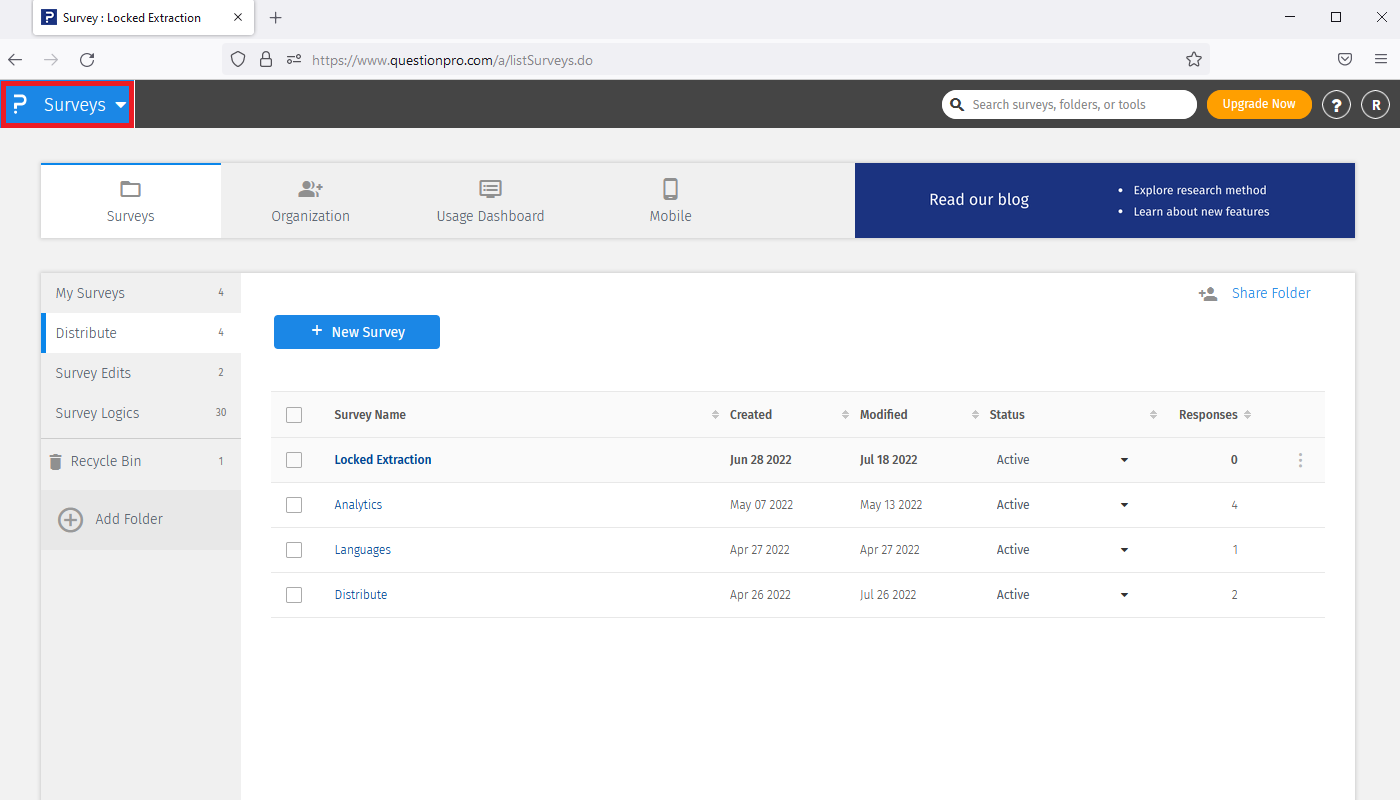
There are two ways of creating a survey:
-
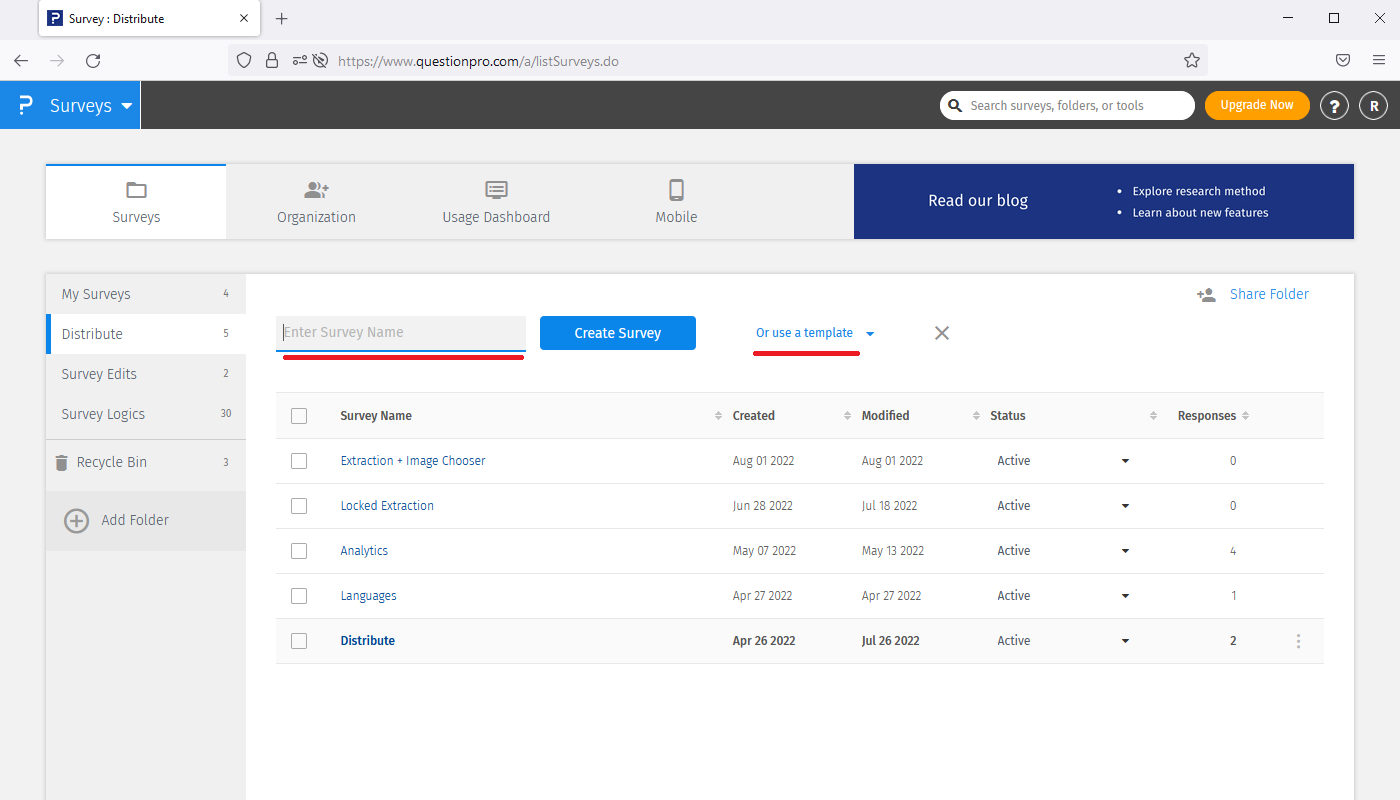
Create a survey from scratch:
Click new survey » enter the survey name of your choice » click on the create survey button.
Your survey will be created and you can begin adding question types that you prefer, and customize their settings in accordance to your survey goals. -
 Use a template to create a survey:
Click new survey » use a template » select the survey template of your choice.
Use a template to create a survey:
Click new survey » use a template » select the survey template of your choice.
-
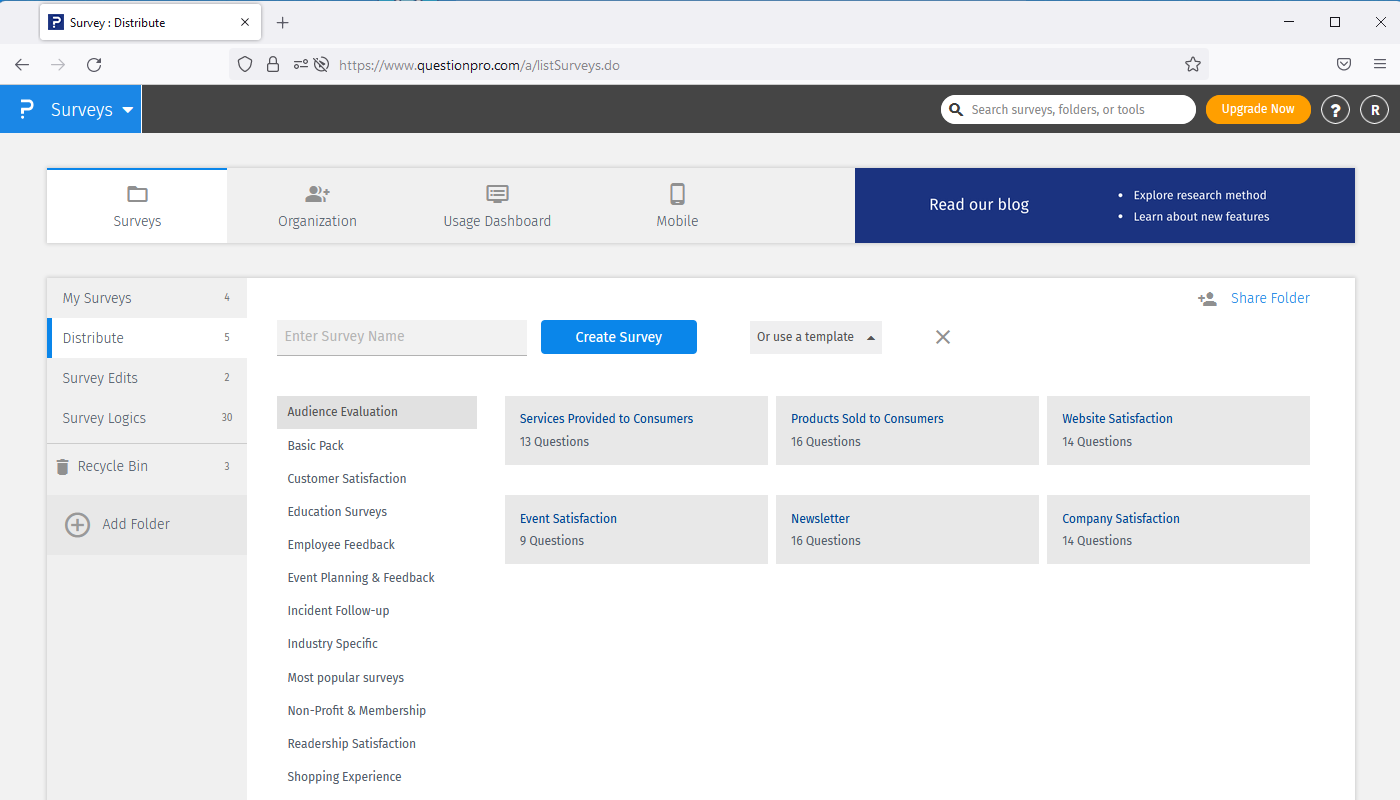 A pop-up will appear giving a preview of the selected template. Click on use this template button to create a survey using the selected survey template.
If you like, you can customize the questions or answer options within the template. Upload a survey using a word document: Click new survey » enter the survey name » click on the create survey button » click on Add questions from MS word.
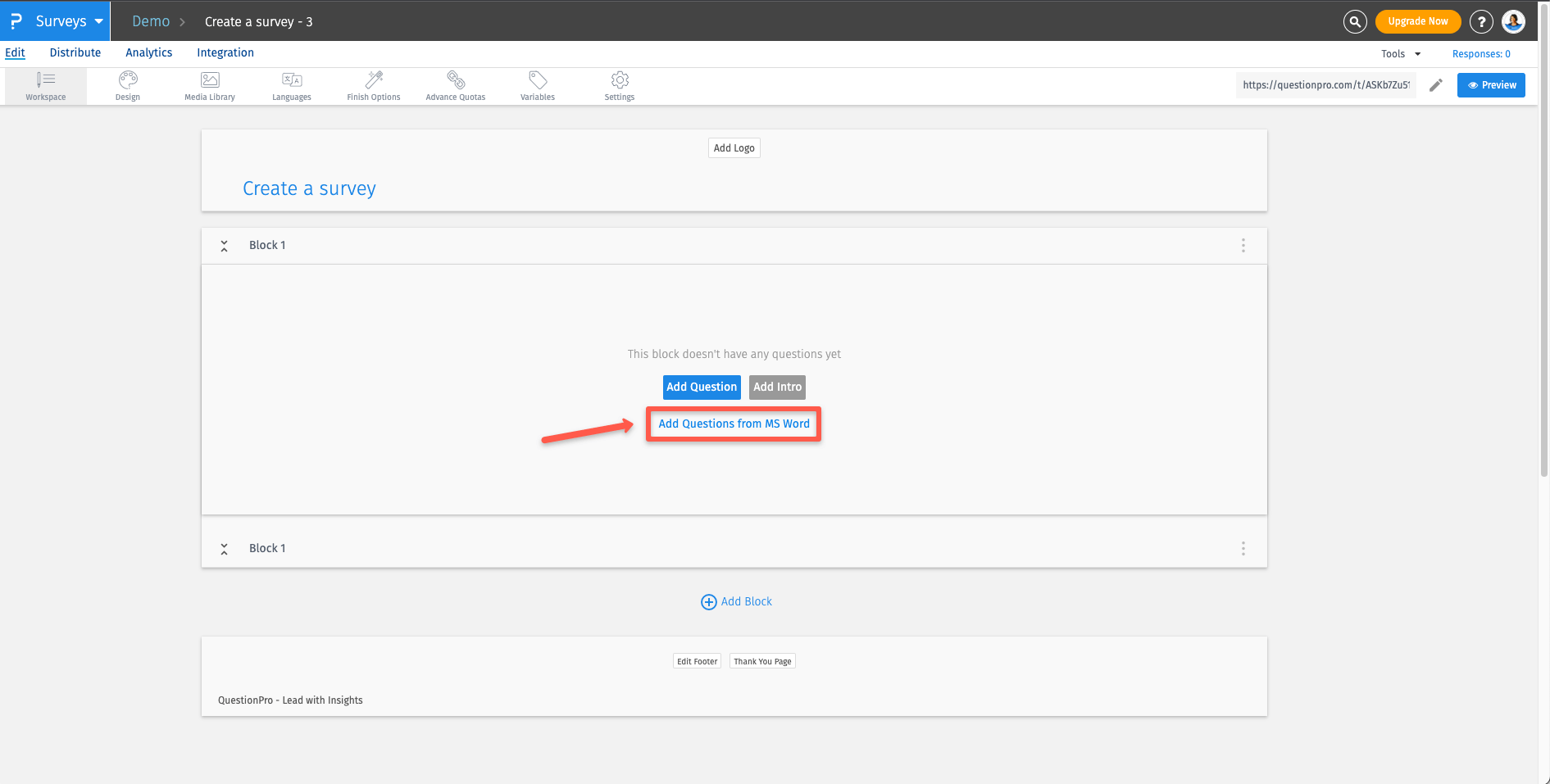
A pop-up will appear giving you the option to upload a word file or download a sample document. Click on Sample Microsoft Word Document button to download a sample file for reference. Once your file is ready for upload, drag and drop the file and click on upload to create your survey.
Which is the most recommended survey creation method?
When you are sure about what kind of survey you wish to create, you have a set goal and the questionnaire to gather relevant data, the ‘new survey’ method is the most recommended as it gives you the ability to design your survey exactly the way you want it to be.
When you are not sure about what kind of survey you wish to create or the right questions to ask your target audience, you could always use the ‘templates’ and then edit/customize them accordingly.
What's the best way of getting started with QuestionPro?
Our weekly training sessions! We conduct a live weekly webinar series which is absolutely FREE!. Each webinar is about 45 minutes long. The topics covered over a four week span include:
- An overview of QuestionPro
- An overview of the smart survey logic
- Survey distribution and reporting
- Feature updates - What's new with QuestionPro
To learn more about these or register yourself for these training sessions, visit our Training page!
I have created my survey, what are the next steps?
- Brand your survey. Add your company's logo, update colors and font
- Distribute your survey via Email, Sms, QR codes, Offline App or check out the entire list of distribution methods
- Analyze survey results in real time
Related QuestionPro Certifications
