


Specialized Sample
The Specialized Sample feature under Audience helps you reach highly targeted and hard-to-find audiences for your research studies. Whether you need B2B professionals, niche consumer segments, or specific demographics, Specialized Sample connects you with verified respondents who meet your unique criteria.
Click to download the videoQuestionPro Audience now provides access to respondents across 58 countries, enabling you to launch market research studies globally from a single platform.
Each country includes its own set of available demographic and geographic targeting options, allowing you to reach the most relevant audience based on the market you're researching.
What's New- Access respondents in 58 countries worldwide.
- Country-specific targeting options that automatically adapt based on the selected country.
- Demographic filters tailored to each market.
- Geographic segmentation based on the country's supported regions, states, provinces, or administrative divisions.
- A single, consistent workflow for launching both domestic and international studies.
- Create or open your Audience project.
- Select the country (or countries, if supported) where you want to collect responses.
- The platform automatically displays the demographic and geographic targeting options available for the selected country.
- Apply the desired criteria.
- Review your audience estimate and launch your study.
Because every country has different census standards and administrative regions, the available targeting options may vary.
For example:
- Some countries support States or Provinces.
- Others provide Regions, Counties, or other local administrative divisions.
- Demographic attributes such as Age, Gender, Income, Education, Employment, Household Composition, and Ethnicity may differ depending on data availability in each country.
The platform dynamically displays only the targeting options supported for the selected country, ensuring accurate audience qualification.
Benefits- Reach respondents across global markets from a single platform.
- Build country-specific audiences without manual configuration.
- Improve research quality using localized demographic and geographic targeting.
- Reduce setup time with intelligent, country-aware qualification options.
- Check feasibility:- First you need to check if the audience that you are looking for is feasible through this platform.
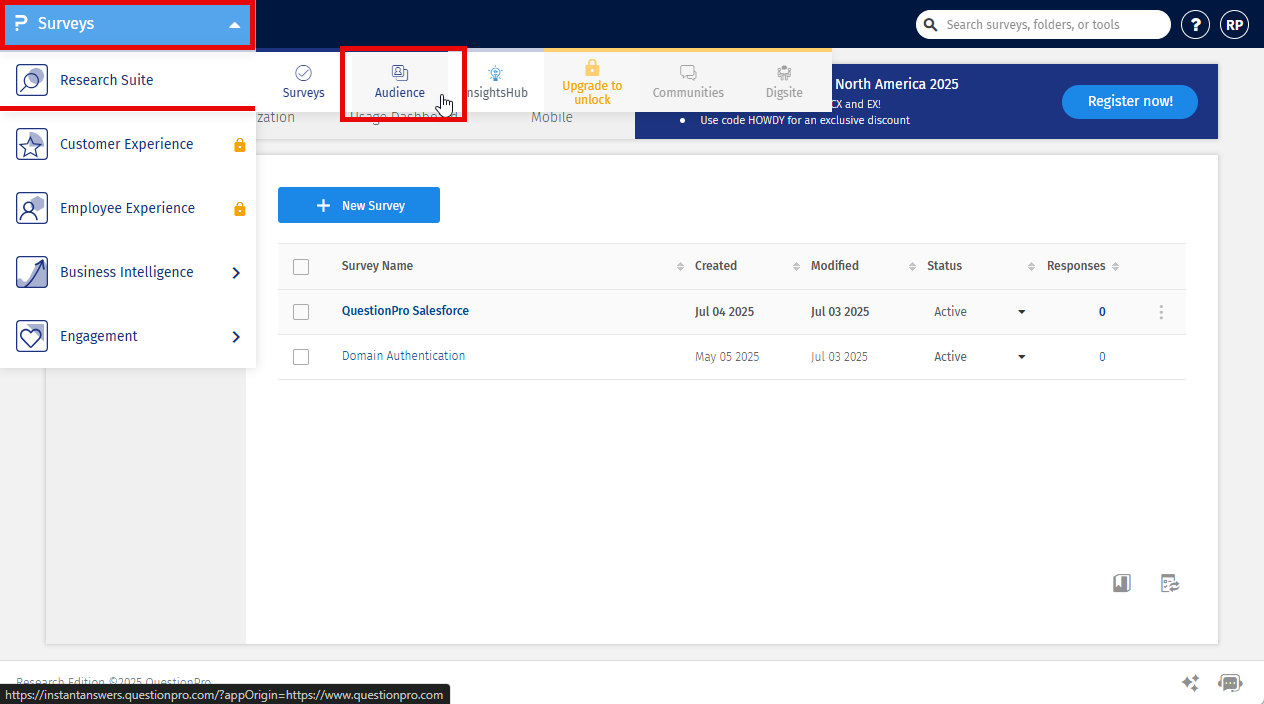
- Go to Audience
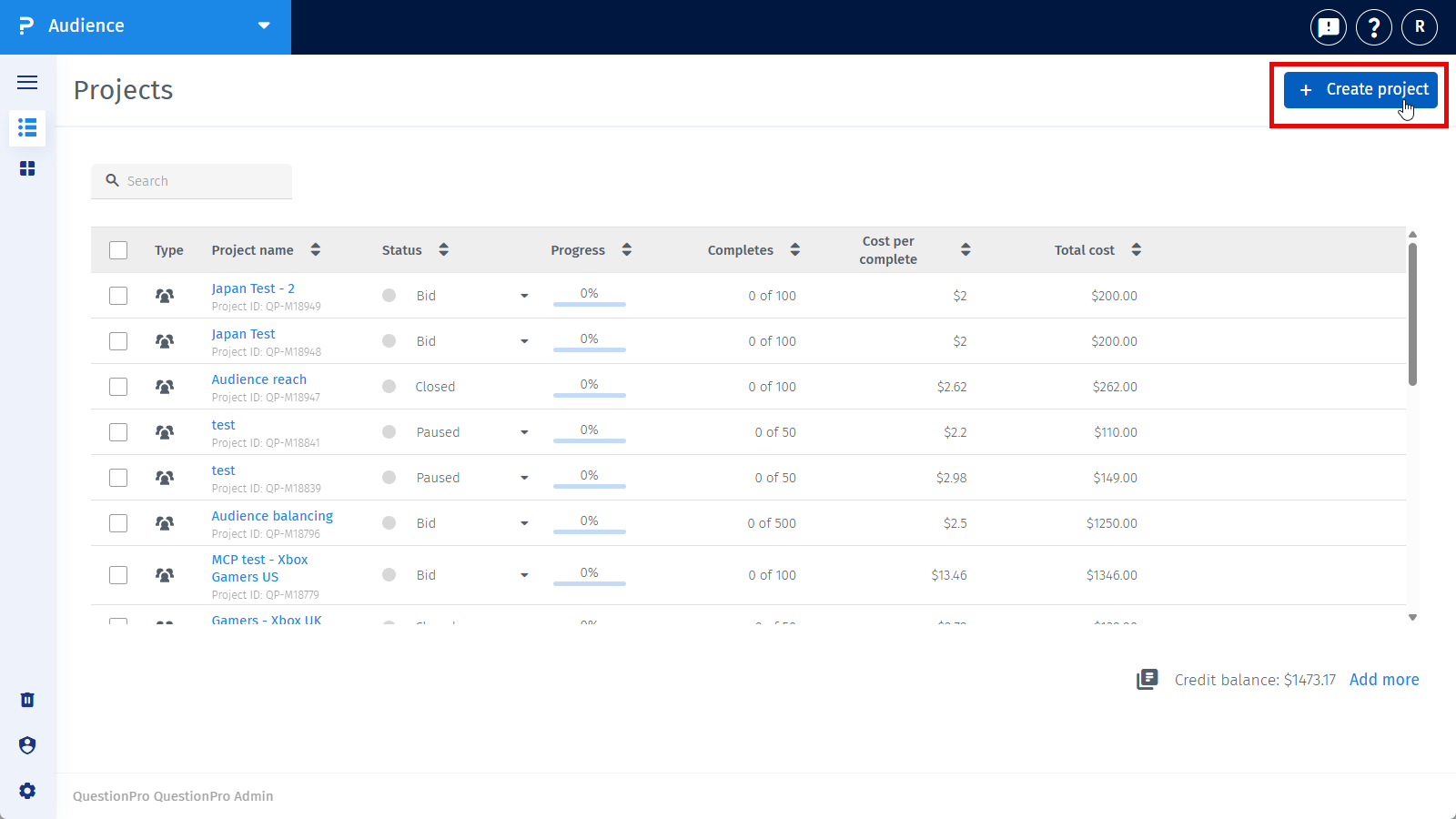
- Click on the Create Project button.
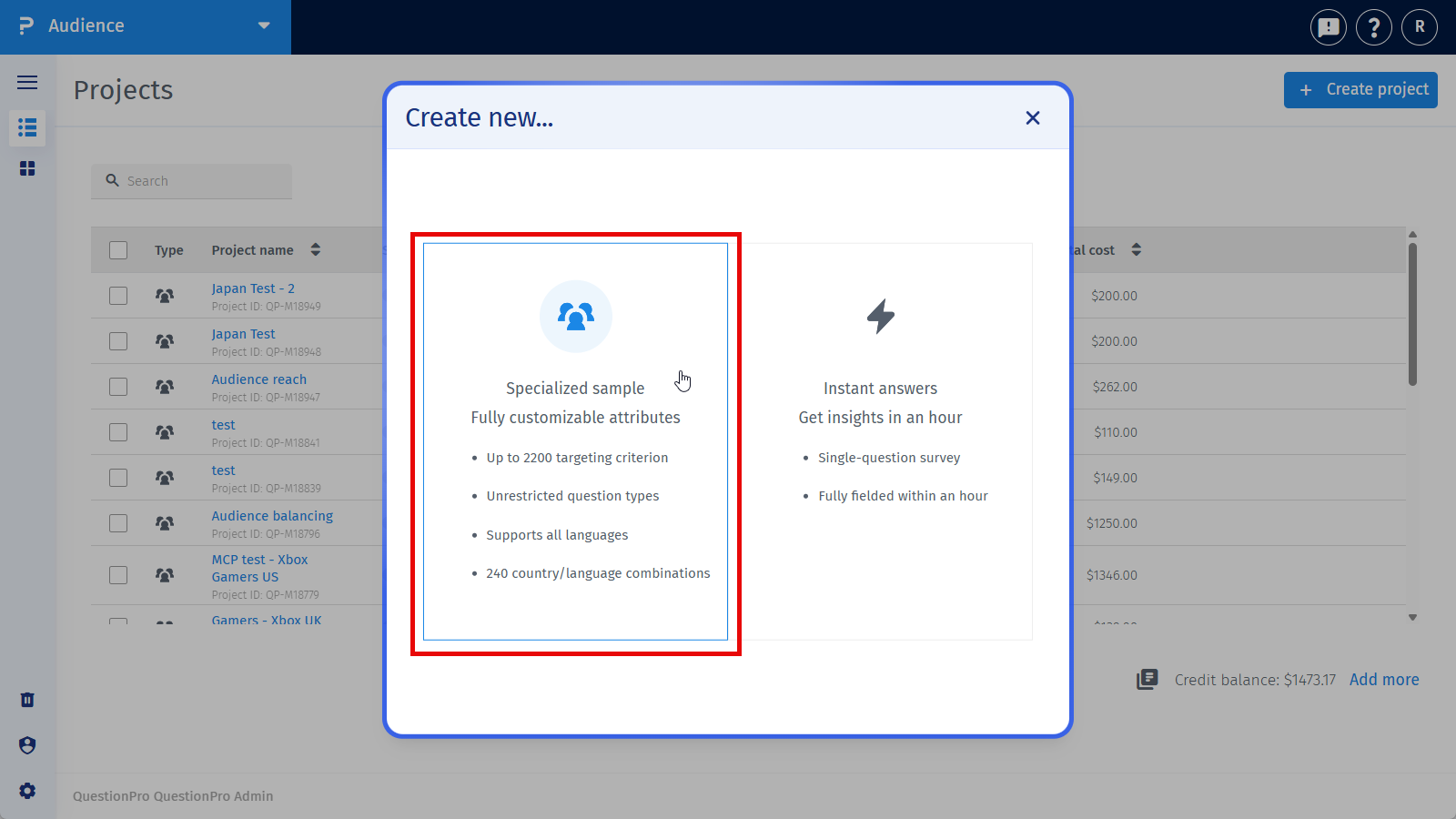
- Select "Specialized Sample" in the pop-up window.
-
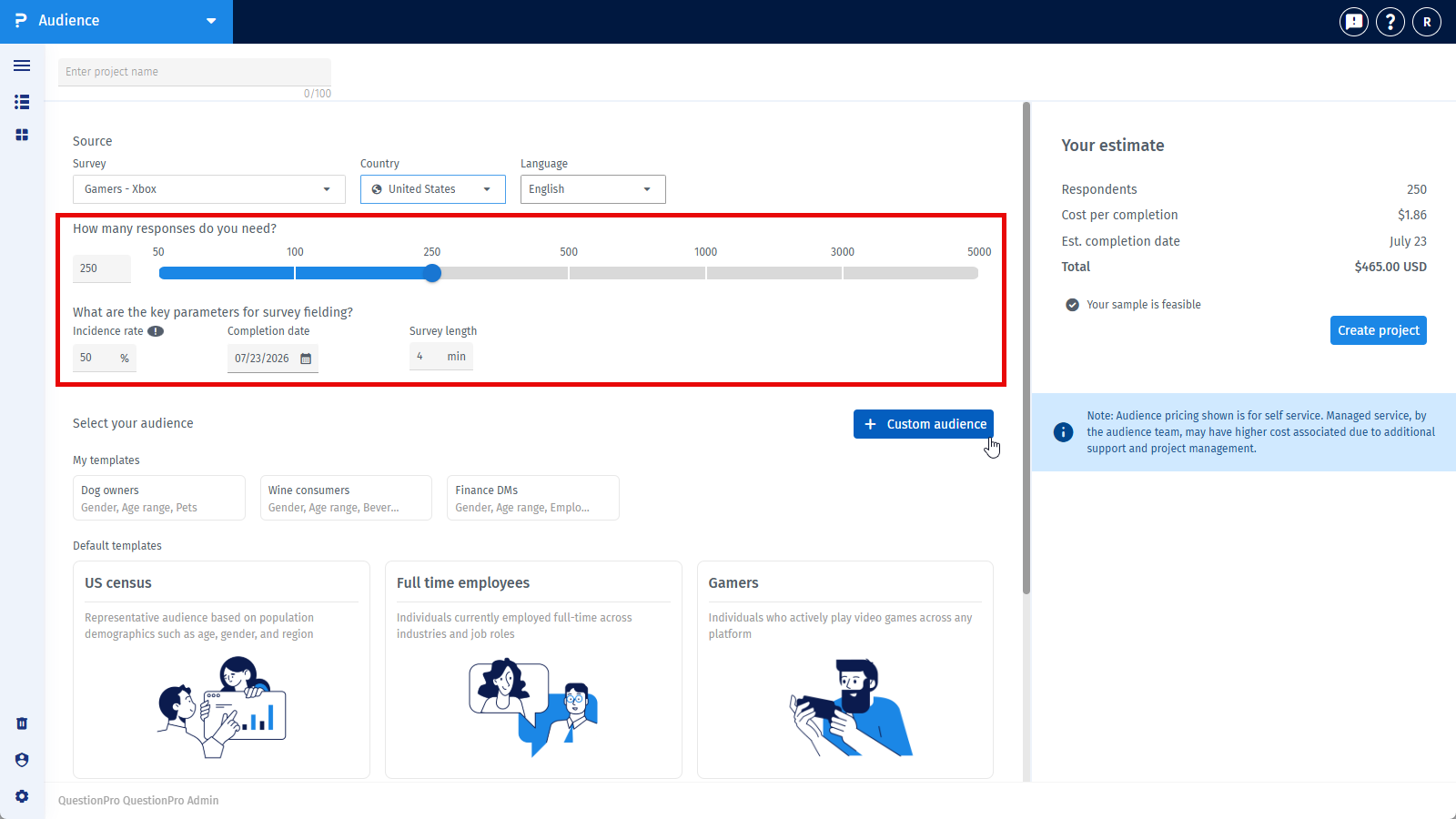
Feasibility:- To check feasibility, you need to enter the mandatory fields below:
- Responses:- The number of responses you want to collect.
- Survey length:- If you have a survey ready to launch, you can select it from the dropdown, and the system will auto-populate the survey length. If you don't have a survey yet, you can manually enter the survey length in minutes (between 1 to 20).
- Incidence Rate:- It's an assumption that refers to the percentage of respondents who complete the survey out of those who were invited to take it.
- Field Time:- The number of days available to achieve the target number of responses. You must select a date starting from today.
- Qualification Library:- Select the qualification criteria based on your target audience.

- Final Feasibility:- You can check if your defined audience is feasible in the right panel, along with the cost per interview (CPI) and total project cost
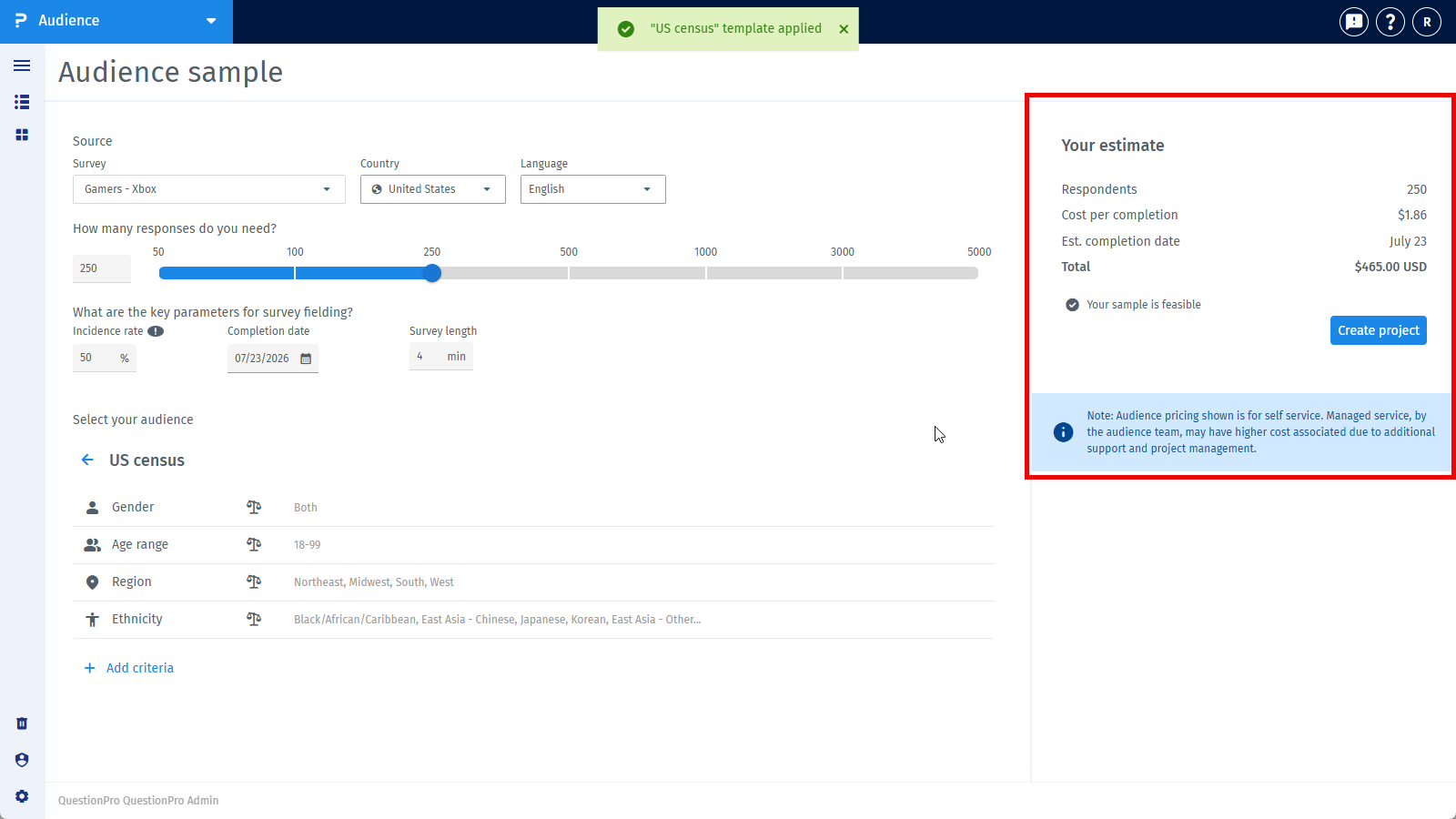
Launch Project:- Once your audience is feasible and within budget, you can proceed to launch the survey.
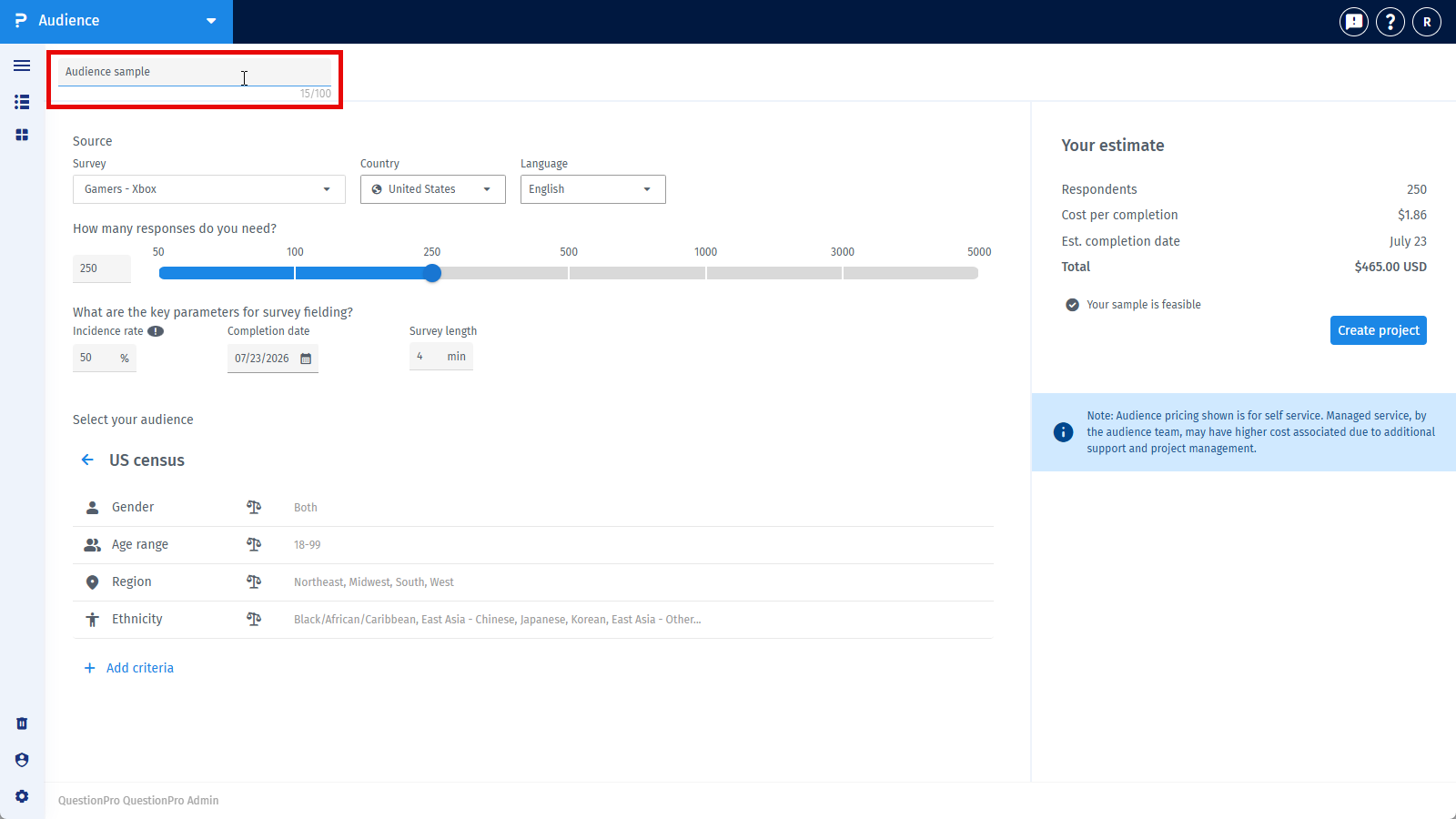
- Project name:- Give your project a name of your choice and hit the Check button.
- Select Survey:- Choose the survey you want to launch from the dropdown. Ensure the survey is set to “Active” in the survey settings to appear in the dropdown list.
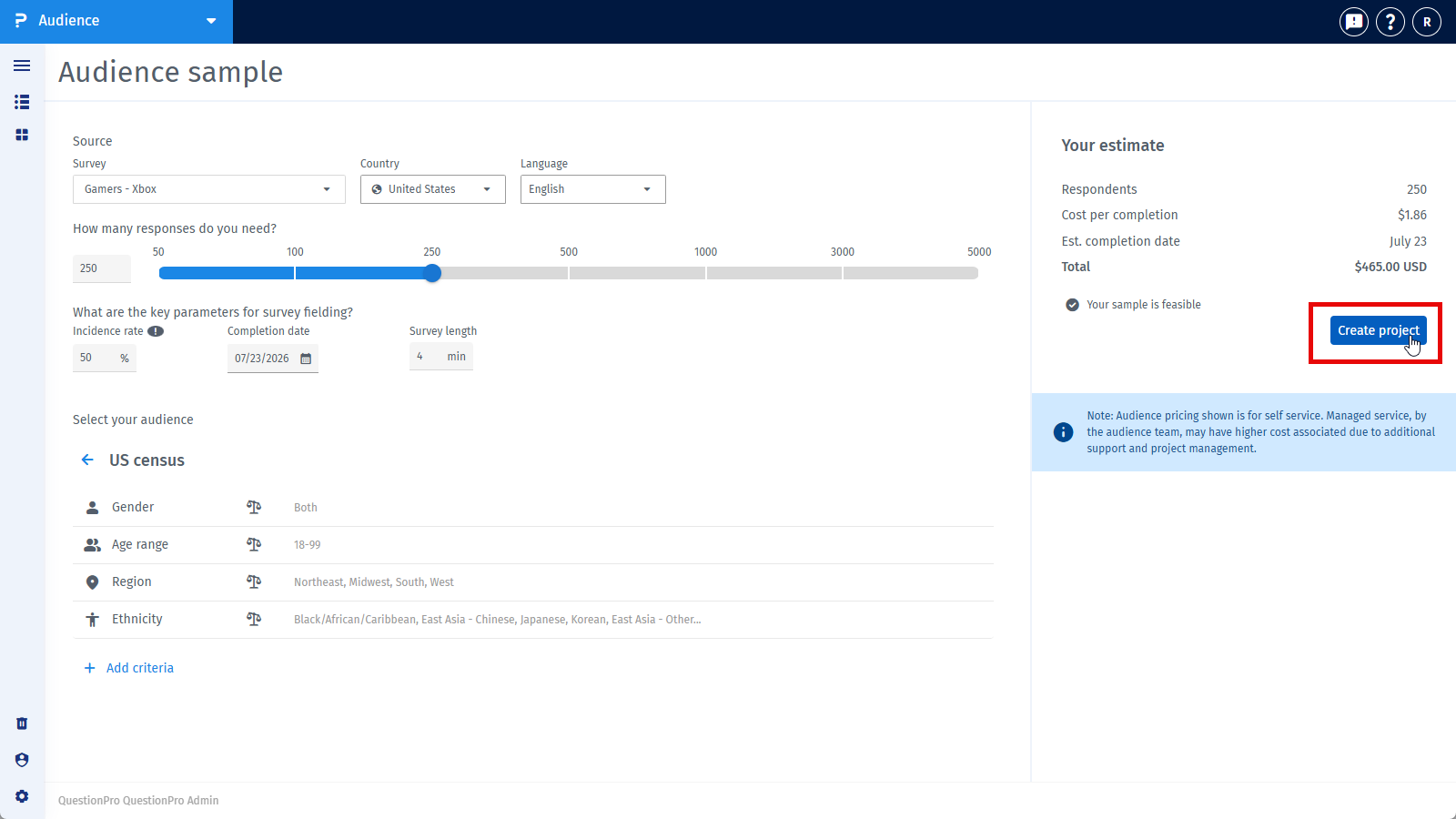
- Click on Create project button
-
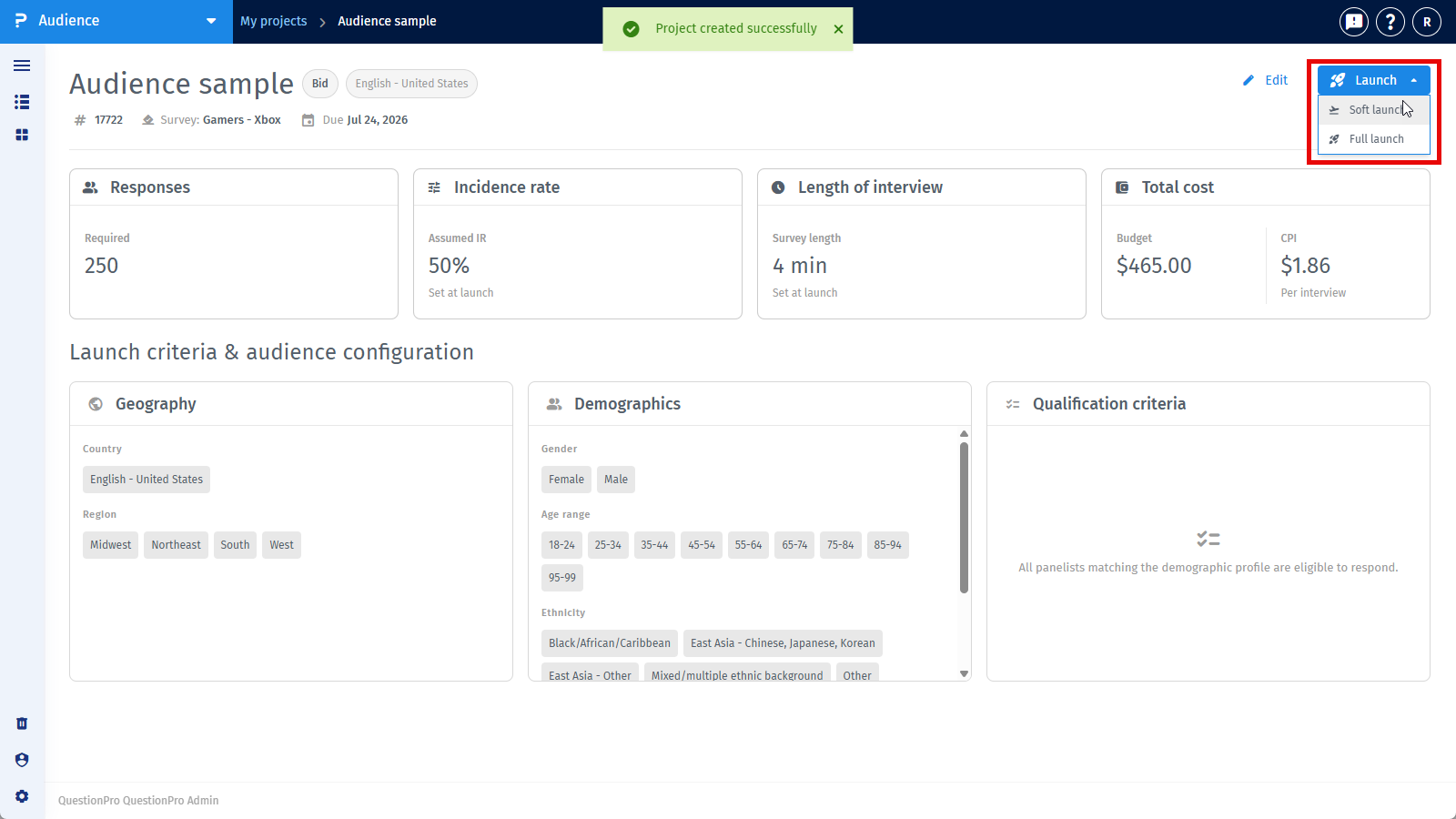
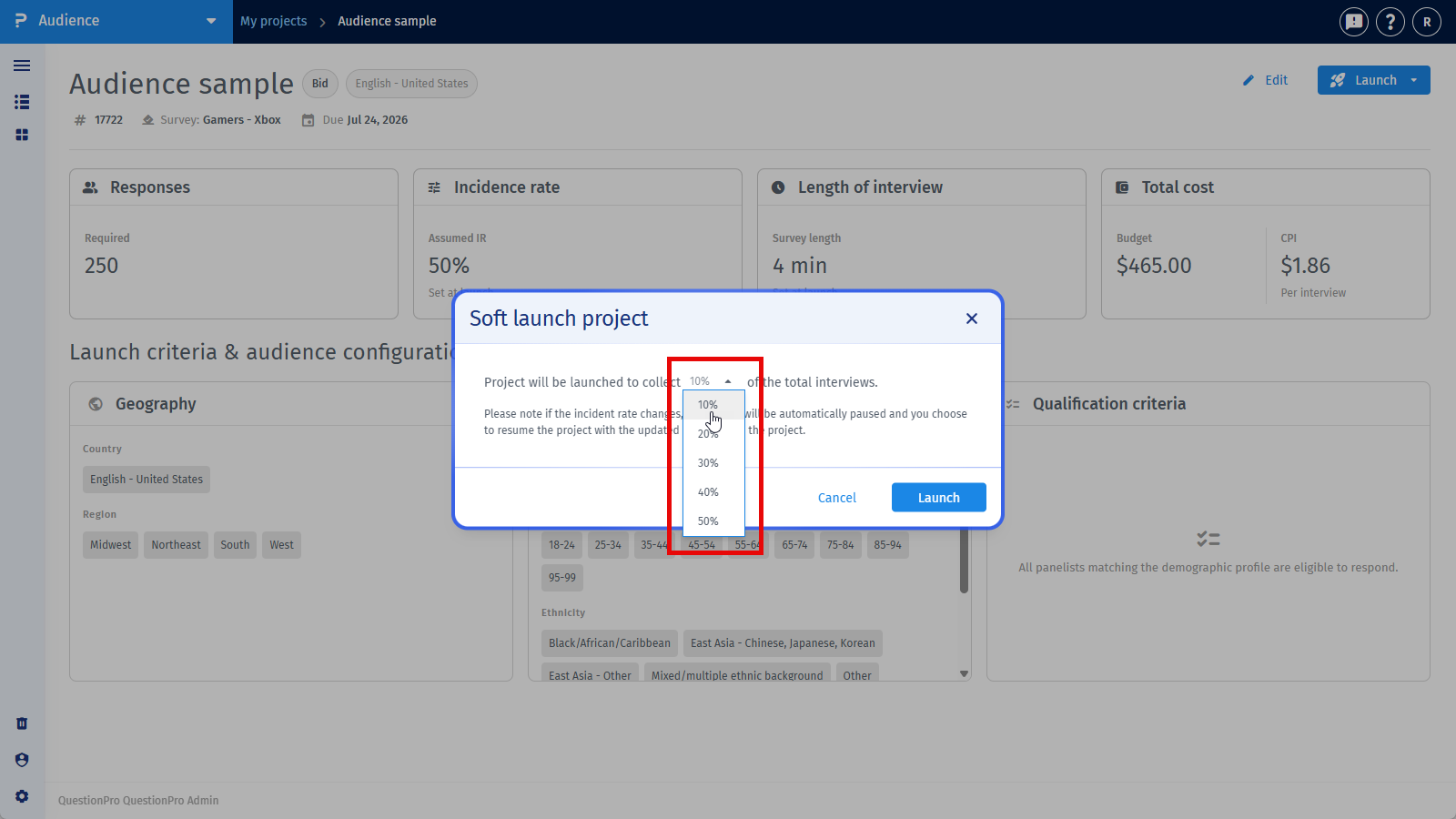
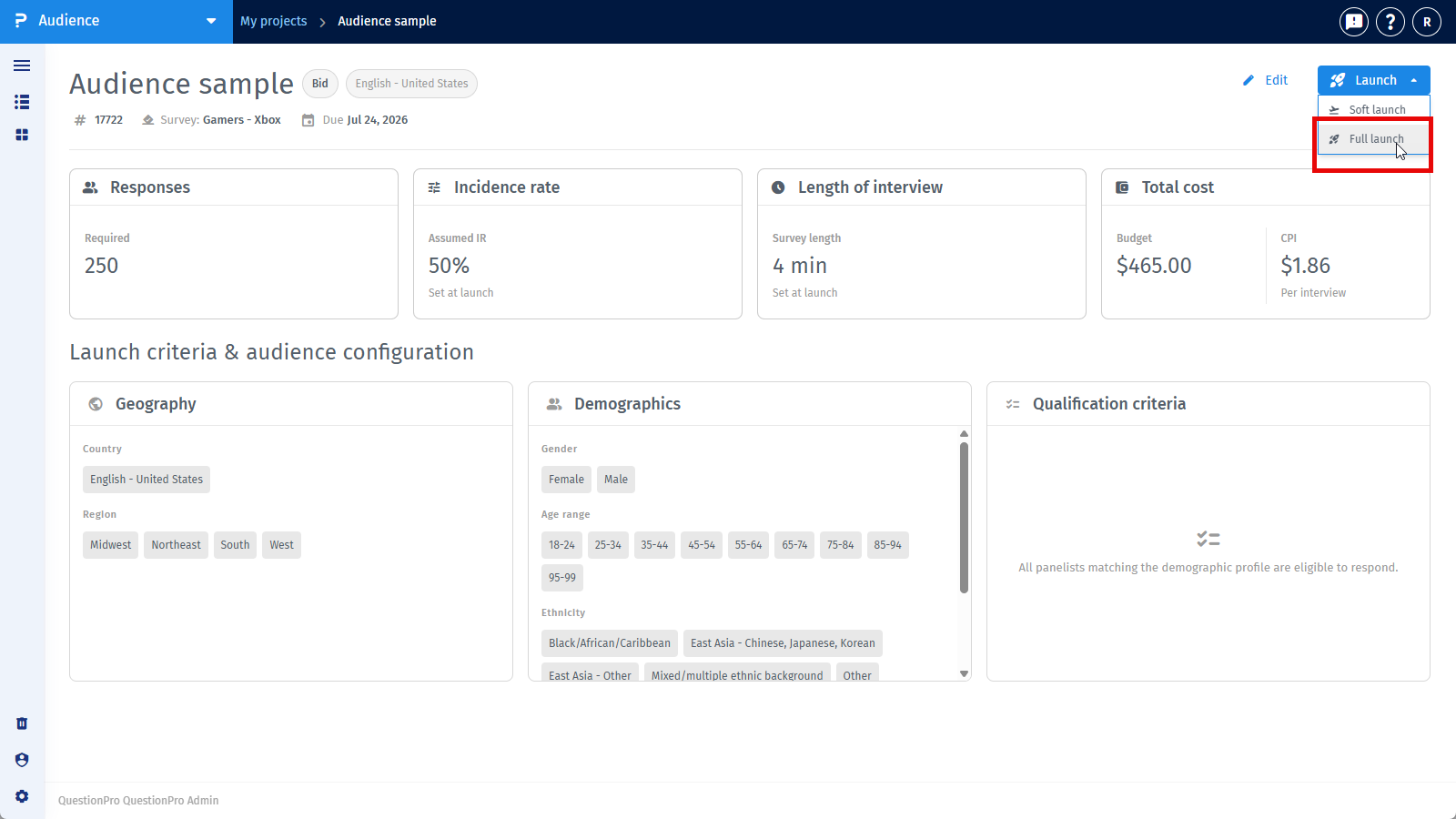
Click on the Launch drop down button:- You will see two options.
- Soft launch:- You can choose to launch the survey for 10%, 20%, 30%, 40%, or 50% of the total sample. The goal is to test the survey, validate data quality, and monitor live metrics such as survey length and incidence rate.
- Full launch:- This will launch the survey to collect all required responses at once.
- Your survey is now launched, and you can monitor progress on the main dashboard.
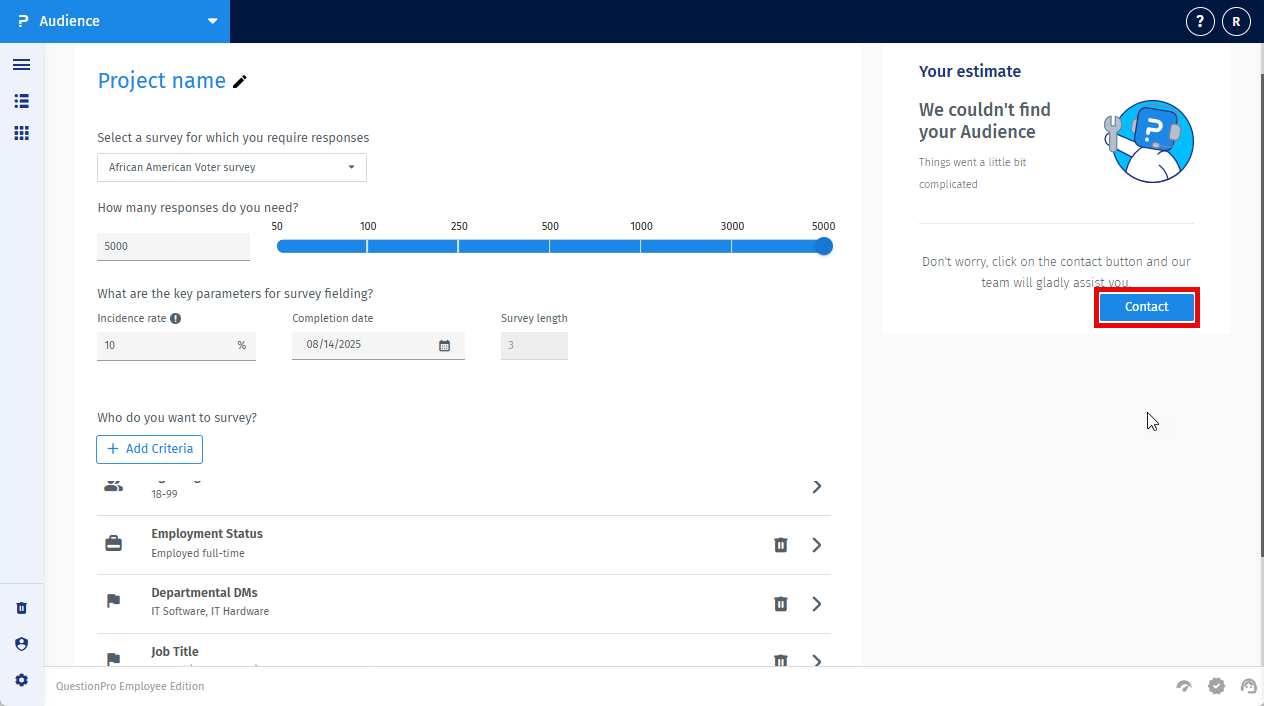
If your defined audience is not feasible, you will see a "Contact" button. Click this button to submit your request to the team. They will assess the feasibility and get back to you on your registered email address with the cost and options.
IR is the percentage of people from the total screened sample who qualify for a study based on the screening criteria.
It tells you how common your target audience is in the population you are sampling from.
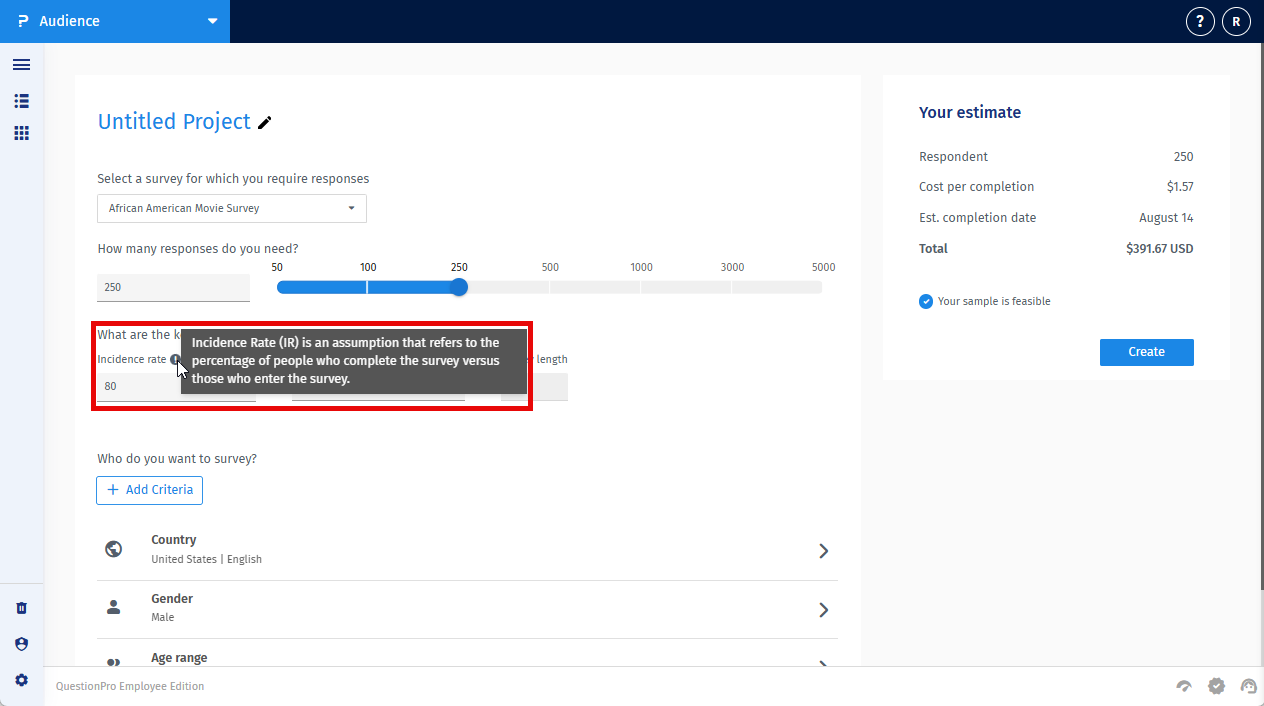
IR is assumed rather than calculated as (number of respondents who will qualify the survey divided by number of respondents who have entered into the survey) multiplied by 100.
IR is calculated only based on screening questions, not survey completion behavior.
Example: Supose a client requested for 250 responses from people who own an electric car.- Total respondents screened = 1000
- Completed (Own electric car) = 250
- Terminated = 700
- Overquota/Dropout = 50
So the IR will be 30%
Right now, Audience does not let you edit a project after it is launched. This includes the due date (Field Time).
Before you click Launch, check that the due date is correct.
You can't. After a project is launched, its targeting can't be changed. To reach more people or use different targeting, create a new project with the new targeting and settings.
Every time you launch a project, Audience increases the End quota of your survey by that project's number of responses.
Example:- You need 1000 responses. You launch Project 1 for 1000 responses.
- After 100 responses, it is collecting responses too slowly. You launch Project 2, also for 1000 responses, with wider targeting.
- You now have two projects of 1000 responses each, but you only need 1000 responses in total.
This feature is available with the following licenses :
Advanced Team Edition Research Edition Communities Customer Experience University - Research Edition
