Getting Started with ListenAI
ListenAI is an advanced qualitative research platform that conducts AI-moderated interviews at scale. It allows you to gather deep, rich insights by having an AI agent dynamically converse with your participants. The AI uses your research goals to ask relevant follow-up questions, probing into the "why" behind participant responses just like a human moderator would.
While traditional surveys are static and rely on pre-defined questions and multiple-choice answers to gather quantitative data, AI-moderated interviews are highly dynamic. ListenAI actively listens to the respondent and asks unscripted follow-up questions to explore unexpected themes and deep emotional drivers. This gives you the scale of a survey but the qualitative depth of a one-on-one user interview.
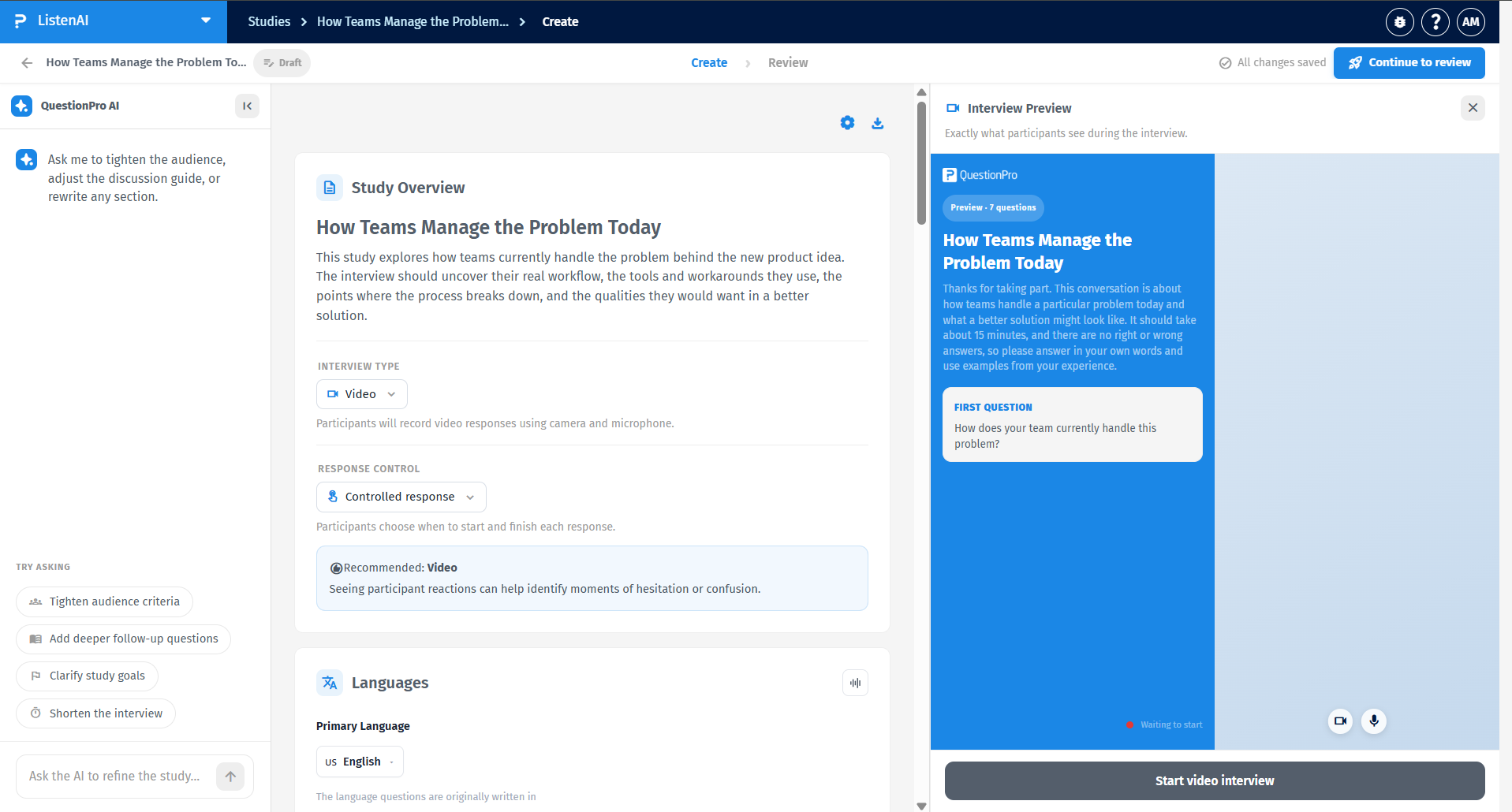
The ListenAI workspace is designed to help you quickly transition from a rough idea to a fully deployed study. It consists of intuitive sections for drafting your research brief, configuring study parameters (such as video or audio interviews), outlining key learning objectives, setting up target audience criteria, and previewing the live participant experience side-by-side with an AI copilot that assists you in refining your guide.
Creating your first study is fast and intuitive. Follow these steps to launch your qualitative research quickly:
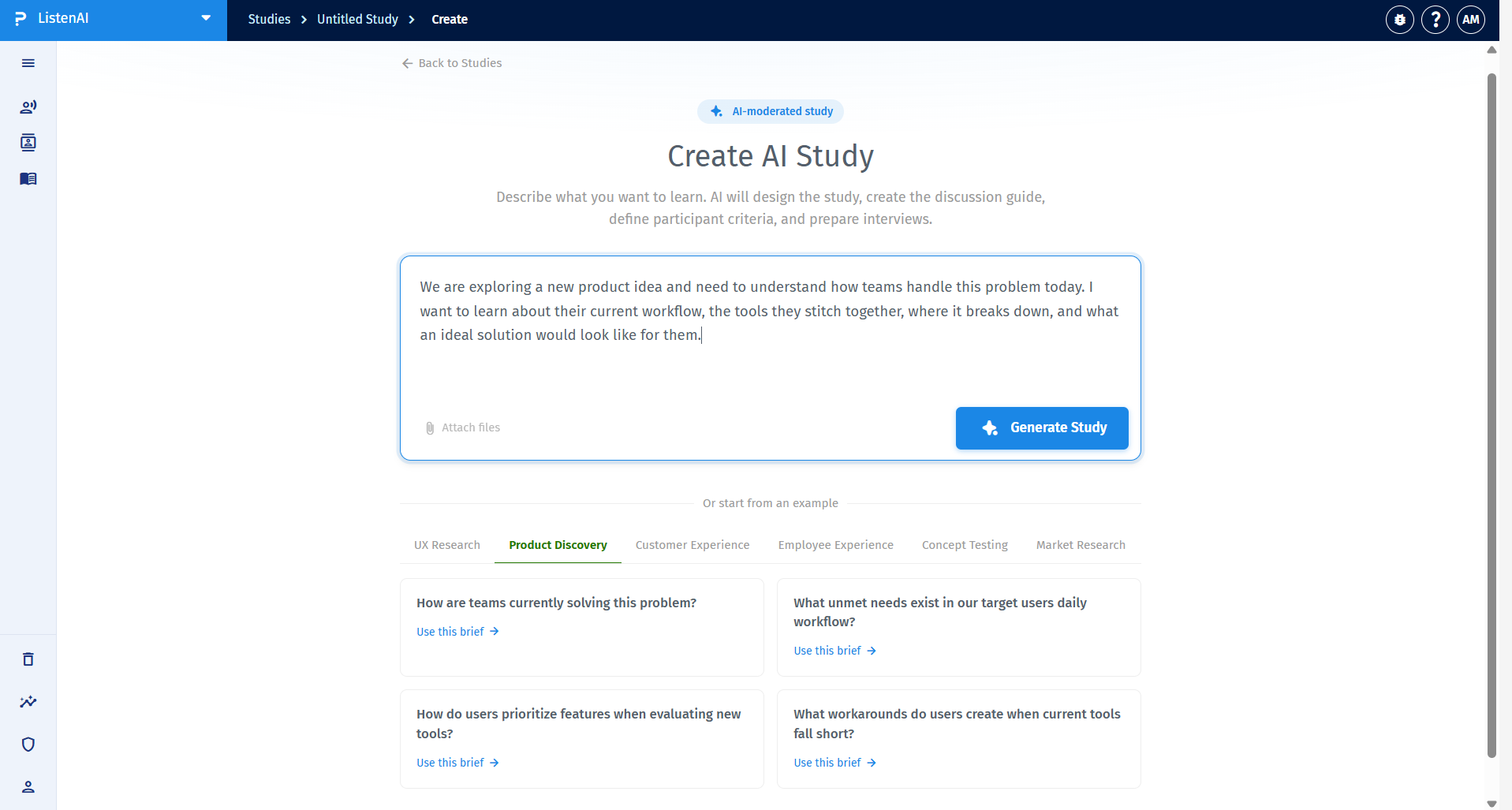
Step 1: Describe your research brief
Navigate to Create AI Study. Simply type in what you want to learn in plain English into the prompt box, or start from one of the pre-built templates grouped by categories like UX Research, Product Discovery, or Customer Experience. Once you've entered your brief, click the blue Generate Study button. The AI will immediately begin designing the study and discussion guide.
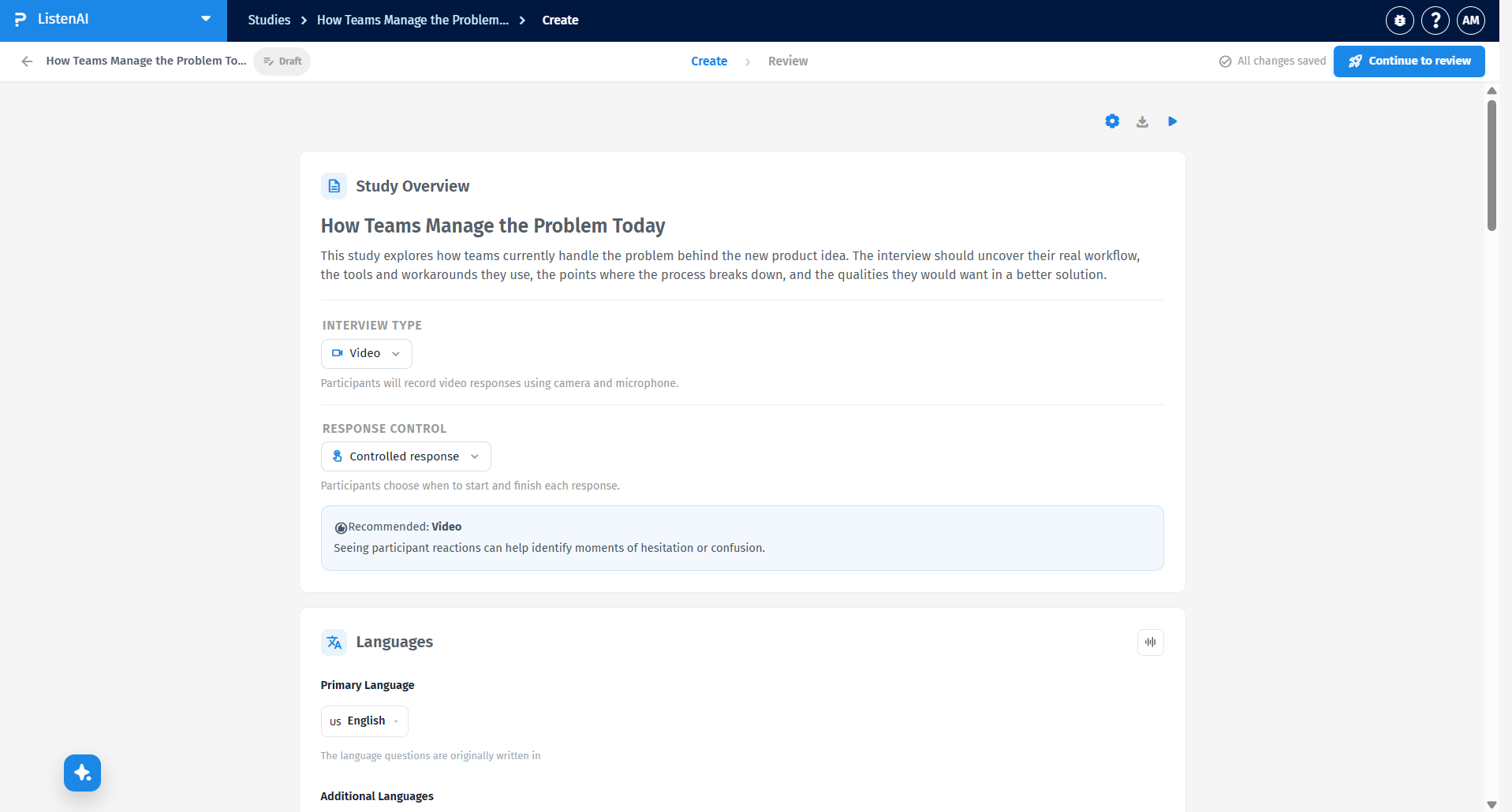
Step 2: Configure the Study Overview
Review the AI-generated Study Overview. Here, you can select the Interview Type (such as Video, where participants record responses using their camera and microphone) and define the Response Control. You can also set up the Primary and Additional Languages for your study in the section directly below.
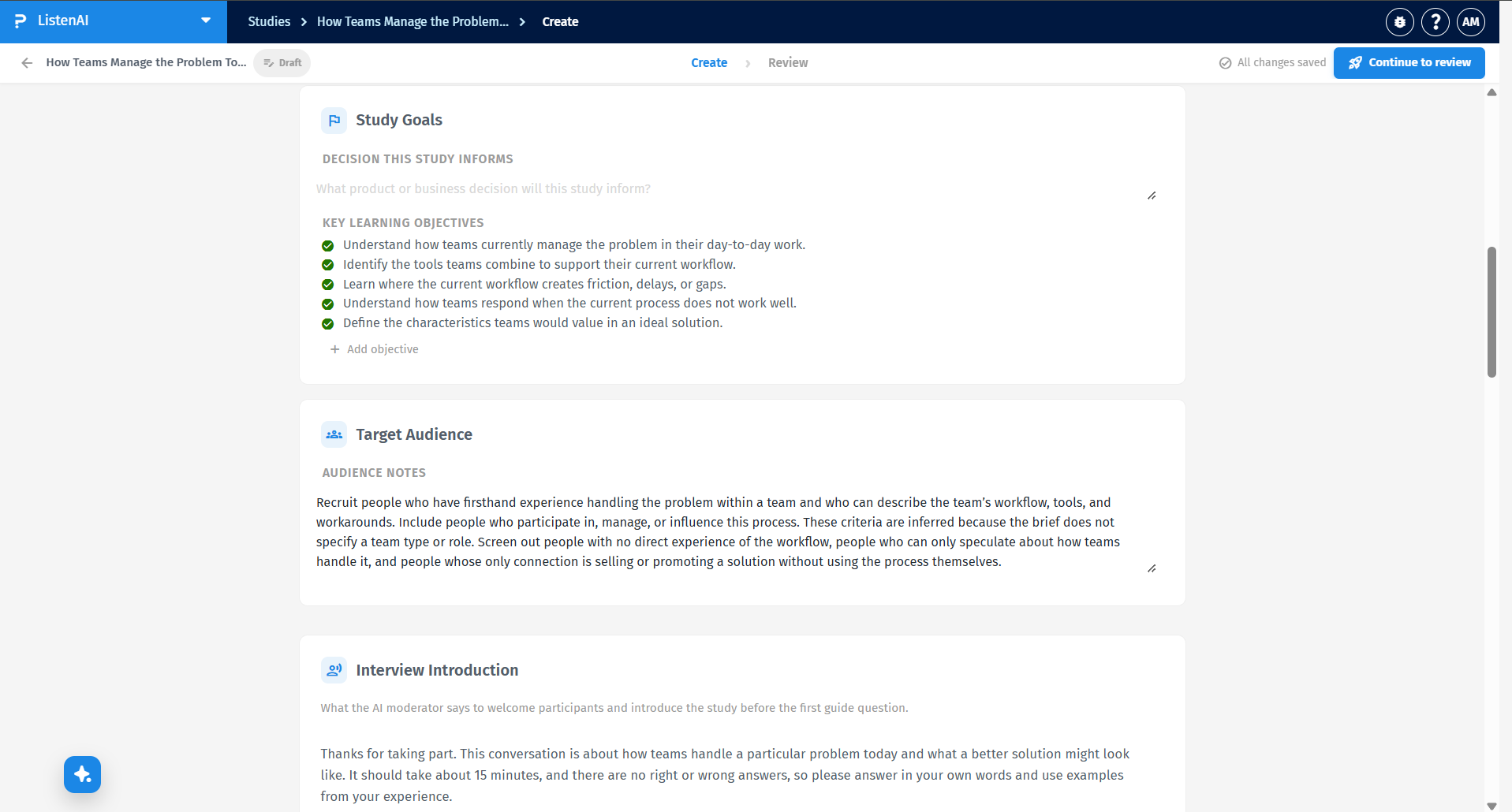
Step 3: Define Goals and Target Audience
Scroll down to review the Study Goals and Target Audience sections. ListenAI automatically outlines the key learning objectives and writes audience notes based on your initial prompt. You can manually edit these sections or add new objectives to ensure the AI moderator knows exactly what to prioritize and who to screen for during the interview.
Step 4: Refine and Preview
Use the QuestionPro AI panel on the left to ask for adjustments, utilizing quick prompts like "tighten audience criteria," "add deeper follow-up questions," or "shorten the interview"[cite: 3]. On the right side, interact with the Interview Preview to experience exactly what your participants will see and test the flow. Once you are satisfied with the setup, click the Continue to review button in the top right corner to finalize and launch your study!