Using the Study Builder
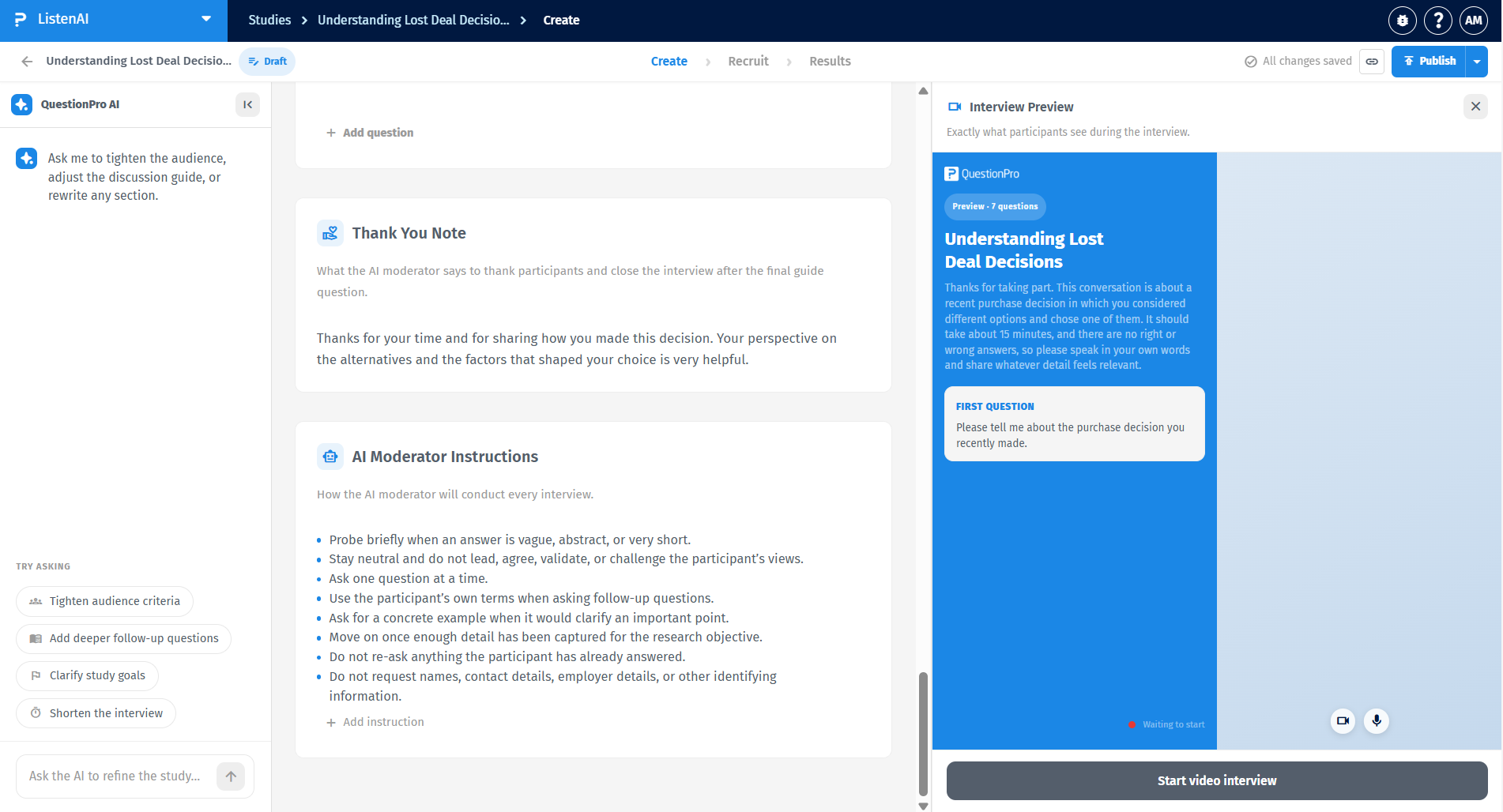
The Study Builder is your central workspace for configuring and refining an AI-moderated interview. While all the study goals, target audience, discussion guide, thank you note, and other text are initially AI-generated, you have full control to edit every aspect of your study to fit your specific research needs.
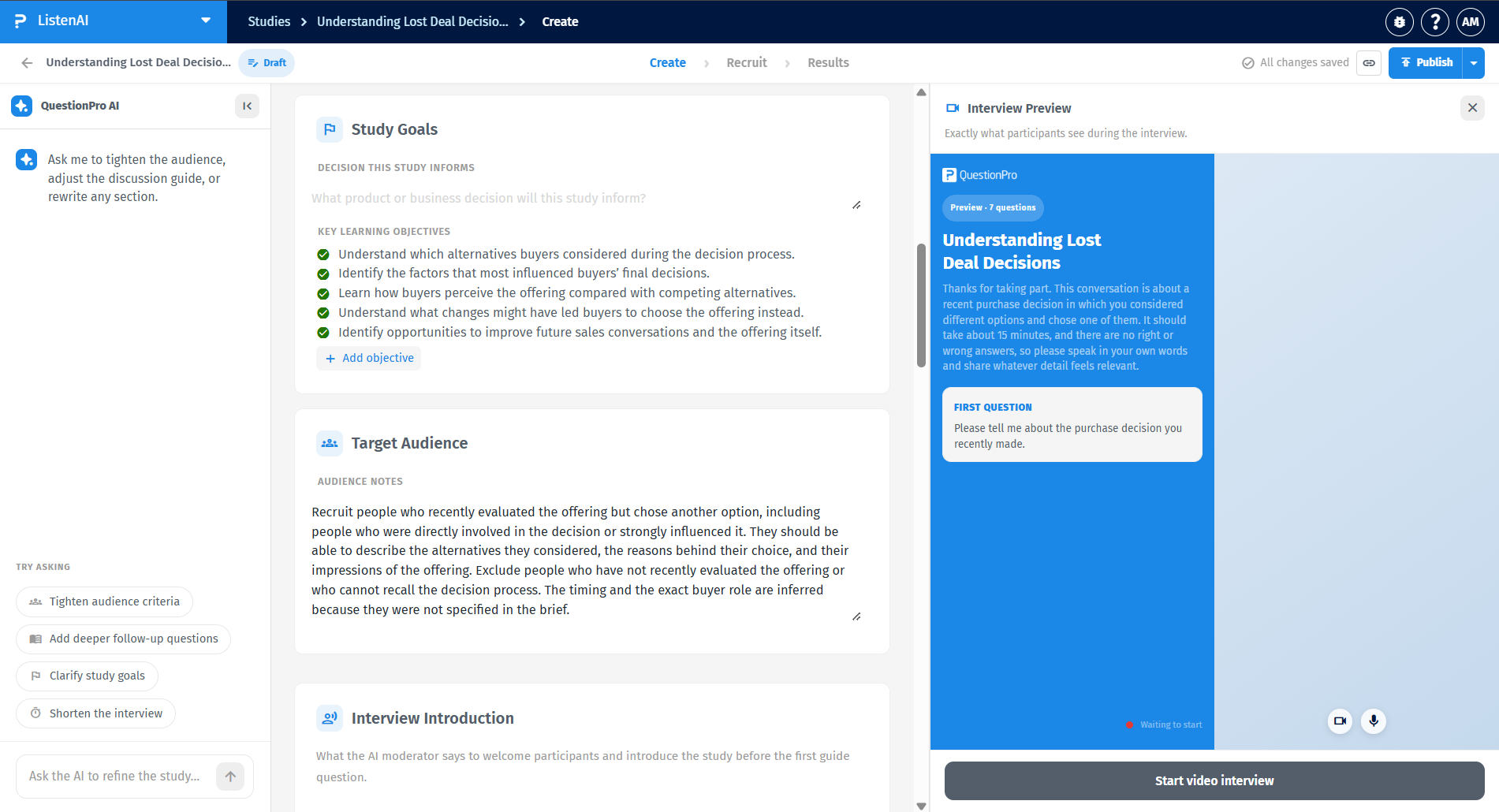
The AI automatically generates the core business decision and Key Learning Objectives (e.g., understand alternatives, identify influences) in the Study Goals section based on your brief. Similarly, the Target Audience section includes AI-generated Audience Notes specifying exactly who should be recruited and who should be excluded from the study. You have full control to edit, rewrite, or add to these fields.
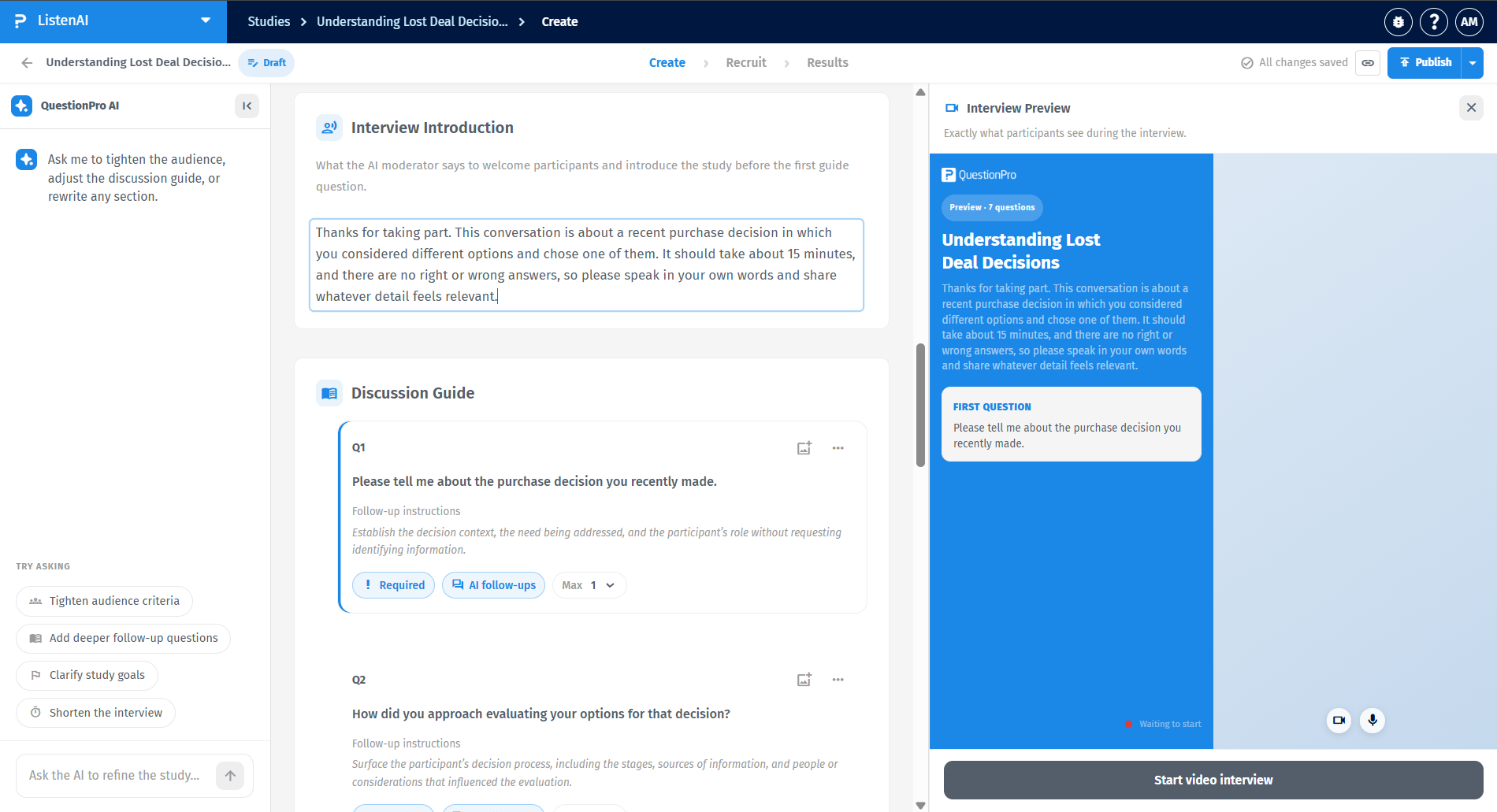
The Interview Introduction defines exactly what the AI moderator says to welcome participants before asking the first guide question. While this text is AI-generated, you can freely edit it to adjust expectations regarding the topic, estimated duration (e.g., "about 15 minutes"), and reassure participants that there are no right or wrong answers.
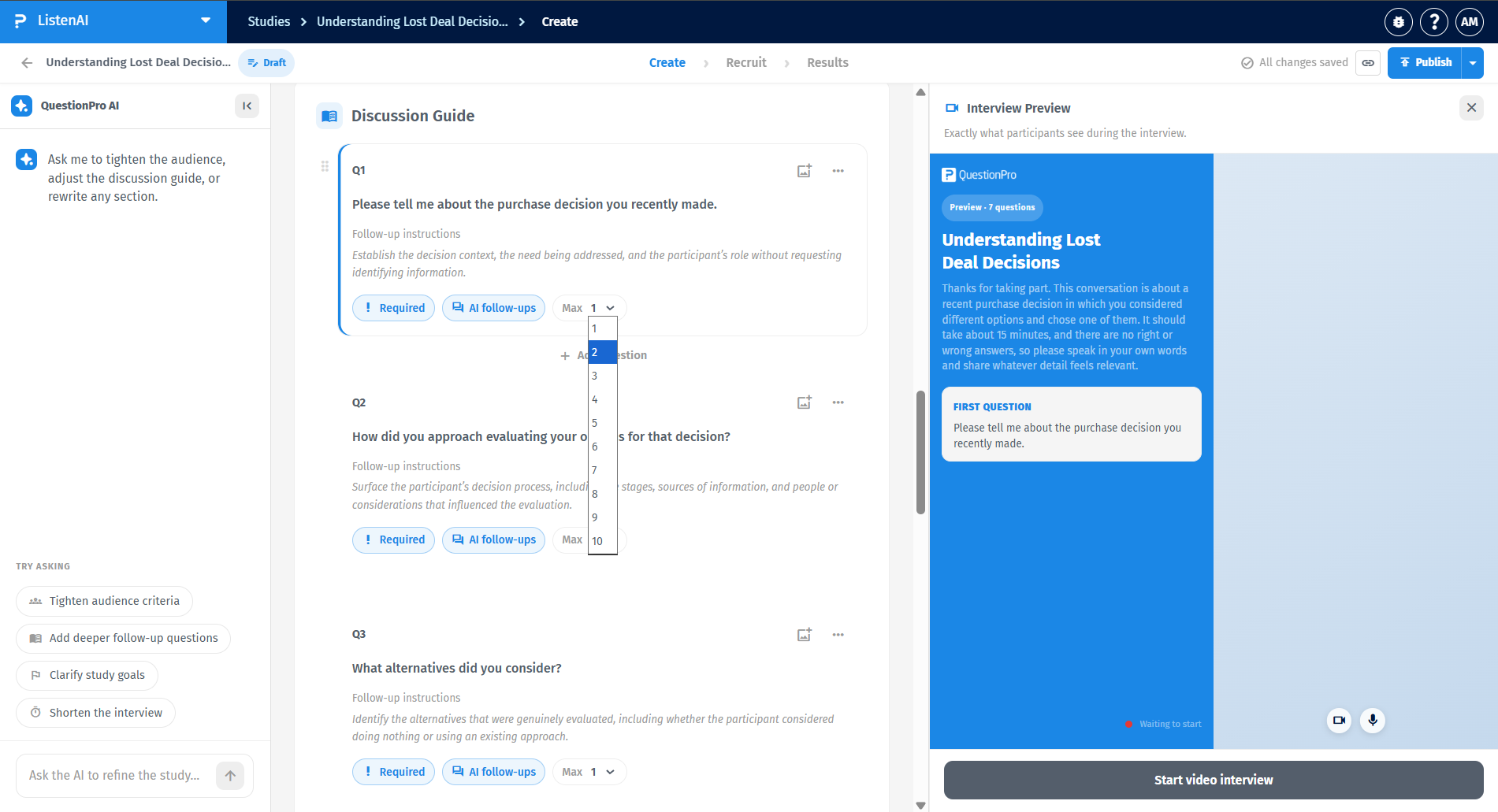
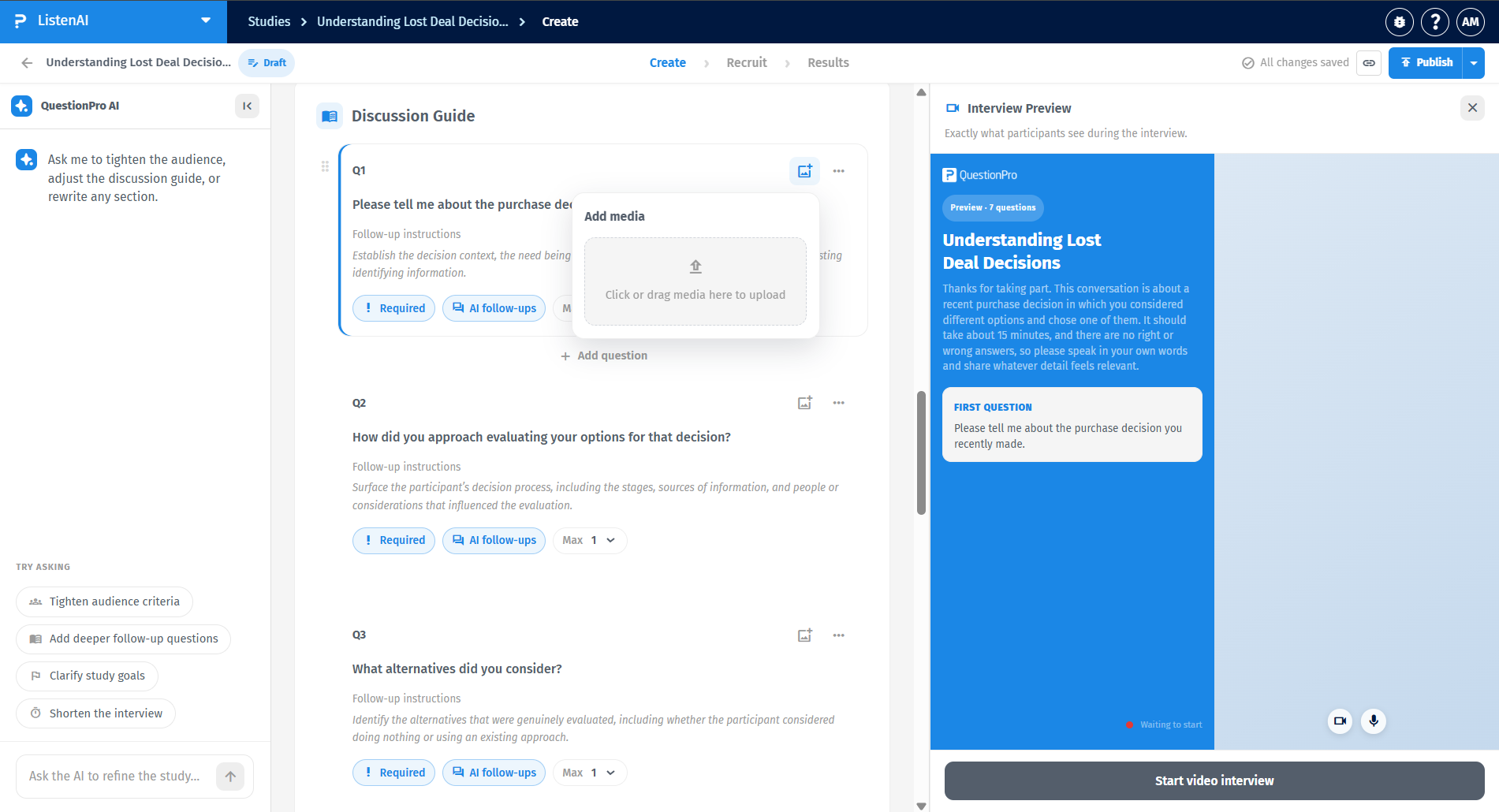
The Discussion Guide contains the primary questions the AI will ask. These questions are initially generated by the AI, but you can manually edit the text, add new questions, and configure several settings for each:
- Required vs. Optional: Toggle the "Required" button to ensure participants cannot skip the question.
- Follow-up Probes: Use the "Max" dropdown next to "AI follow-ups" to limit how many deep-dive questions the AI can ask per prompt, ranging from 1 up to 10 follow-ups.
- Reordering: Click the options menu (...) next to any question to move it up or down in the guide.
You can also attach media to any question by clicking the image icon, which opens an "Add media" prompt where you can click or drag media to upload.
The AI provides baseline rules in the AI Moderator Instructions section to set global behavioral guidelines, such as "Stay neutral and do not lead," "Ask one question at a time," or "Do not request identifying information." The Thank You Note section defines the AI-generated final message the AI delivers to close the interview after the final guide question. You can manually edit, add, or remove instructions and text in both sections to ensure the AI conducts the interview exactly according to your research standards.