Reviewing Results and Insights
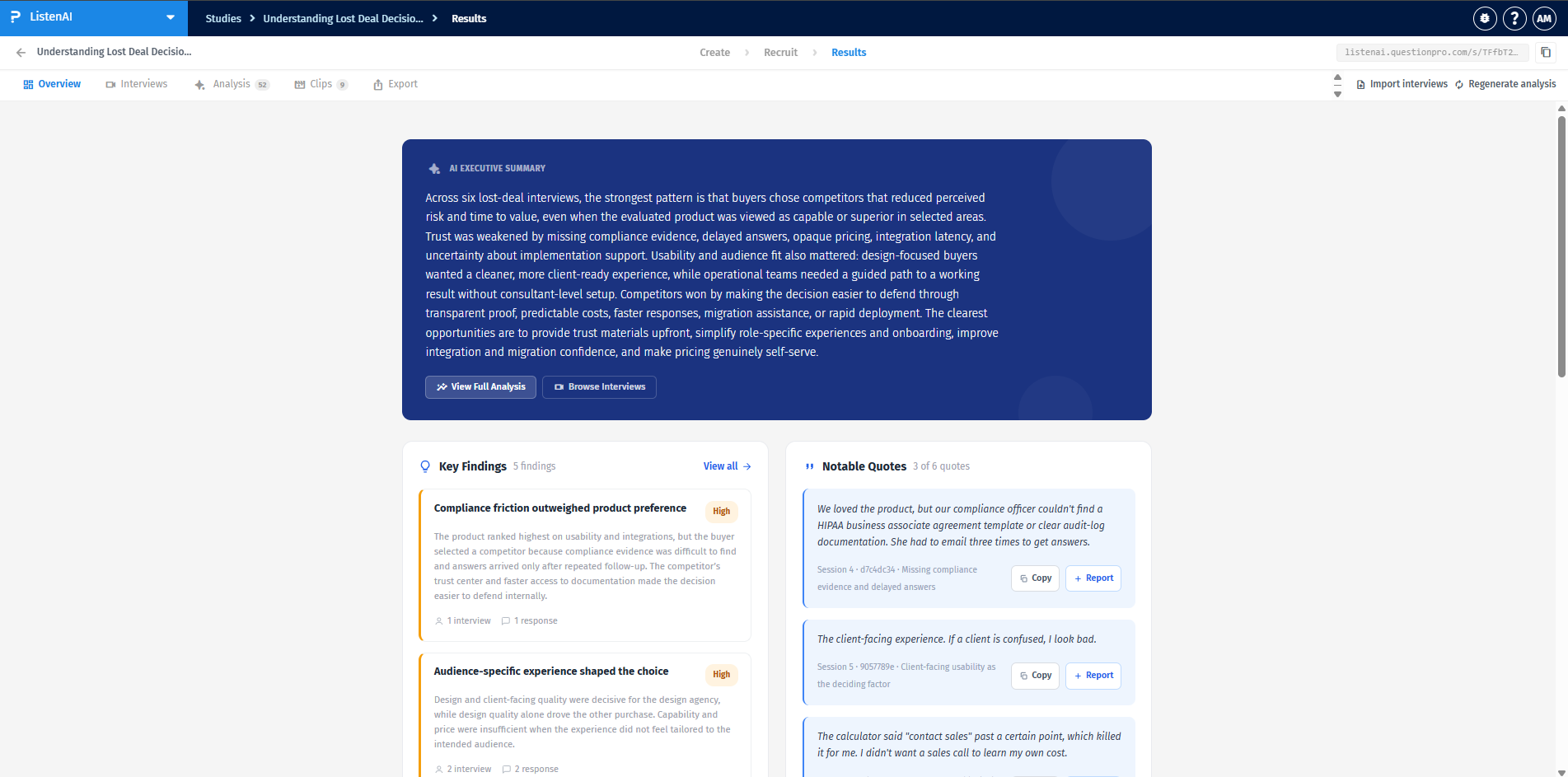
The Overview tab acts as the primary dashboard for your study's results. It provides an AI Executive Summary that synthesizes patterns and trends across all completed interviews. Alongside the summary, you can view the top Key Findings and Notable Quotes extracted directly from participants to give you immediate context.
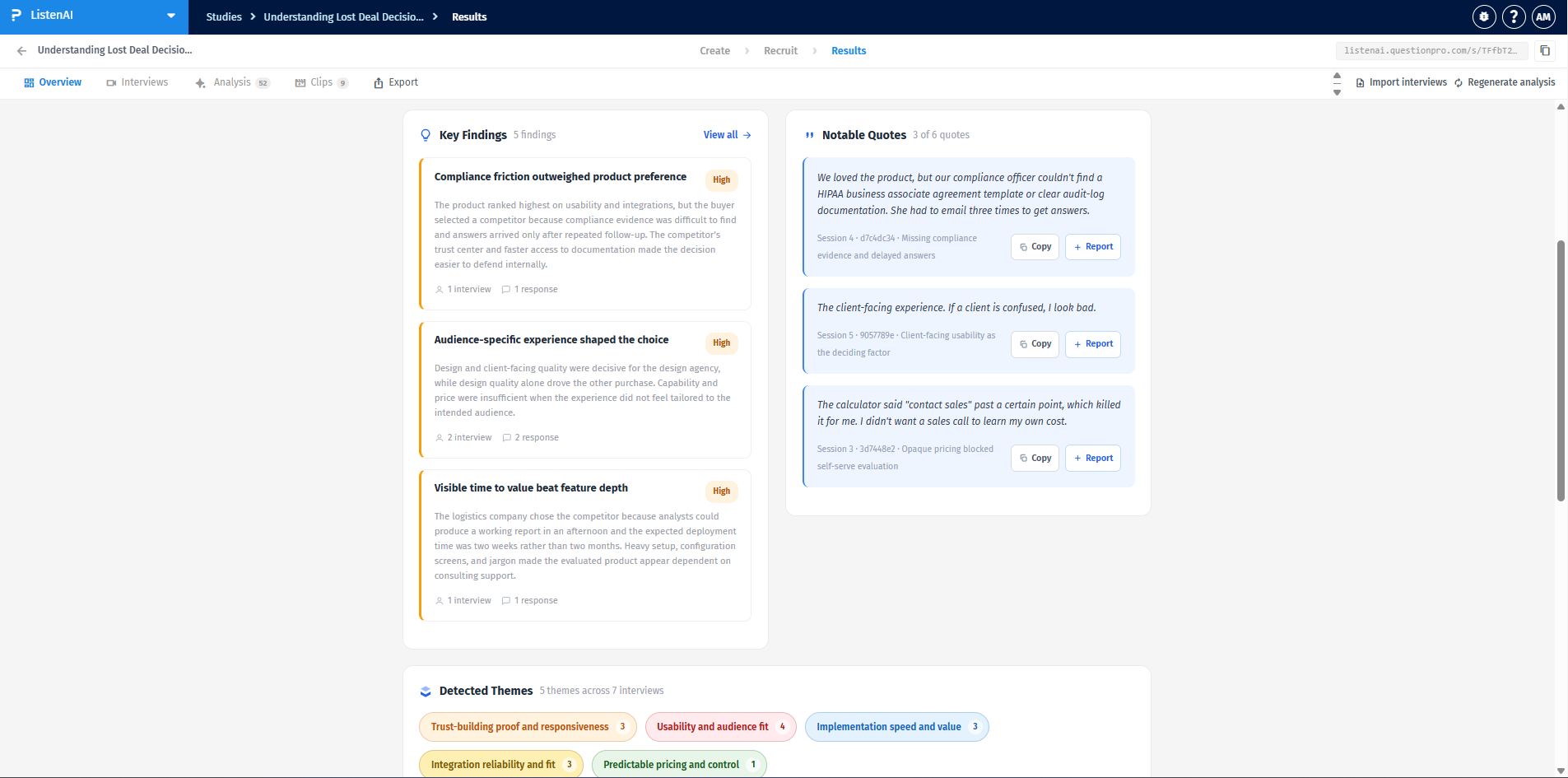
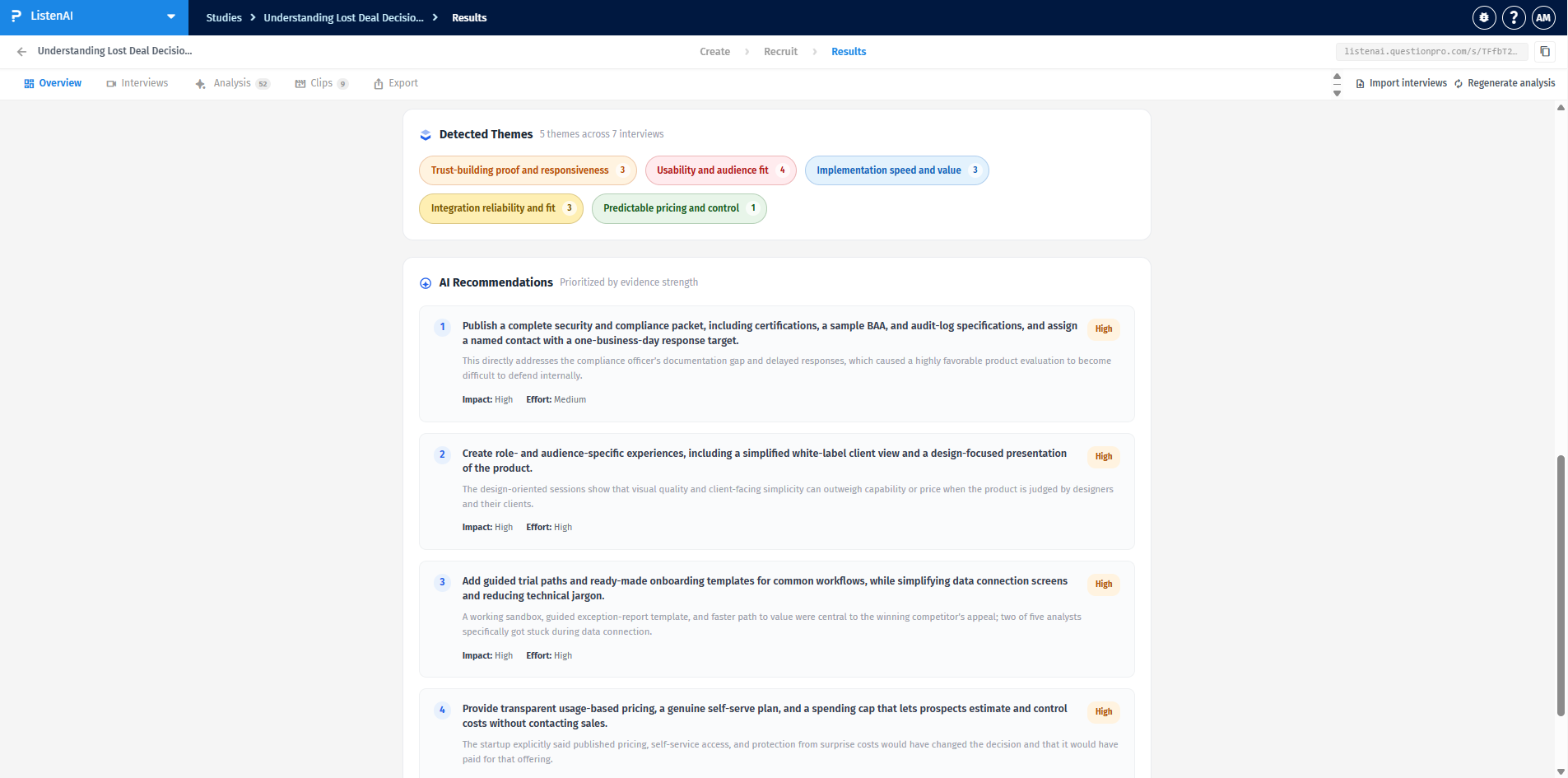
Scrolling down the Overview page reveals Detected Themes, which categorize the most discussed topics across all interviews. You can quickly see how many themes were generated and how many interviews contributed to each theme.
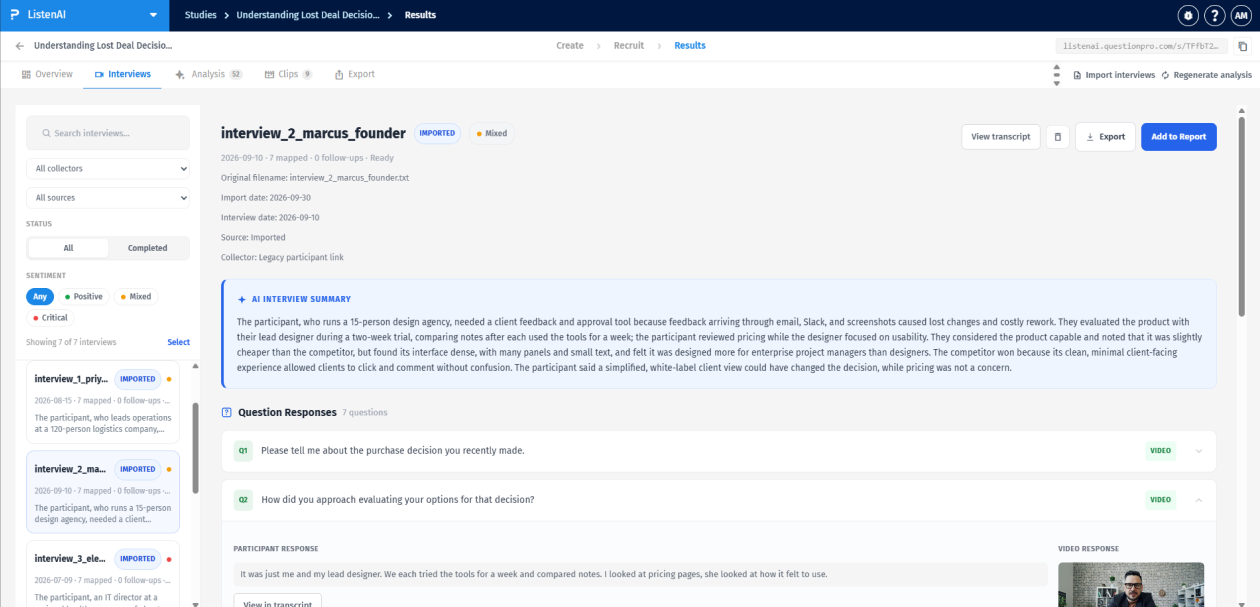
Navigate to the Interviews tab to view a list of all your sessions, which can be filtered by source, status, or sentiment. The platform supports both native recordings and imported transcripts—you can click the "Import interviews" button in the top right to upload external data.
For each session, ListenAI automatically generates a per-session AI Interview Summary detailing the participant's specific feedback and context. Below this summary, you can expand individual Question Responses to read the transcript or view the specific video response.
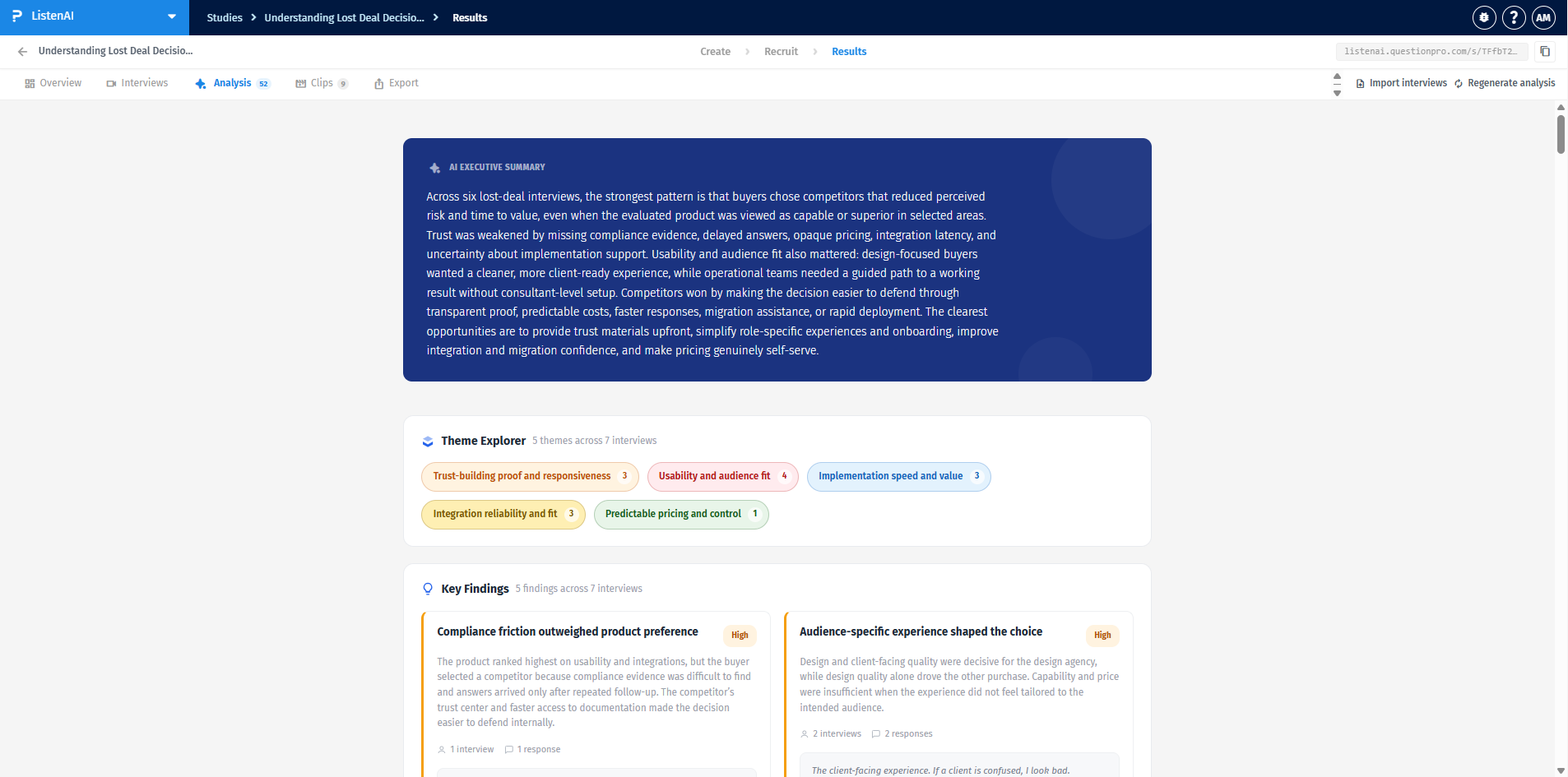
The Analysis tab provides a deeper dive into your aggregated data. It includes an expanded AI Executive Summary and a Theme Explorer that visually maps out recurring themes and their frequency across interviews].
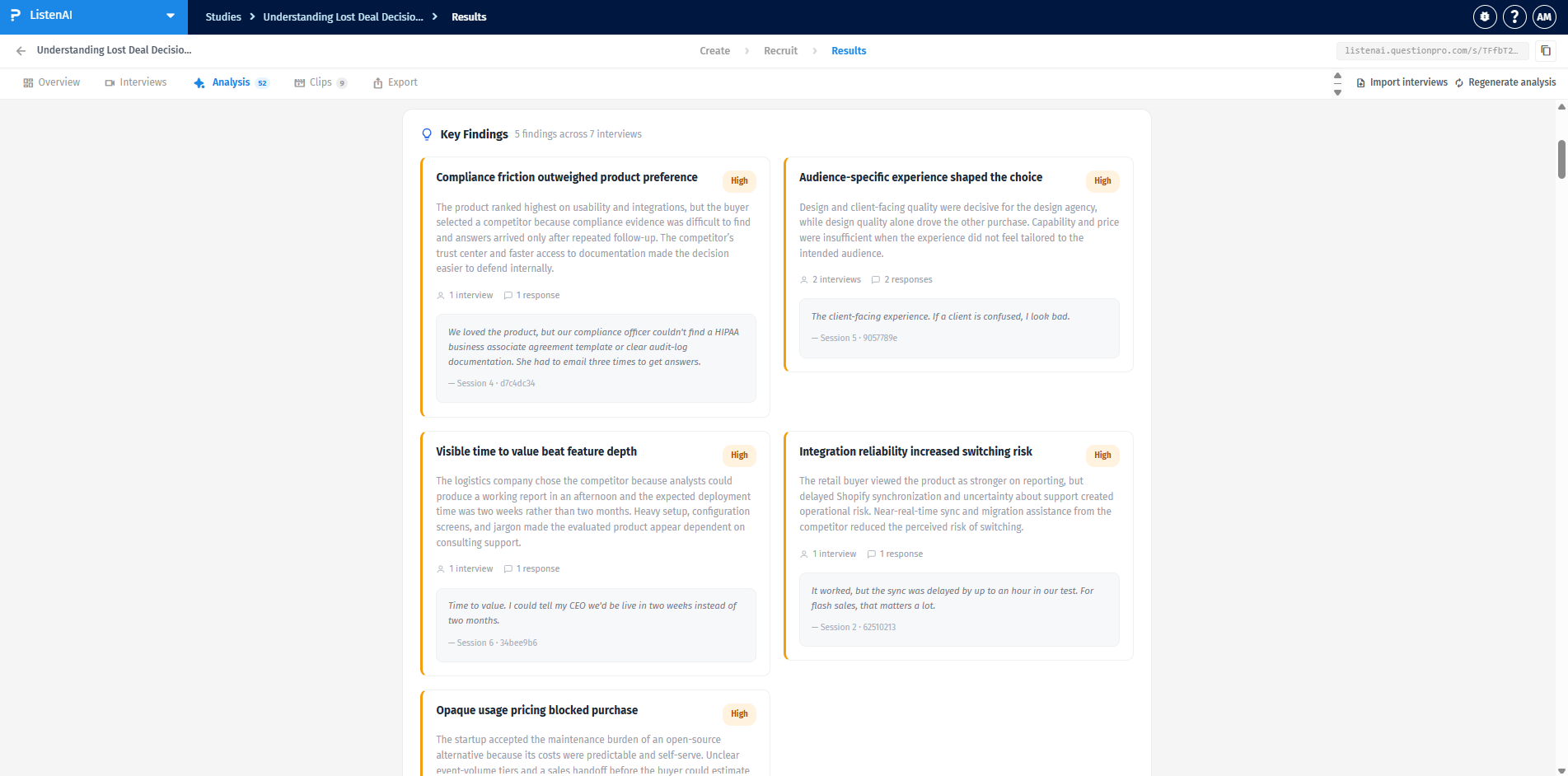
The Key Findings section within the Analysis tab expands on the high-level overview, providing a detailed explanation of each insight. It displays the specific number of interviews and responses supporting the finding, and includes verbatim quotes from participants to back up the data.
At the bottom of the Analysis tab, the AI provides AI Recommendations. These actionable steps are prioritized by evidence strength and include a breakdown of the expected impact (e.g., High) and required effort (e.g., Medium) for each initiative.
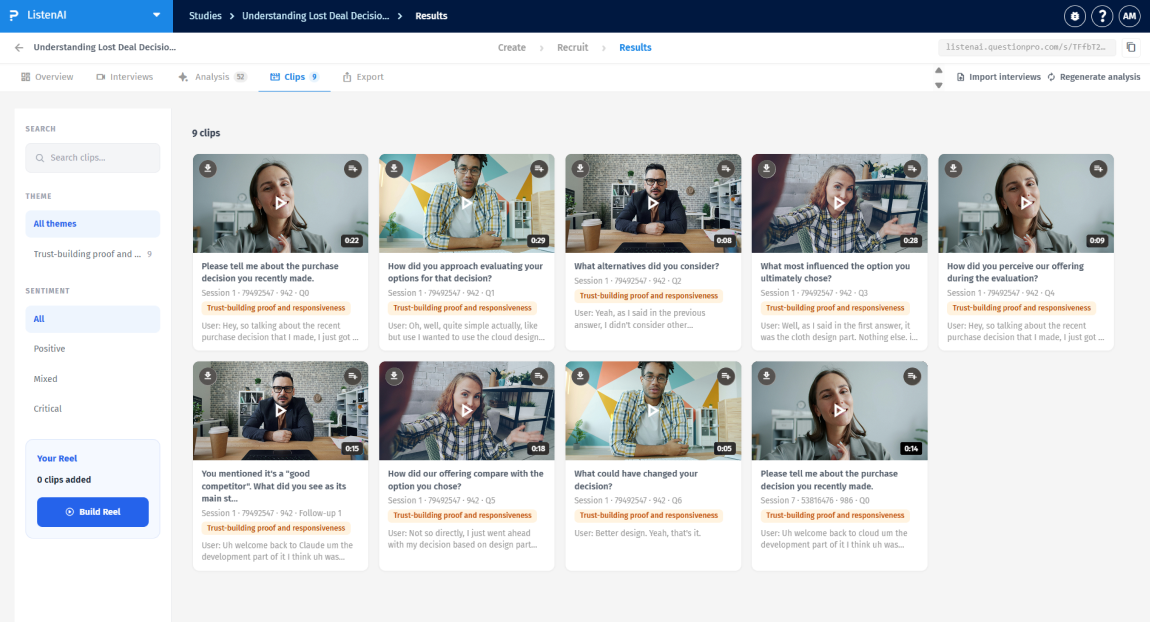
In the Clips tab, you can view automatically extracted video snippets from your interviews. This section allows you to:
- Filter clips by specific themes using the left-hand sidebar.
- Filter clips by sentiment, choosing from All, Positive, Mixed, or Critical.
- Review individual video cards, which display the participant, duration, corresponding question, and a brief transcript of the quote.
- Use the Build Reel tool to compile selected clips into a single, shareable highlight reel.