


Audience Reconciliation
Audience Reconciliation is a self-service feature that lets buyers report bad Response IDs, select a rejection reason, and request wallet credit-back for unusable survey responses.
This reduces the need to contact support and helps buyers recover credits faster with clear status visibility and an audit trail.
Approved credits are applied back to the QuestionPro wallet at the original CPC rate.
Click to download the video
The Reconciliation tab is available only for Completed audience projects.
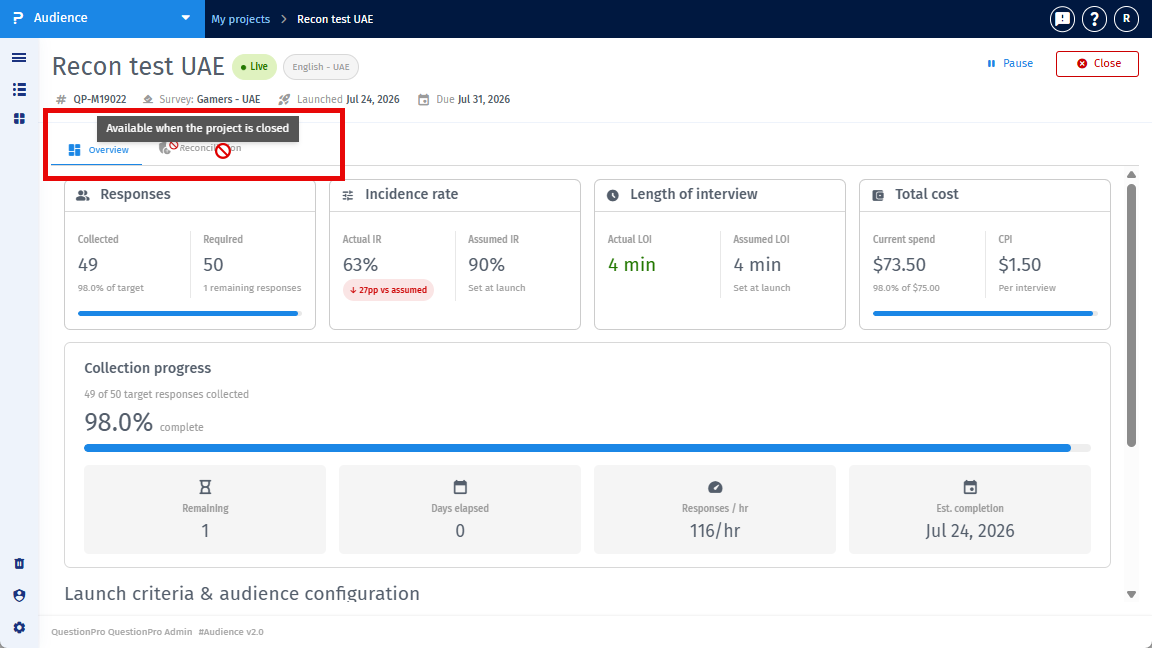
The tab is hidden for Live, Paused, and Bid projects.
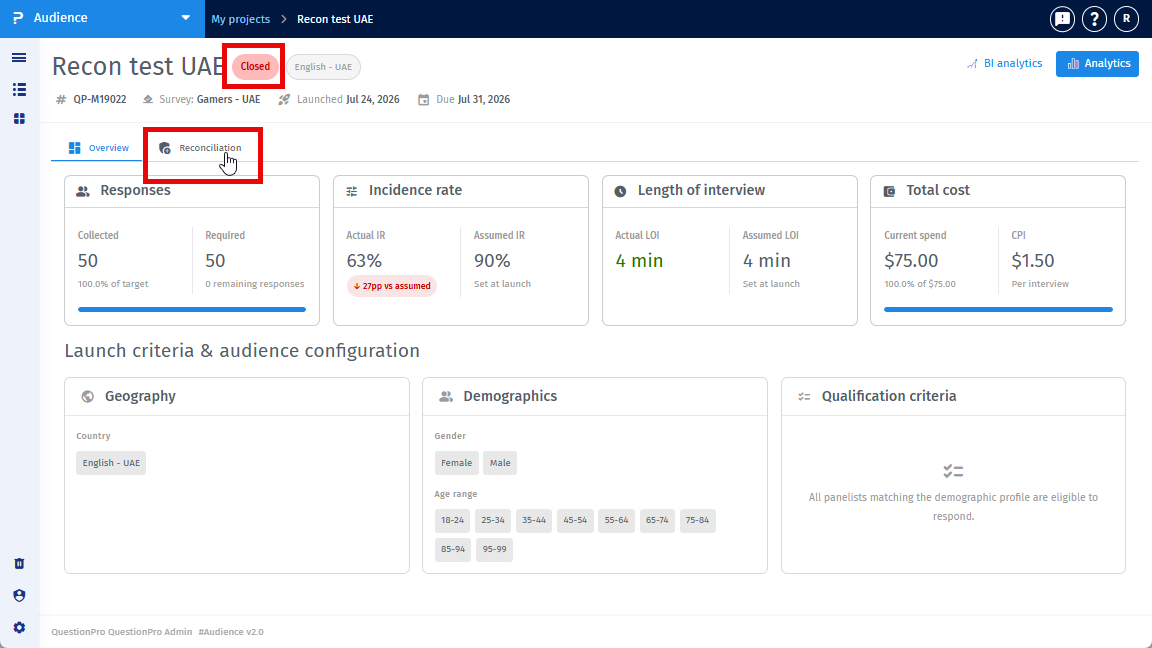
Reconciliation can be submitted only within 30 days from the survey completion date or project close date, based on the project rules.
A 72-hour in-app alert is shown before the reconciliation window closes.
Follow these steps to submit a reconciliation request:
- Open the Completed project – Navigate to the audience project that is in Completed status.
- Go to the Reconciliation tab – Click the Reconciliation tab.
- Click Reconcile – Click the Reconcile button to start a new request.
- Choose how to add Response IDs – Select either:
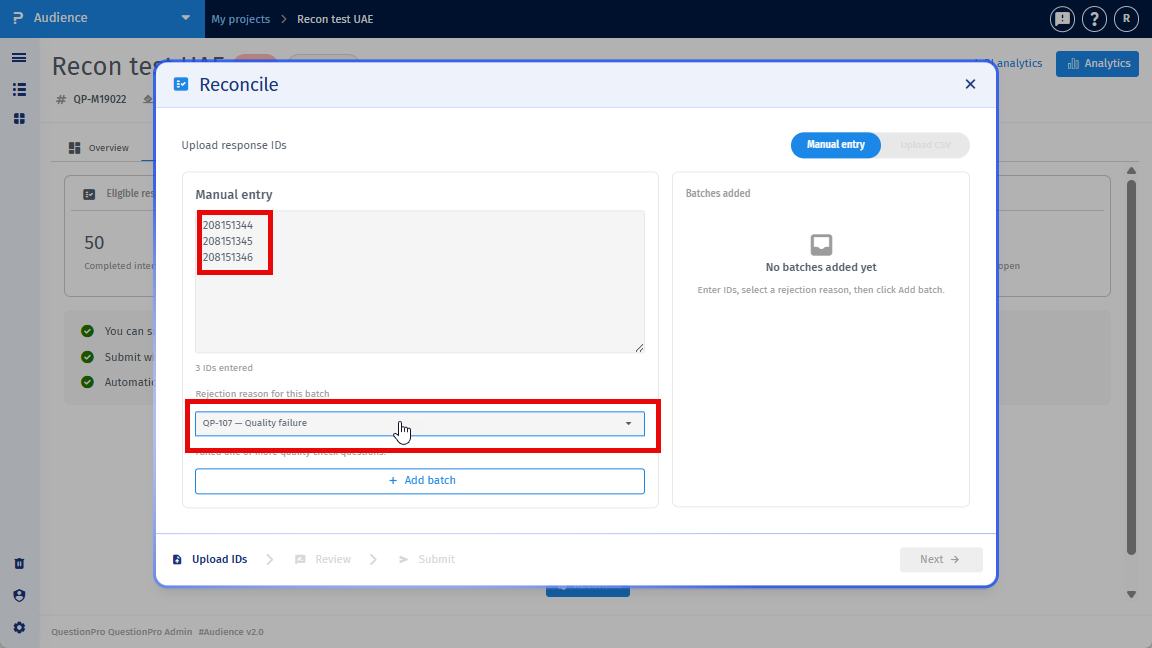
- Manual entry – Paste respondent IDs directly.
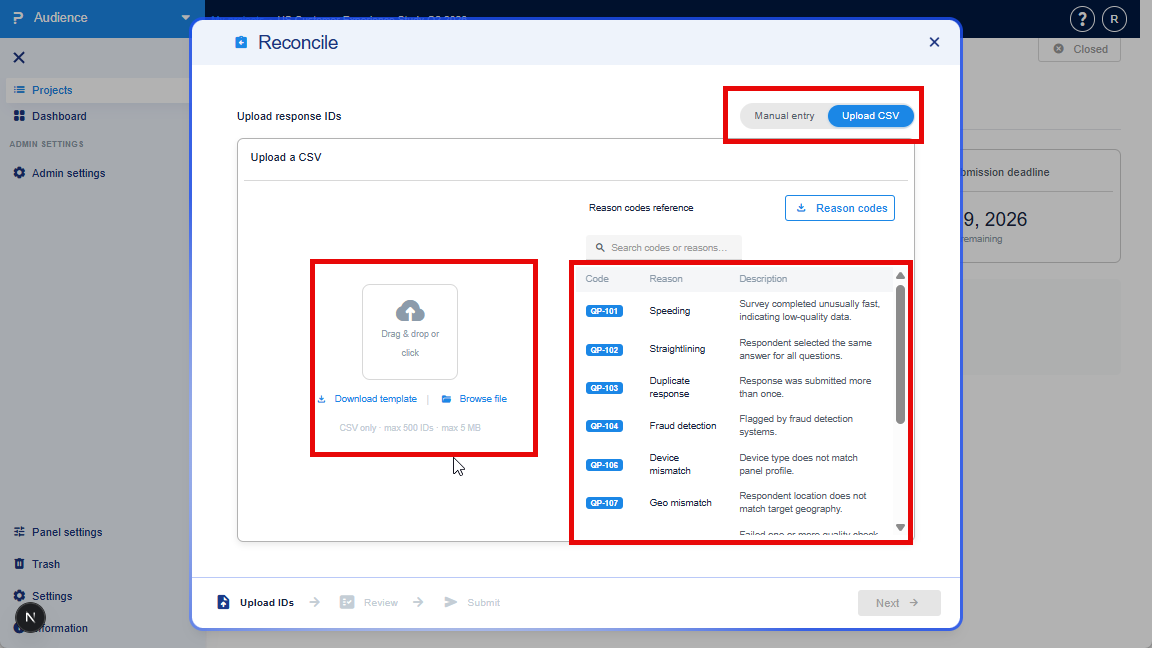
- CSV upload – Upload a file with Response IDs and rejection reasons.
- Add Response IDs:
- Manual: Enter one Response ID per line. Assign a rejection reason to each ID or batch. You can add multiple batches before submitting.
- CSV: Upload a CSV with ResponseID in column A and Rejection Reason code in column B. Rejection reason codes are shown within the upload CSV option. Notes are optional.
- Click Next – The system validates the shared IDs.
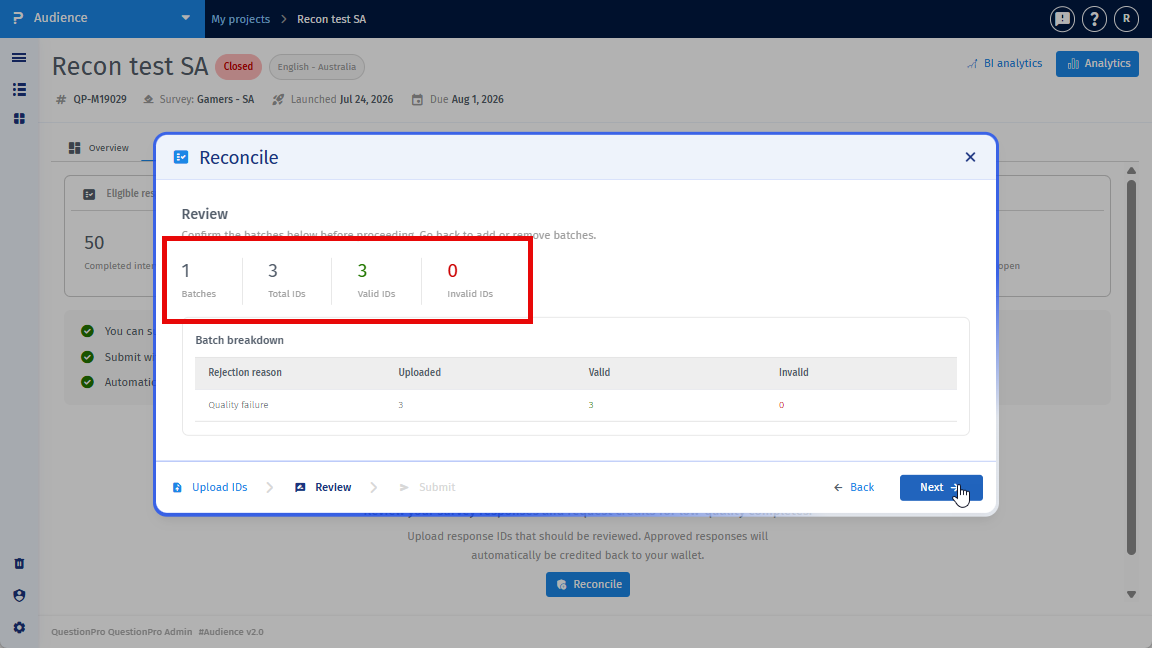
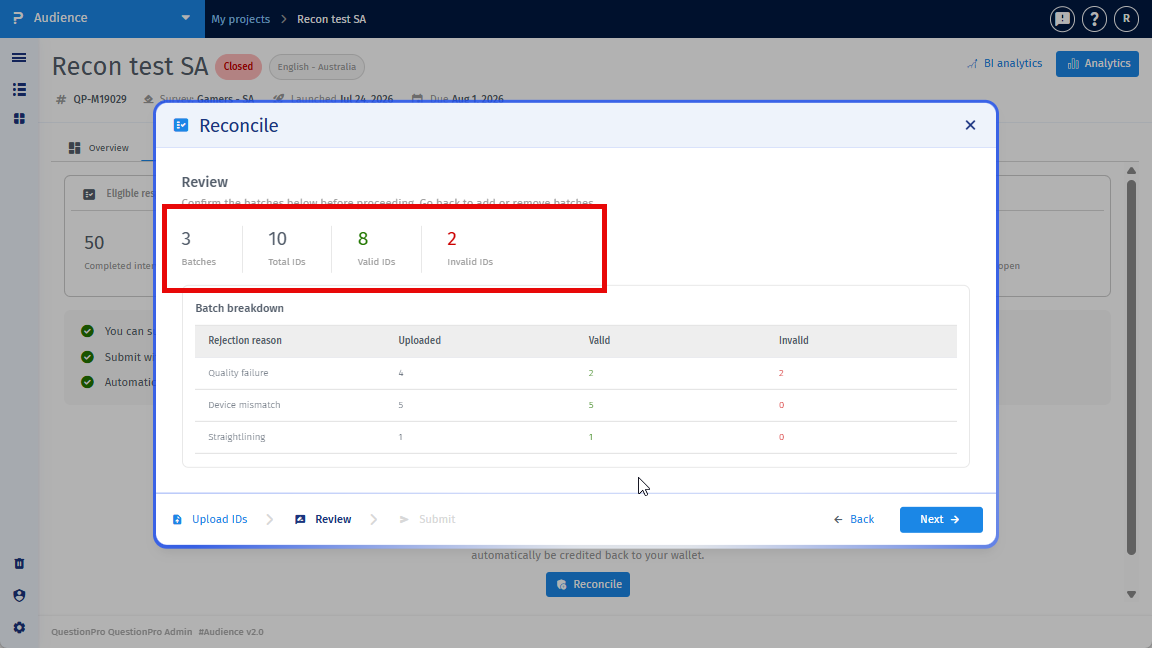
- Review validation summary – The system shows:
- Count of valid IDs.
- IDs grouped by rejection reason (as batches).
- Invalid, duplicate, or already-submitted IDs (flagged with error messages).
- Click Next – Proceed to the refund summary.
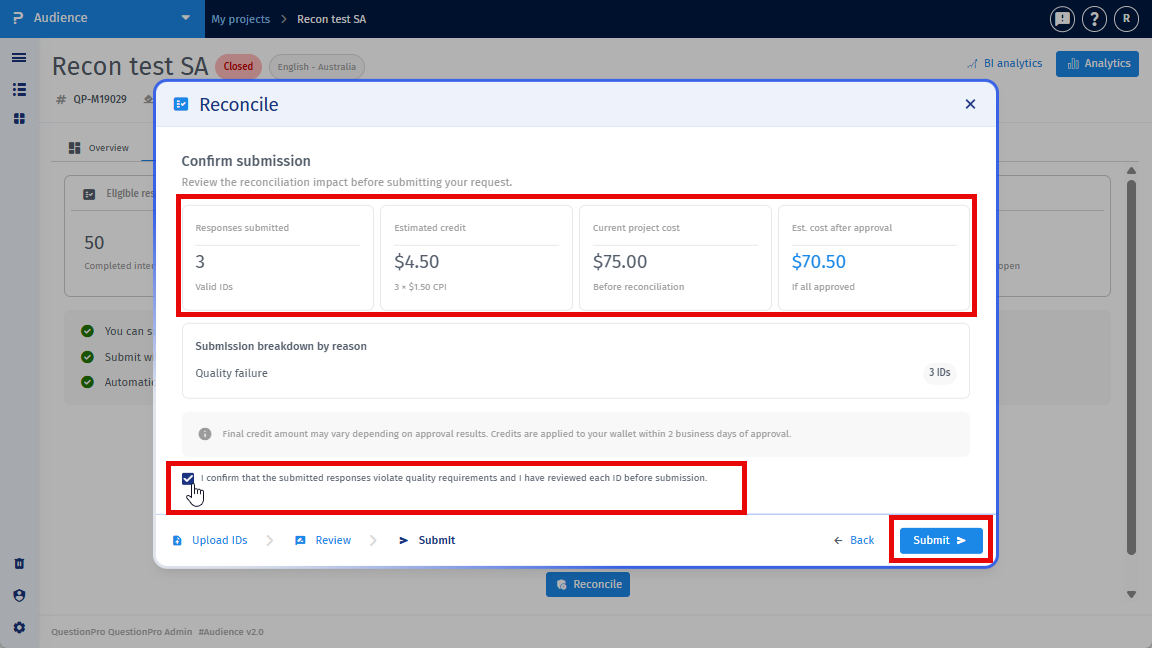
- Review refund estimate – The system shows:
- Estimated refund amount.
- Estimated project cost.
- Confirm and Submit – Check the confirmation box and click Submit.
- System review – The system reviews the IDs (auto-approval for low-risk cases; manual review for complex cases).
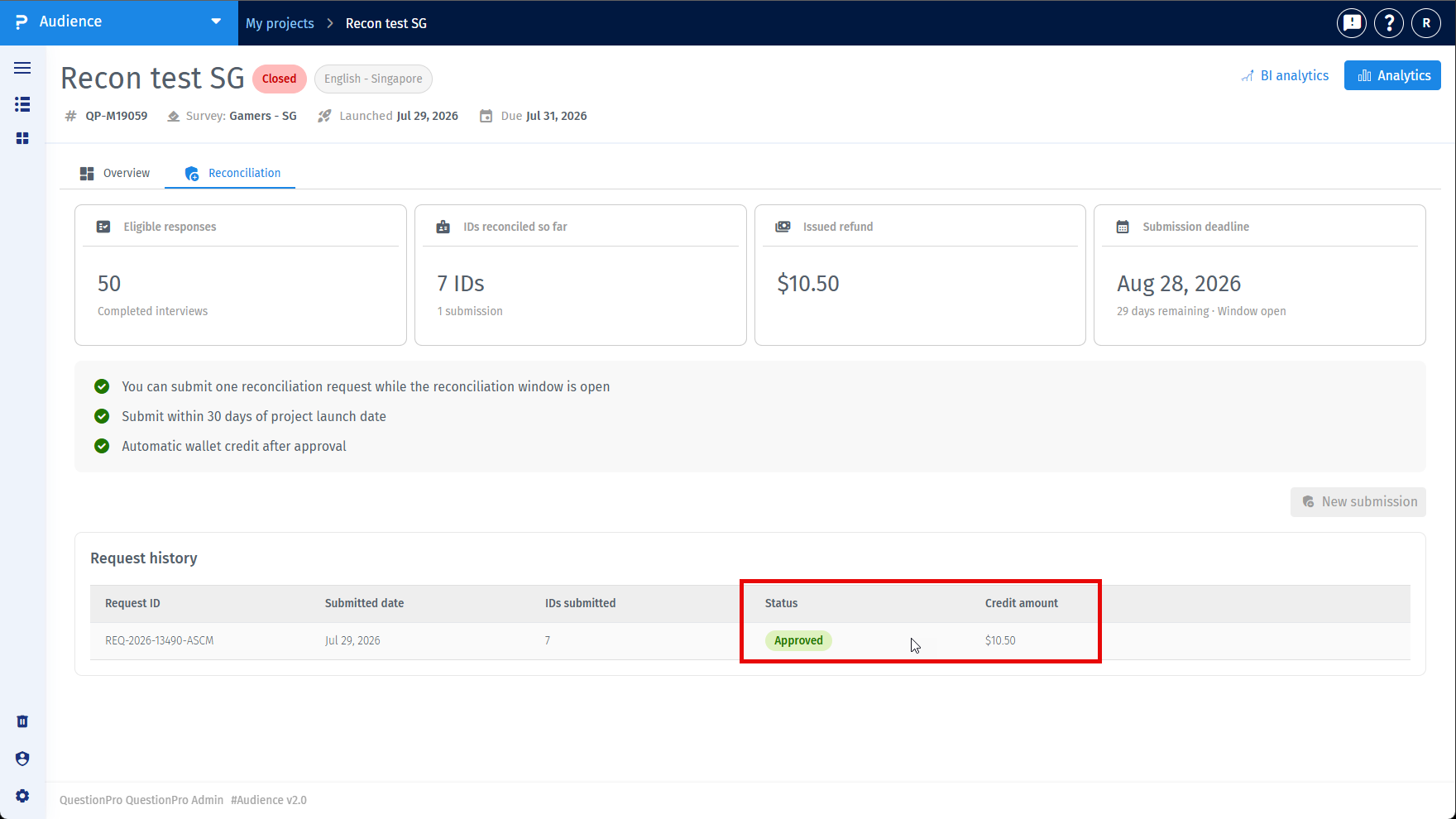
- Track status – Click the Check button (or open the request in Reconciliation History) to see status updates. Once approved, the credit appears in your QuestionPro wallet.
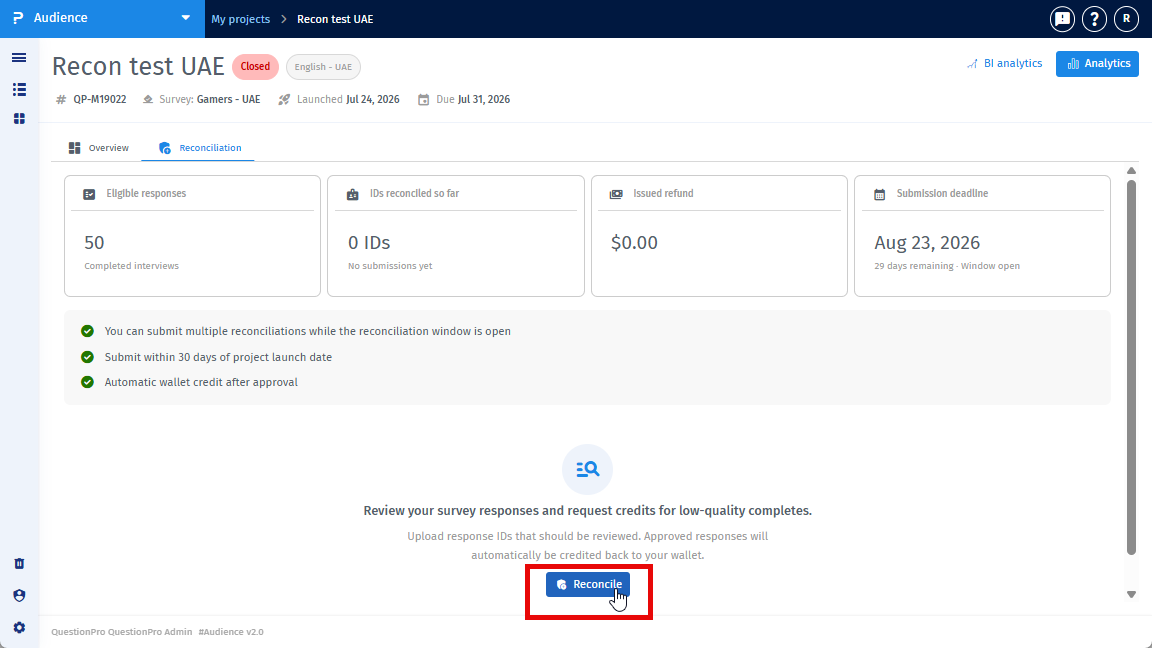
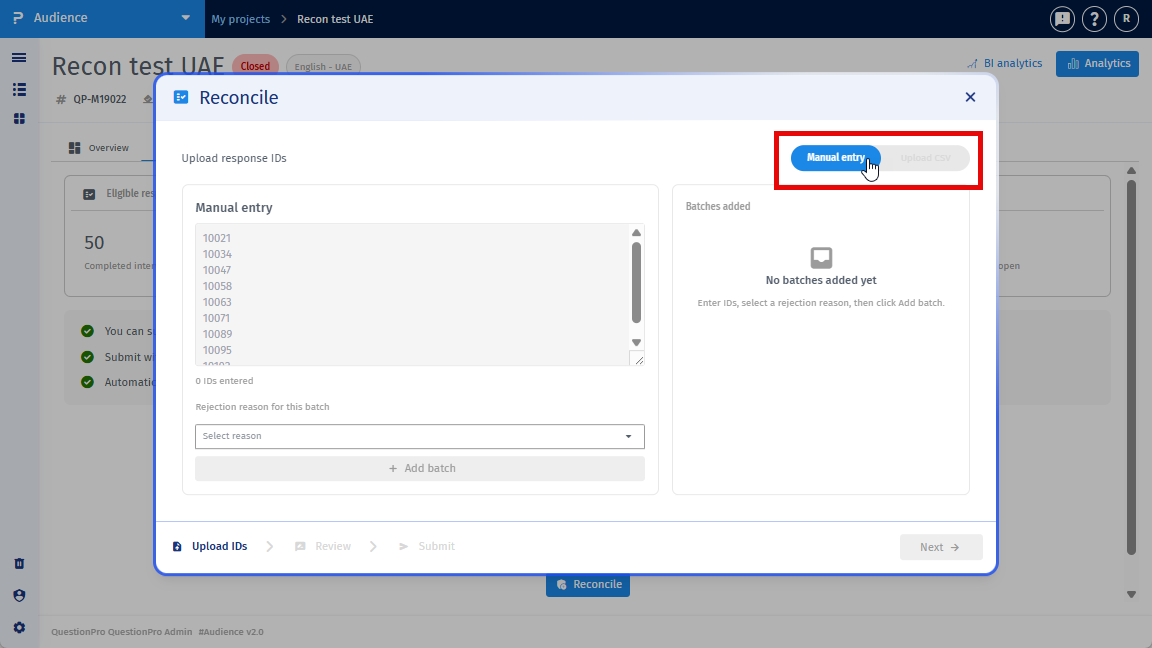
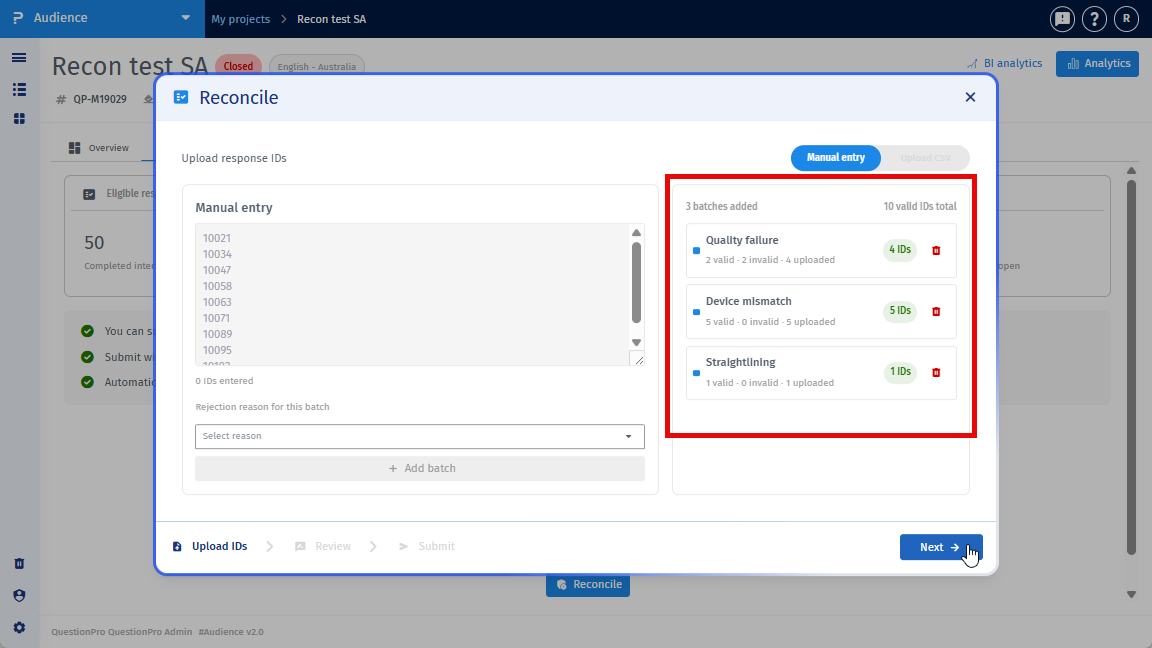
In the manual entry form:
- Enter one Response ID per line, or use a comma-separated format.
- Assign a rejection reason to each Response ID (or apply one shared reason for a batch where allowed).
- You can add multiple batches before submitting the request.
The system validates each Response ID against confirmed completes for the project. Invalid IDs, duplicate IDs, or IDs already submitted in another request are flagged inline with clear error messages.
Prepare and upload a CSV file with the following:
- Column A: ResponseID
- Column B: Rejection Reason (use the reason codes shown in the upload CSV option)
- Column C (optional): Notes
- Maximum file size: 5 MB
- Maximum rows per batch: 500
After upload, the system shows a summary of received, valid, invalid, and duplicate rows before confirmation.
You can download an error report for invalid rows if needed.
The system provides standardized rejection reason categories with in-product definitions to help you select the correct reason.
These definitions are shown under the dropdown or in the Upload CSV section during submission.
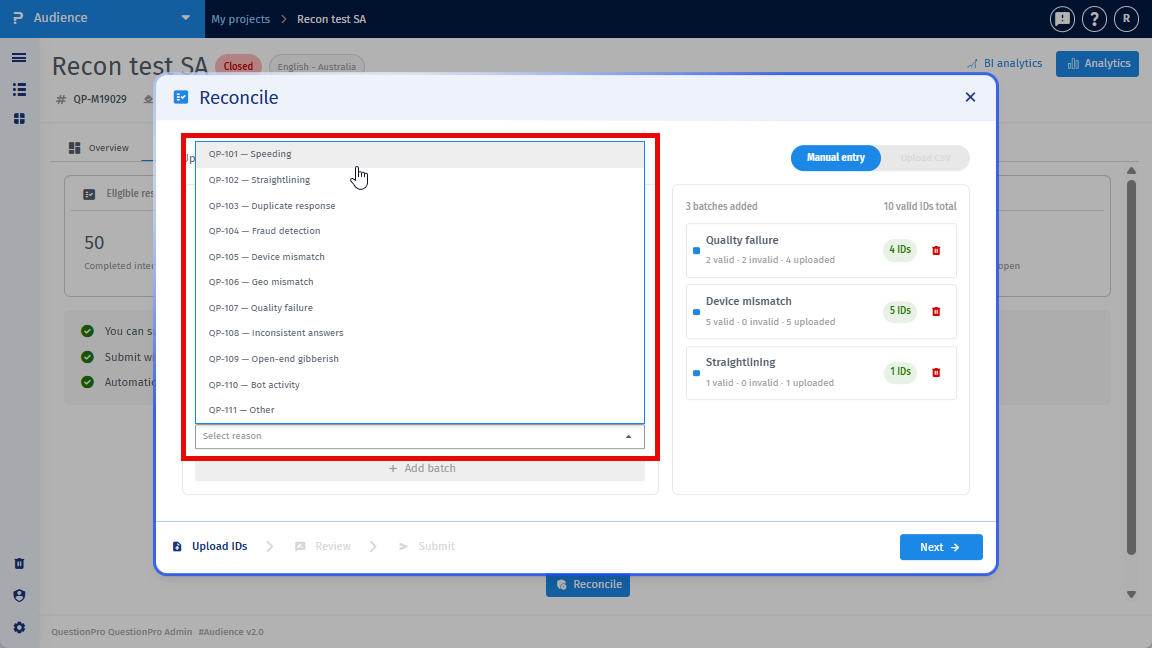
At least one reason must be selected for each Response ID, or one shared reason may be applied for a batch where allowed.
Before submission, the system checks:
- All Response IDs must be unique.
- Each ID must belong to the buyer's project completes.
- Response IDs from other buyers' projects are rejected.
- Maximum reconciliation volume: 20% of total project completes.
- Each request can include up to 500 Response IDs.
- Reconciliation cannot be submitted after the 30-day window closes.
If more than 20% of responses are flagged, the buyer is asked to contact the audience team.
Approved credit is calculated using the original purchase rate for each approved Response ID.
Credit amount = (Number of approved Response IDs) × (CPC rate paid at the time of purchase).
The system uses the quota-cell rate, not an average project rate.
Before submission, you see an estimated refund amount. The final amount may change if the request is only partially approved.
Reconciliation requests can have these statuses:
- Pending – Submitted; awaiting auto-approval or manual review.
- Approved – All or part of the request was approved; credit was applied.
- Rejected – No IDs were approved; a reason is provided.
- Withdrawn – The buyer cancelled the request while it was still pending.
Approved credits appear as a Reconciliation Credit line item in the QuestionPro wallet.
- Low-risk cases: auto-approved within 5 minutes.
- Complex cases: manual review, resolved within 5 business days.
- Credit applied to wallet: within 60 seconds after approval.
The Reconciliation tab shows a history table with:
- Request ID
- Submission Date
- IDs Submitted
- Status
- Credit Amount
- Actions
Open a request to view the full status dashboard and per-Response ID outcome breakdown.
Yes. Email notifications are sent when the reconciliation request is submitted and when its status changes.
The email includes request details so you can review the outcome and take next steps if needed.
If a project is deleted, any reconciliation requests in Pending or Under Review state must be resolved before deletion is allowed.
If required by system rules, requests may be auto-cancelled with a notification.
A reconciliation request can be submitted only once per project under default rules.
However, if the reconciliation window is still open, you may be able to submit multiple reconciliation batches based on the configured flow and validation rules.
Duplicate Response IDs already submitted in a previous request are blocked with an inline message.
This feature is available with the following licenses :
Advanced Team Edition Research Edition Communities University - Research Edition
