


Shared workspace
Every user in Audience has their own My workspace. It holds the projects you create.
A Shared workspace is another person's workspace from your organization that you have been given access to. You can open it to see, and if allowed, manage the projects that person created.
This helps teams work together on projects without moving or copying them. The person who created a project always stays its owner.
Click to download the video
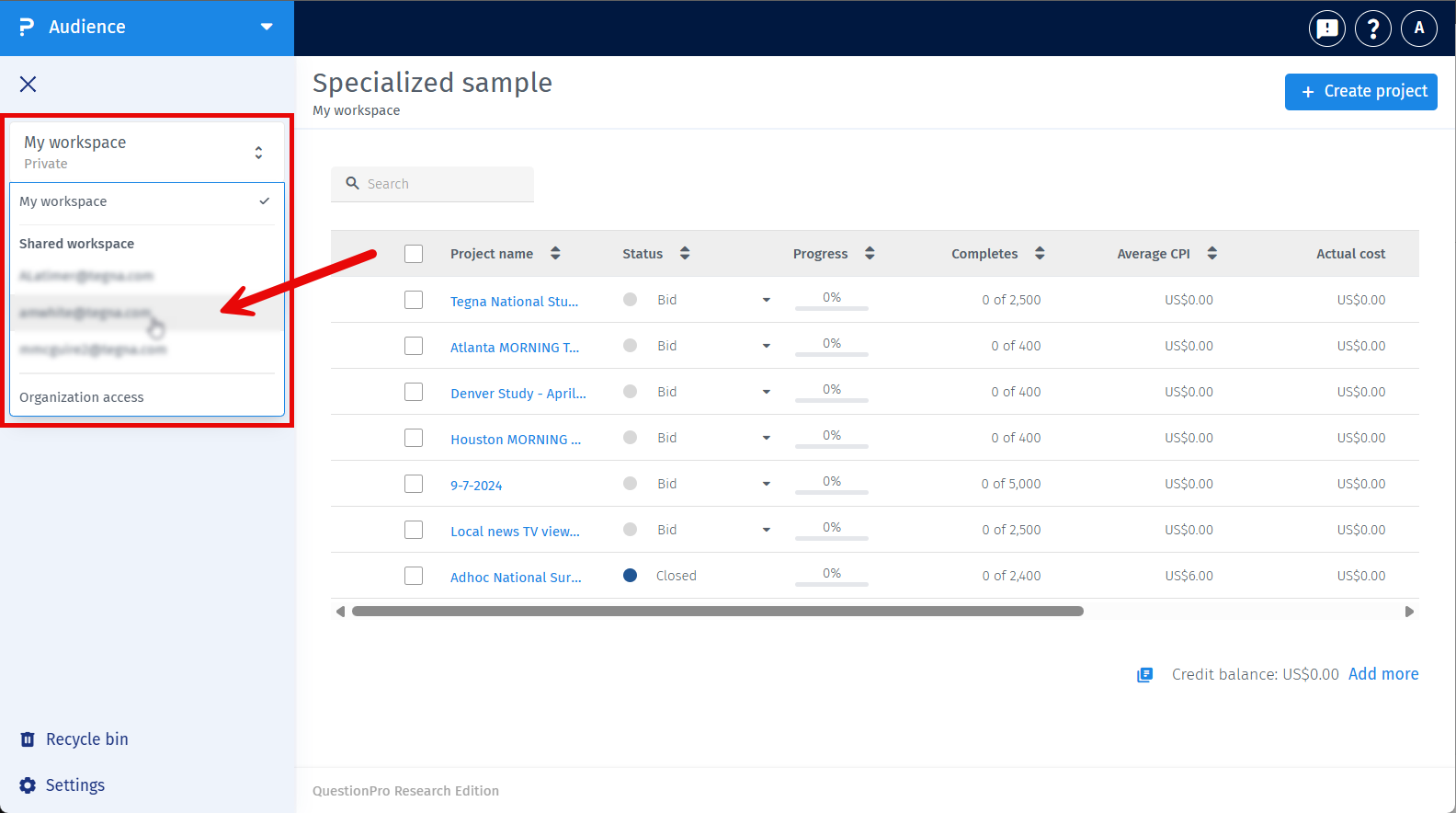
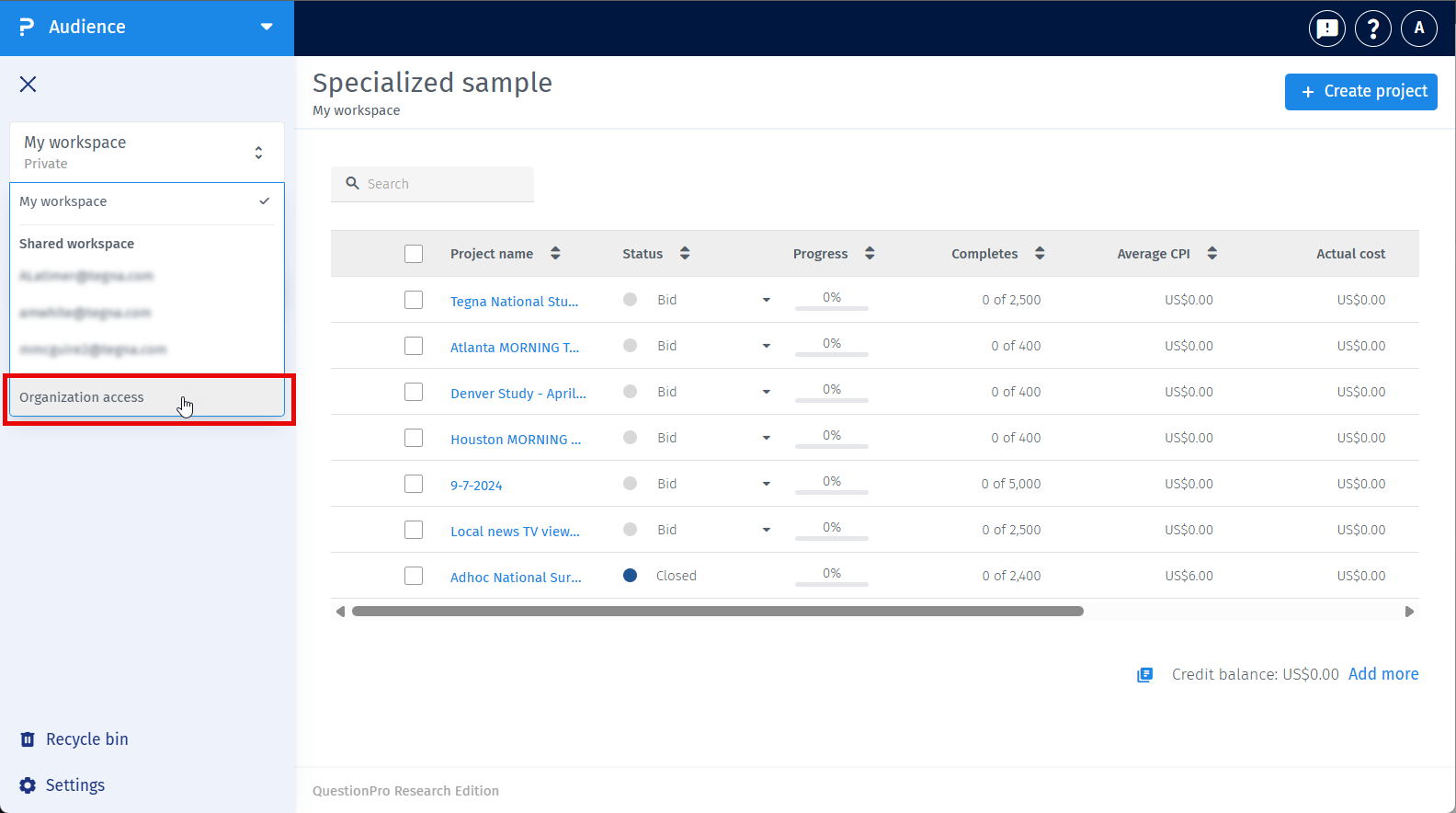
- Click the workspace switcher at the top of the left menu. It shows the workspace you are in right now.
- Under Shared workspace, click the name of the person whose workspace you want to open.
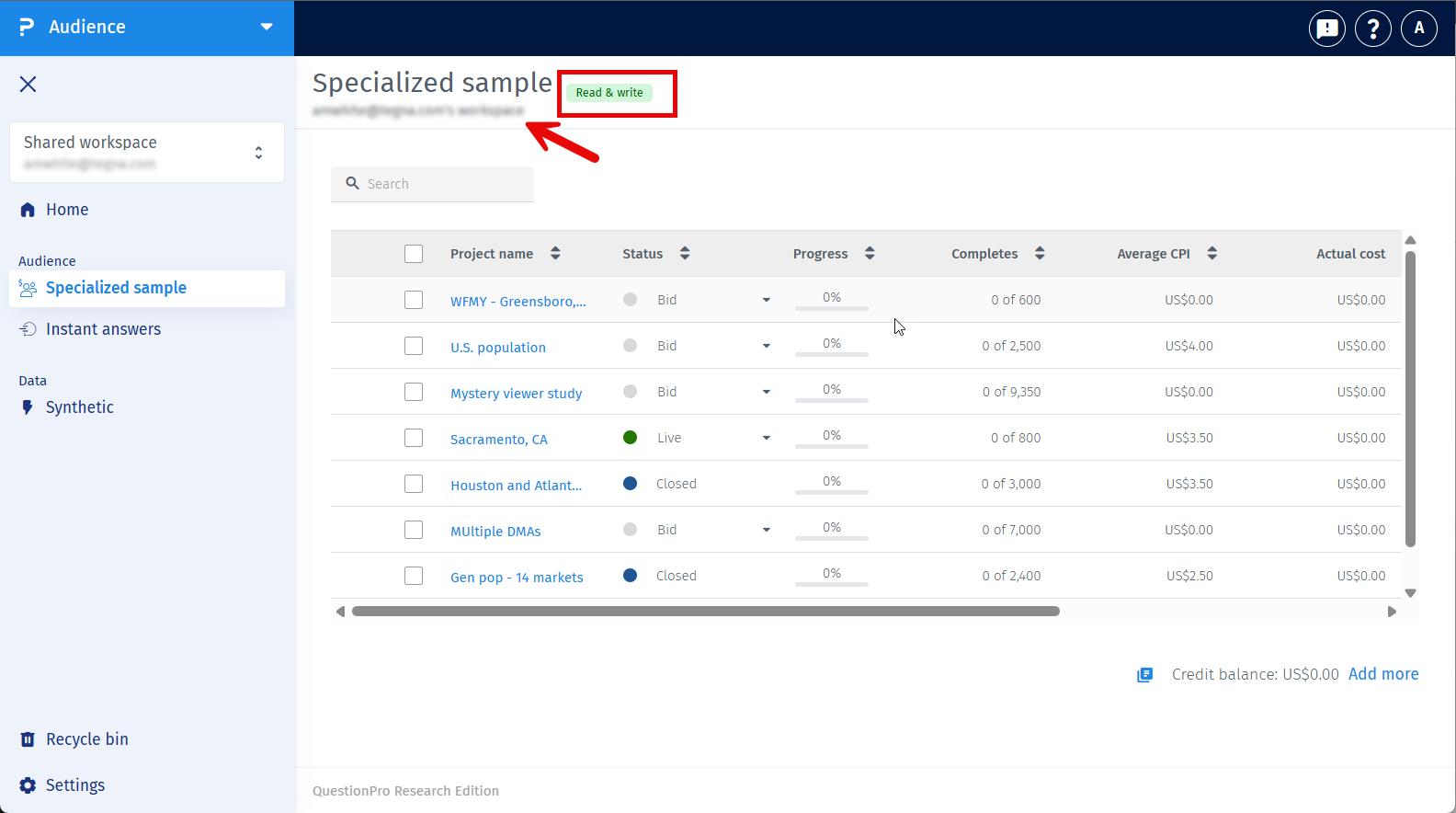
- The Specialized sample list now shows only that person's projects. The header shows {Name}'s workspace and a chip that tells you your access: Read or Read and write.
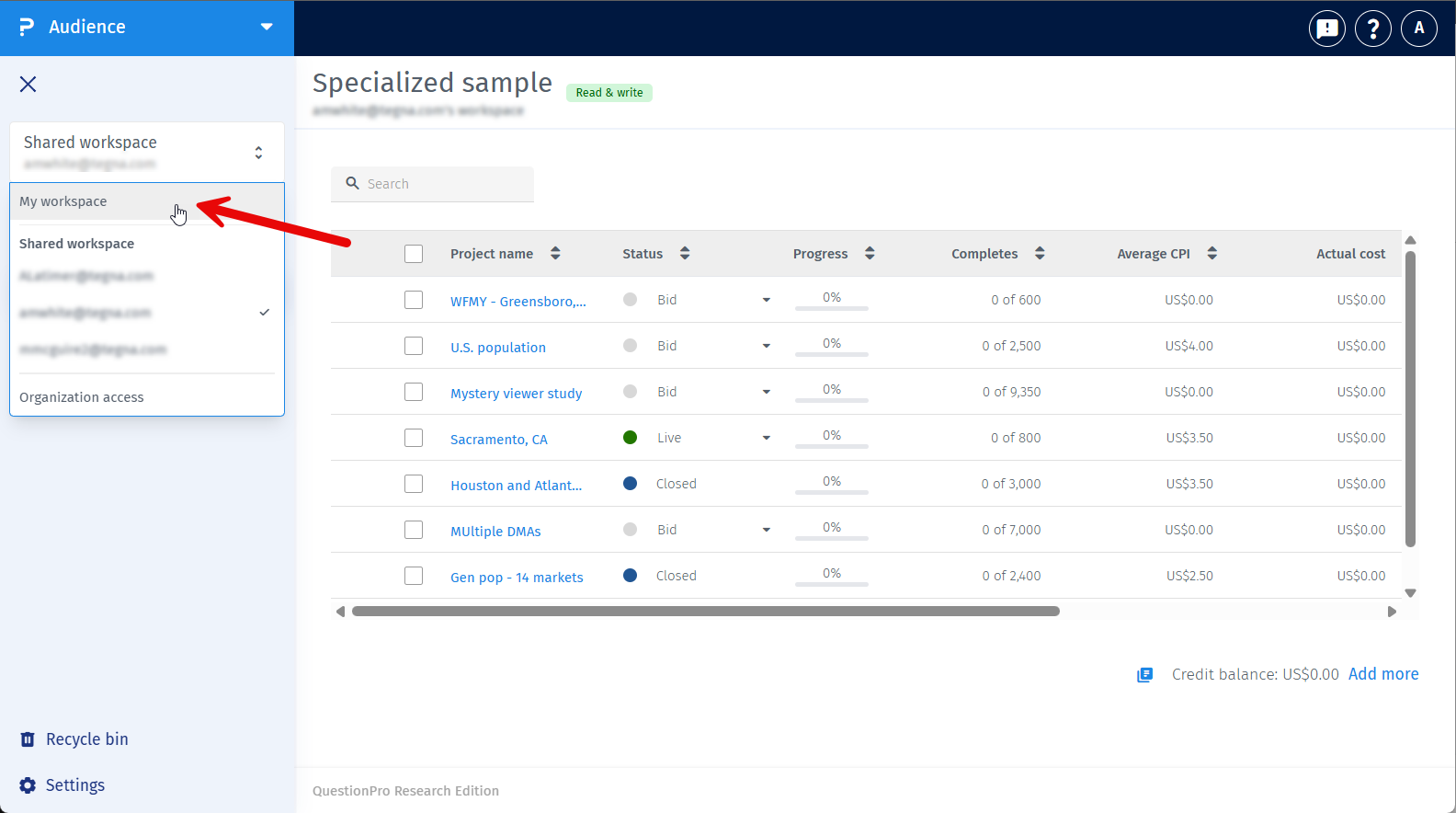
- To go back to your own projects, open the switcher and click My workspace.
Every time you log in, Audience opens My workspace first. The workspace you pick stays selected until you log out.
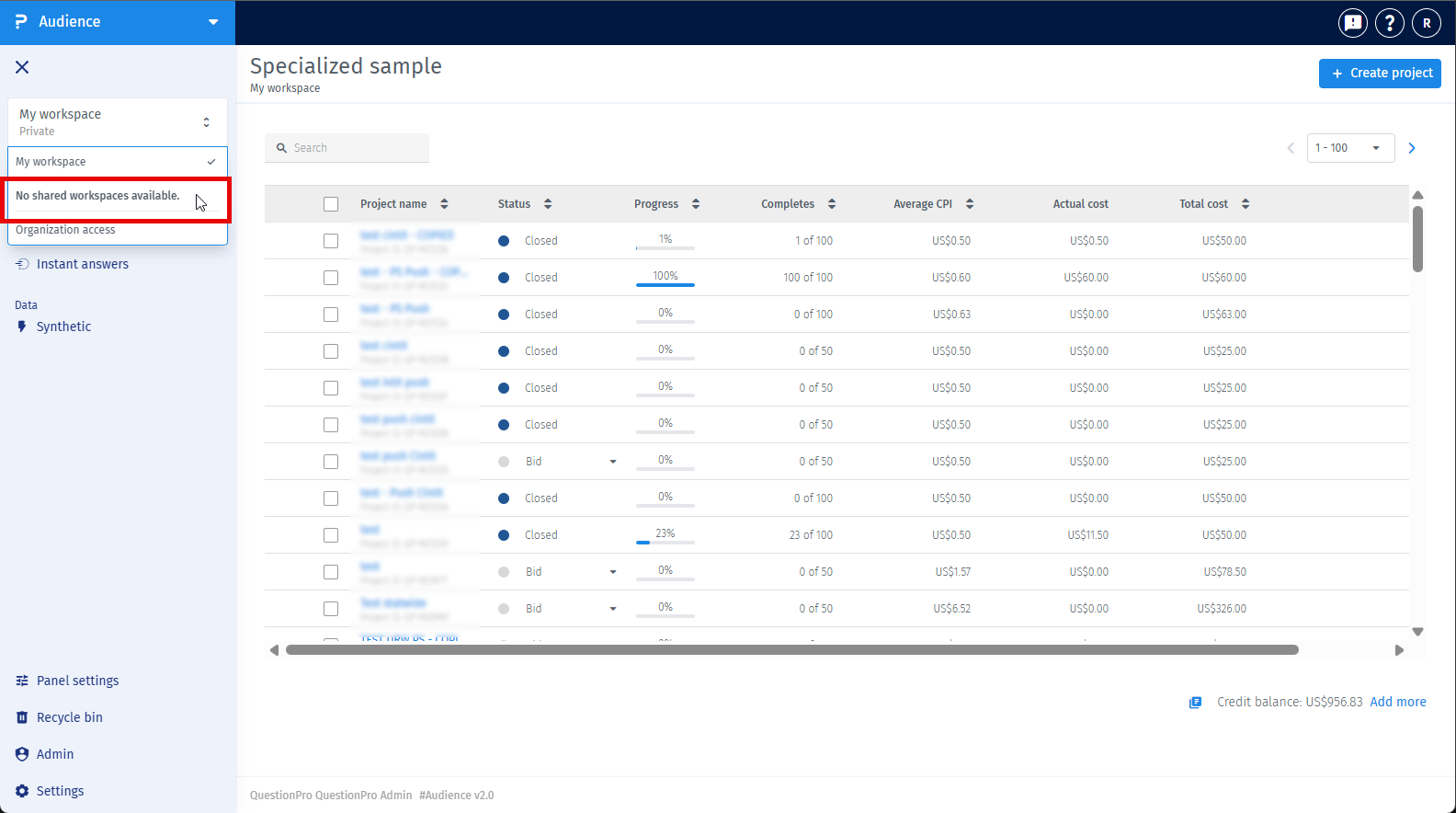
If no one has shared a workspace with you, the switcher shows No shared workspaces.
What you can do depends on the access you have been given for that workspace:
- Read - You can view projects, project details, monitoring and reports. You cannot change anything, so actions such as Push, edit, pause, resume and close are hidden.
- Read and write - You can view and manage projects just like in your own workspace. The project owner does not change.
Each organization has one Primary user. Only the Primary user can give or remove access.
- The Primary user opens the workspace switcher and clicks Organization access.
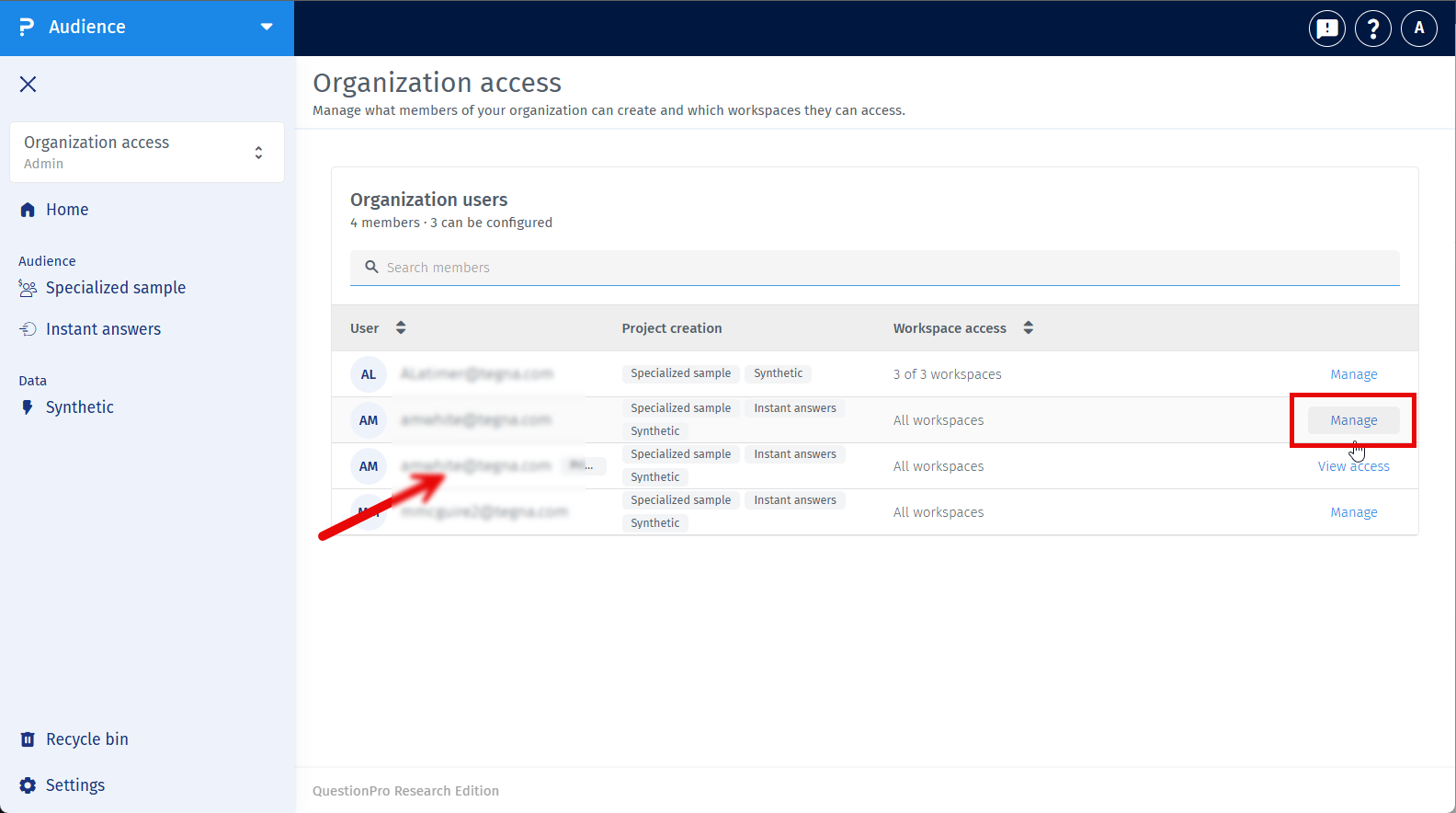
- The page lists all users in the organization. Click Manage next to a user.
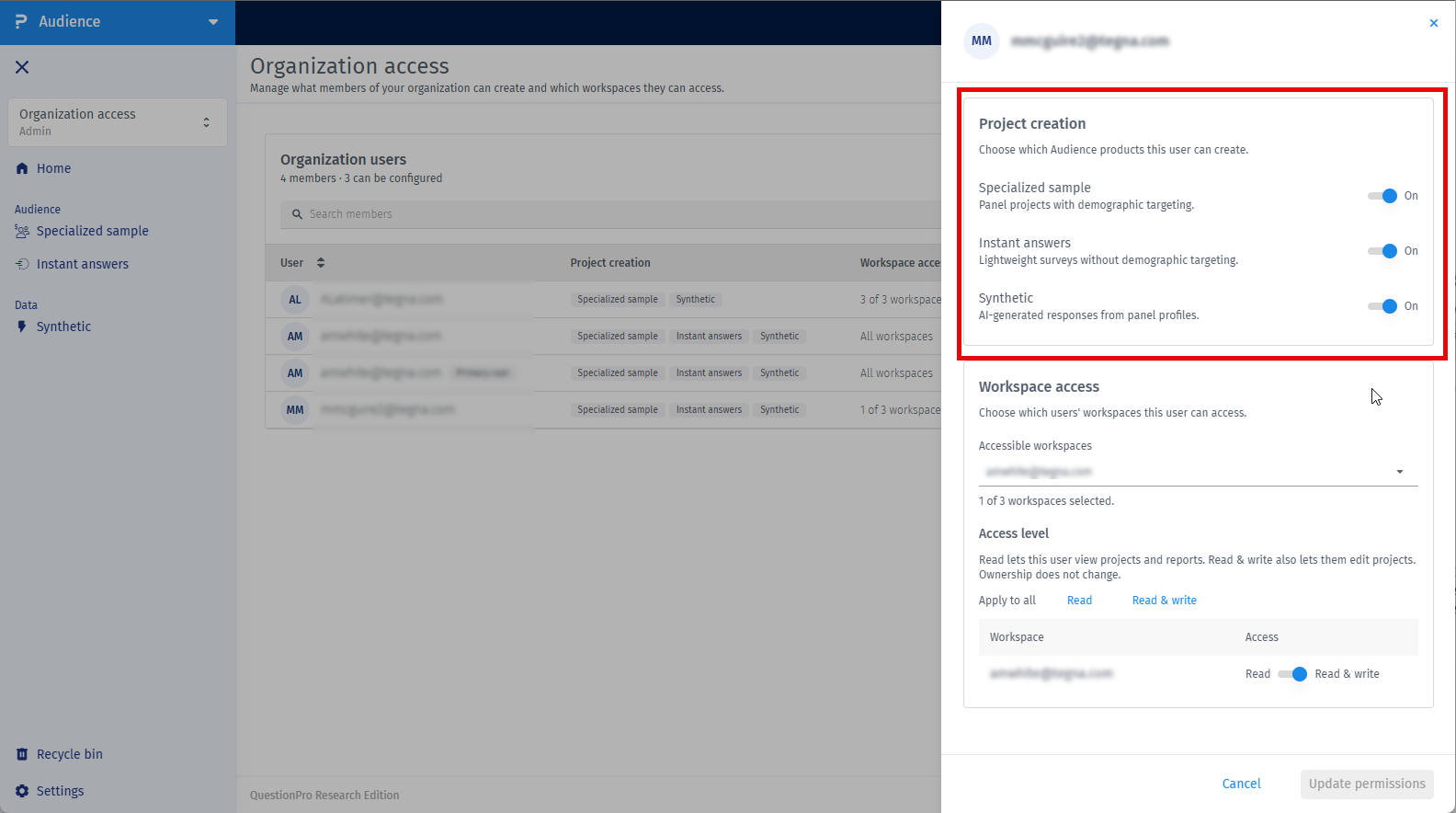
- In Project creation, turn on the products this user can create: Specialized sample, Instant answers and Synthetic.
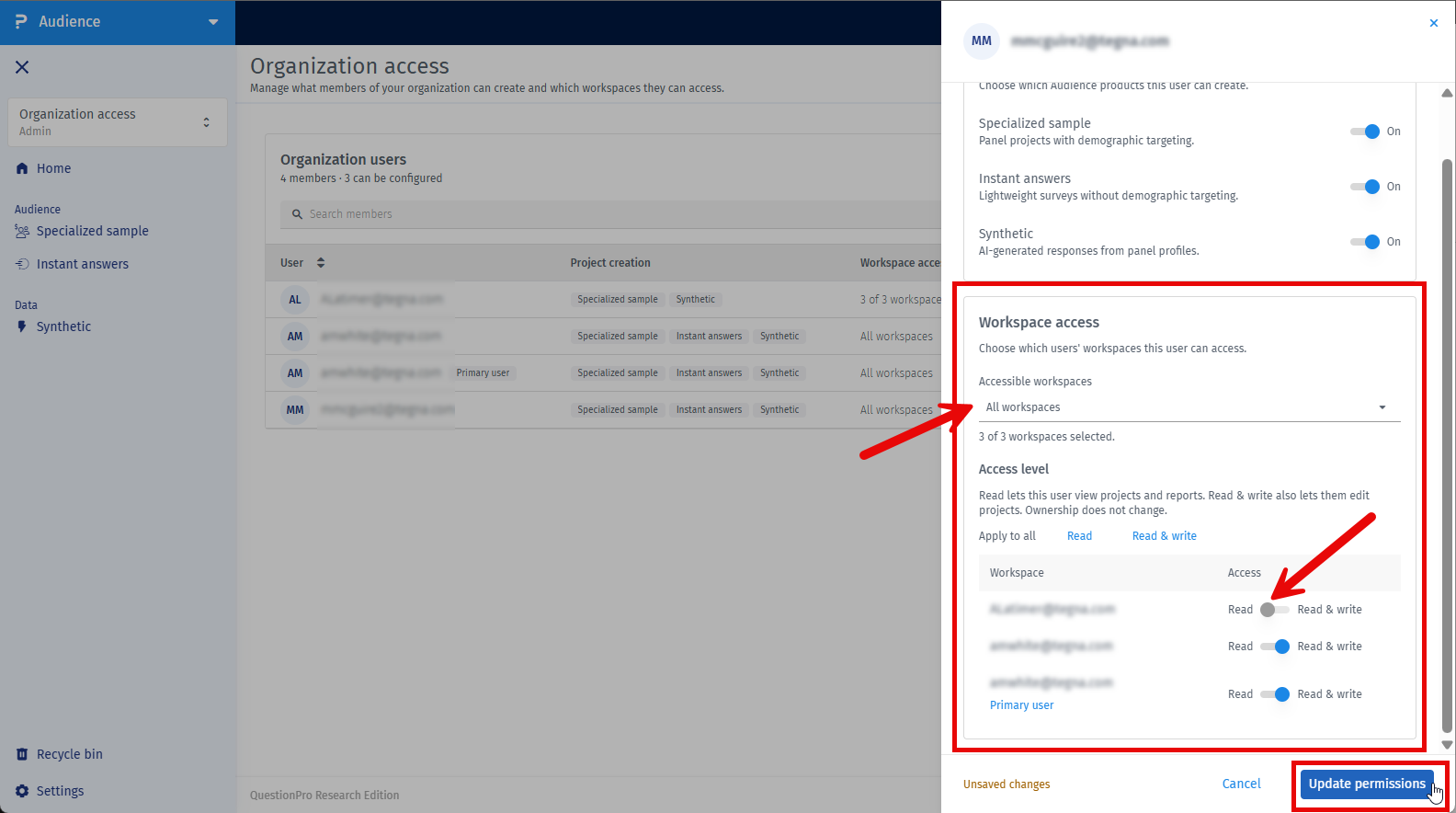
- In Workspace access, use Accessible workspaces to choose whose workspaces this user can open.
- For each selected workspace, choose Read or Read and write. The default is Read and write.
- Click Update permissions to save.
Audience asks you to confirm before you remove a workspace from a user or change their access from Read and write to Read.
If the Primary user removes your access while you are in that workspace, you will see Access unavailable. Click Go to My Workspace to return to your own projects.
This feature is available with the following licenses :
Advanced Team Edition Research Edition Communities Customer Experience University - Research Edition
