


Multi-country launch
A multi-country launch helps you run one Audience project in many countries.
You will see one main project, called the parent project. Each country also gets its own child project. This makes it easy to check the whole project or one country at a time.
Click to download the video
- Open Audience.
- Click Create project.
- Choose Specialized Sample.
- Enter a name in Project name.
- Click Select Survey and choose the survey you want to use.
- Open Country and choose two or more countries. You can use Select all if you want every country in the list.
- Enter how many responses you want. This number is used for each country.
- Fill in Incidence rate, Completion date, and Survey length.
- Under Select your audience, click each country tab and set up the audience for that country.
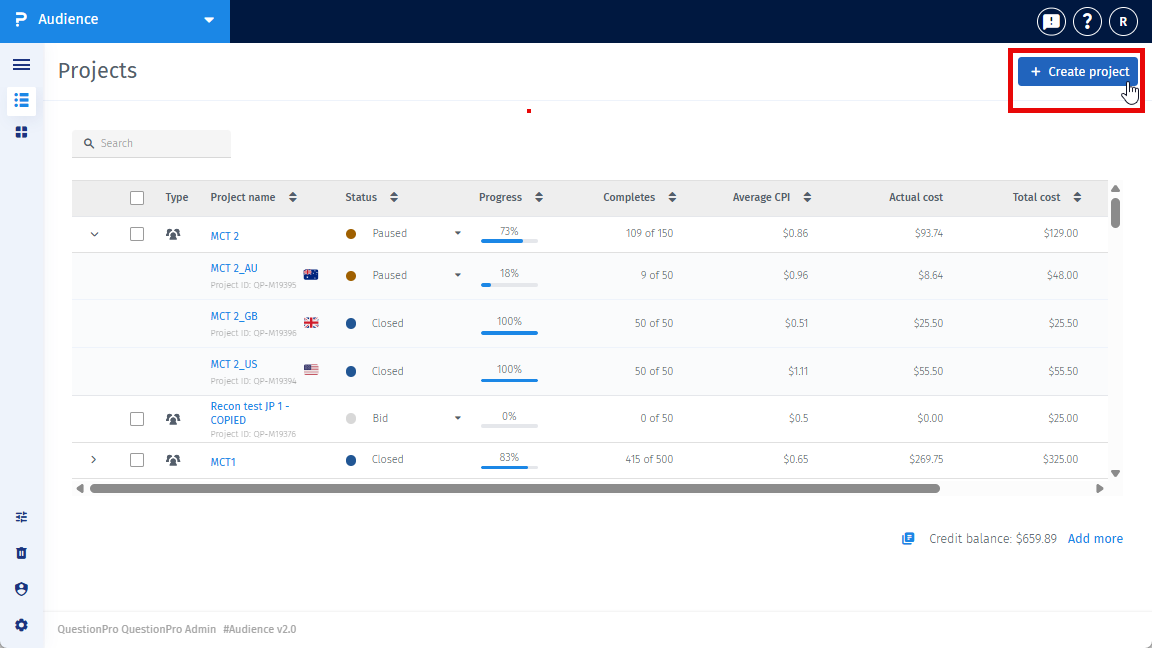
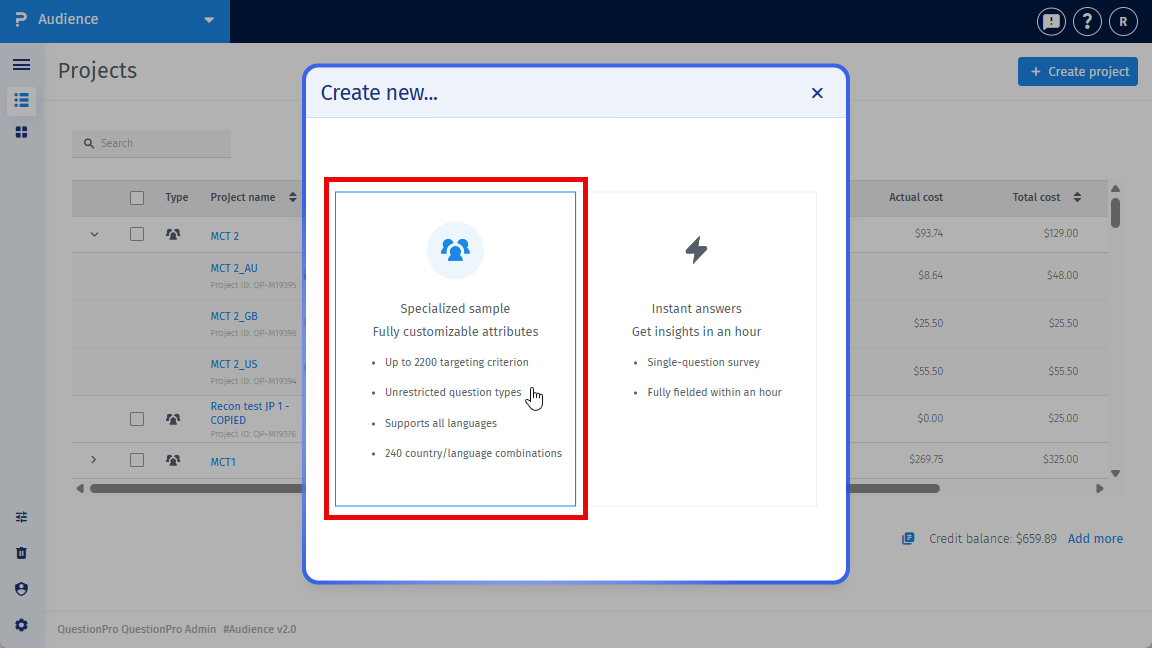
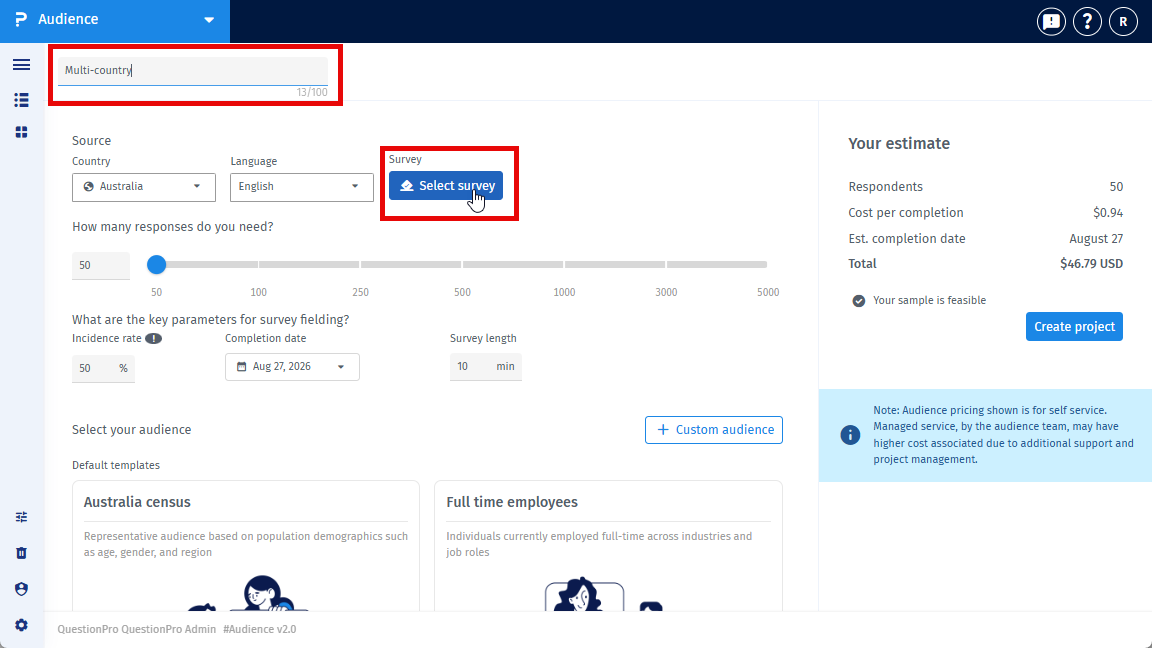
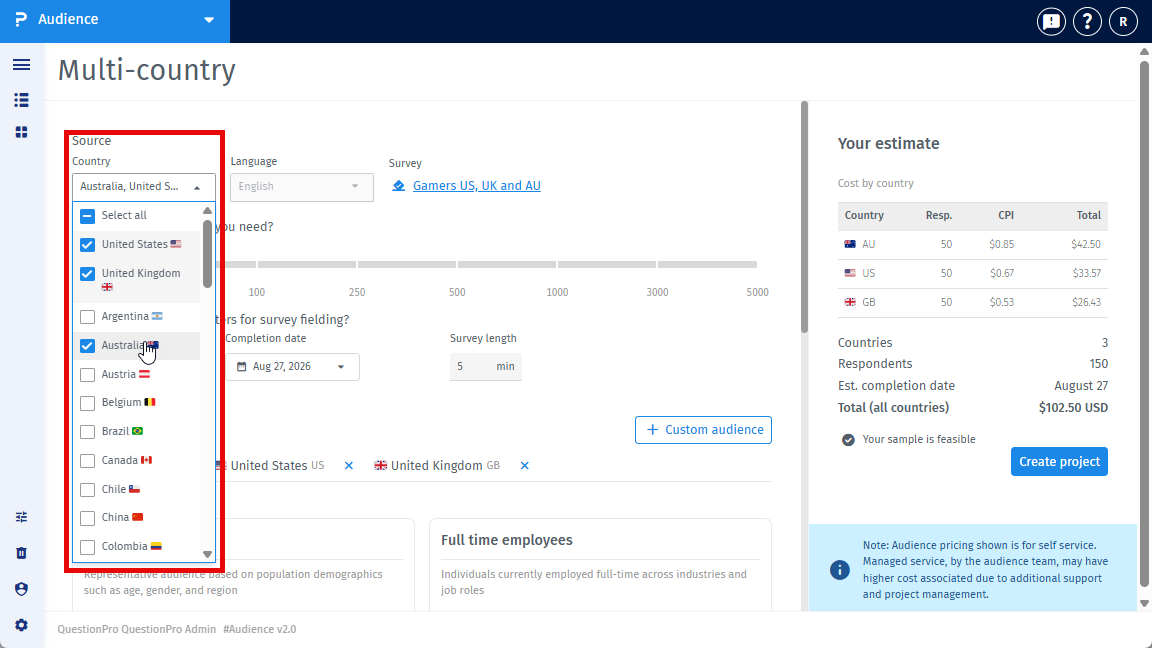
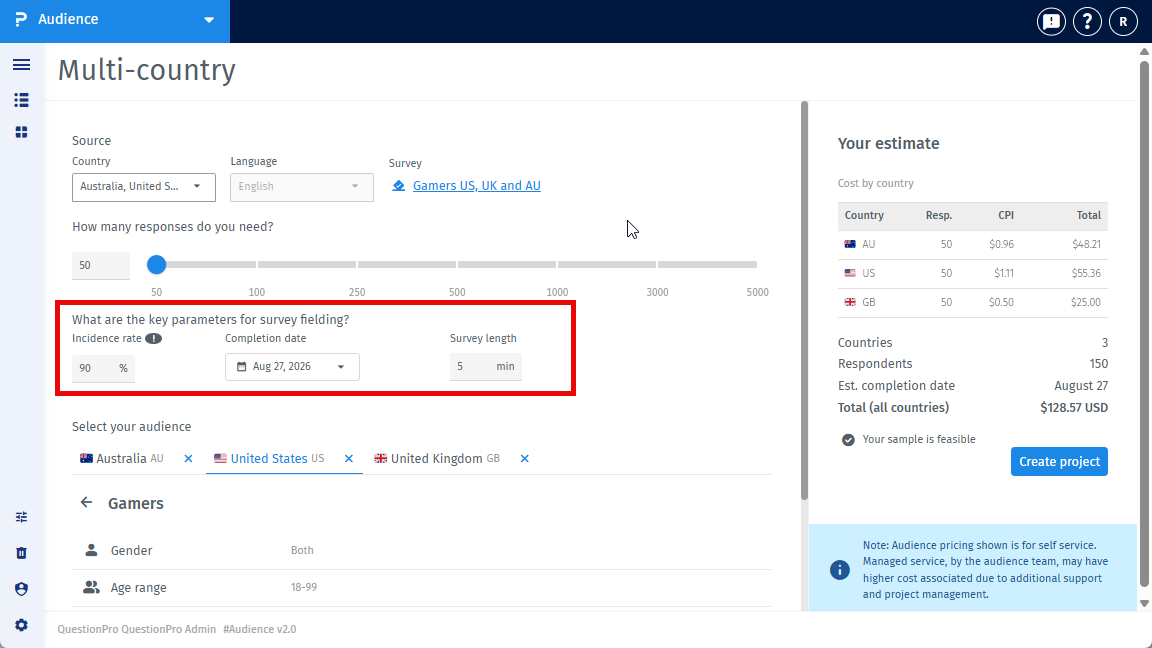
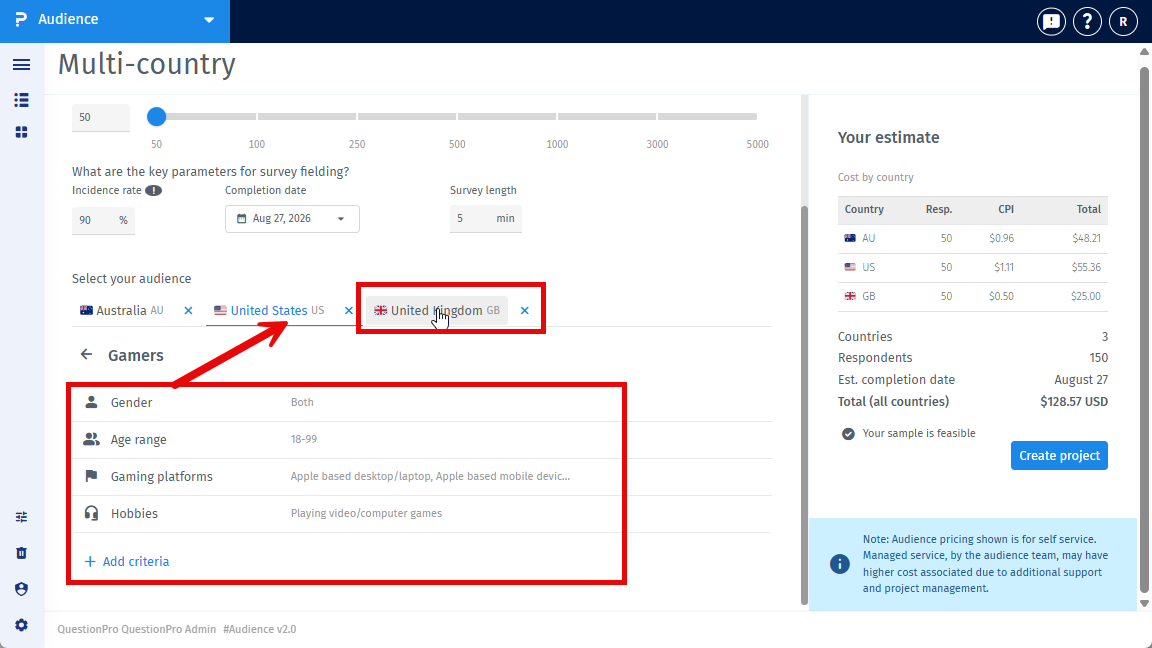
Each country keeps its own audience settings when you move between the country tabs.
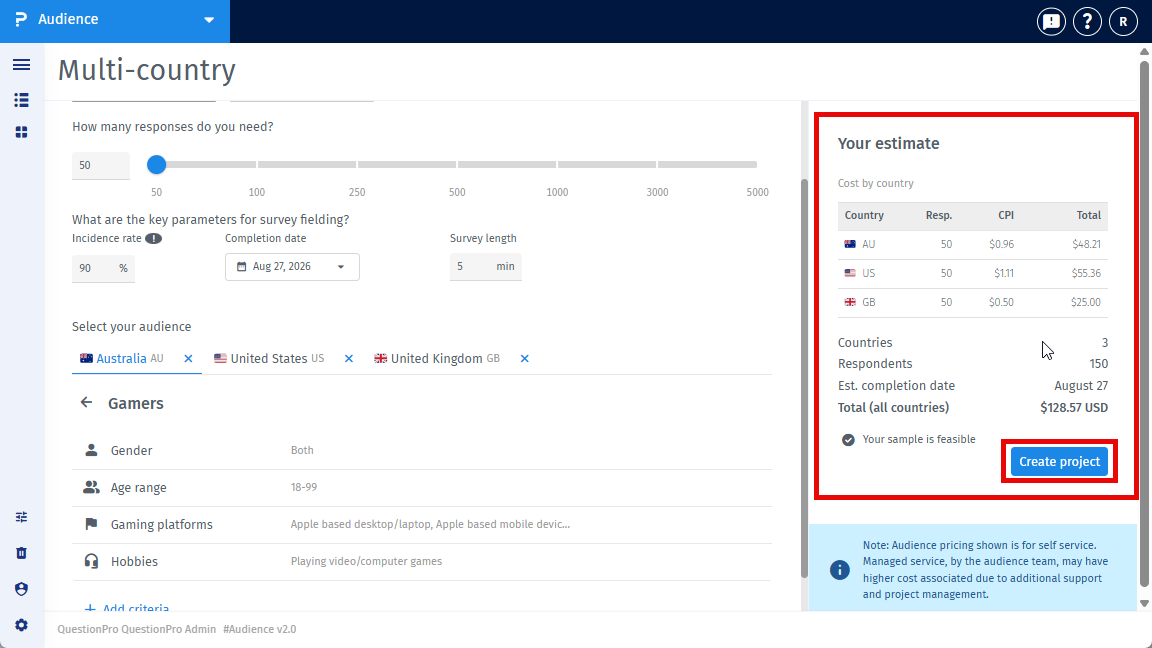
The Your estimate box shows a Cost by country table. For each country, you can see:
- The number of people you want.
- The price for one completed response, called CPI.
- The total price for that country.
The box also shows Respondents, Est. completion date, and Total (all countries).
If you change a country, its price is checked again. Wait for this check to finish before you continue. If the price check fails, click Retry.
If a country cannot get enough responses, Audience tells you that the country is not feasible. Fix or remove that country if needed.
When everything looks right, click Create project.
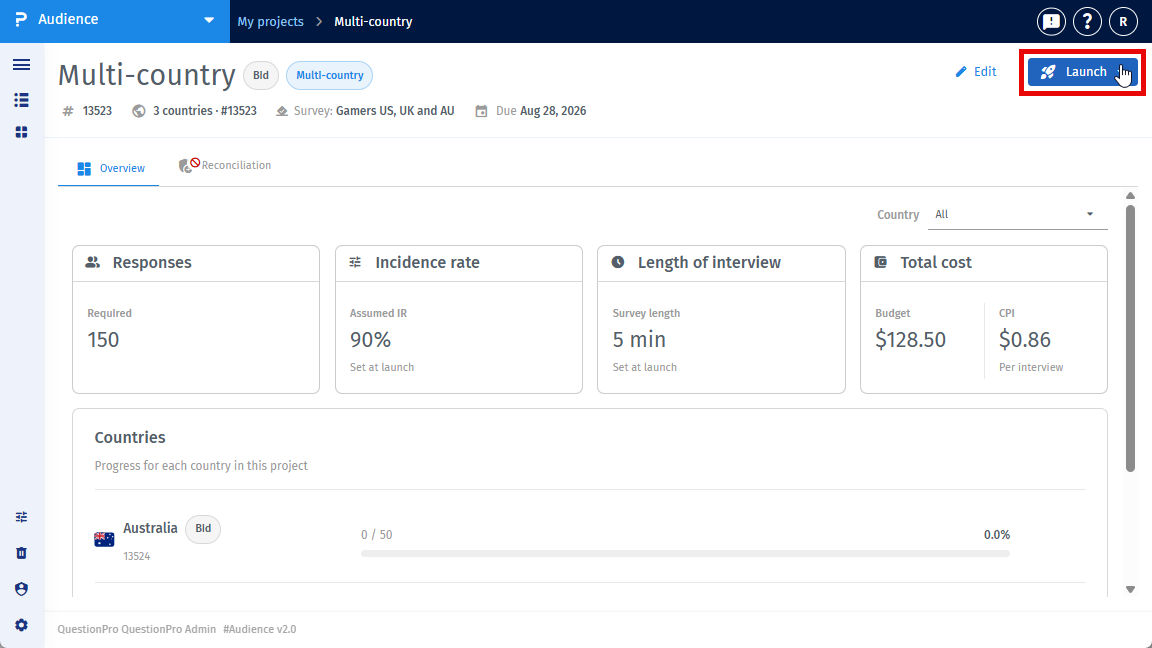
- After the project is created, open the parent project.
- On the Project details page, click Launch to start all countries that are ready.
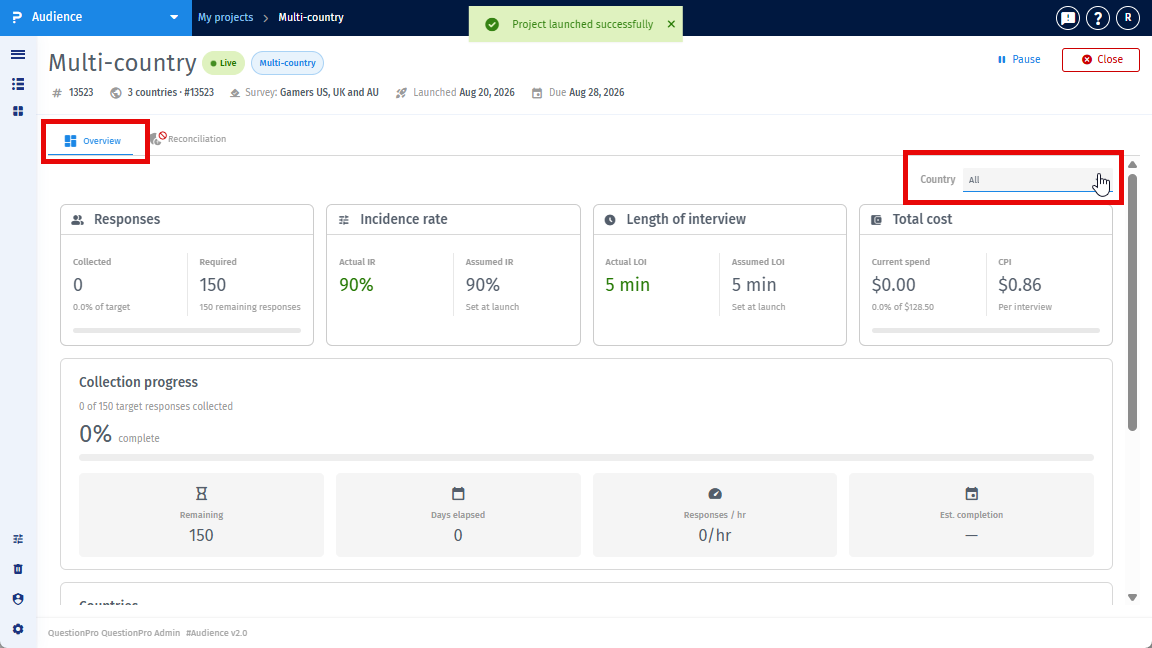
- Open the Overview tab to check the project.
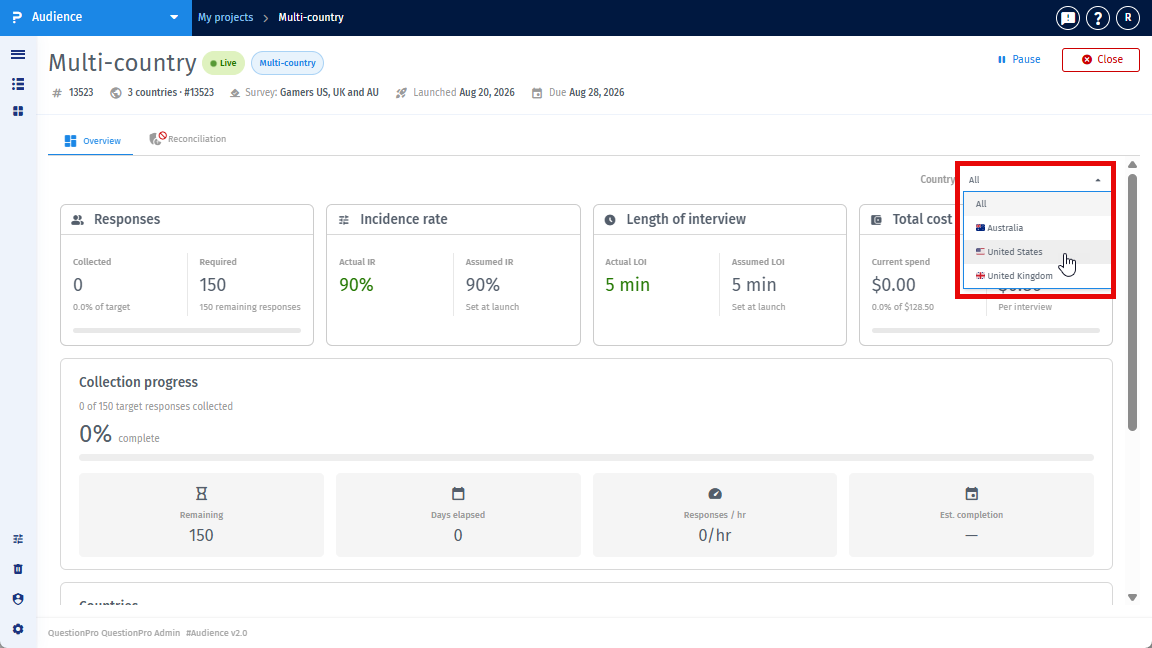
- Use the Country list. Choose All to see the whole project, or choose one country to see only that country.
- Use the Countries area to see each country's status, project ID, completed responses, target, and progress bar.
- Use Pause, Resume, or Close next to a country when you need to change that country's status.
Audience checks credits for each country on its own. This means some countries may start even if another country cannot start. If this happens, the page shows a message and a Launch remaining countries button.
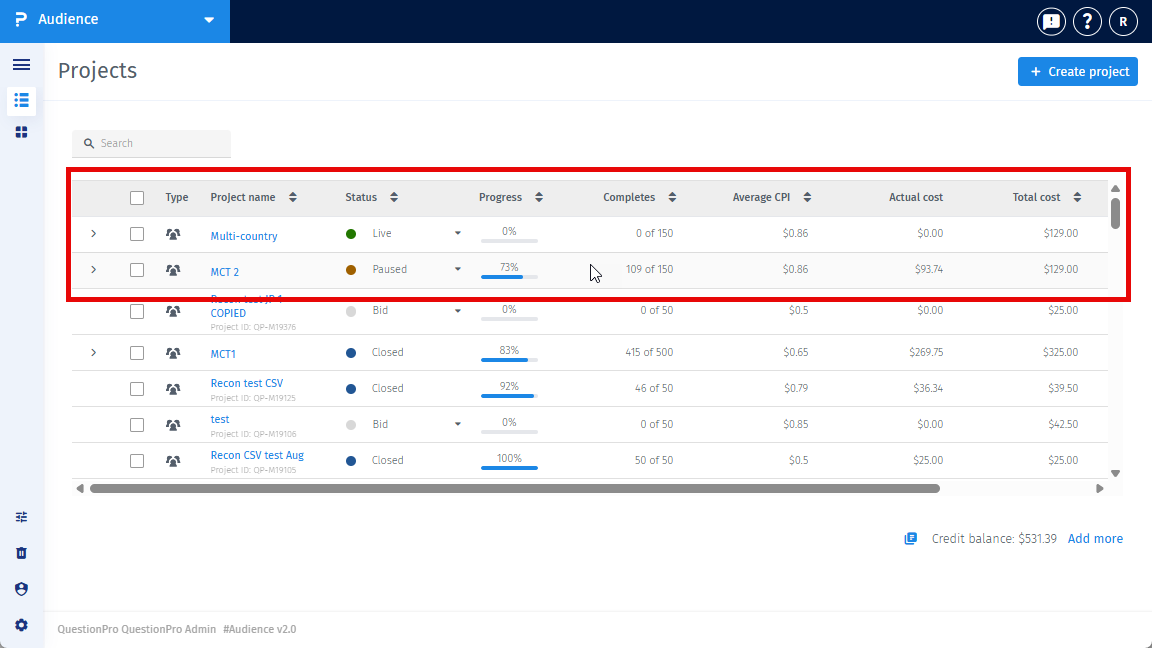
Go back to the Projects page.
- The parent row shows the full multi-country project.
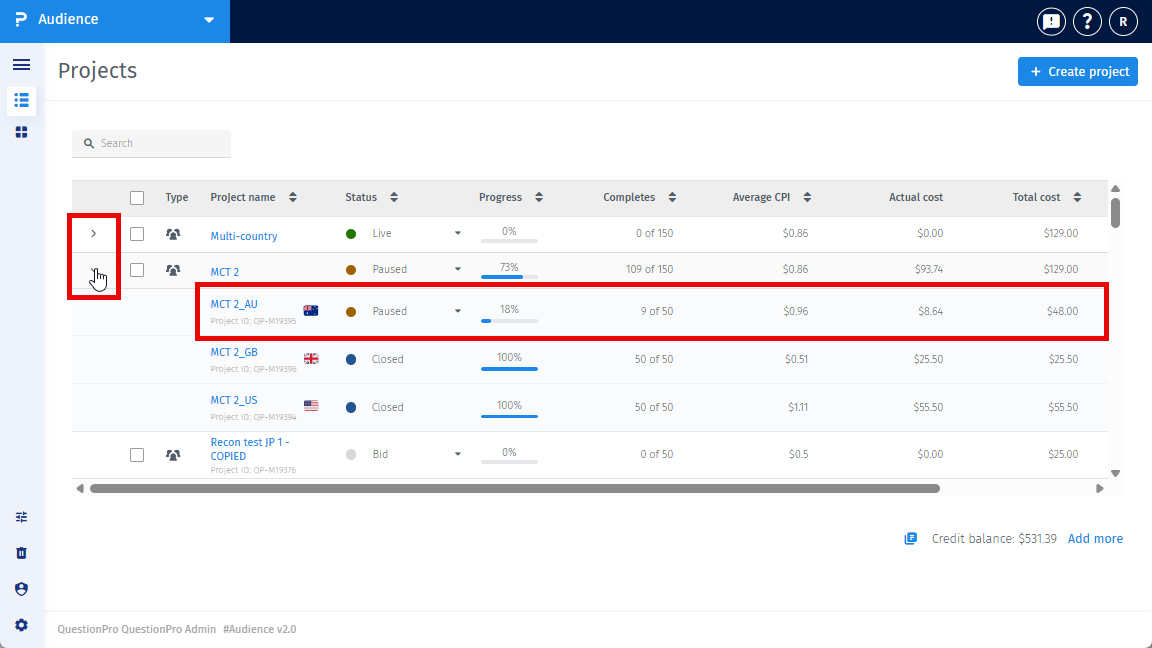
- Click the expand arrow on the parent row to see the child projects.
- Each child row is one country. It shows the country project ID, status, progress, completed responses, CPI, actual cost, and total cost.
- Click the parent project name to see all countries together.
- Click a child project name to see one country.
Yes, but only before the project starts. You can change the countries while every country is still in Bid status.
After any country starts, the Country list is locked. You cannot add or remove countries after that.
This feature is available with the following licenses :
Advanced Team Edition Research Edition Communities Customer Experience University - Research Edition
