


Respondent exclusions
Respondent exclusions helps you keep respondents unique across related Audience projects.
Select the earlier projects whose completed respondents should not be invited to your current project.
The exclusion works in one direction. For example, if Project A is selected while creating Project B, people who completed Project A are excluded from Project B. Project A is not changed.
Click to download the video
Use respondent exclusions for tracking studies, brand health studies, campaign measurement, or any research where each new project should use fresh respondents.
The feature is available for Specialized Sample projects.
- Create a new Specialized Sample project, or edit a project that has not been launched.
- Go to Project specifications.
-
Open Respondent exclusions.

- Use Search projects to find an earlier project by name.
-
Select each project whose completed respondents you want to exclude. The list shows the project name and project ID so that projects with similar names are easy to identify.
- Finish the project setup and launch the project.
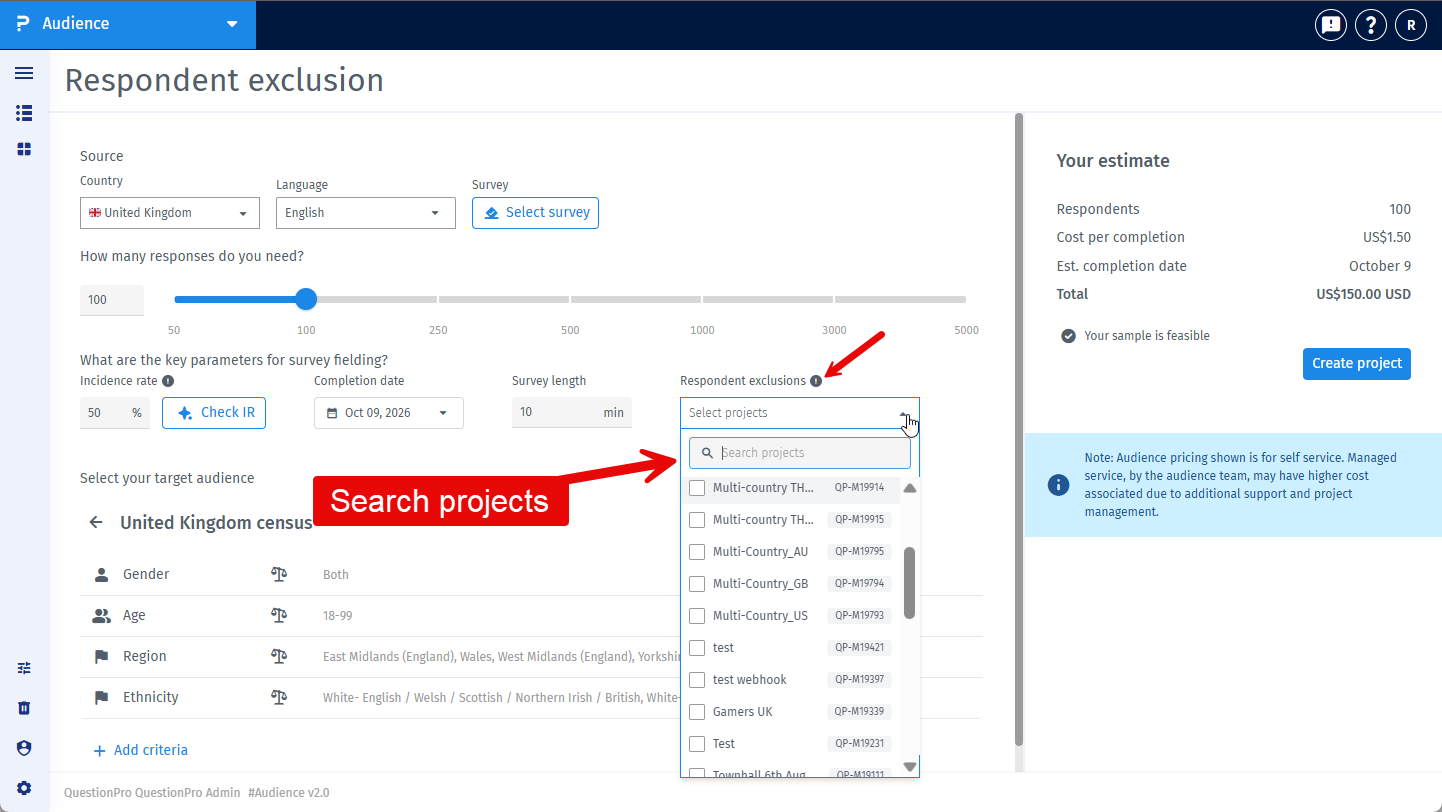
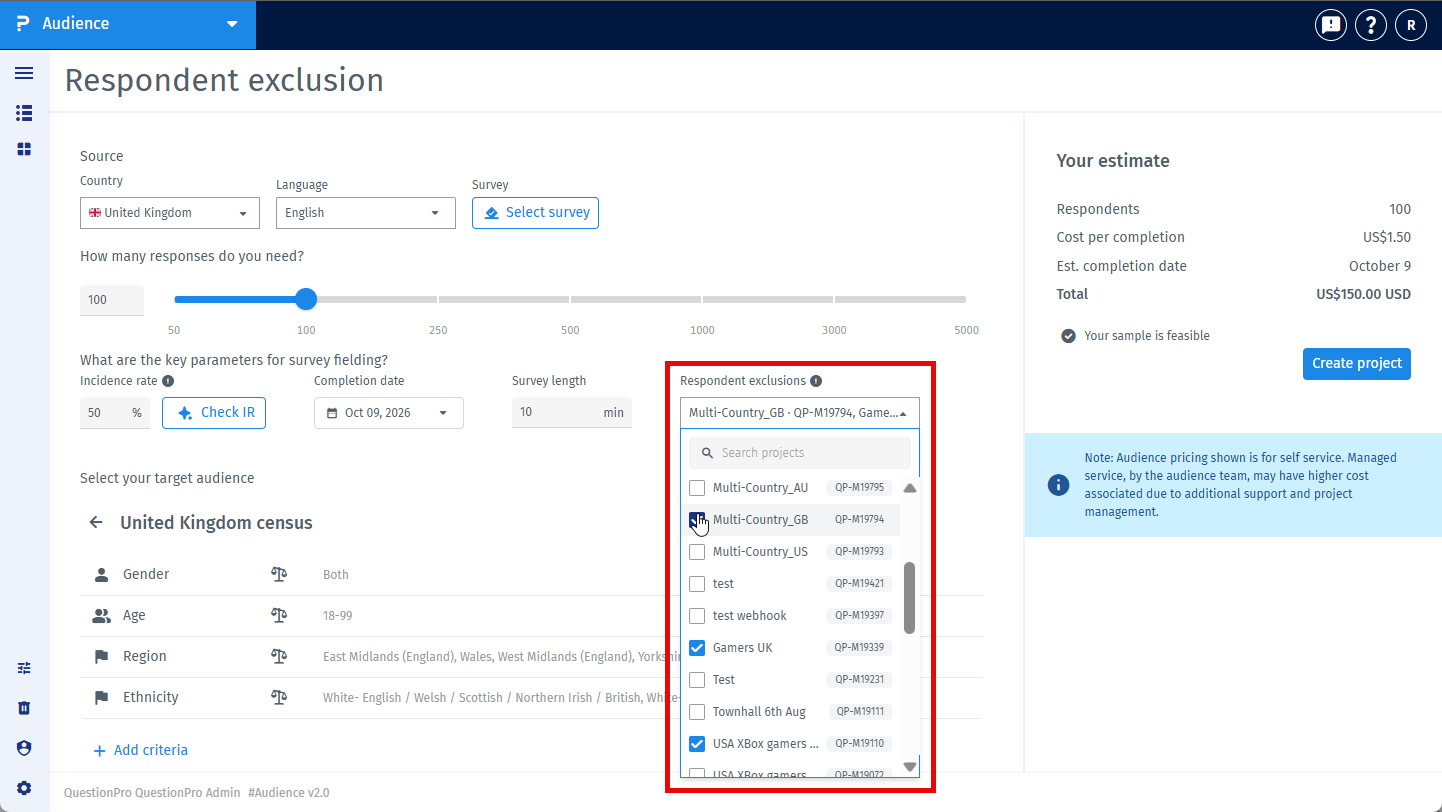
You can select up to 50 projects. Only projects that have already been launched and are Live, Paused, or Closed appear in the list.
When the current project is launched, respondents who completed any selected project during the previous 90 days are excluded from the current project.
A multi-country parent project does not appear in the selection list because it does not collect responses itself. Select the launched country project whose completed respondents you want to exclude.
When you add exclusions to a new multi-country project, the exclusions are applied to its launched country projects where the sample provider matches.
Open the Project details page. Under Launch criteria & audience configuration, the Respondent exclusions card lists the selected projects.
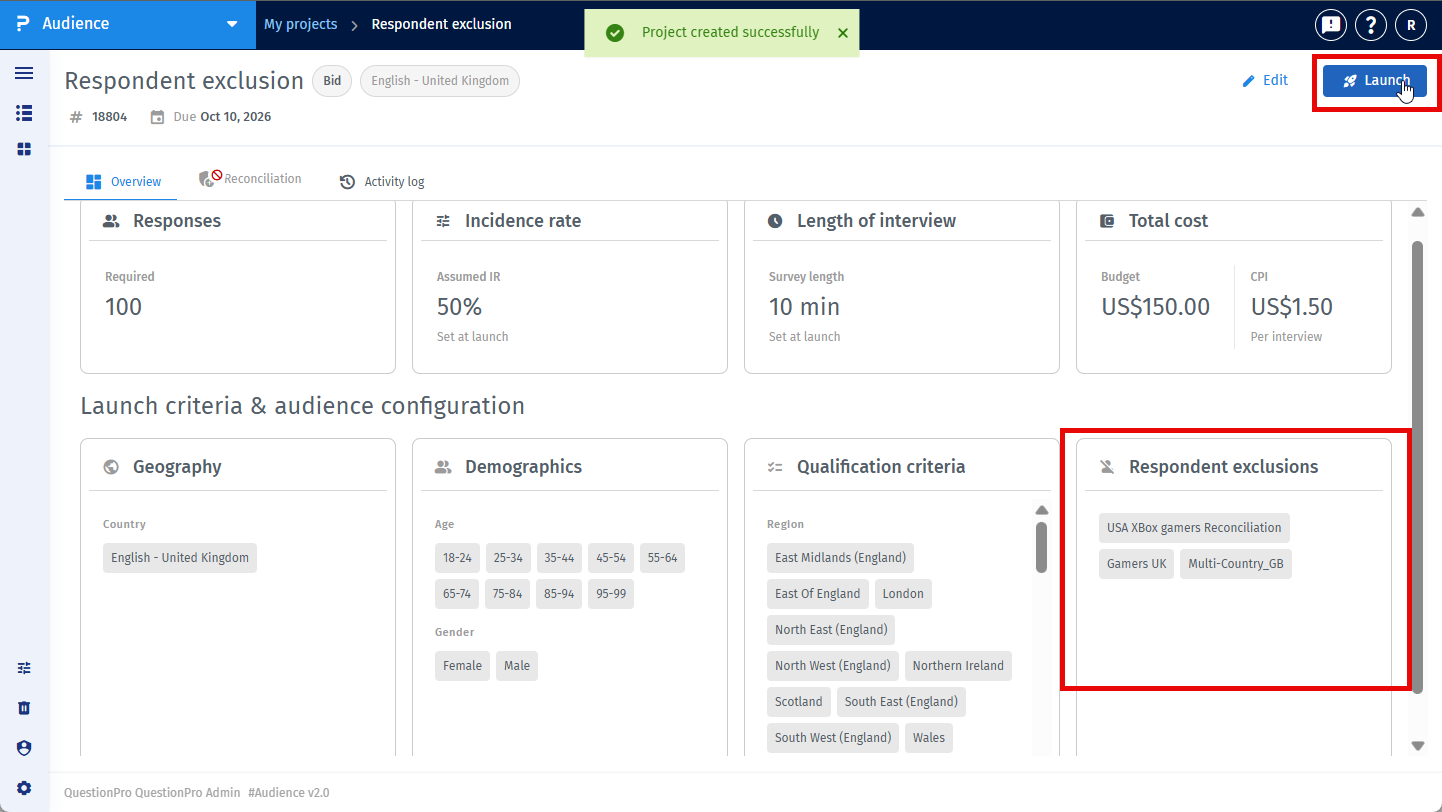
You can change the selection while the project is still a draft. After the project is launched, the selection cannot be changed.
This feature is available with the following licenses :
Advanced Team Edition Research Edition Communities Customer Experience University - Research Edition
