


IR by AI
IR by AI is a feature in QuestionPro Audience that predicts your survey incidence rate before you launch.
Instead assuming an incidence rate, you can check IR with AI. Audience reads your selected survey and the audience criteria you have applied, then returns a suggested incidence rate with the reasoning behind it.
You can apply that number to your project, or keep the incidence rate you entered yourself.
IR by AI is a planning tool used during Specialized Sample setup. It does not monitor incidence rate after the survey is live. Live monitoring is handled by Incidence Rate (IR) Management.
Click to download the video
Incidence rate (IR) is the percentage of screened people who qualify for a study based on the screening criteria. It tells you how common your target audience is in the population you are sampling from.
IR is based on screening questions, not survey completion behavior.
Example: A client requests 250 completes from people who own an electric car.
- Total respondents screened = 1000
- Completed (own electric car) = 250
- Terminated = 700
- Overquota or dropout = 50
IR = (250 completed + 50 overquota/dropout) / 1000 x 100
The IR is 30%.
The estimate is based on:
- Screener questions and qualifying answers in the selected survey, including branching rules such as terminate or skip logic
- Panel qualifications and targeting filters you have applied for each country
- Historical panel profiling data, when it is available
The AI compares what the survey requires with what the panel can actually target or profile. For example, a survey that asks for owners of one specific electric-vehicle brand may only be targetable as car owners on the panel. The estimate should reflect that gap.
IR by AI is available on the Specialized Sample create and edit form, next to the Incidence rate field.
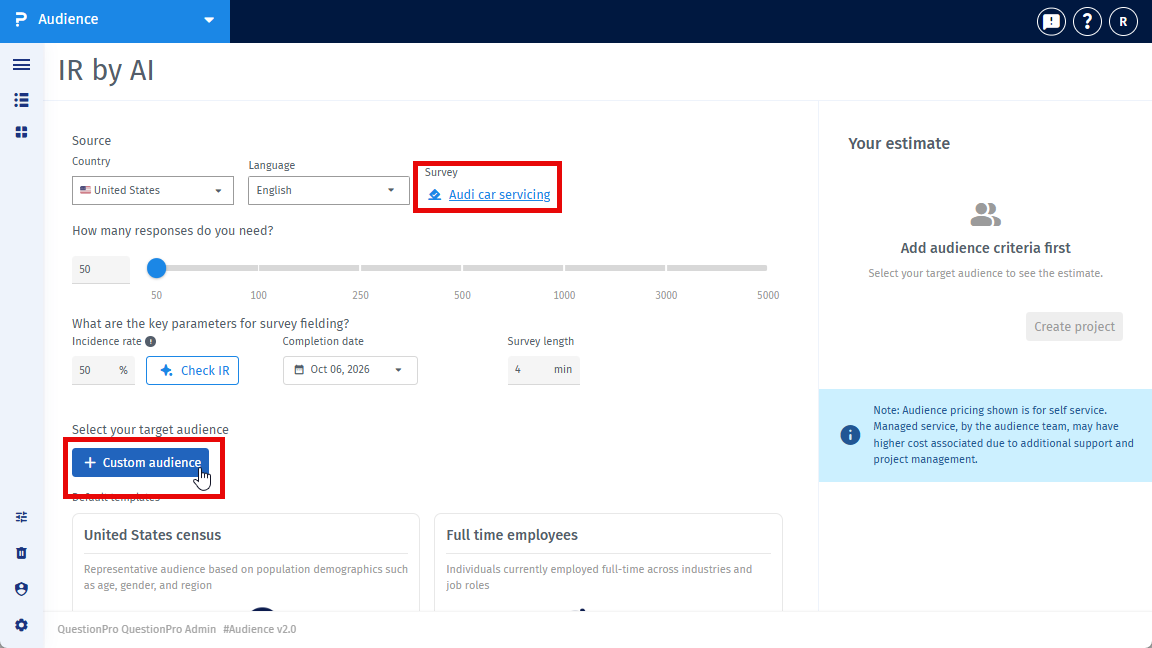
- Open Audience and create or edit a Specialized Sample project.
- Select the survey you want to use. The survey must be available in your account.
- Set country, responses, completion date, and survey length as usual.
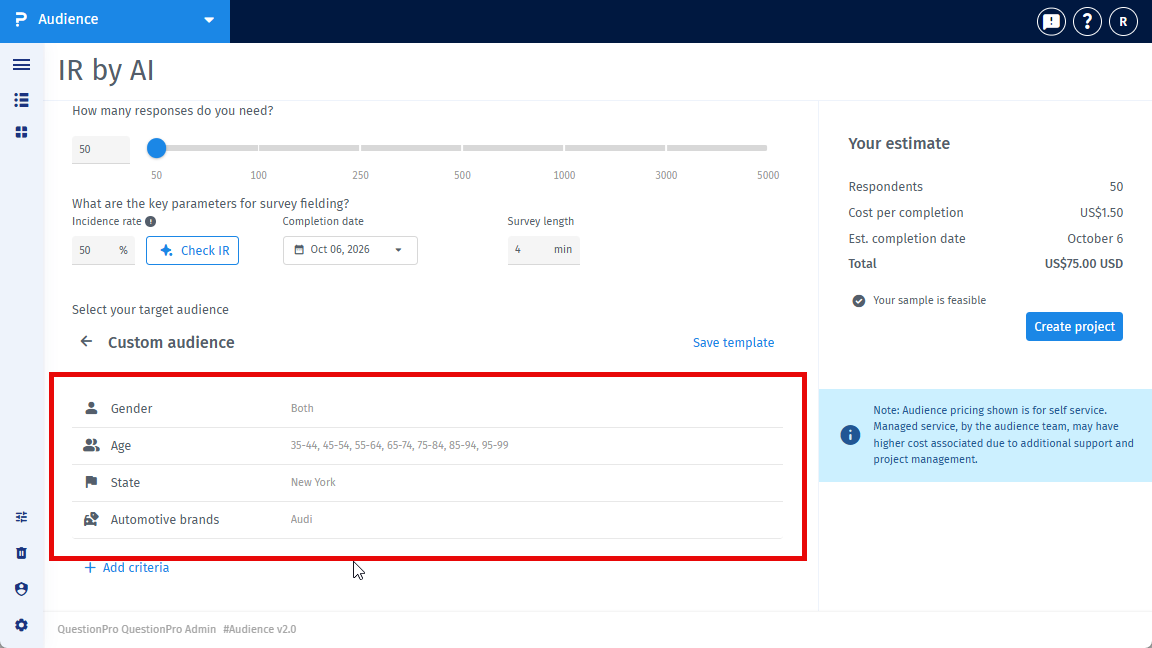
- Add audience criteria if you already know them. You can also estimate without criteria.
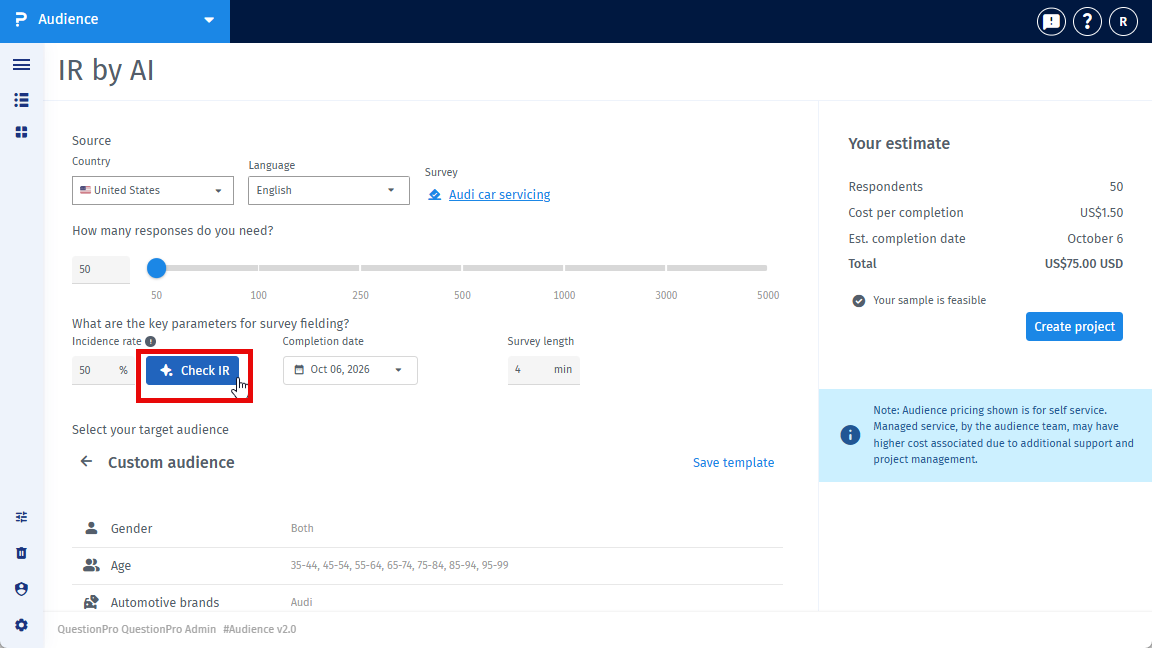
- Next to Incidence rate, click Check with AI.
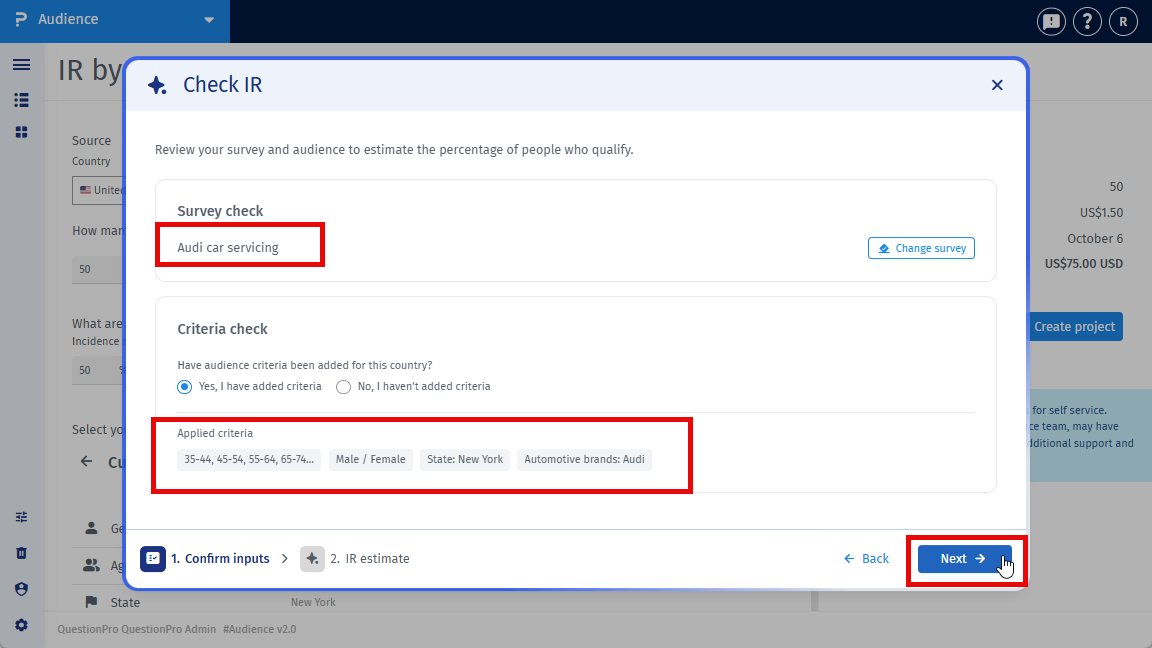
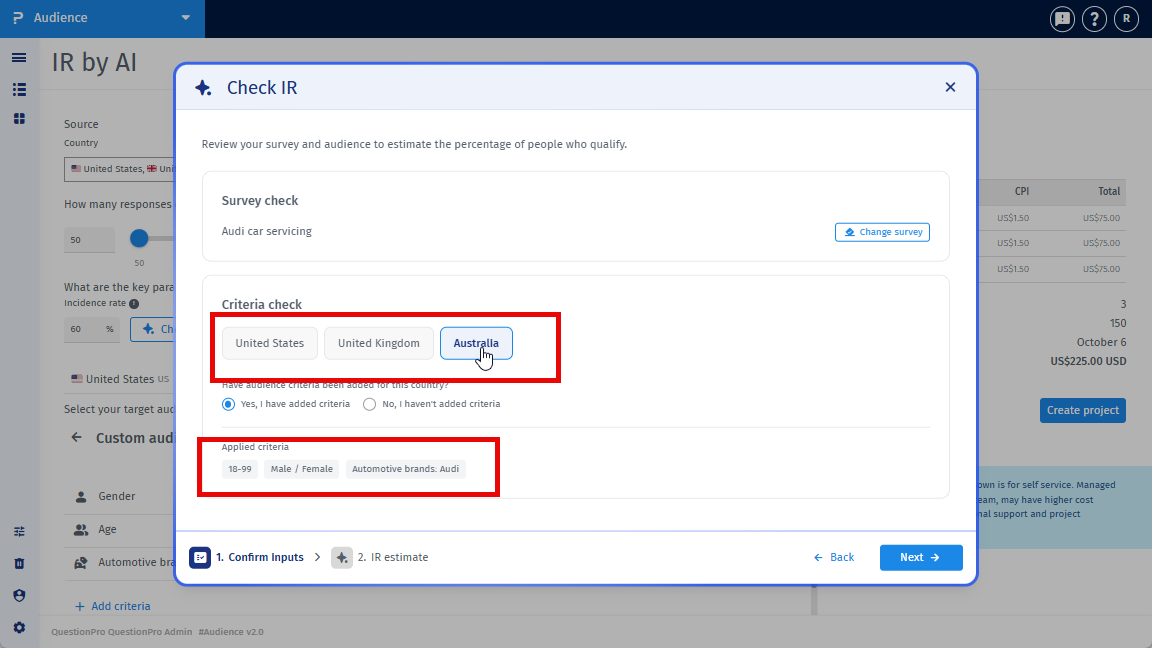
- In the Check IR with AI window, confirm the selected survey. Use the survey picker if you need to change it.
- For each country, confirm whether audience criteria have been added. Yes shows the applied criteria. No lets you Add criteria and return to the form, or Continue without criteria. If you continue without criteria, AI estimates IR from the survey requirements only.
- Click Next.
- Wait while Audience analyzes your inputs. You will see progress such as reading the survey, analyzing screener questions, comparing survey requirements with audience qualifications, and preparing the estimate.
- Review the suggested IR and the reasoning.
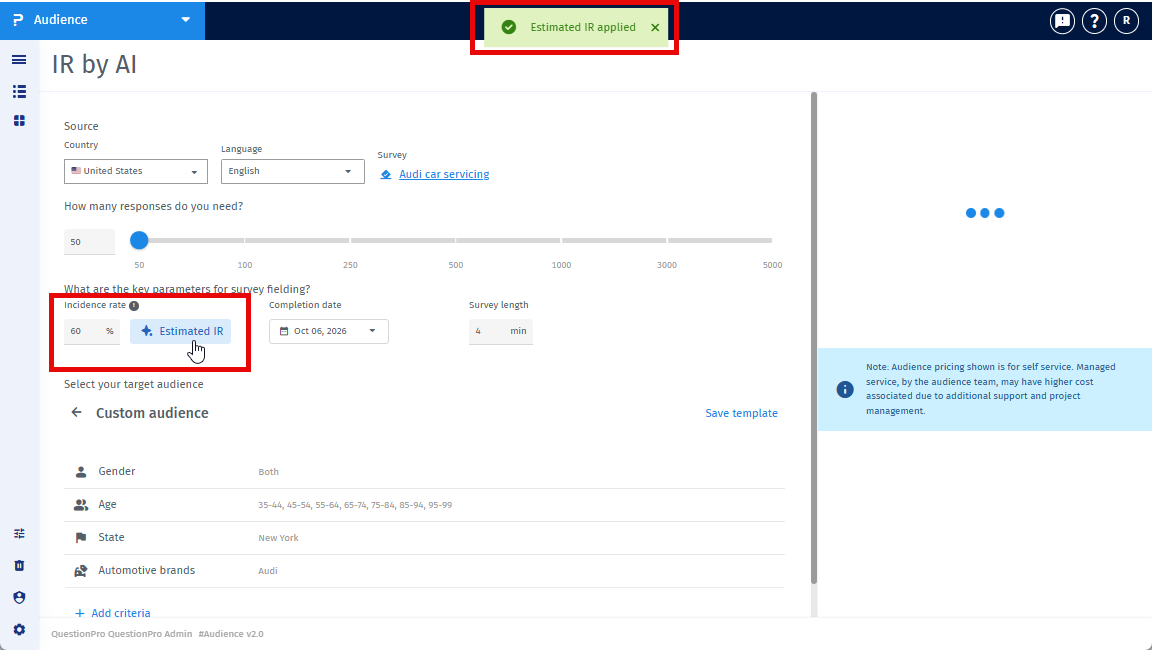
- Click Apply AI estimated IR to put the number in the Incidence rate field, or click Use my own IR to close the window without changing your value.
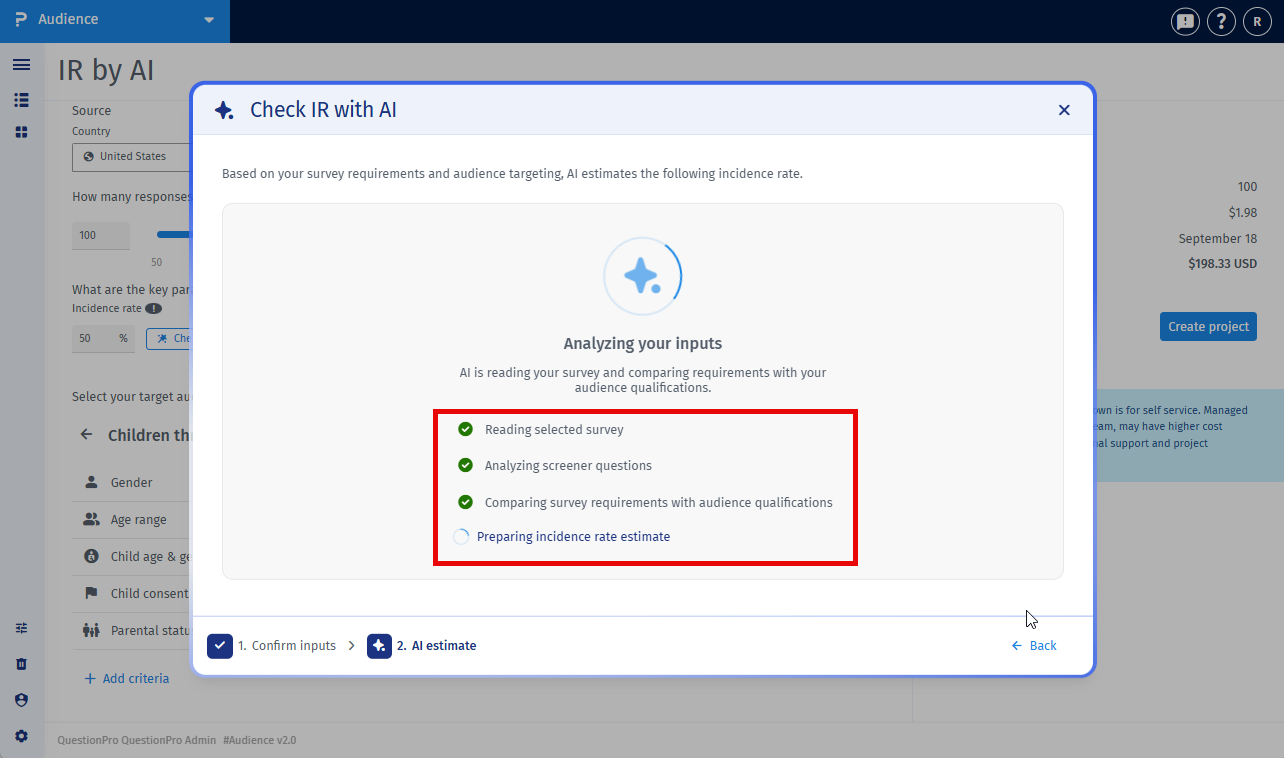
You can still edit the Incidence rate field after you apply an AI estimate.
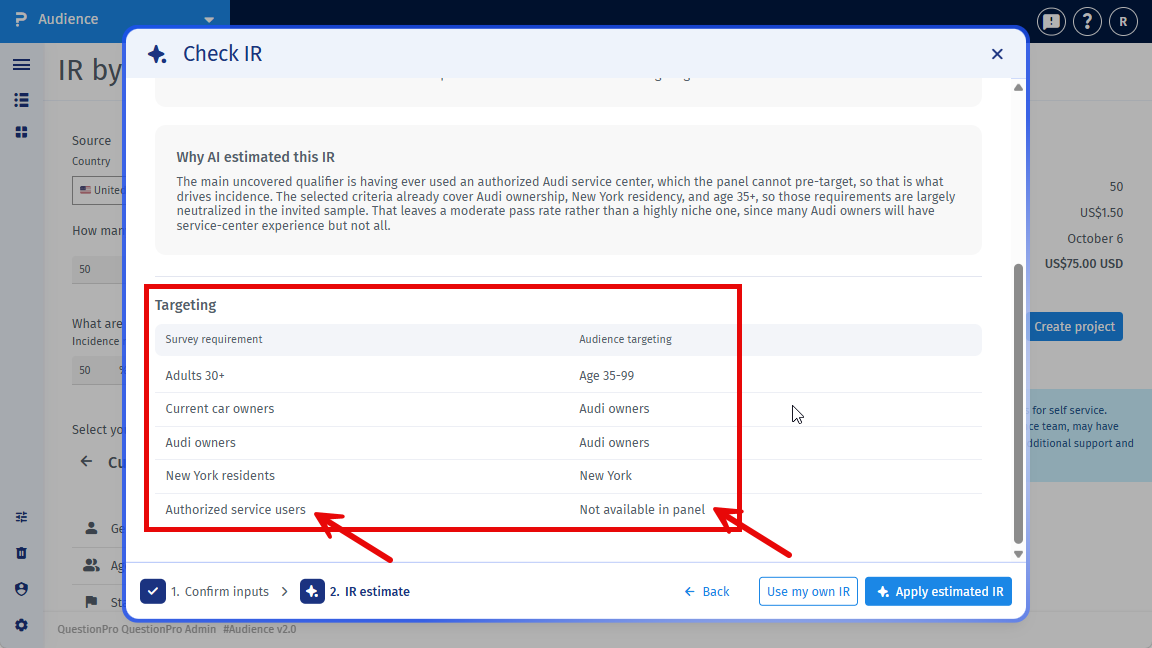
The result can include:
- The suggested incidence rate
- An AI estimated label
- Reasoning that explains the estimate
- A comparison of survey requirements versus available audience targeting, when that information is returned
- A niche or targeting limitation note, when the audience looks hard to reach
The estimate is a starting point for feasibility. It is not a guarantee of on-field incidence rate.
You can use IR by AI on single-country and multi-country Specialized Sample projects.
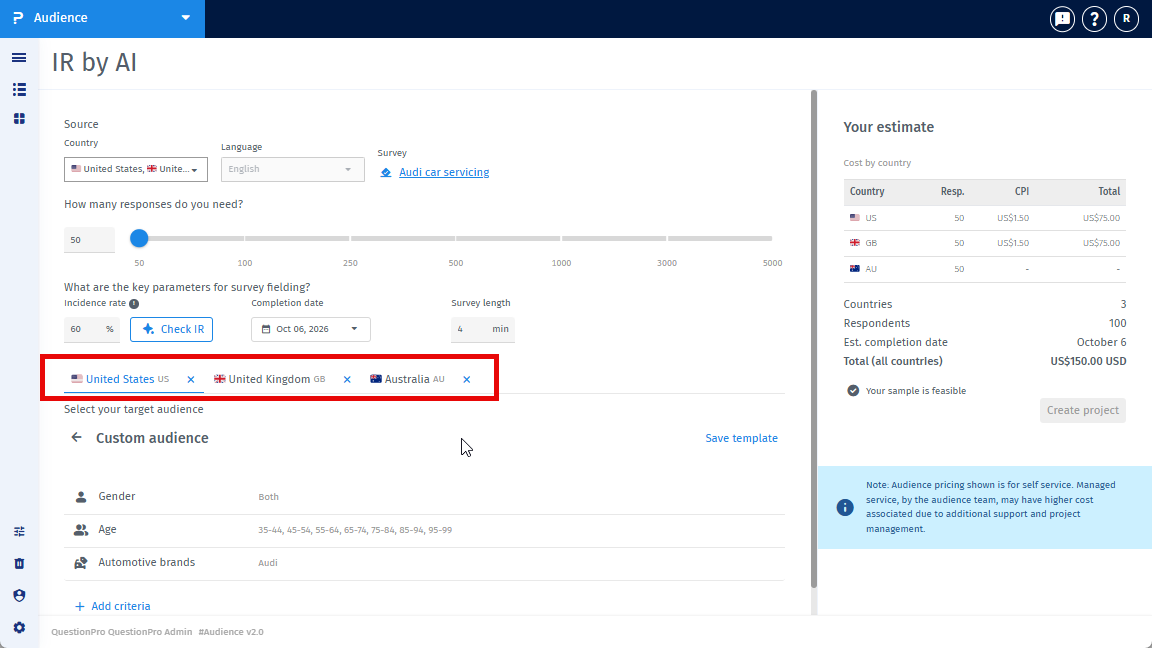
If more than one country is selected, the Check IR with AI window shows a tab for each country. Confirm criteria for every country before you continue.
Audience returns one incidence rate for the project. That number is applied to the shared Incidence rate field. It is not a separate IR per country.
Use IR by AI when you want a data-driven starting number instead of guessing, especially when:
- The audience is niche or brand-specific
- Panel filters may not match the exact screener
- You want to check feasibility and cost before launch
You can still enter incidence rate manually if you already have a number you trust.
IR by AI does not:
- Replace live IR monitoring after launch. Use IR Management for that.
- Update incidence rate in real time while the survey is in field.
- Simulate full quota logic.
- Redesign the survey or automatically add qualifications.
- Return a separate incidence rate for each country.
If the estimate cannot be generated, Audience shows an error and asks you to try again. Your existing incidence rate is not changed unless you apply a successful estimate.
IR by AI is used before launch, during Specialized Sample setup. It suggests an incidence rate from the survey and targeting. You can apply the suggested IR or keep your own value.
IR Management is used after launch, while the survey is live. It tracks on-field IR and related field metrics, and can send notifications and CPI guidance if field performance changes.
Use IR by AI to plan. Use IR Management to protect the project once it is running.
No. Incidence rate can still be entered manually. Check with AI is optional.
No. You can continue without criteria. In that case, AI estimates IR from the survey requirements only. Adding criteria usually produces a more useful estimate.
Yes. Confirm or change the selected survey before you run the estimate.
No. After you apply the AI estimated IR, you can still edit the field.
No. The AI estimate is a planning number. Actual field IR can still change after launch.
The result may include a lower estimate and a note that the audience is hard to reach or that the panel cannot target the exact criteria. Treat this as an early signal to adjust the target or set expectations before launch.
The Incidence rate field accepts values from 10% to 99%, the same range as manual entry. If the estimate is outside that range, it cannot be applied until it is within range.
This feature is available with the following licenses:
This feature is available with the following licenses :
Advanced Team Edition Research Edition Communities Customer Experience University - Research Edition
