

- Add widgets
- Survey Comparison
- Heatmap
- Confidentiality Settings
- eNPS in Workforce Analytics Portal
- Notes Widget
- Text Analysis Widget
- Response rate
- Text Report
- Trend analysis widget
- Show/hide Markers and Building blocks
- Question Filter
- Single Question Widget
- Heatmap default
- Sentiment analysis
- Scorecard
- Driver analysis
- Scorecard: All options view
- Heatmap Column Types
- Multiple Tabs in a Dashboard
- Tab Exports
- AI Summary and Recommendations
- 360 feedback introductory text
- 360 feedback display configurations
- 360 feedback display labels
- Multi Level Priority Logic
- 360 Surveys- Priority Model
- 360 feedback - skip logic
- 360 feedback - show hide question logic
- 360 Survey Settings
- 360 feedback configuration
- Customize the validation text
- 360 Survey design
- 360-Reorder section
- 360 Section Type - Single Select Section
- 360 Delete Sections
- 360 Add Sections
- 360 section type - Free responses text section
- 360 Section Type - Presentations text section
- 360 Section-Edit Configurations
- 360 Survey- Languages
- Matrix section

Set filters per Dashboard
This enhancement allows dashboard owners to control which filters appear on a dashboard. Instead of showing all available custom fields to every user, owners can configure a focused set of relevant filters. This ensures that viewers engage with data in the intended context without cluttering the report or creating off-message views. The allowed filters configuration applies globally to all viewers and drives both dashboard-level and tab-level filters.
How do I configure Allowed Filters when creating or editing a dashboard?
To manage allowed filters on a dashboard, follow these steps:
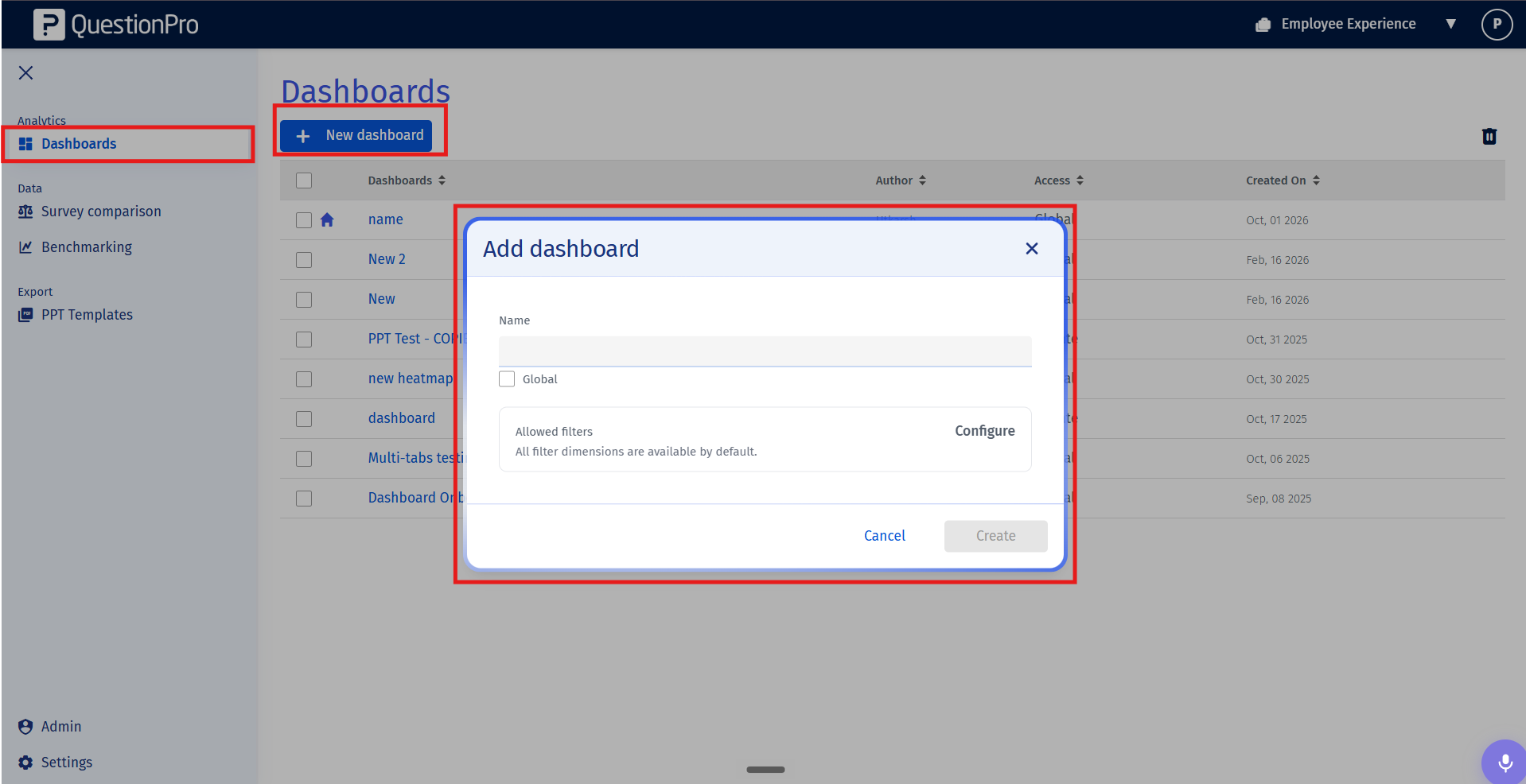
- Navigate to Dashboards in the sidebar navigation under Analytics. Click on New Dashboard to open the creation modal (or select Edit on an existing dashboard).
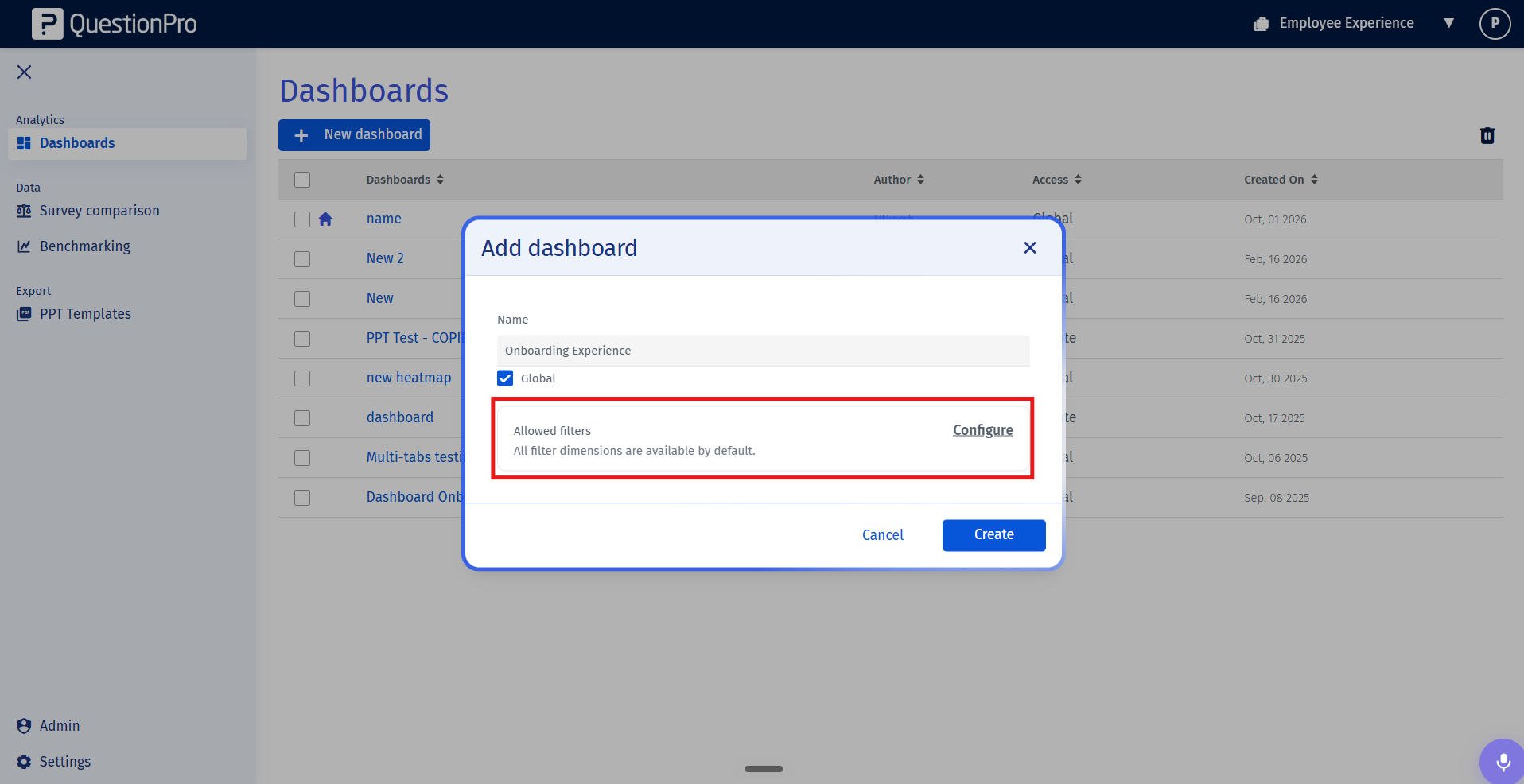
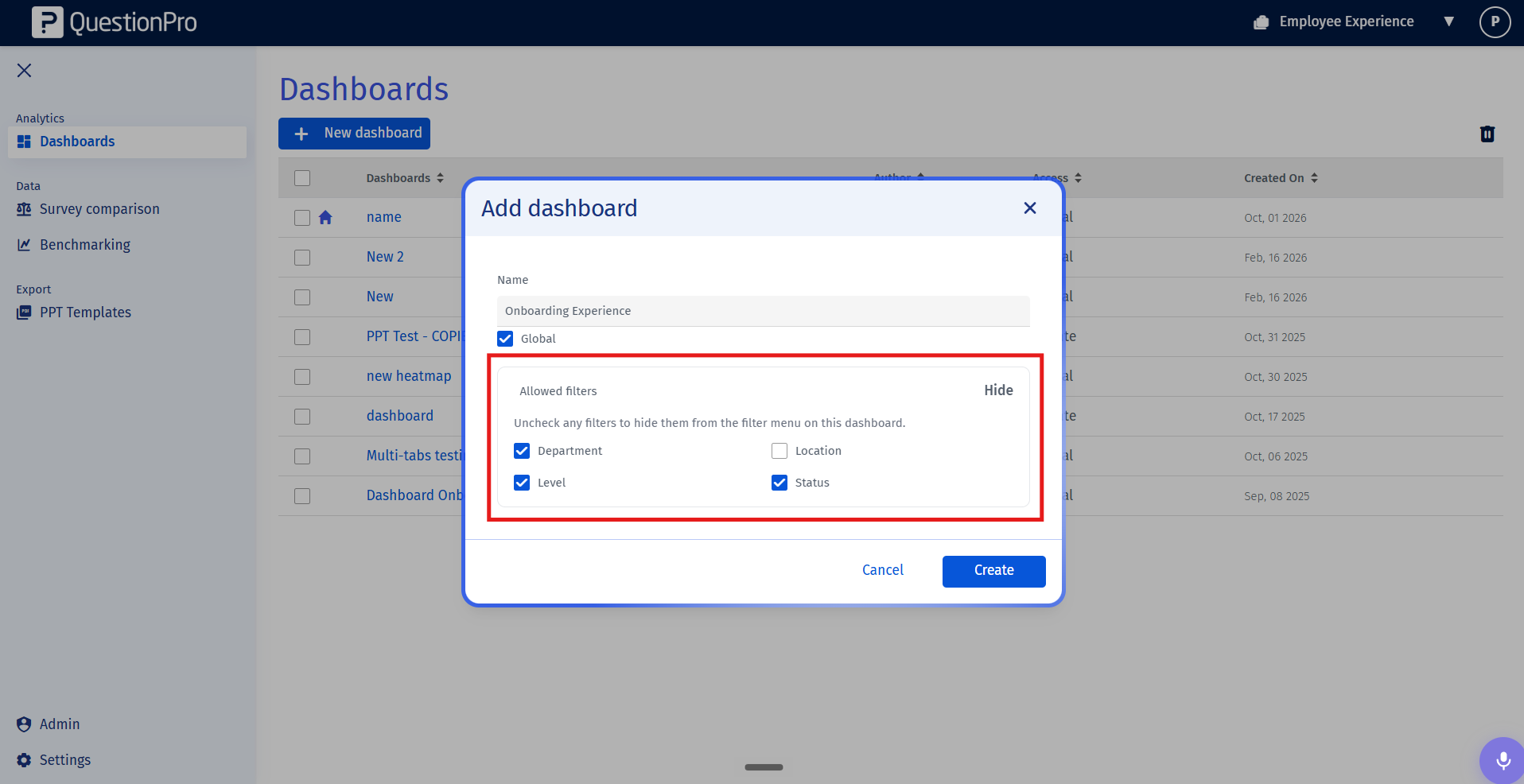
- In the modal, locate the Allowed filters section. By default, all filter dimensions are selected, displaying the copy "All filter dimensions are available by default." Click on Configure to expand the filter dimension options.
- Select or uncheck the custom fields (such as Department, Location, Level, or Tenure) to define which filter dimensions should appear on the dashboard menu. Once configured, click Create (or Save).
Important Note: At least one filter dimension must be allowed for a dashboard. If you remove a filter dimension that was previously active or saved, any associated active filter will be dropped automatically upon reload.
You may also be interested in...
