

- Add widgets
- Survey Comparison
- Heatmap
- Confidentiality Settings
- eNPS in Workforce Analytics Portal
- Notes Widget
- Text Analysis Widget
- Response rate
- Text Report
- Trend analysis widget
- Show/hide Markers and Building blocks
- Question Filter
- Single Question Widget
- Heatmap default
- Sentiment analysis
- Scorecard
- Driver analysis
- Scorecard: All options view
- Heatmap Column Types
- Multiple Tabs in a Dashboard
- Tab Exports
- AI Summary and Recommendations
- 360 feedback introductory text
- 360 feedback display configurations
- 360 feedback display labels
- Multi Level Priority Logic
- 360 Surveys- Priority Model
- 360 feedback - skip logic
- 360 feedback - show hide question logic
- 360 Survey Settings
- 360 feedback configuration
- Customize the validation text
- 360 Survey design
- 360-Reorder section
- 360 Section Type - Single Select Section
- 360 Delete Sections
- 360 Add Sections
- 360 section type - Free responses text section
- 360 Section Type - Presentations text section
- 360 Section-Edit Configurations
- 360 Survey- Languages
- Matrix section

Tab Level Dashboard Exports
Tab Level Exports in the EX Portal allow users to seamlessly export an entire dashboard tab in a single action. Rather than exporting individual widgets one by one, you can now generate comprehensive reports across Excel, PPT, and PDF formats with full control over which widgets to include in your download.
Watch this quick walkthrough to understand how it works:
Click to download video
How do I export an entire dashboard tab in EX Portal?
To export a dashboard tab, log in to the EX Portal and follow these steps:
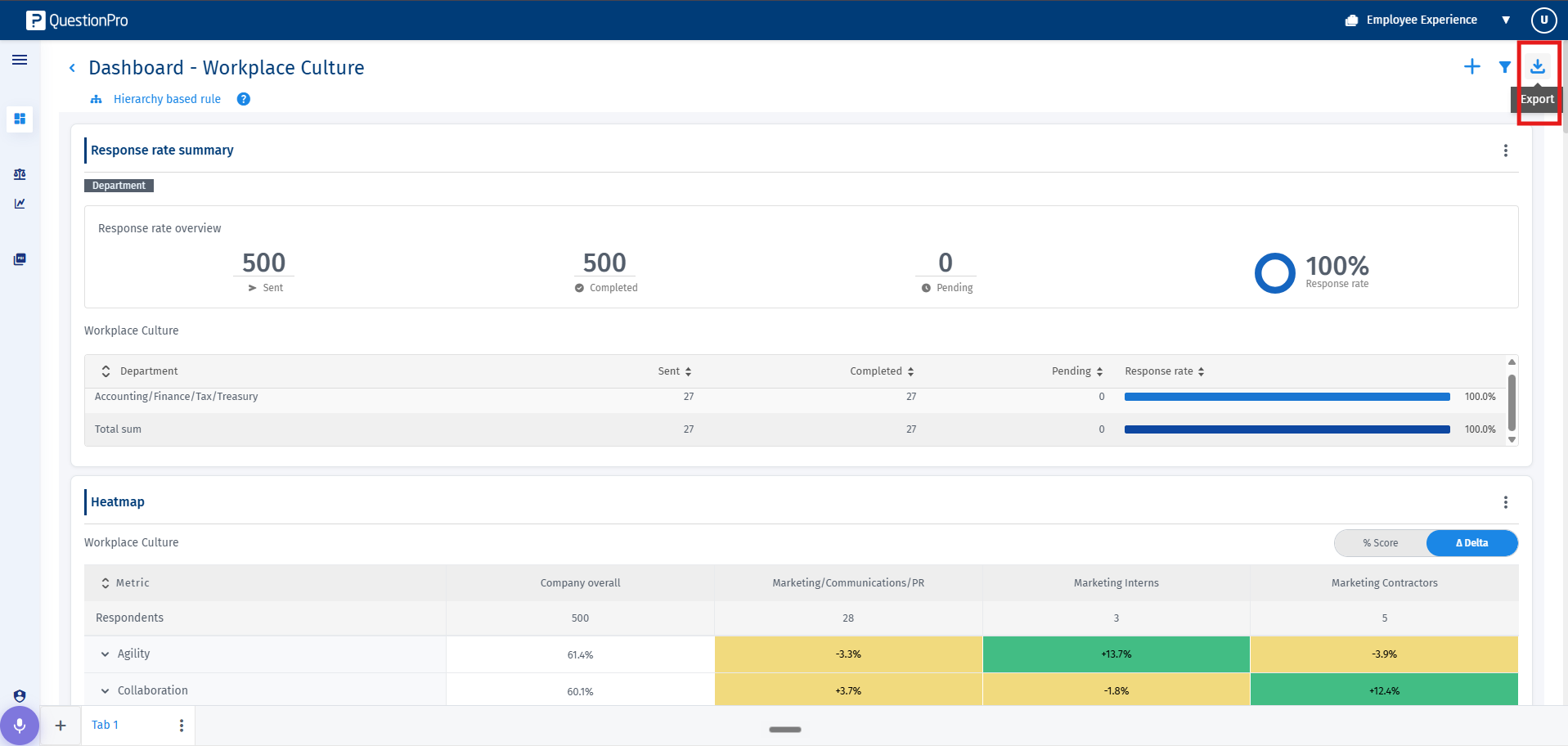
- Navigate to your desired dashboard and select the tab you wish to export. On the top right corner of the tab interface, click on the Export icon.
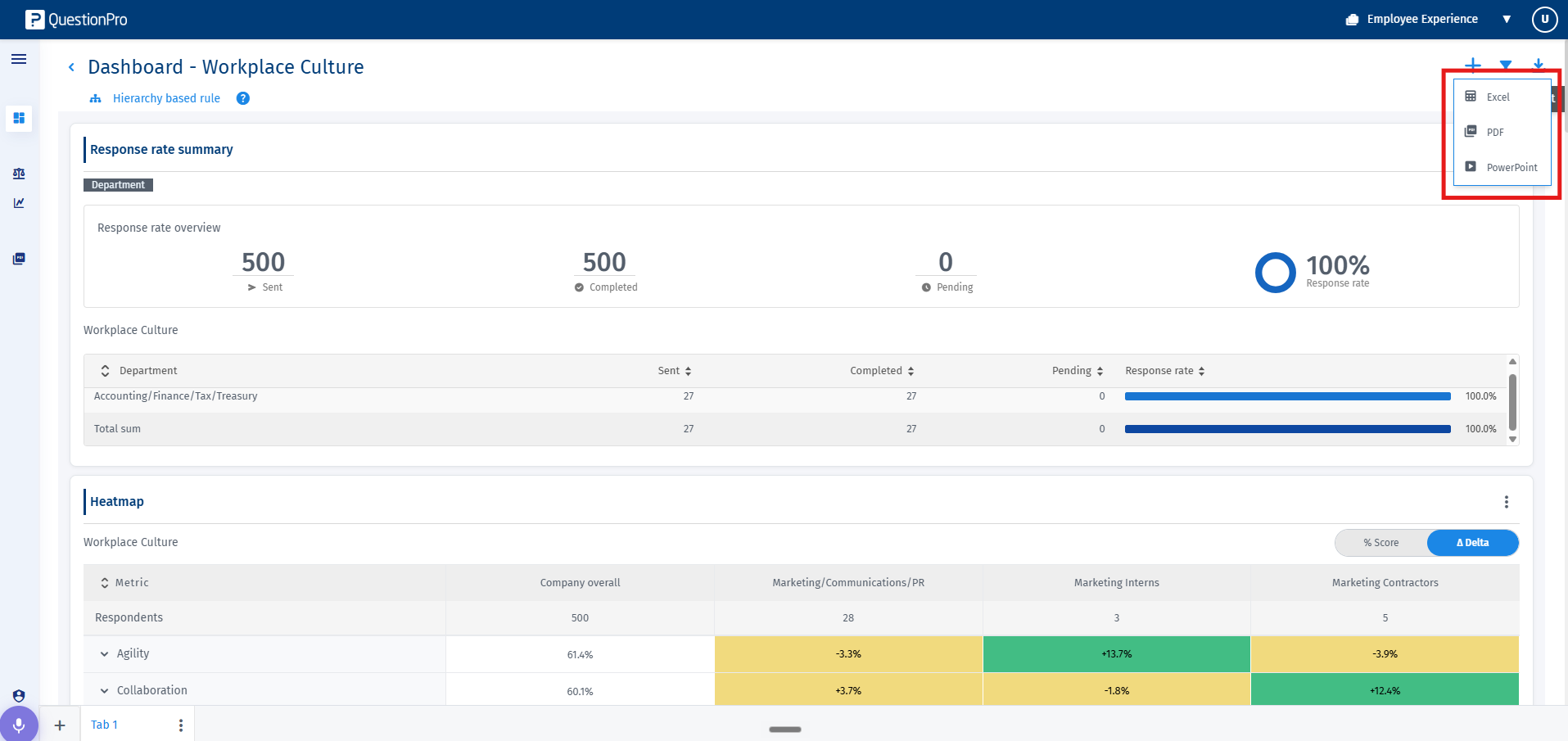
- Select your preferred file format from the drop-down list: Excel, PowerPoint (PPT), or PDF.
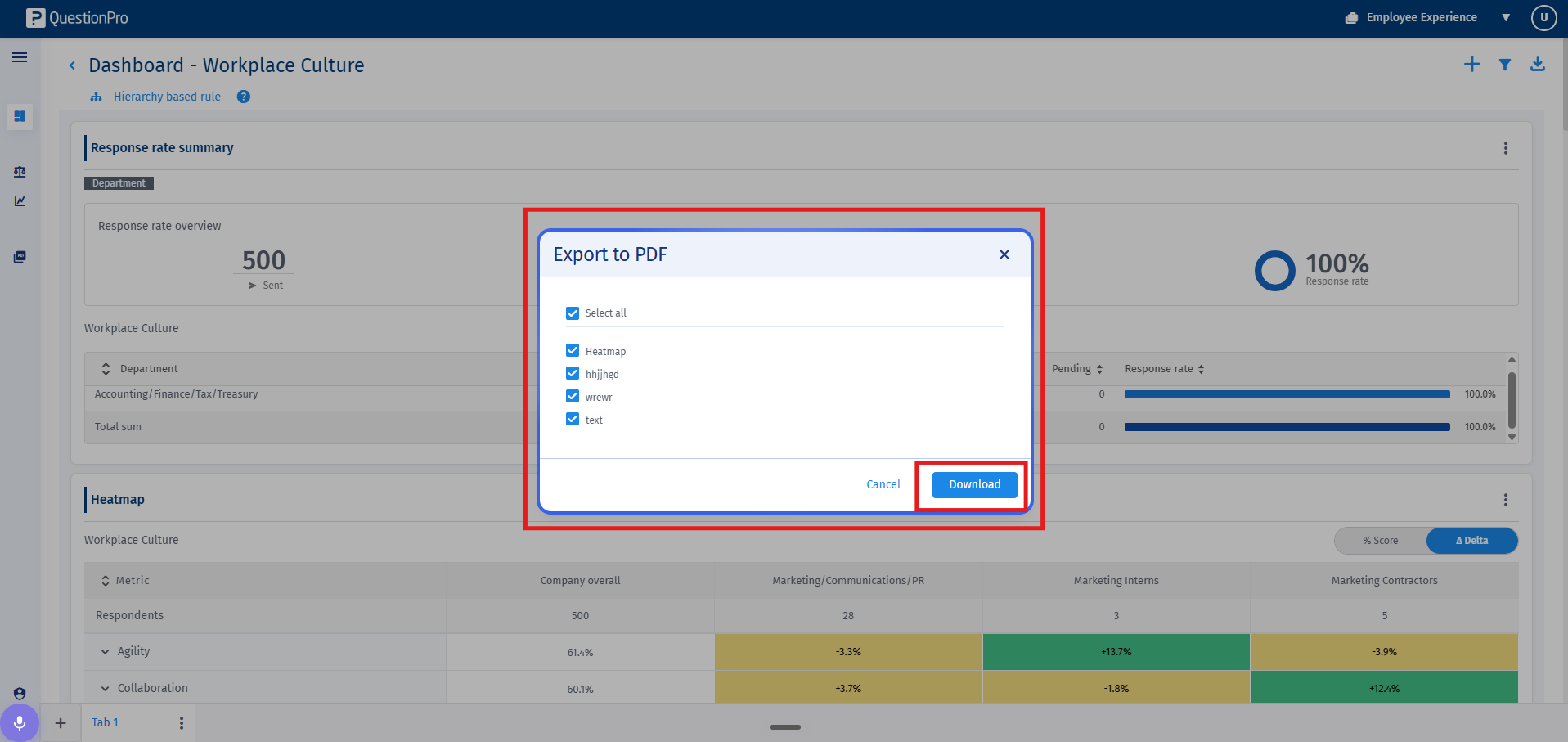
- A selection modal will appear listing all the widgets present on the chosen tab. By default, all widgets are selected. Uncheck any widgets you wish to exclude from the export, and click on Download.
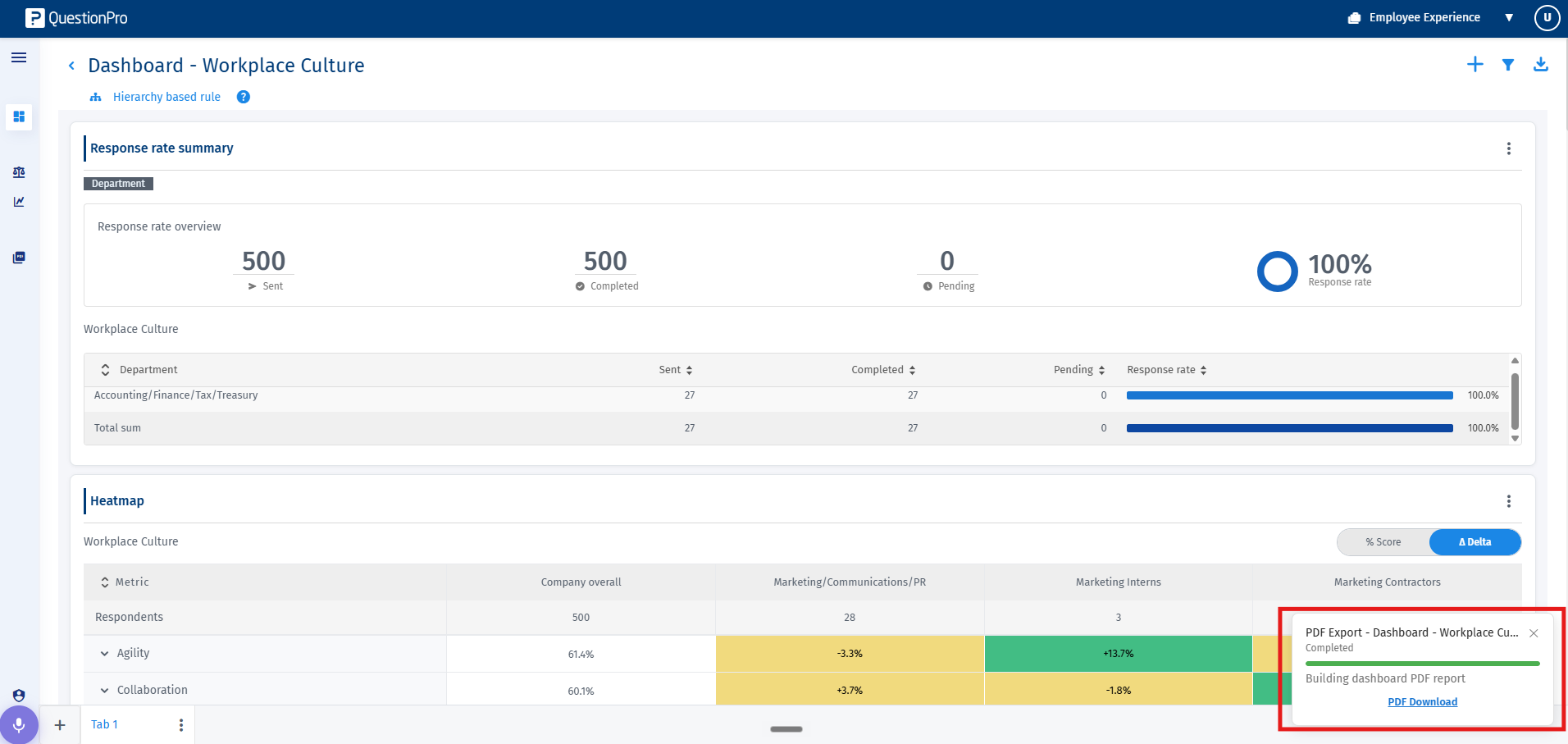
- The system will compile the selected widgets and automatically download the generated document to your local machine.
Note: Deselecting specific widgets allows you to create customized reports tailored for executive presentations or quick analytical summaries without altering the actual dashboard layout.
You may also be interested in...
Multiple Tabs in a Dashboard Create a New Dashboard in the EX Portal Create a New Widget
