- Add widgets
- Survey Comparison
- Heatmap
- Confidentiality Settings
- eNPS in Workforce Analytics Portal
- Notes Widget
- Text Analysis Widget
- Response rate
- Text Report
- Trend analysis widget
- Show/hide Markers and Building blocks
- Question Filter
- Single Question Widget
- Heatmap default
- Sentiment analysis
- Scorecard
- Driver analysis
- Scorecard: All options view
- Heatmap Column Types
- Multiple Tabs in a Dashboard
- Tab Exports
- AI Summary and Recommendations
- 360 feedback introductory text
- 360 feedback display configurations
- 360 feedback display labels
- Multi Level Priority Logic
- 360 Surveys- Priority Model
- 360 feedback - skip logic
- 360 feedback - show hide question logic
- 360 Survey Settings
- 360 feedback configuration
- Customize the validation text
- 360 Survey design
- 360-Reorder section
- 360 Section Type - Single Select Section
- 360 Delete Sections
- 360 Add Sections
- 360 section type - Free responses text section
- 360 Section Type - Presentations text section
- 360 Section-Edit Configurations
- 360 Survey- Languages
- Matrix section

Dashboard and Tab filters
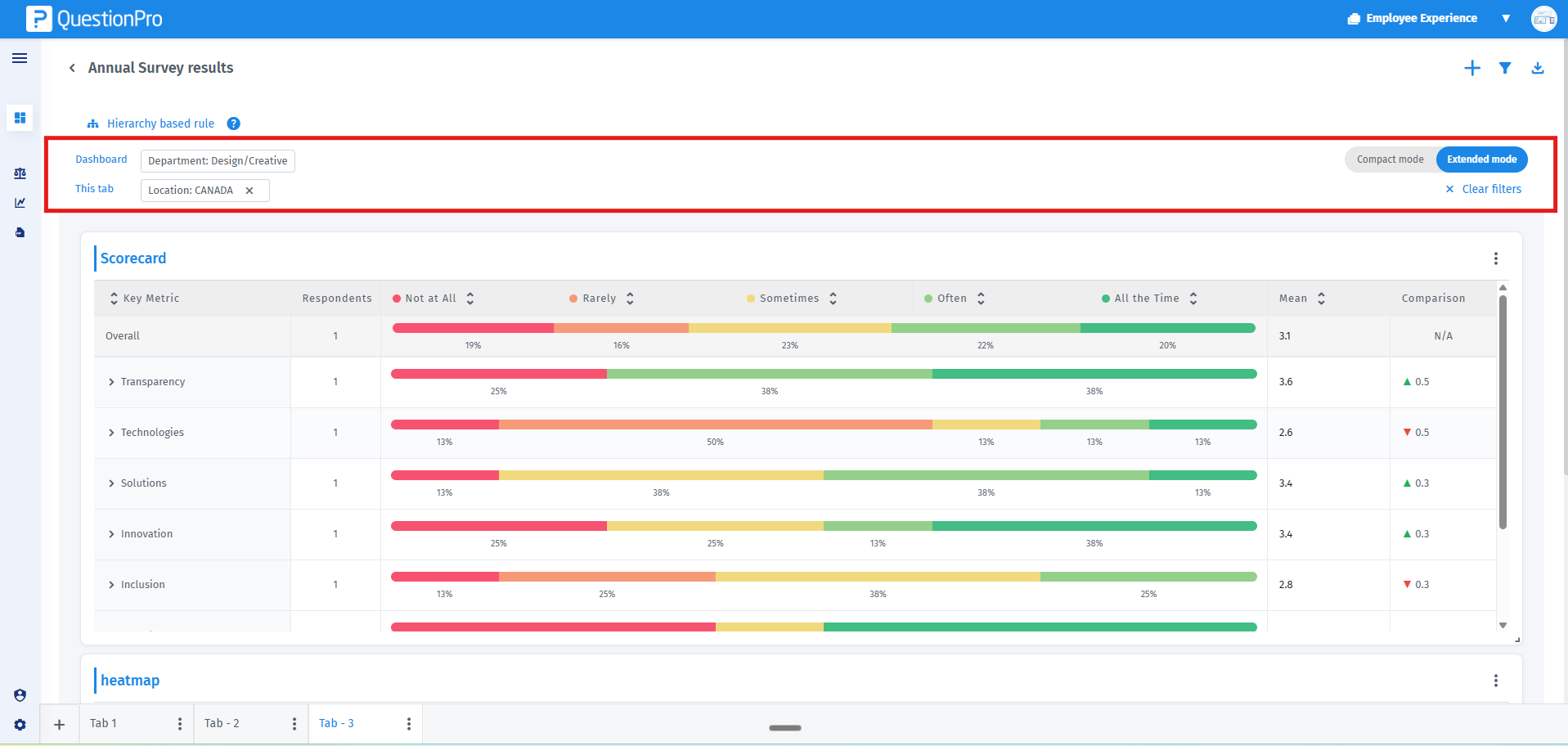
Filters transform massive employee engagement datasets into clear, actionable focal points. By segmenting raw analytics against key demographic indicators—such as department, location, tenure, or custom roster fields, leadership teams can strip away macro-level noise to uncover hyper-localized workforce sentiments. We have two levels of filters in a dashboard, Dashboard filters and Tab filters. Dashboard filters are applied across all the tabs within a dashboard, while Tab filters are applicable on the specific tab only.
Watch this quick walkthrough to understand how it works:
Click to download video
To implement filters across your dashboards in the EX portal, log in to QuestionPro Employee Experience and follow these steps:
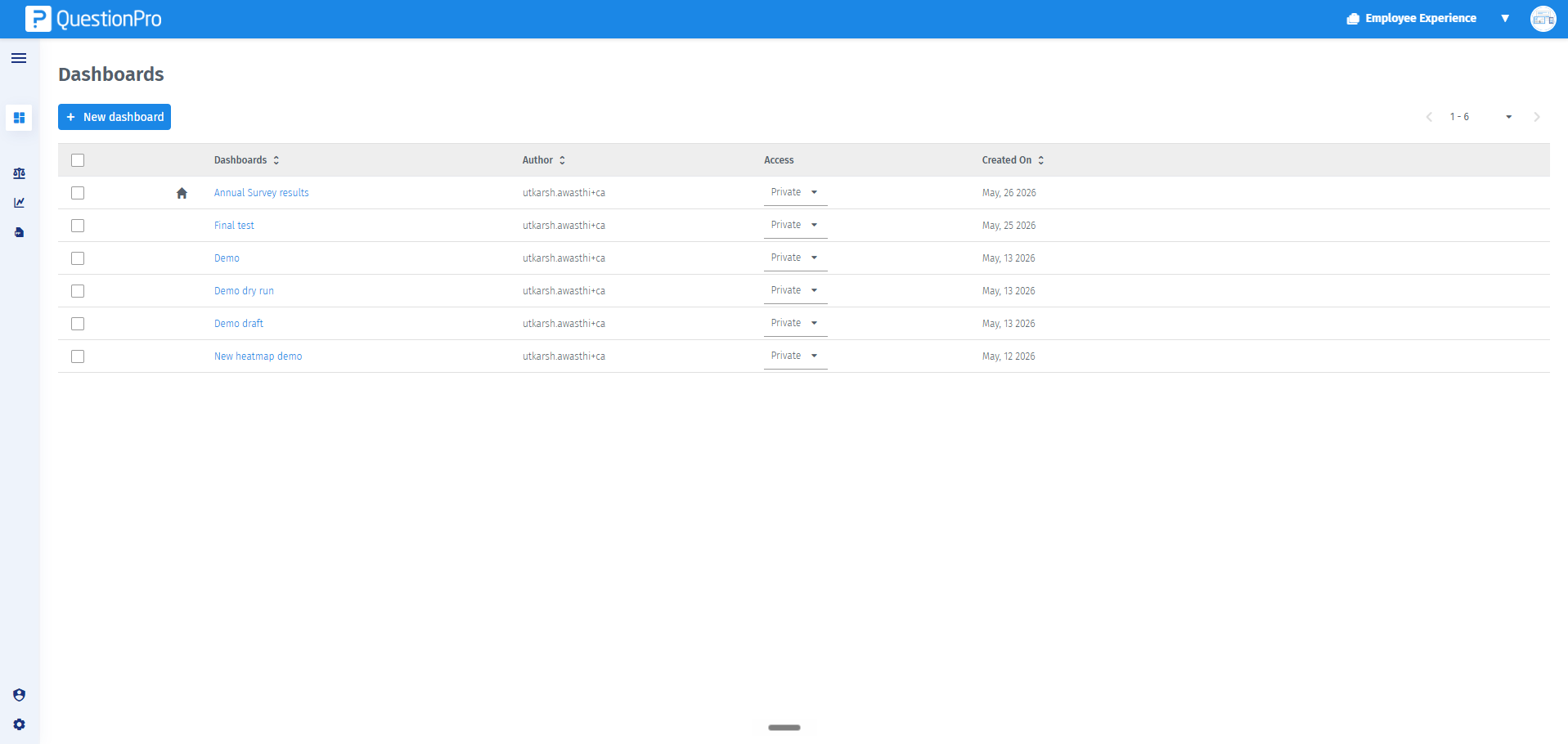
- Navigate to Access Portal inside the employee list page. By clicking this, you will land on the Dashboards page in the Employee Experience portal which shows the list of all the created and shared dashboards. Go to the needed dashboard or create a new one.
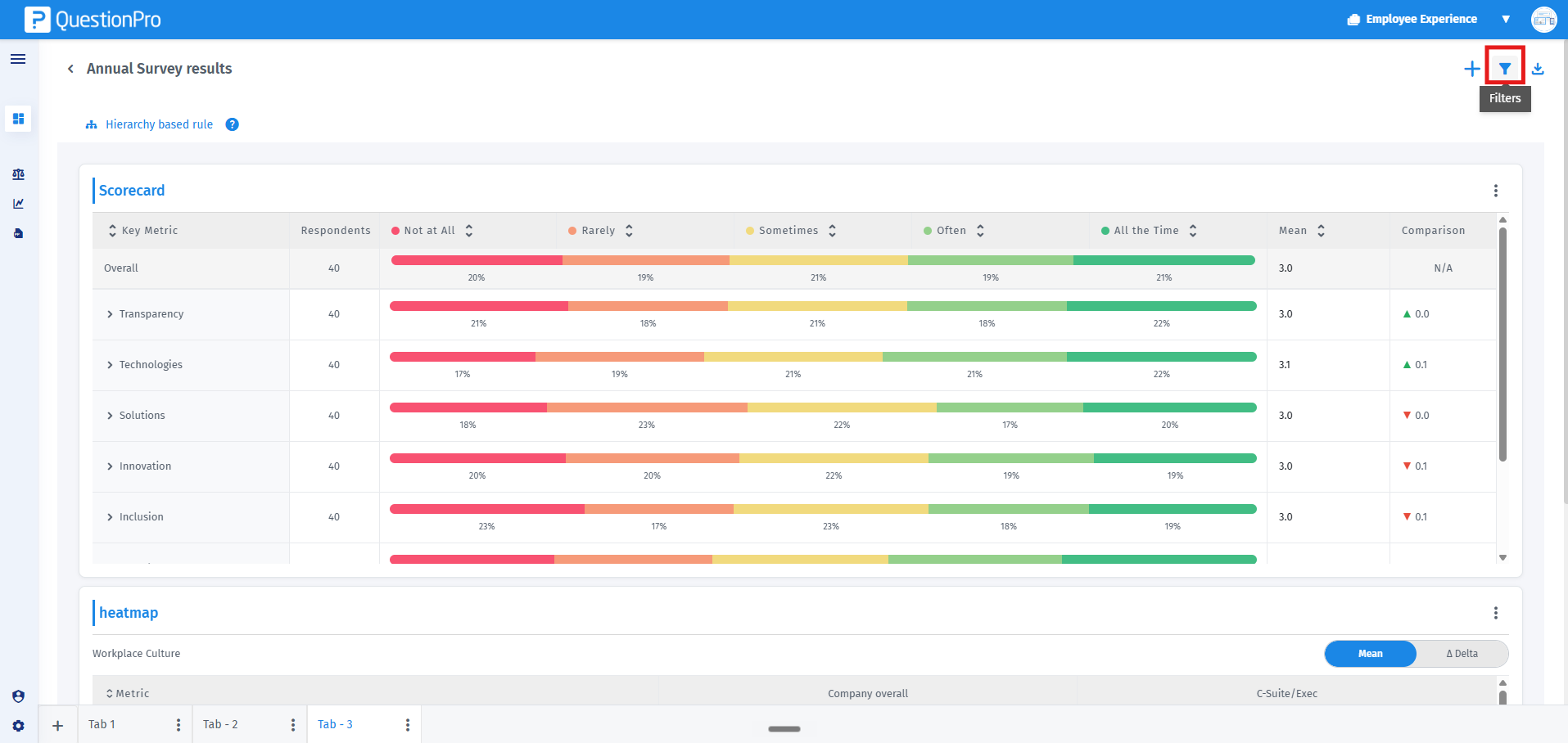
- Once inside a dashboard, to isolate information across your entire workspace simultaneously, click on the Filter Button located at the global top-right header. Setting conditions here activates a Dashboard-level filter.
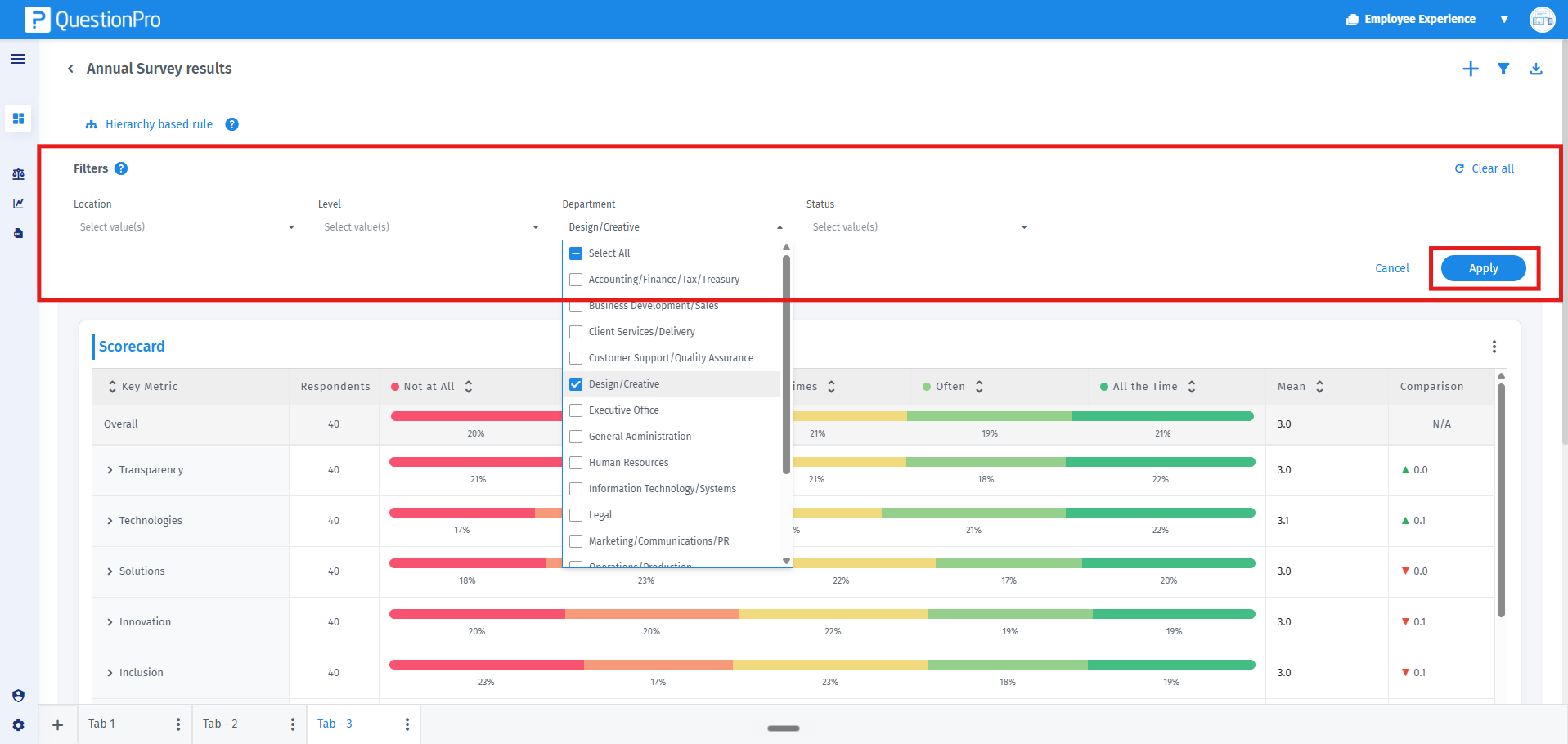
- In the setup configuration menu, select your criteria from your active employee roster attributes (e.g., Department = "Engineering"). Click Apply to automatically recalibrate every widget across all available tabs in that dashboard.
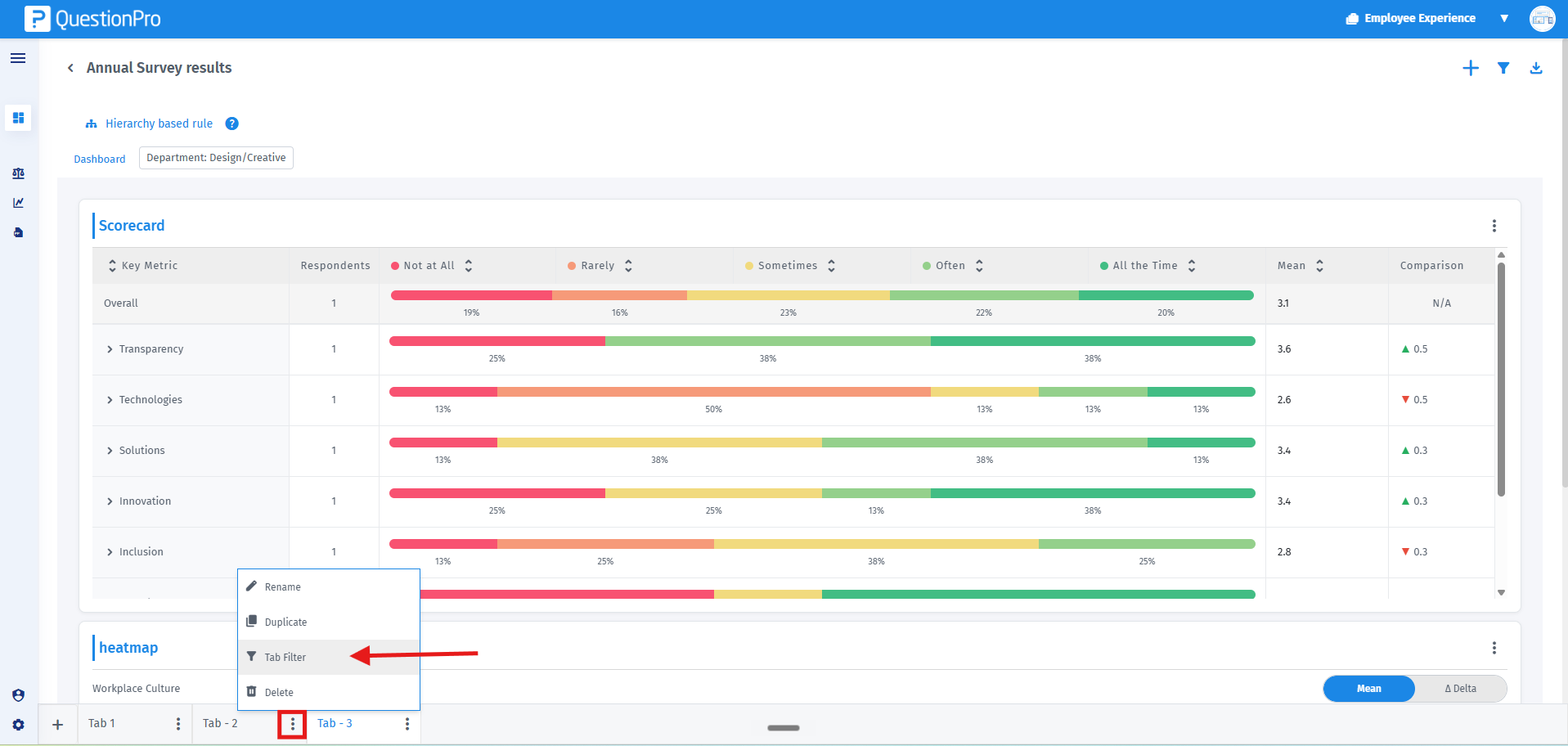
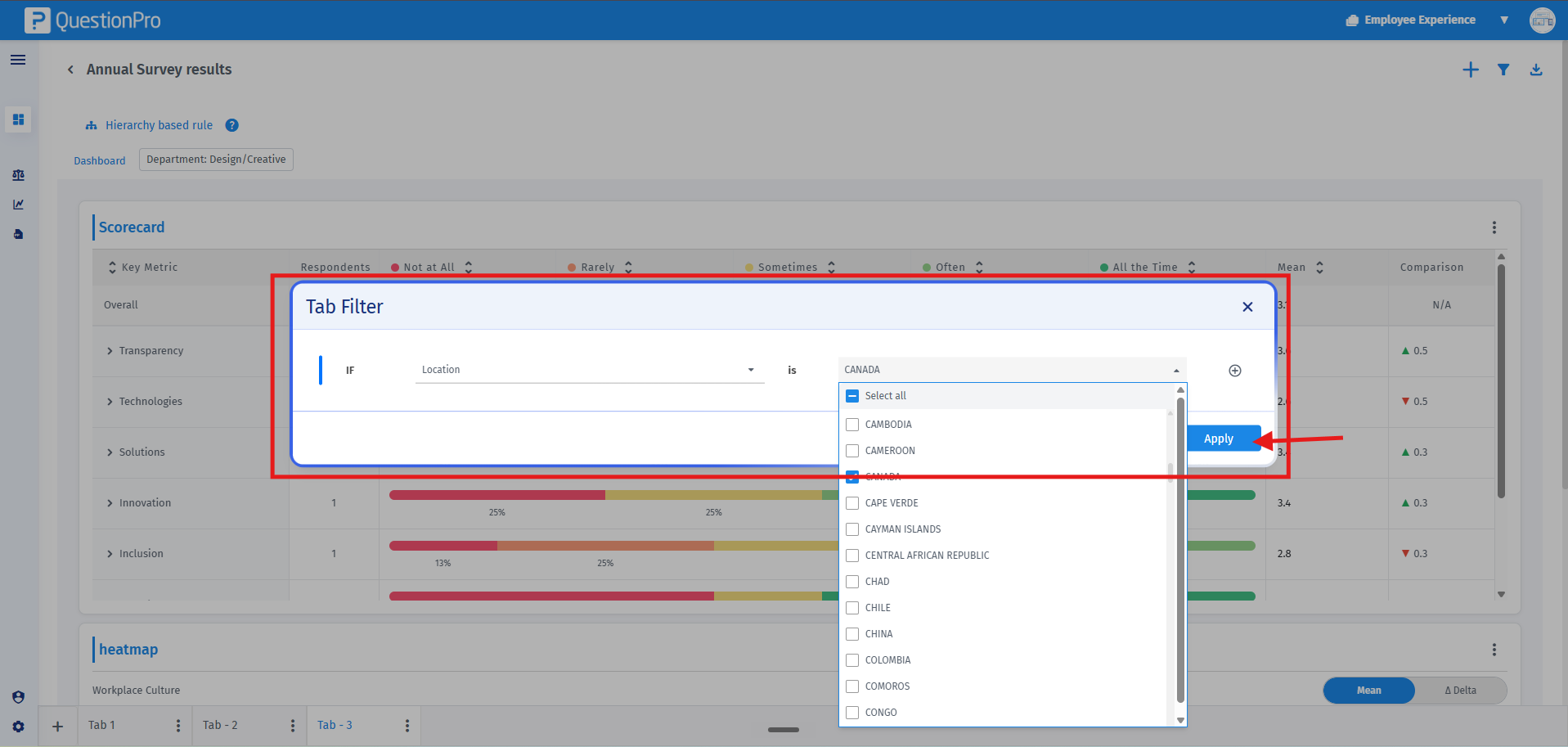
- For more granular breakdown inside a tab, go to the kebab menu of that tab and select Tab filters.
- Define your parameters within this tab filter. This restricts and refines the data visualization properties exclusively for the localized widgets on this specific tab, leaving all other global reporting canvases completely unaffected.