

- Add widgets
- Survey Comparison
- Heatmap
- Confidentiality Settings
- eNPS in Workforce Analytics Portal
- Notes Widget
- Text Analysis Widget
- Response rate
- Text Report
- Trend analysis widget
- Show/hide Markers and Building blocks
- Question Filter
- Single Question Widget
- Heatmap default
- Sentiment analysis
- Scorecard
- Driver analysis
- Scorecard: All options view
- Heatmap Column Types
- Multiple Tabs in a Dashboard
- Tab Exports
- AI Summary and Recommendations
- 360 feedback introductory text
- 360 feedback display configurations
- 360 feedback display labels
- Multi Level Priority Logic
- 360 Surveys- Priority Model
- 360 feedback - skip logic
- 360 feedback - show hide question logic
- 360 Survey Settings
- 360 feedback configuration
- Customize the validation text
- 360 Survey design
- 360-Reorder section
- 360 Section Type - Single Select Section
- 360 Delete Sections
- 360 Add Sections
- 360 section type - Free responses text section
- 360 Section Type - Presentations text section
- 360 Section-Edit Configurations
- 360 Survey- Languages
- Matrix section

Folder Level Permissions - How to?
You can share your folders with other users added as your Sub Accounts.
Click on Share Folder
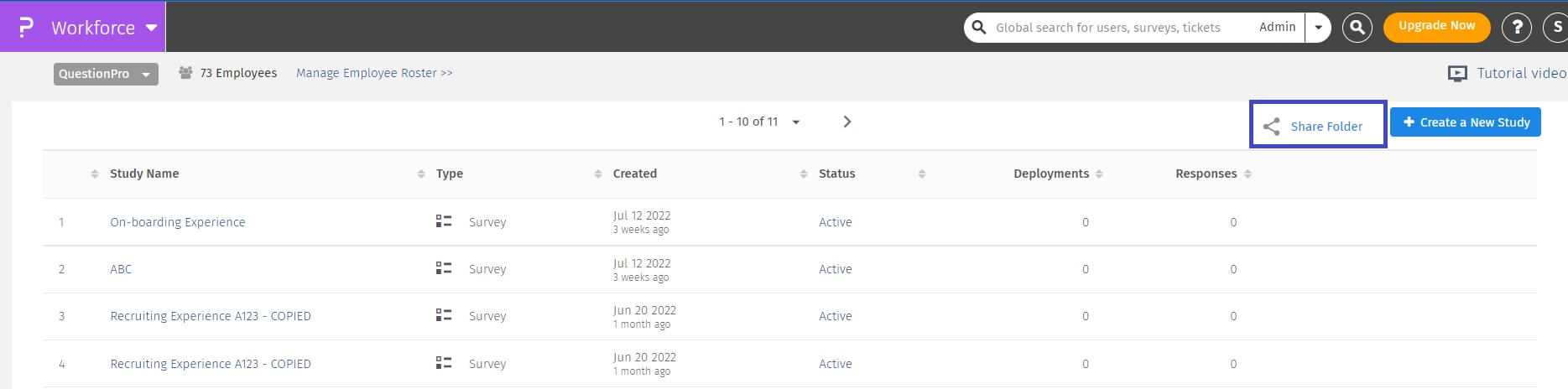
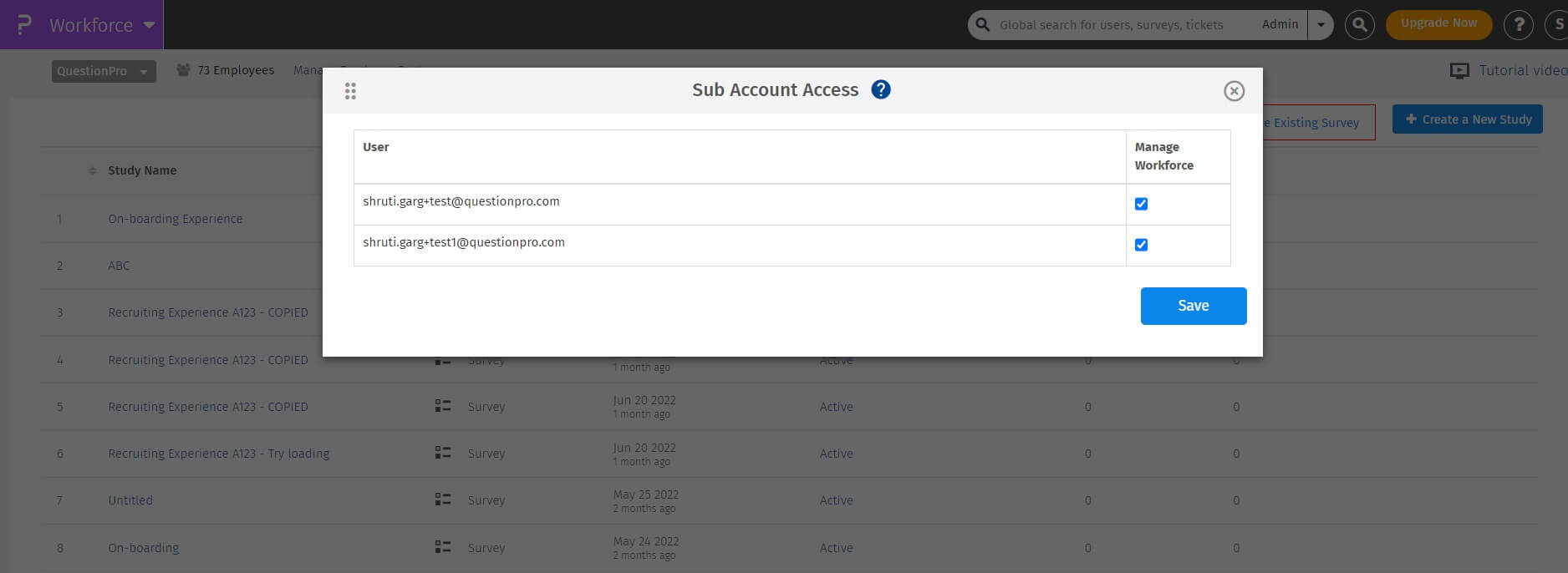
On the popup, select the sub accounts you want to share the folder with and save changes.
To create a new user role for your Workforce organization please follow the steps below:
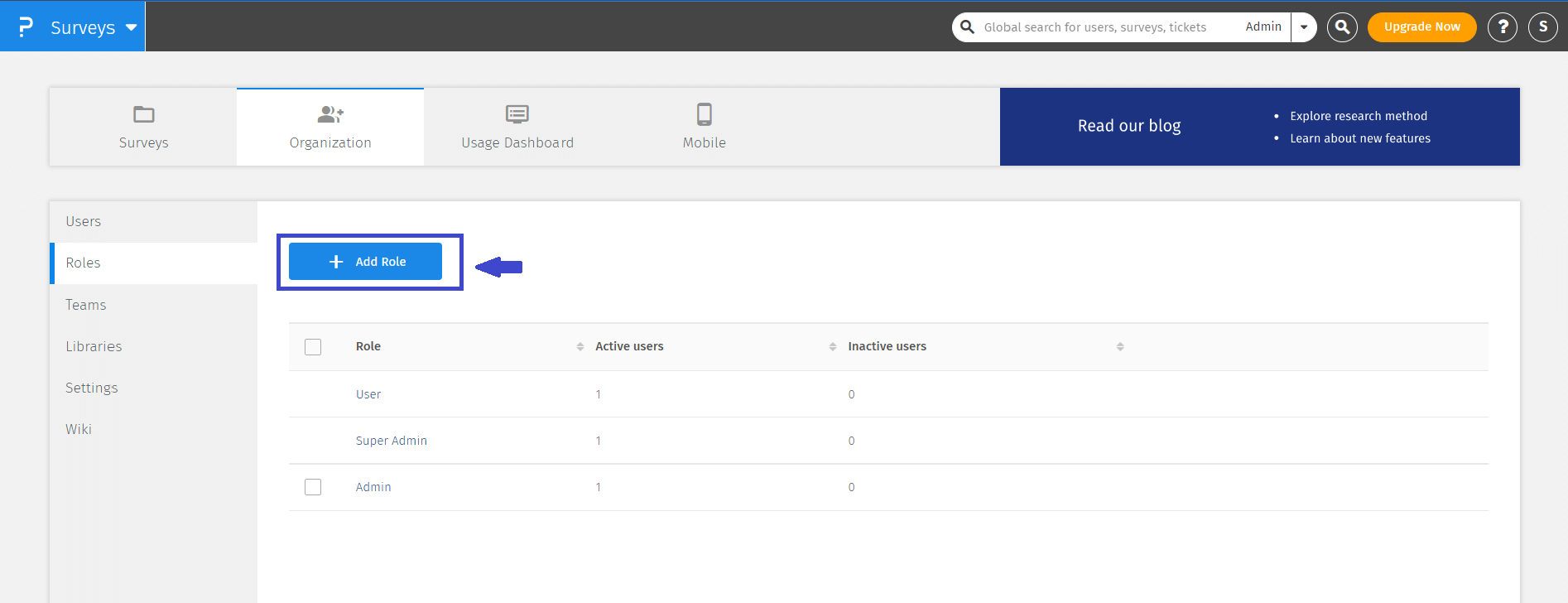
- Go to Surveys » Organization >> Roles
- Click on the Add new Role button.
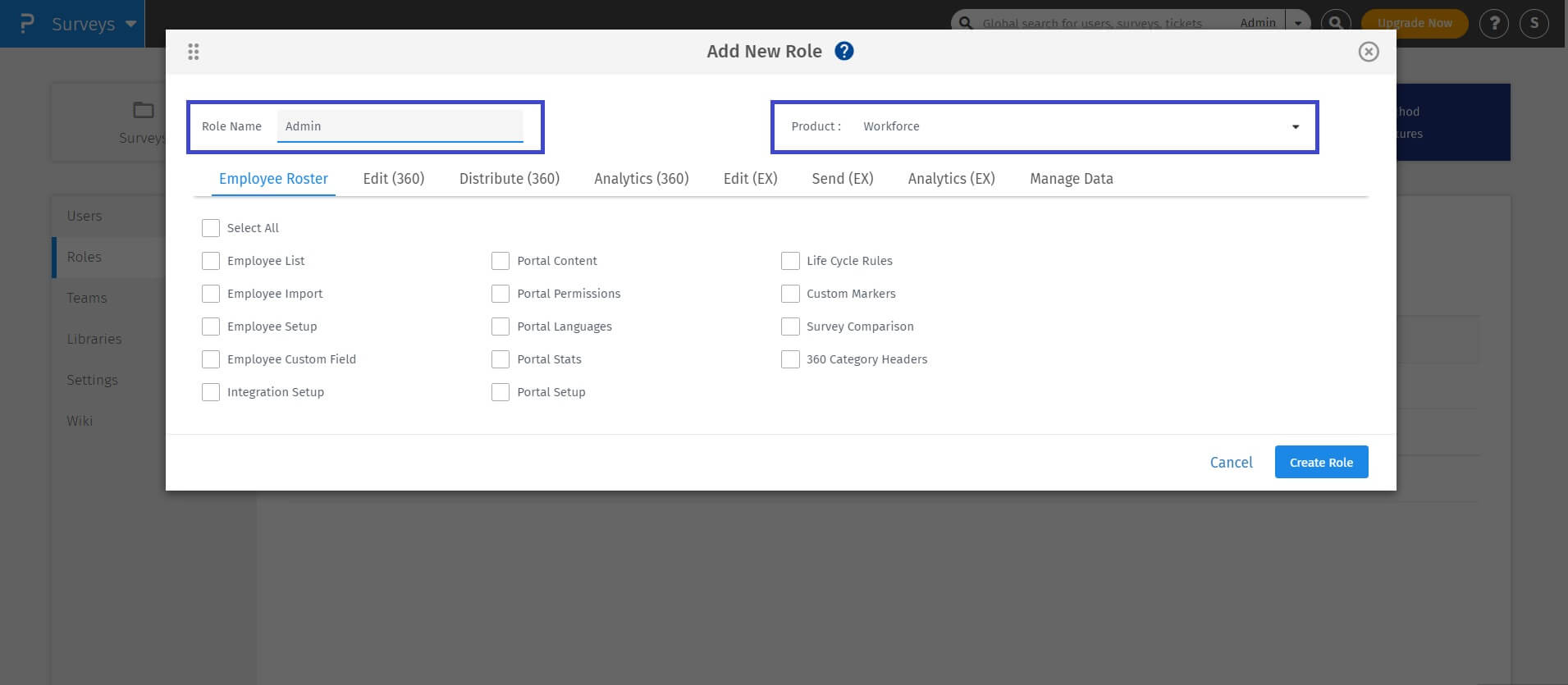
- In the pop-up, select product as Workforce and enter a name for the role and select all the permissions you want to provide to the new user role.
- Click on the Create Role button. User can restrict access as per view and edit role.
- You can now see the new role added in the list of user roles.
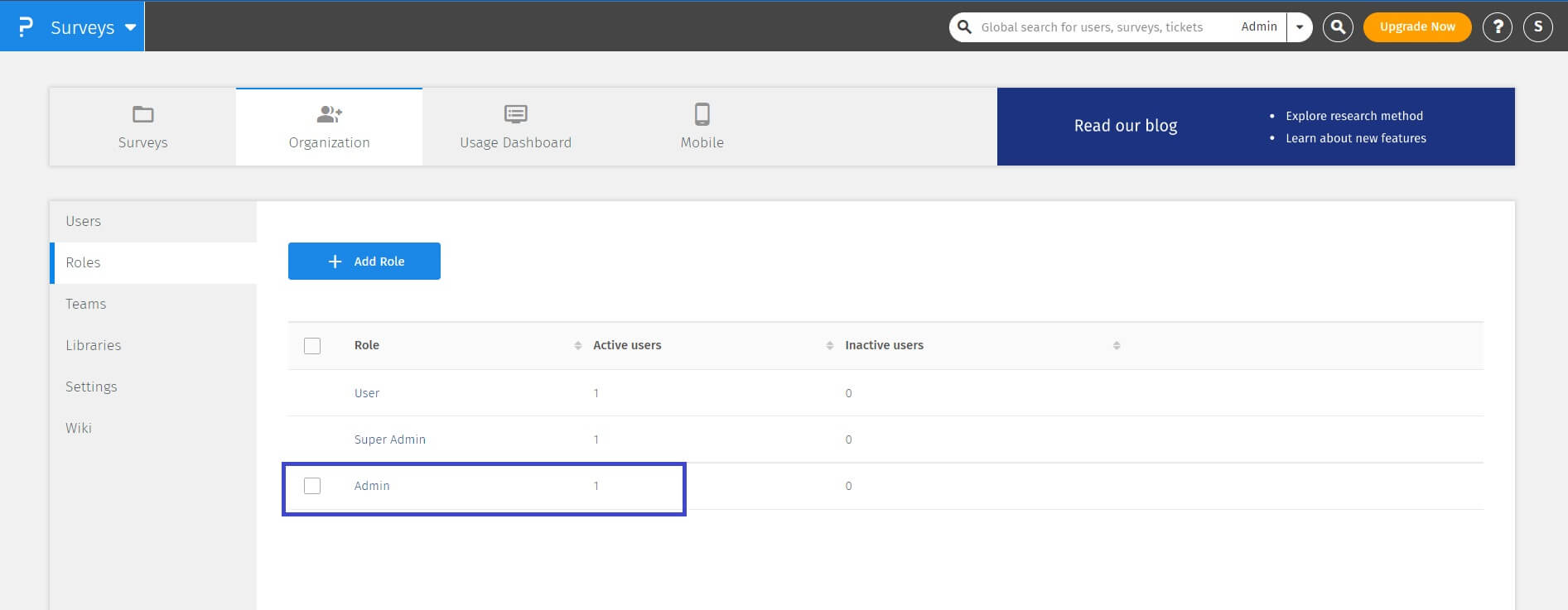
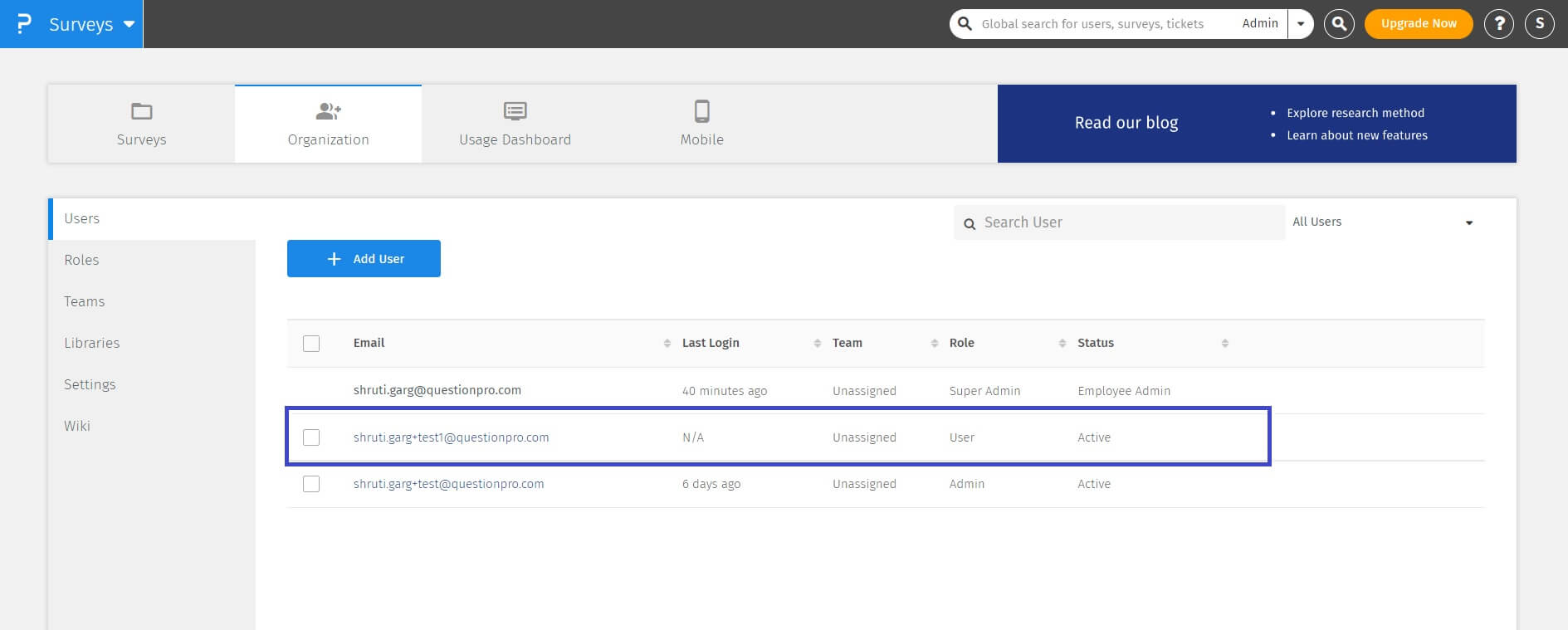
To assign new custom role to an existing user please follow the steps below:
- Go to Surveys » Organization » Users
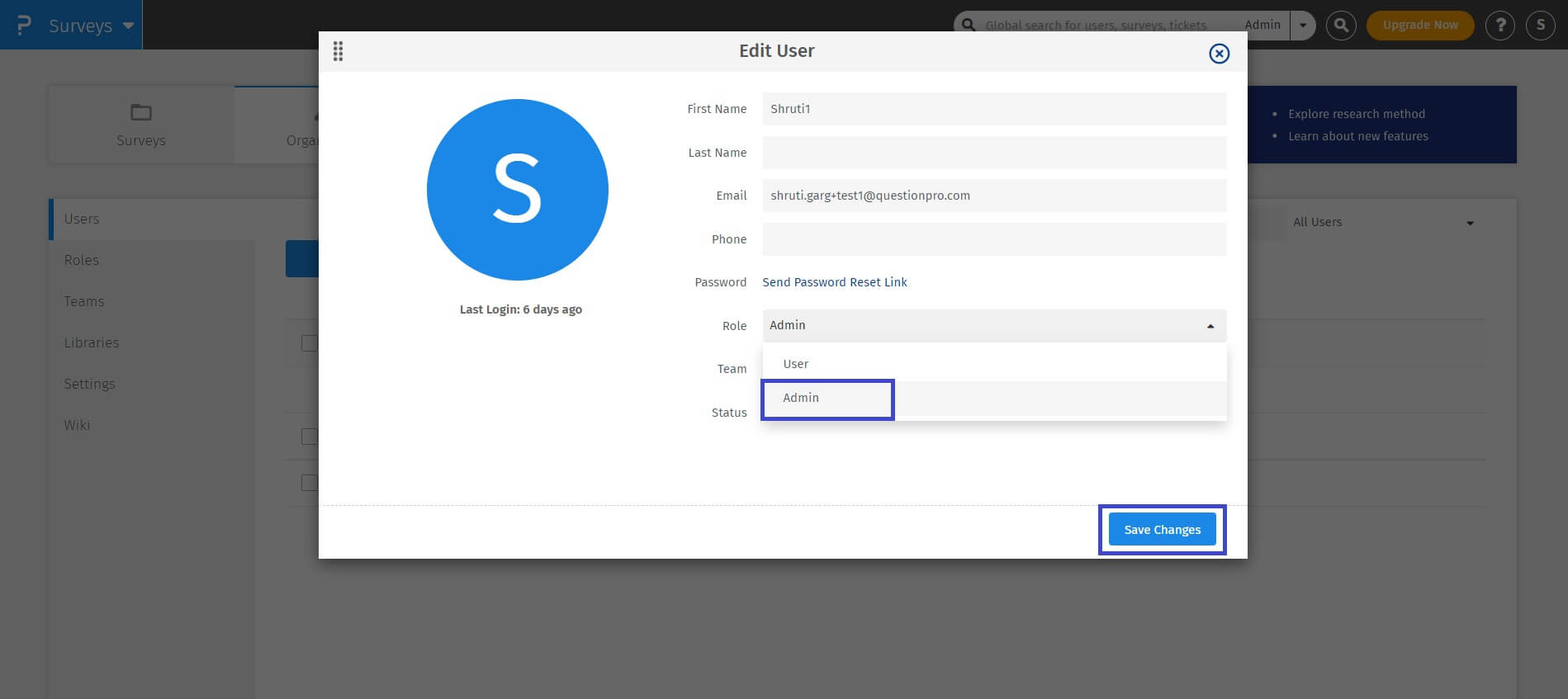
- Click on the email adress of the user or the edit icon on the right hand side of the user's details to edit the user.
- Select the new custom role from the Role drop-down menu
- Click on the Save Changes button.
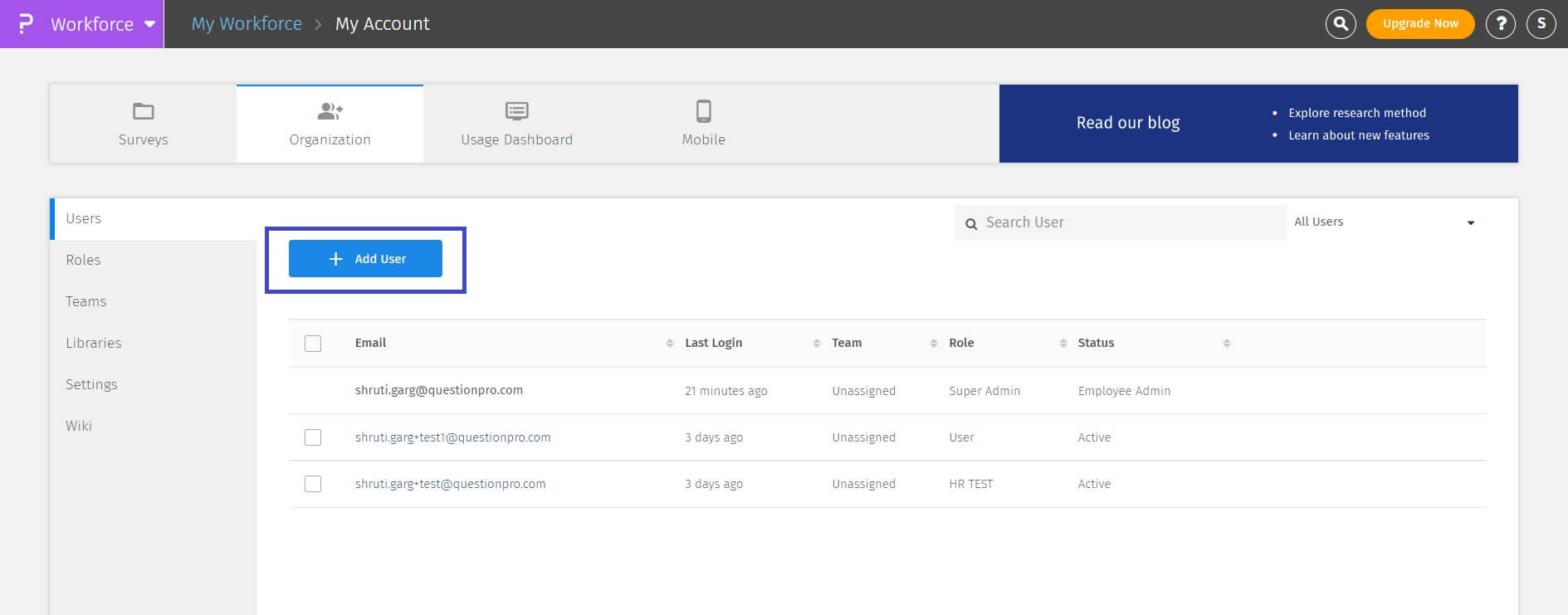
To add Sub-Accounts go to:
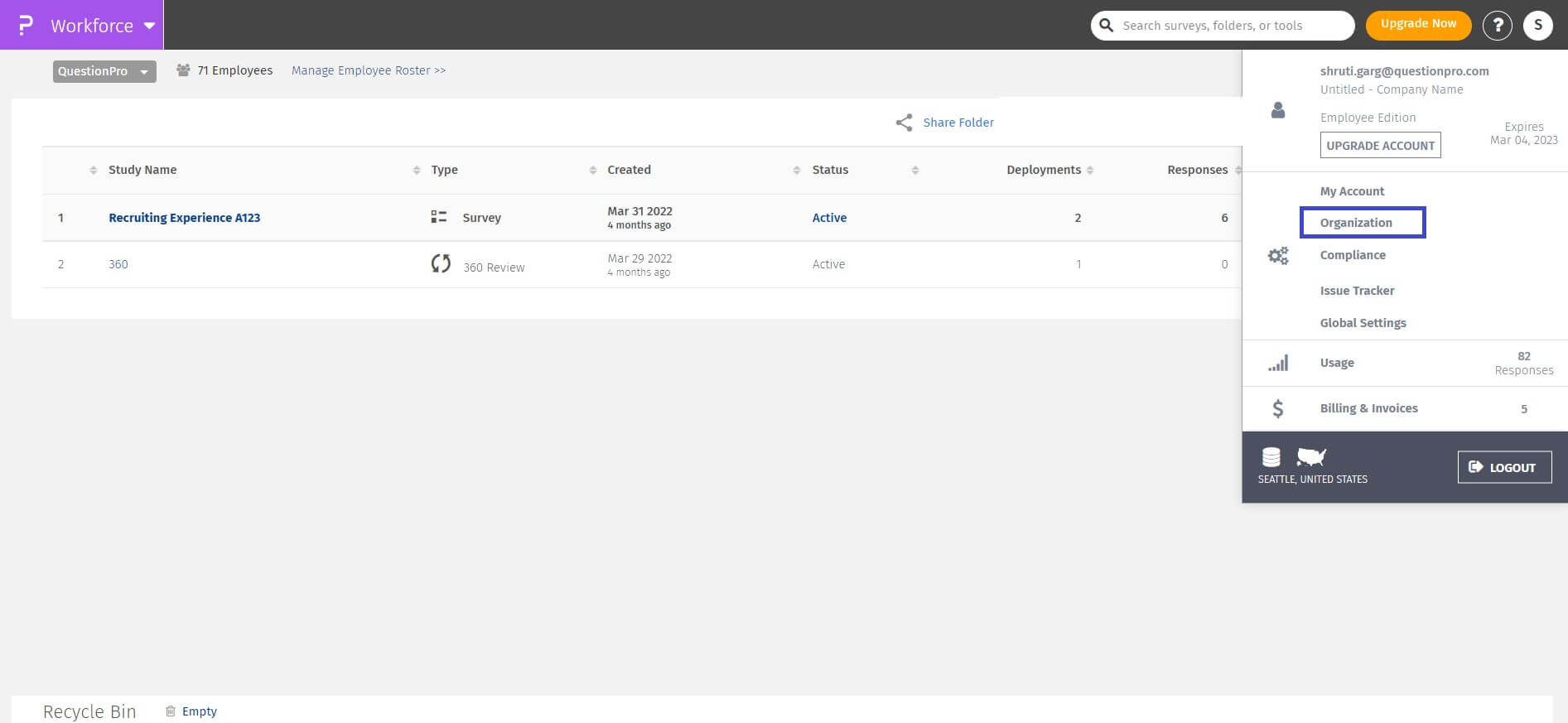
- Login » Workforce » My Account (Top Right Corner)
- Click on Organization Settings
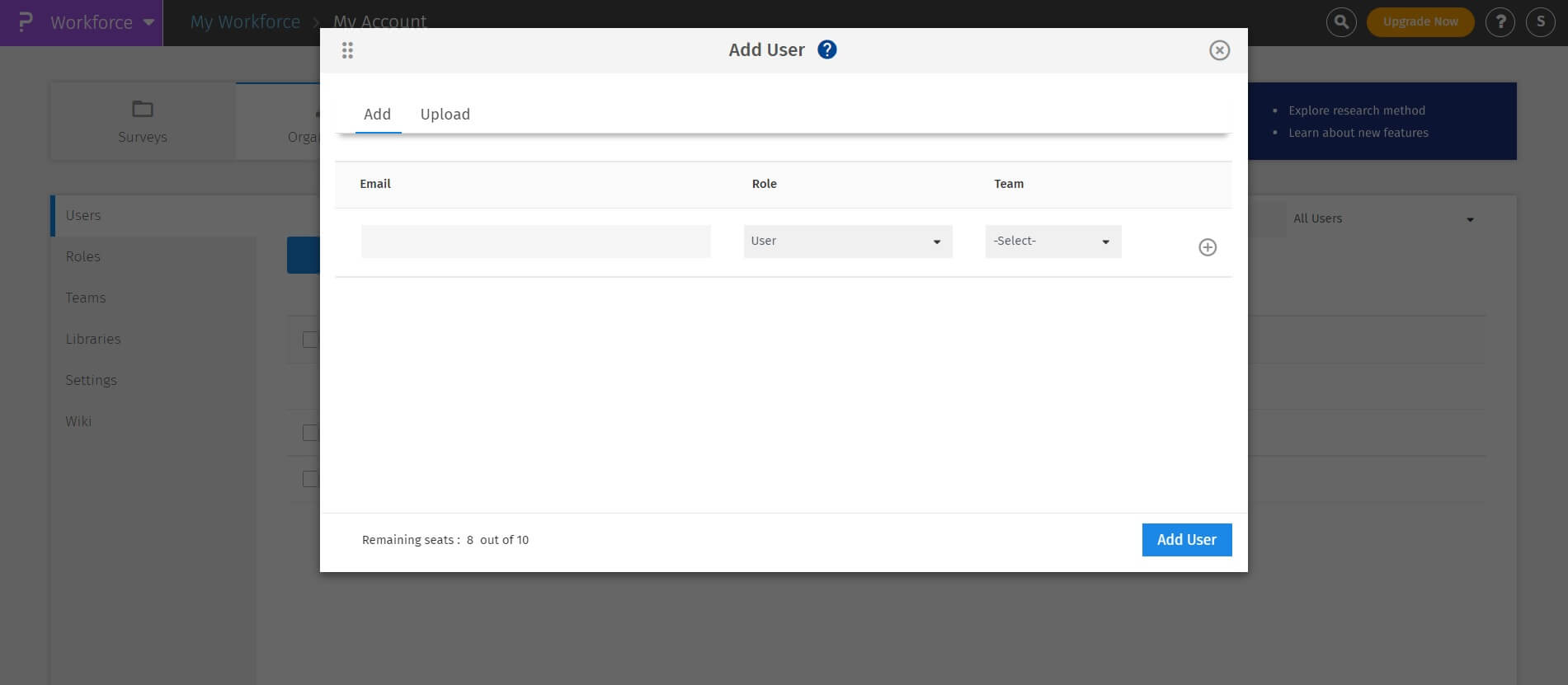
- Click on Add User
- Create a sub account user by filling the below fields:
- Email Address
- Password
- Password (Confirm)
Yes, Sub-Accounts can give access of their workforce to the main account and other sub-accounts users.
For every Workforce, you can control if it is "Shared" or not. By default your Workforce is not shared with any sub accounts. If you want others in your company to have access to your Workforce, you will have to manually share it with the required users
