Customer experience (CX) data is one of the most valuable assets an organization can have. Every survey response, customer interaction, and feedback submission provides an opportunity to understand customers better and improve their experiences.
However, collecting customer feedback is only half the journey. The real challenge lies in analyzing the data, identifying meaningful patterns, and turning insights into business decisions.
Traditional dashboards provide organizations with structured reports, charts, and performance metrics. But finding specific insights often requires navigating multiple widgets, applying filters, and manually interpreting data.
What if you could simply ask a question and get the information you need?
This is where conversational AI is changing the way organizations approach customer experience analytics.
With the QuestionPro CX AI Widget, users can interact with their customer experience data using natural-language questions, explore insights, and investigate related information directly within their CX Dashboard.
The Challenge with Traditional Customer Experience Analytics
Customer experience dashboards help organizations monitor performance and understand customer feedback. Yet, traditional analytical workflows can sometimes make insight discovery more complicated than necessary.
Consider a CX manager who wants to understand customer experience performance across different customer segments.
They may need to:
- Navigate multiple dashboard widgets.
- Identify the relevant metrics.
- Apply filters to narrow down the data.
- Review charts and reports.
- Compare different data points.
- Interpret the results to identify meaningful insights.
This process can become time-consuming, particularly when users need to investigate multiple questions or explore different customer segments.
Another challenge is accessibility. Not every business user has the analytical expertise required to interpret complex dashboards or understand how different data sources are structured.
Organizations need a simpler way to interact with their customer experience data.
Introducing QuestionPro CX AI Widget: Analytics Through Conversation
The QuestionPro CX AI Widget brings conversational AI directly into the CX Dashboard, allowing users to explore available customer experience data using natural-language questions.
Instead of manually navigating multiple reports, users can simply type a question and receive an AI-generated response based on the available data.
For example, users can ask questions about their survey or segment data and continue the conversation with additional questions to explore the information further.
One of the key capabilities is automatic data source selection. The AI determines whether Survey or Segments is the appropriate data source based on the user’s question and available data.
This means users can focus on what they want to understand rather than worrying about selecting the correct data source.
The result is a more conversational, accessible, and interactive approach to customer experience analytics.
Key Capabilities of the QuestionPro CX AI Widget
1. Explore Customer Experience Data Using Natural Language
The AI Widget allows users to interact with CX data using everyday language.
Rather than configuring multiple dashboard widgets or manually navigating reports, users can ask questions describing the information they want to explore.
For example:
- What insights can you identify from the available data?
- Summarize the available survey data.
- What information is available for a particular customer segment?
The AI interprets the request and generates a response using the appropriate available data.
This makes data exploration easier for both technical and non-technical users.
2. Automatic Data Source Selection
Customer experience data may be available across different data sources, including surveys and customer segments.
Selecting the appropriate data source manually can add unnecessary complexity to the analytical process.
The AI Widget simplifies this through automatic data source selection.
Based on the user’s question, the AI determines whether to use:
- Survey: For exploring available survey data.
- Segments: For exploring available segment data.
Users do not need to manually select the data source before starting a conversation.
This creates a smoother analytical experience and reduces the effort required to get started.
3. Continue Exploring Insights with Follow-up Questions
Customer experience analysis rarely ends with a single question.
An initial result may lead to several additional questions that help users understand the information in greater detail.
The AI Widget supports conversational follow-up questions, allowing users to continue exploring related topics within the same conversation.
For example:
Initial Question: What insights can you identify from the available survey data?
Follow-up Question: Can you explain this result further?
Additional Question: Can you explore this topic in more detail?
This conversational approach makes it easier to investigate information, clarify results, and explore related topics without repeatedly starting new analytical requests.
4. Focus Analysis with Contextual Filters
Not every analysis requires looking at the entire dataset.
Sometimes, CX teams need to investigate a particular customer segment, survey question, or reporting period.
The AI Widget supports widget-level and dashboard-level filters to help users narrow down the data being analyzed.
Supported widget-level filters include:
- Segment
- Question
- Custom Variable
- Survey (when the Segments data source is used)
The widget also respects applicable dashboard-level filters, including date range, segments, custom variables, question responses, and response status.
This allows users to explore data within a specific reporting context and focus on the information most relevant to their analysis.
Widget-level filters can further narrow the dashboard-filtered data but cannot expand it beyond the dashboard filter selection.
5. A More Accessible Analytics Experience
One of the biggest advantages of conversational analytics is that it makes data exploration easier for a wider range of business users.
Users do not need to be experts in dashboard configuration or analytical reporting to start exploring available customer experience information.
By allowing users to ask questions in natural language, the AI Widget reduces the dependency on traditional dashboard navigation and makes CX data more approachable.
Business teams can spend less time figuring out where information is located and more time understanding what the available data tells them.
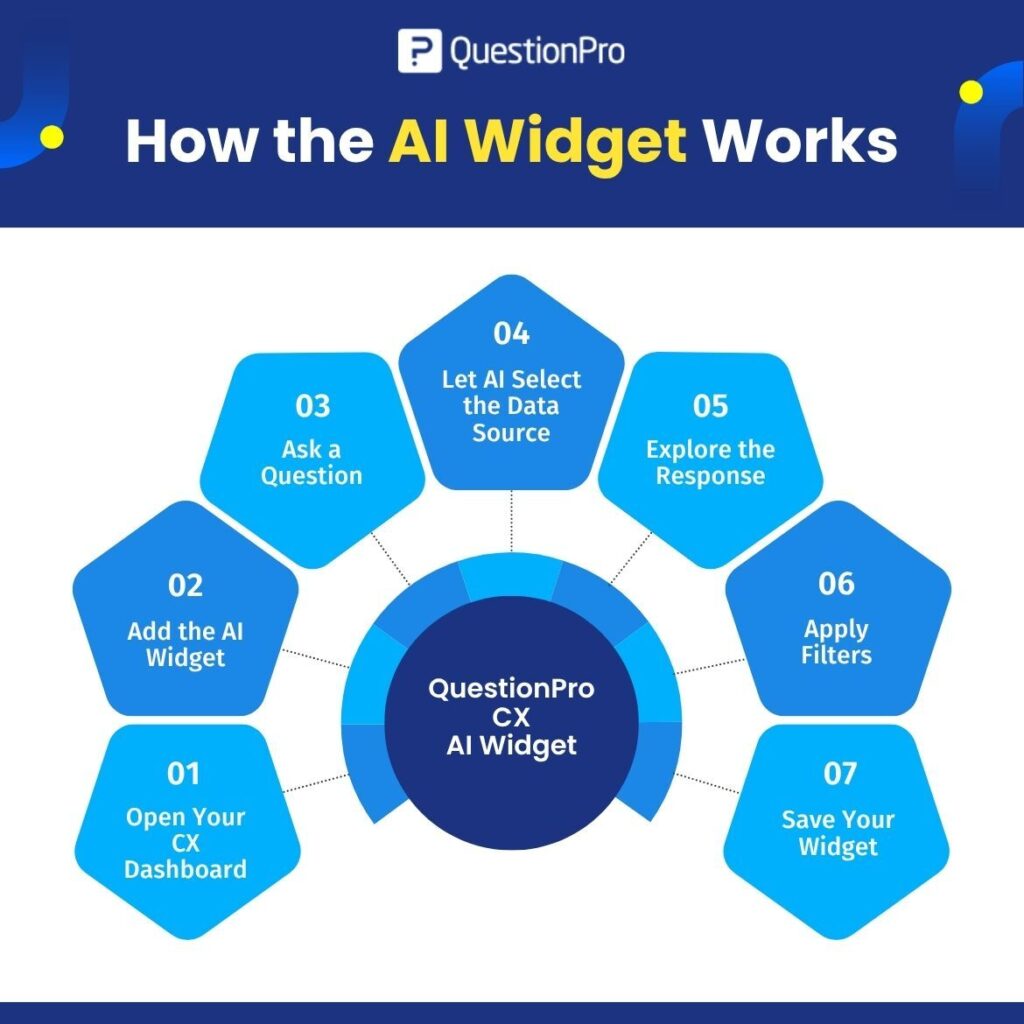
How the AI Widget Works
Getting started with the QuestionPro CX AI Widget is straightforward.
Step 1: Open Your CX Dashboard
Log in to QuestionPro CX and navigate to the relevant Customer Experience Dashboard.
Step 2: Add the AI Widget
Select Add Widget and choose AI Widget from the available widget options.
Step 3: Ask a Question
Enter a natural-language question related to your customer experience data.
Step 4: Let AI Select the Data Source
The AI automatically determines whether Survey or Segments is the appropriate source based on your request and available data.
Step 5: Explore the Response
Review the AI-generated response and continue the analysis with follow-up questions.
Step 6: Apply Filters
Use supported widget-level or dashboard-level filters to focus the analysis on relevant data.
Step 7: Save Your Widget
Save the configured AI Widget to your CX Dashboard.
With these capabilities, users can explore customer experience information through a conversational interface integrated into their existing dashboard environment.
Who Can Benefit from the AI Widget?
The AI Widget can support different teams involved in customer experience management and business analytics.
Customer Experience Managers
Explore available customer experience data more easily and investigate relevant insights without relying entirely on manual dashboard navigation.
VOC Managers
Interact with available survey information and explore customer feedback data through natural-language questions.
Product Managers
Explore available customer experience information to support product-related investigations and decision-making.
Customer Insights Analysts
Use conversational interactions and contextual filters to investigate available data and explore related topics.
Business Leaders
Access a more approachable way to explore customer experience information without requiring advanced analytical expertise.
Traditional Dashboards vs. Conversational Analytics
Traditional dashboards and conversational AI serve complementary purposes in customer experience analytics.
| Traditional Dashboards | AI Widget |
| Navigate predefined widgets | Ask questions using natural language |
| Manually explore reports | Interact with available data conversationally |
| Review predefined visualizations | Receive AI-generated responses |
| Manually identify relevant data sources | AI automatically selects the appropriate source |
| Submit separate analytical requests | Continue with conversational follow-ups |
| Use dashboard and widget filters | Explore data within contextual filters |
The AI Widget does not replace the traditional CX Dashboard. Instead, it adds another way for users to interact with and explore their customer experience data.
Moving Towards More Conversational Customer Experience Analytics
Customer experience analytics is evolving beyond traditional reporting.
Organizations increasingly need ways to make their data accessible, simplify analysis, and help business users investigate information more efficiently.
Conversational AI introduces a different approach by allowing users to interact with data through questions rather than relying exclusively on predefined reports and dashboard navigation.
With the QuestionPro CX AI Widget, organizations can bring this conversational experience directly into their CX Dashboard.
By combining natural-language interactions, automatic data source selection, follow-up conversations, and contextual filtering, the AI Widget makes customer experience data exploration more interactive and accessible.
The future of customer experience analytics is not just about having more data or more dashboards. It is also about making it easier for people to ask the right questions and explore the information they need.
Explore Conversational Analytics with QuestionPro CX
Ready to make customer experience data exploration more interactive?
Discover how the QuestionPro CX AI Widget can help your teams interact with available survey and segment data, ask questions naturally, and explore customer experience information directly within the CX Dashboard.
Learn more: https://www.questionpro.com/help/customer-experience/AI-widget.html
QuestionPro CX: Turn customer experience data into conversations.