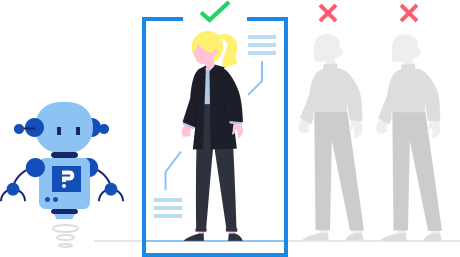
QuestionPro's advanced quota control provides researchers with dynamic tools to manage survey quotas and maintain a balanced respondent distribution. Quotas can be defined at multiple levels, including nested quotas, and can apply at the survey or question level. The quota management dashboard adds two things researchers previously had to manage by hand: a minimum quota, so an underrepresented segment can be guaranteed a floor rather than only capped, and a second quota check, which revalidates availability later in a longer survey to reduce over-quota situations.
Example of advanced quota control and management in your surveys
Consider a global FMCG brand headquartered in the US that needs balanced data from a predefined audience across several regions. With advanced quota control at the survey level, the research team applies quotas that define how many responses each region and demographic group must provide, giving a representative pulse of overall market sentiment. Using the quota management dashboard, the team also sets a minimum quota for a smaller regional segment that has historically underfilled, ensuring it reaches a usable sample size rather than trailing behind by the time fieldwork closes.
How QuestionPro supports advanced quota control in your survey research
QuestionPro offers flexible and automated quota controls, ensuring that surveys efficiently collect the right mix of respondents. Question based and criteria based quotas, along with minimum quota targets, now sit together in the Quota Management dashboard, so you get one live view of quota type, group, handling rule, and target instead of switching between separate tools.
Dynamic quota management: Set quotas based on single or multiple criteria, such as age combined with gender, track real time response counts, and automatically close a quota once its limit is met. You can customize what happens when a quota is reached, such as redirecting respondents or displaying a message.
Question based and criteria based quotas, in one dashboard: Set a quota directly off a question's answer options, including individual rows on a matrix question, or build a criteria based quota from one or more AND/OR conditions spanning multiple questions, system variables, or geo location filters.
Minimum quota, by count or percentage: Go beyond capping a segment. Require a segment to reach a floor of responses, as a count or a percentage of total responses, before it counts as filled, so smaller or less popular groups are guaranteed representation instead of just capped.
Nested and interlocking quotas: Define complex quotas that control multiple attributes at once (for example, 50 male respondents aged 25 to 34), ensure balanced representation across multiple respondent segments, and prevent overrepresentation of any one group within your dataset.
A second quota check for longer surveys: Re-validate quota availability later in the survey for respondents who passed the first check but are still in progress, reducing over quota situations that happen when several respondents are mid survey at once.
Automated screening and redirects: Automatically terminate or redirect respondents who exceed quota limits, route them to alternative surveys to optimize participation rates, and prevent unnecessary data collection beyond your target thresholds.
Real time quota monitoring and reporting: Monitor quota completion with a live dashboard that updates as responses come in or get deleted, adjust quotas dynamically based on ongoing data collection trends, and generate reports to analyze the effectiveness of quota enforcement.
The uses of advanced quota control
The uses of advanced quota control are:
Dynamic quota management: Set quotas based on one or more criteria, such as age combined with gender, and automatically close a quota once its limit is reached.
Nested and interlocking quotas: Define complex quotas that control multiple attributes simultaneously, such as 50 male respondents aged 25 to 34, to prevent overrepresentation of any one group.
Question-based and criteria-based quotas in one dashboard: Set a quota directly off a question's answer options, or build a target from AND/OR conditions across multiple questions, system variables, or geo location filters.
Minimum quota by count or percentage: Require a segment to reach a floor of responses before it counts as filled, protecting smaller or less popular groups from finishing underrepresented.
Automated screening and redirects: Automatically terminate or redirect respondents who exceed quota limits, including routing them to an alternative survey to keep participation efficient, or display a custom message once a quota closes.
The advantages of advanced quota control
The advantages of advanced quota control are:
Real-time quota monitoring: Every quota shows its type, group, handling rule, and target, with live counts and percentages that update as responses come in or are deleted.
A second quota check: On longer, high-concurrency surveys, availability is revalidated partway through, reducing the number of respondents who pass an early check and collide at the finish line.
Nested quotas for complex targeting: Control multiple attributes at once without building manual branching logic outside the quota tool.
Balanced, representative samples: Dynamic quota management and automated redirects keep any one segment from overrepresenting your dataset.
Quota performance reporting: Beyond the live dashboard, generate reports that analyze the effectiveness of quota enforcement, so you can review pacing and fill patterns once fieldwork closes, not just monitor them in the moment.
Built for research at scale: Quota management is part of QuestionPro's Research Suite , so it works alongside the survey design, distribution, and analysis tools your studies already run on.
How to use advanced quota control in QuestionPro
To use advanced quota control in your research studies, read our help file on how to set up quota management.

 Survey Software
Easy to use and accessible for everyone. Design, send and analyze online surveys.
Survey Software
Easy to use and accessible for everyone. Design, send and analyze online surveys.
 Research Suite
A suite of enterprise-grade research tools for market research professionals.
Research Suite
A suite of enterprise-grade research tools for market research professionals.
 Customer Experience
Experiences change the world. Deliver the best with our CX management software.
Customer Experience
Experiences change the world. Deliver the best with our CX management software.
 Employee Experience
Create the best employee experience and act on real-time data from end to end.
Employee Experience
Create the best employee experience and act on real-time data from end to end.