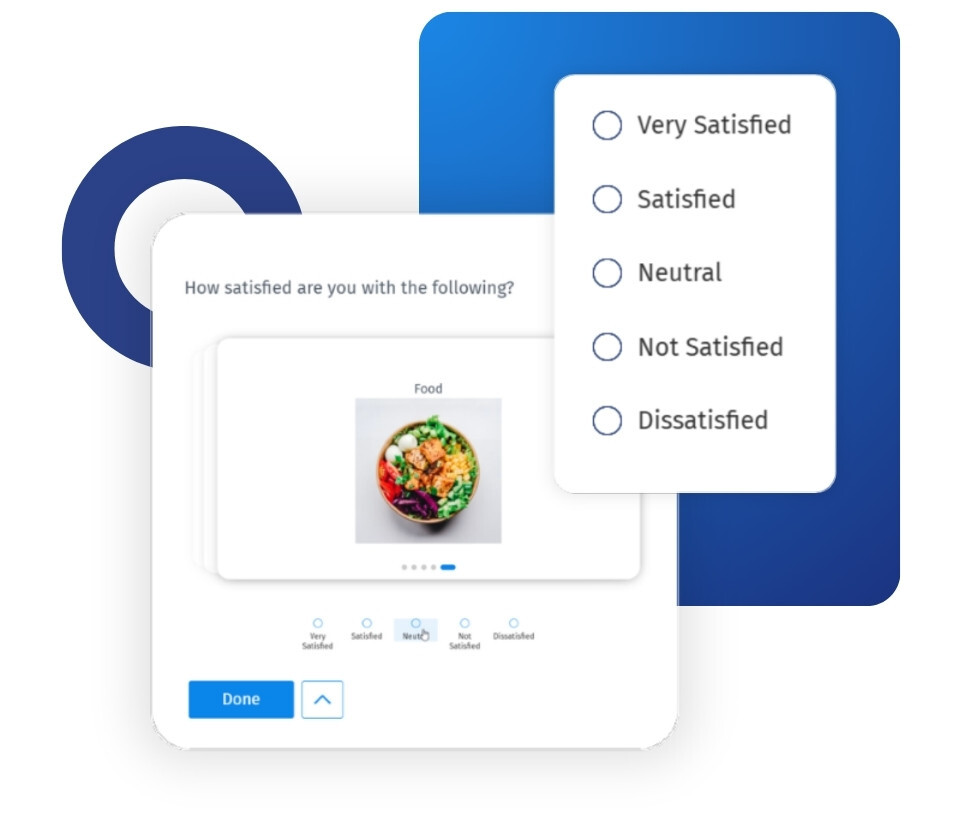
You keep the matrix you already built. The rows, columns, answer options, and logic all stay exactly as they are; only the respondent view changes. Each row appears as a focused card, so respondents read the statement before they answer it rather than scanning a wall of text. Responses are recorded using the same row-and-column structure, so your reporting and exports work as they always have.
Example of carousel layout matrix in your surveys
Consider a national retail chain in the US running a post-purchase satisfaction study. Most of its customers open the survey on their phones, and the study includes a 12-row matrix covering delivery, packaging, staff, and value. In the standard grid, mobile respondents scroll sideways, lose their place, and start selecting the same column down the list. With the Carousel Matrix format, each of the twelve items appears as its own card, and the respondent answers one, then the next. The insights team receives twelve considered answers per respondent rather than twelve identical ones.
Uses of carousel layour matrix
The uses of Carousel Matrix are:
Long attribute batteries: Use it whenever a matrix has five or more rows, where the risk of respondents pattern-clicking is highest.
Mobile-first fieldwork: Use the vertical single-column mode for panels and audiences that complete surveys on a phone.
High-stakes studies: Use it in brand trackers, concept tests, and NPS follow-ups where the cost of unusable data is high.
Descriptive answer options: Use the full-width card style when your response options are sentences rather than short scale points.
Inclusive research: Use it for audiences that include non-native speakers, respondents with cognitive differences, or people on low-end devices.
Recovering problem questions: Turn it on for existing matrix questions that have historically had high abandonment rates, without rebuilding the survey.
The advantages of carousel matrix layout survey questions
The advantages of the carousel matrix are:
Less straight-lining: Respondents cannot run a thumb down a column when only one row is on screen, so each item gets individual attention.
Better mobile completion: There is no horizontal scrolling, no truncated column headers, and no accidental taps on a small screen.
Cleaner data at collection: Fewer junk responses reach the dataset, so your team spends less time excluding rows before analysis begins.
Greater accessibility: The card format, with clear navigation and a progress indicator, is easier for respondents using screen readers or keyboard navigation.
No disruption to your data: Responses map to the same matrix structure, so your existing reporting, exports, skip logic, and branching continue to work.
Backed by the QuestionPro research platform: The setting is within the same survey builder that supports GDPR- and CCPA-compliant data collection and enterprise research programs worldwide.
How to use carousel matrix layout matrix questions in QuestionPro
To use the carousel layout matrix question in your research studies, read our help file on setting up carousel layout for matrix questions.

 Survey Software
Easy to use and accessible for everyone. Design, send and analyze online surveys.
Survey Software
Easy to use and accessible for everyone. Design, send and analyze online surveys.
 Research Suite
A suite of enterprise-grade research tools for market research professionals.
Research Suite
A suite of enterprise-grade research tools for market research professionals.
 Customer Experience
Experiences change the world. Deliver the best with our CX management software.
Customer Experience
Experiences change the world. Deliver the best with our CX management software.
 Employee Experience
Create the best employee experience and act on real-time data from end to end.
Employee Experience
Create the best employee experience and act on real-time data from end to end.