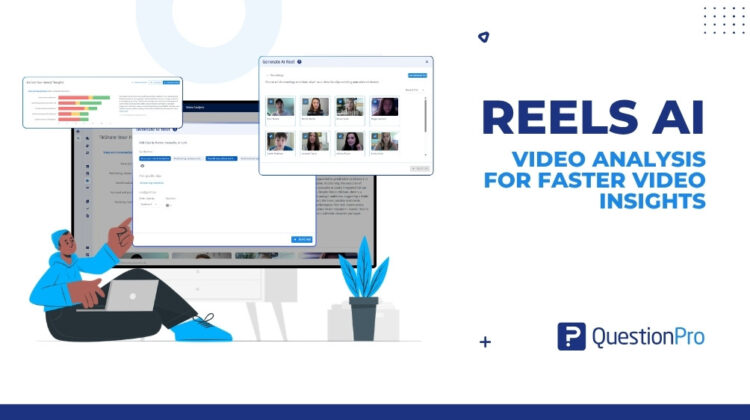
Qualitative researchers today are surrounded by rich participant data. Video recordings, sentiment analyses, theme clusters, transcripts—everything exists somewhere inside the platform. Yet despite this abundance, most research teams still struggle to answer a simple stakeholder question with speed and confidence:
“Can you show me what participants actually said?”
The problem is not the data. It is the effort required to turn it into something shareable.
Researchers spend hours scrubbing through full-length recordings, stitching clips in third-party tools, and manually assembling video packages before a single stakeholder gets to see the insight. By the time the highlight reel is ready, the urgency has passed.
This is exactly the problem Reels AI in QuestionPro UX is built to solve.
Participant videos are one of the most powerful data types in qualitative research. They carry tone, emotion, hesitation, and conviction in ways that transcripts and charts simply cannot replicate. But that richness comes at a cost.
Most research teams face the same frustrations:
1. Time-consuming video review
Researchers must scrub through full-length recordings to surface relevant moments. There is no mechanism to bulk-extract or batch-surface key clips across multiple participant responses. The result is hours of manual effort before any meaningful analysis can begin.
2. Fragmented workflows
After identifying relevant clips, researchers must leave the platform entirely to assemble them in tools like Loom, iMovie, or third-party video editors. Switching between video analysis software and editing tools creates friction and breaks the research workflow.
3. Difficult insight delivery
Pulling together clips into a cohesive, stakeholder-ready narrative is tedious. Researchers who are skilled at uncovering insights often lack the video editing bandwidth to present them well—and the gap between “insight found” and “insight delivered” grows wider with every study.
4. Lack of control over auto-generated outputs
Automation helps, but researchers cannot trust a fully automated output without the ability to review and refine it. Without fine-grained control over clip ordering and reel structure, automated reels risk misrepresenting insights or feeling unpolished when shared externally.
The Shift: From Raw Recordings to Stakeholder-Ready Reels
Reels AI in QuestionPro UX fundamentally changes how video insights move from analysis to delivery.
Instead of treating video data as something to be manually curated outside the platform, it connects your analysis directly to a shareable output—inside the same workflow where your insights live.
A single click on “Generate AI Reel” from the video analysis page sets the process in motion. From there, researchers are in control of what goes in, how it is structured, and who gets to see it.
That difference is what turns recording libraries into intelligence packages.
What Reels AI Actually Does
The Reels AI feature brings clip extraction, reel assembly, editing, and sharing into one unified experience within QuestionPro UX.
Auto-Generated Highlight Reels
AI scans participant recordings and surfaces the most important moments based on the themes and sentiments identified in your analysis. Researchers select which themes to include and the system builds a reel around them automatically.
This eliminates the need to watch every recording in full. You get distilled moments that represent the most relevant participant voices, in a fraction of the time.
Bulk Clip Extraction Across All Responses
Instead of reviewing each recording individually, Reels AI identifies clips across all participant videos simultaneously—batching extraction based on identified sentiments and themes. Researchers can go from twenty full-length recordings to a focused set of insight moments in minutes, not hours.
In-Platform Reel Assembly and Sharing
Researchers can order clips by sentiment or theme, toggle captions on or off, add transitions between clips, etc —all inside QuestionPro UX. There is no need to export footage, open another tool, or manually time your cuts.
Once a reel is ready, it can be shared via a generated link with external stakeholders.
Editing Controls for Fine-Tuning
Automation gets you most of the way there. Editing controls get you the rest. Researchers can reorder clips in the reel preview, add manually saved clips from their clip library, and apply transitions between segments. The result is a reel that reflects both AI efficiency and researcher judgment—not one at the expense of the other.
How to Create a Reel in QuestionPro UX
The workflow is designed to be fast without removing researcher agency.
- Step 1: Navigate to the Video Analysis page for your study and click “Generate AI Reel.”
- Step 2: In the New Reel modal, select themes extracted from your participant videos—or browse your saved clip collection to add manual clips.
- Step 3: Preview and select which recordings the AI will scan. You can see attached sentiments and themes for each recording and include or exclude participants as needed.
- Step 4: Click “Generate Reel” to start processing.
- Step 5: Once generated, open the reel preview. Reorder clips using the drag interface, add transitions from the dropdown, and add clips from your saved library using the “+ Add clip” button.
- Step 6: Share using Finalise & export—generate a shareable link and set access to public or private.
Completed reels are stored in the Reels AI tab on the video analysis page, alongside your Recordings and Saved Clips.
Why This Matters for Qualitative Research Teams
Faster time-to-insight
The gap between data collection and insight delivery is one of the most persistent inefficiencies in qualitative research. Reels AI compresses that gap by automating the most time-consuming step in the workflow—clip extraction and assembly.
Stronger stakeholder communication
Participants’ own words and faces carry a persuasive weight that no slide deck can match. A well-assembled highlight reel does not just report what was found—it shows it. That difference is significant when trying to align product, marketing, or leadership teams around a research finding.
A unified research workflow
Every step of the insight-sharing process now happens inside the same platform where the analysis lives. No switching tools. No exporting footage. No rebuilding context. Researchers stay in flow from recording review through to stakeholder delivery.
Researcher control, not researcher replacement
Reels AI is designed around the understanding that researchers need to trust their outputs. Automation handles the heavy lifting—bulk extraction, clip selection, reel generation—while editing controls ensure the final product reflects the researcher’s judgment, not just the algorithm’s.
The Bigger Picture: One Platform, One Research Workflow
At its core, Reels AI solves a structural problem in how qualitative insights travel from researcher to stakeholder.
There should not be three tools between “insight found” and “insight shared.”
There should be:
- One platform
- One continuous workflow
- One shareable output
When researchers can move from video analysis to stakeholder-ready reel inside a single product, insight sharing stops being a production task and starts being a natural extension of analysis.
Final Thought
Qualitative research has always been about capturing the human story behind the data. Participant videos do that better than almost any other method. But for too long, the effort required to share those stories has slowed down the very insights that should be moving fastest.
Reels AI in QuestionPro UX changes that.
It brings the full power of AI-generated clip extraction, in-platform assembly, and stakeholder-ready sharing into the same workflow where your analysis already lives—so that the story your participants told can finally reach the people who need to hear it.
Reels AI is part of the QuestionPro UX Video Analysis 3.0 update. To explore the feature, navigate to the Video Analysis page of any study and click “Generate AI Reel.”