• Skip to main content
  • Skip to primary sidebar
  • Skip to footer
QuestionPro

QuestionPro

questionpro logo
  • Products
    survey software iconSurvey softwareEasy to use and accessible for everyone. Design, send and analyze online surveys.research edition iconResearch SuiteA suite of enterprise-grade research tools for market research professionals.CX iconCustomer ExperienceExperiences change the world. Deliver the best with our CX management software.WF iconEmployee ExperienceCreate the best employee experience and act on real-time data from end to end.
  • Solutions
    IndustriesGamingAutomotiveSports and eventsEducationGovernment
    Travel & HospitalityFinancial ServicesHealthcareCannabisTechnology
    Use CaseAskWhyCommunitiesAudienceContactless surveysMobile
    LivePollsMember ExperienceGDPRPositive People Science360 Feedback Surveys
  • Resources
    BlogeBooksSurvey TemplatesCase StudiesTrainingHelp center
  • Features
  • Pricing
Language
  • English
  • Español (Spanish)
  • Português (Portuguese (Brazil))
  • Nederlands (Dutch)
  • العربية (Arabic)
  • Français (French)
  • Italiano (Italian)
  • 日本語 (Japanese)
  • Türkçe (Turkish)
  • Svenska (Swedish)
  • Hebrew IL (Hebrew)
  • ไทย (Thai)
  • Deutsch (German)
  • Portuguese de Portugal (Portuguese (Portugal))
  • Español / España (Spanish / Spain)
Call Us
+1 800 531 0228 +1 (647) 956-1242 +55 9448 6154 +49 030 9173 9255 +44 01344 921310 +81-3-6869-1954 +61 (02) 6190 6592 +971 529 852 540
Log In Log In
SIGN UP FREE

Home Surveys

Get the why behind every answer: introducing Interview (Chat)

Interview-Chat

Surveys are effective at showing what people think. A customer gives a score of 6, chooses a competitor or says a price feels too high. What a survey rarely shows is why.

Open-ended questions are the usual way to capture that context, but respondents often skip them or answer in a few words, such as “it was fine” or “too expensive”. There is no one to ask what they meant. Moderated interviews solve this, but they require recruitment, scheduling and moderators, so most teams run only a few, and the findings arrive weeks after the survey data.

Why follow-up questions matter

Uncovering underlying motivations, specific friction points, and real context turns basic quantitative metrics into actionable strategic insights. Without follow-ups, teams are left guessing the reasoning behind ratings and selections, which often leads to misdirected solutions and missed opportunities.

Introducing Interview (Chat)

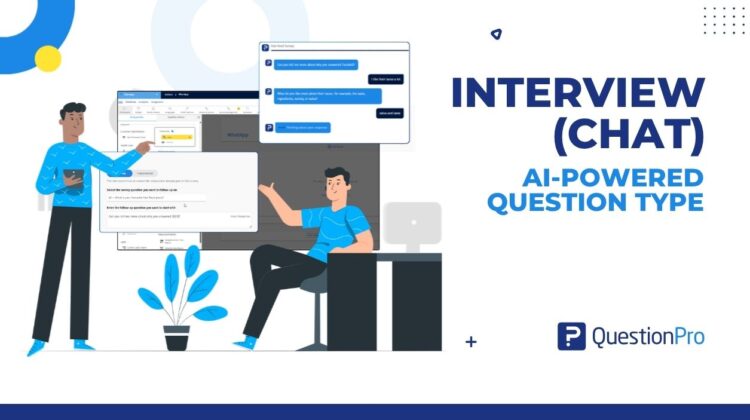
Interview (Chat) is a new AI-powered question type that lets you program follow-up questions on any question in your survey. You select the question, define what you want to learn, and QuestionPro AI conducts a short text interview with each respondent, asking follow-up questions based on the original question and the answer given. When the interview ends, the respondent continues with the rest of the survey.

If you have used Deep Dive, the concept will be familiar. Interview (Chat) is its next generation, with a new name, expanded AI capabilities and much greater control over what the AI asks.

Illustrative example

Imagine a respondent rates their onboarding experience a 4 out of 10. Instead of leaving you with an ambiguous low score, Interview (Chat) dynamically asks, “We noticed you gave a lower rating for onboarding. What specific part of the setup felt confusing or difficult?” The respondent replies, “The verification step took forever and didn’t accept my phone number.” The AI then probes further: “Thanks for sharing that. Did you encounter an error message, or was it just delayed?” In seconds, you gain precise, actionable technical feedback that would otherwise require a follow-up email or user interview.

How it works

In the survey editor, select Add Question → Advanced → Interview → Chat. In Follow-up mode, choose the question you want to follow up on and write the opening question. You can insert the respondent’s answer into the opening question, for example “Can you tell me more about ${Q115}?”, so the interview begins with their own words. In Independent mode, you write an opening question with no source question, which suits exploratory topics.

Three settings let you shape every interview. Key learning objectives tell QuestionPro AI what you want to understand and guide each follow-up question. Moderator instructions set the tone and approach, such as staying curious or asking about a recent visit before moving on. Maximum follow-ups sets an upper limit on the number of questions, and QuestionPro AI decides how many are needed within that limit, which keeps interviews short.

Each chat uses one QuestionPro AI credit. The editor shows how many more chats your balance covers, so the cost is clear before you publish.

Where it helps

Interview (Chat) is most useful wherever an answer needs an explanation. CX teams can follow up on NPS and CSAT scores to understand what drove them while the experience is still recent. Brand teams can ask why a respondent preferred one product over another. Pricing teams can follow a Van Westendorp or Gabor Granger question by exploring what made a price feel too high.

For research agencies, Interview (Chat) makes hybrid qualitative and quantitative studies practical on a survey budget, with one project, one audience and one platform, and no moderators or scheduling.

Tips for effective interviews

  • Keep learning objectives specific: Clearly define what detail you need so the AI doesn’t stray into overly general conversation.
  • Set appropriate follow-up limits: Cap follow-ups at 2–3 questions to balance depth of feedback with survey completion rates.
  • Guide the moderator’s tone: Use moderator instructions to align the AI’s persona with your brand voice (e.g., empathetic, neutral, or direct).

From Deep Dive to Interview (Chat)

Deep Dive added AI follow-up to single-select questions as a simple on/off setting. Interview (Chat) makes follow-up a dedicated question type. It can follow up on any earlier answer or start independently, and it lets you define the objectives, moderator style and length of every conversation.

Chat first, with voice and video to follow

Interview (Chat) is the first format of the Interview question type. Interview (Voice) and Interview (Video) are planned for upcoming releases. The way you set up an interview will stay the same, and only the way respondents answer will change.

Getting started

Interview (Chat) is available in Beta. To enable it for your account, contact your account manager. Then open a survey, select Add Question → Advanced → Interview → Chat, choose the question to follow up on and set your learning objective.
Create memorable experiences based on real-time data, insights and advanced analysis. Request Demo

SHARE THIS ARTICLE:

About the author
Jayaprakash Pattanaik
Product Manager | Surveys, VideoAI, Research Agent
View all posts by Jayaprakash Pattanaik

Primary Sidebar

Gain insights with 80+ features for free

Create, Send and Analyze Your Online Survey in under 5 mins!

Create a Free Account

RELATED ARTICLES

HubSpot - QuestionPro Integration

Not My Problem — Tuesday CX Thoughts

Oct 17,2023

HubSpot - QuestionPro Integration

Top 10 Microsoft Forms Alternatives to Create Effective Forms

Mar 24,2025

HubSpot - QuestionPro Integration

QuestionPro Communities adds WhatsApp integration to win back quiet panelists

Oct 05,2026

BROWSE BY CATEGORY

Footer

MORE LIKE THIS

Interview-Chat

Get the why behind every answer: introducing Interview (Chat)

Oct 6, 2026

questionpro-communities-whatsapp-integration

QuestionPro Communities adds WhatsApp integration to win back quiet panelists

Oct 5, 2026

AI Powered AI Themes for Intercept

From Brand Guidelines to Branded Feedback Widget: How AI Is Simplifying CX Intercept Design

Oct 5, 2026

questionpro-mcp-certification

How to get certified in QuestionPro MCP, the headless layer behind the whole QuestionPro platform

Oct 5, 2026

Other categories

questionpro-logo-nw
Help center Live Chat SIGN UP FREE
  • Sample questions
  • Sample reports
  • Survey logic
  • Branding
  • Integrations
  • Professional services
  • Security
  • Survey Software
  • Customer Experience
  • Workforce
  • Communities
  • Audience
  • Polls Explore the QuestionPro Poll Software - The World's leading Online Poll Maker & Creator. Create online polls, distribute them using email and multiple other options and start analyzing poll results.
  • Research Edition
  • LivePolls
  • InsightsHub
  • Blog
  • Articles
  • eBooks
  • Survey Templates
  • Case Studies
  • Training
  • Webinars
  • All Plans
  • Nonprofit
  • Academic
  • Qualtrics Alternative Explore the list of features that QuestionPro has compared to Qualtrics and learn how you can get more, for less.
  • SurveyMonkey Alternative
  • VisionCritical Alternative
  • Medallia Alternative
  • Likert Scale Complete Likert Scale Questions, Examples and Surveys for 5, 7 and 9 point scales. Learn everything about Likert Scale with corresponding example for each question and survey demonstrations.
  • Conjoint Analysis
  • Net Promoter Score (NPS) Learn everything about Net Promoter Score (NPS) and the Net Promoter Question. Get a clear view on the universal Net Promoter Score Formula, how to undertake Net Promoter Score Calculation followed by a simple Net Promoter Score Example.
  • Offline Surveys
  • Customer Satisfaction Surveys
  • Employee Survey Software Employee survey software & tool to create, send and analyze employee surveys. Get real-time analysis for employee satisfaction, engagement, work culture and map your employee experience from onboarding to exit!
  • Market Research Survey Software Real-time, automated and advanced market research survey software & tool to create surveys, collect data and analyze results for actionable market insights.
  • GDPR & EU Compliance
  • Employee Experience
  • Customer Journey
  • Synthetic Data
  • About us
  • Executive Team
  • In the news
  • Testimonials
  • Advisory Board
  • Careers
  • Brand
  • Media Kit
  • Contact Us

QuestionPro in your language

  • English
  • Español (Spanish)
  • Português (Portuguese (Brazil))
  • Nederlands (Dutch)
  • العربية (Arabic)
  • Français (French)
  • Italiano (Italian)
  • 日本語 (Japanese)
  • Türkçe (Turkish)
  • Svenska (Swedish)
  • Hebrew IL (Hebrew)
  • ไทย (Thai)
  • Deutsch (German)
  • Portuguese de Portugal (Portuguese (Portugal))
  • Español / España (Spanish / Spain)

Awards & certificates

  • survey-leader-asia-leader-2023
  • survey-leader-asiapacific-leader-2023
  • survey-leader-enterprise-leader-2023
  • survey-leader-europe-leader-2023
  • survey-leader-latinamerica-leader-2023
  • survey-leader-leader-2023
  • survey-leader-middleeast-leader-2023
  • survey-leader-mid-market-leader-2023
  • survey-leader-small-business-leader-2023
  • survey-leader-unitedkingdom-leader-2023
  • survey-momentumleader-leader-2023
  • bbb-acredited
The Experience Journal

Find innovative ideas about Experience Management from the experts

  • © 2022 QuestionPro Survey Software | +1 (800) 531 0228
  • Sitemap
  • Privacy Statement
  • Terms of Use