
Simplify Customer Experience Survey Deployment with QuestionPro CX
Collecting customer feedback is essential for understanding customer expectations, identifying experience gaps, and improving customer satisfaction. But collecting feedback at scale requires more than creating a survey. Businesses also need an efficient way to deploy surveys to the right customers, through the right channels, at the right time.
Managing customer data, survey invitations, delivery schedules, and reminders through disconnected processes can become complicated. It can also make it difficult for CX teams to maintain consistent communication and monitor survey distribution.
QuestionPro CX simplifies customer experience survey deployment with a centralized workflow that brings together customer criteria, survey assignment, delivery scheduling, automated reminders, and distribution monitoring.
Whether you are collecting post-purchase feedback, measuring customer satisfaction, or running ongoing customer experience programs, QuestionPro CX helps you organize and automate your survey distribution process.
What Is a Customer Experience Survey Deployment Workflow?
A customer experience survey deployment workflow defines how surveys are assigned and delivered to customers based on specific business conditions.
For example, a retail business may want to:
- Send a post-purchase survey to customers after completing a transaction.
- Distribute different surveys based on product categories.
- Send customer support feedback surveys after service interactions.
- Schedule invitations based on transaction dates.
- Follow up with customers who have not completed their surveys.
With QuestionPro CX, teams can configure workflow rules that connect customer eligibility criteria with the survey and its distribution settings.
This creates a more organized approach to managing customer feedback collection across different touchpoints.
1. Create Centralized Survey Distribution Workflows
Managing multiple survey distribution rules can become challenging when customer criteria, survey assignments, and delivery configurations are maintained separately.
QuestionPro CX brings these elements together through workflow-based distribution.
Teams can create rules using customer segments or custom variable values and combine multiple conditions using AND logic.
For example, a retail business can create workflows for:
- Customers purchasing electronics.
- Customers purchasing clothing.
- Customers interacting with customer support.
- Customers belonging to specific customer segments.
Each workflow rule connects the target audience with the relevant survey and distribution configuration.
Business benefit: A centralized workflow makes survey deployment easier to configure, understand, and maintain as customer feedback programs expand.
2. Distribute Surveys Through Email, SMS, and Self Deploy
Customers interact with businesses through different communication channels. Offering multiple survey distribution options helps organizations structure feedback collection around their operational needs.
QuestionPro CX supports three primary distribution options:
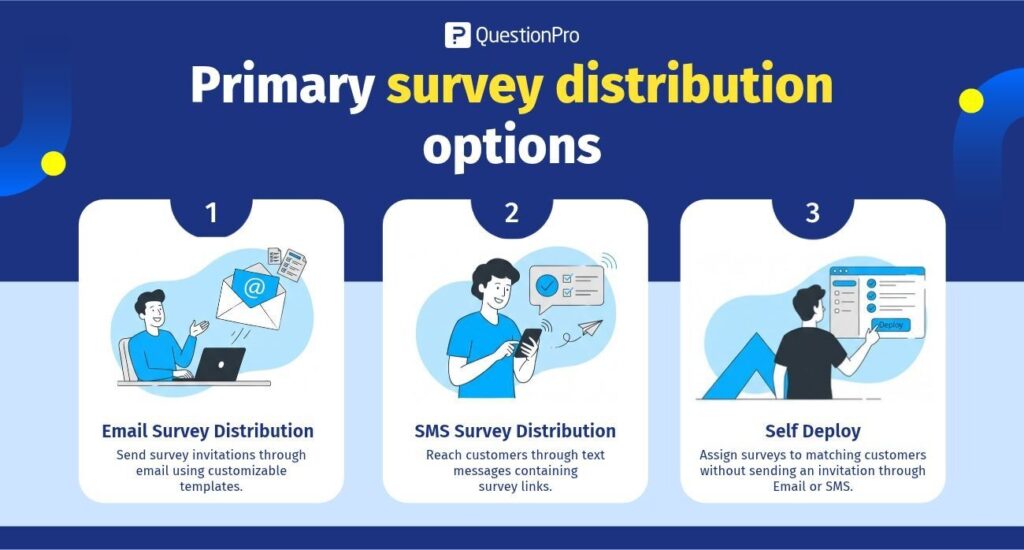
Email Survey Distribution
Send survey invitations through email using customizable templates. Email is useful for detailed invitations, branded communication, and personalized messages.
SMS Survey Distribution
Reach customers through text messages containing survey links. SMS is particularly useful for short, direct feedback requests.
Self Deploy
Assign surveys to matching customers without sending an invitation through Email or SMS.
Each workflow rule uses one primary distribution option. Organizations that want to use both Email and SMS can configure separate rules or include SMS reminders within an Email workflow.
Business benefit: Multiple distribution options help businesses reach customers through communication methods that align with their feedback collection strategy.
3. Schedule Survey Invitations Based on Customer Transactions
Timing plays an important role in customer feedback collection. Sending a survey too early or too late may affect how relevant the feedback is to the customer’s experience.
QuestionPro CX provides flexible survey delivery scheduling options:
- Immediate delivery: Send the survey as soon as a customer transaction is imported.
- Scheduled delivery: Send invitations a specified number of days after the import date or transaction date.
- Custom date and time: Schedule invitations for a selected date and time.
For example, a business can schedule a post-purchase survey to reach customers three days after their transaction instead of immediately after the purchase.
Business benefit: Flexible scheduling helps businesses align feedback requests with important moments in the customer journey.
4. Automate Survey Reminders to Improve Follow-Ups
Not every customer responds to the first survey invitation. Automated reminders provide an opportunity to follow up with customers who have not yet completed their surveys.
QuestionPro CX allows teams to configure multiple reminders within a workflow.
You can:
- Configure multiple reminder messages.
- Select Email or SMS as the reminder channel.
- Choose the appropriate communication template.
- Set the number of days after survey delivery.
- Select a reminder time using 30-minute intervals.
- Edit or delete configured reminders.
Reminders are sent to customers who have not responded to the original invitation.
For example, a business can configure a first reminder one day after the invitation and a second reminder two days after delivery.
Business benefit: Automated reminders reduce manual follow-up efforts and help maintain a consistent survey distribution process.
5. Create Personalized Email and SMS Survey Templates
Survey invitations are an important customer touchpoint. Consistent branding and relevant messaging can make communication more recognizable and engaging.
QuestionPro CX provides centralized Email and SMS template management, allowing teams to create reusable templates for survey invitations and reminders.
Design branded email invitations
The email editor includes content blocks that allow teams to customize their messages:
- Text
- Buttons
- Images
- Dividers
- Spacers
- Footers
Teams can customize the email layout using themes, fonts, colors, content width, and other styling settings.
Six preset themes are available, along with starter layouts for survey invitations, newsletters, and announcements.
Manage templates efficiently
Available template management options include:
- Preview email templates.
- Edit existing templates.
- Translate templates using Auto translate.
- Copy templates to create variations.
- Delete templates, except protected default templates.
Business benefit: Reusable templates help businesses maintain consistent communication, reinforce brand identity, and personalize customer feedback requests.
6. Control Survey Frequency with Resting Periods
Sending too many surveys to the same customer can create survey fatigue and negatively affect the customer experience.
QuestionPro CX provides resting period settings to help organizations control how frequently customers receive surveys.
Teams can configure:
- A workspace-level resting period.
- Survey-specific resting periods that override the workspace setting.
- A workspace resting period of zero to disable the default restriction.
Survey link expiry can also be configured at the workspace level, with a default validity period of 30 days.
Business benefit: Resting periods help businesses balance feedback collection with a better customer communication experience.
7. Manage Quiet Days for Better Communication Timing
Survey invitations and reminders should be delivered at appropriate times.
QuestionPro CX allows teams to configure quiet days at the workspace and workflow levels.
Quiet-day settings can include:
- Specific weekdays.
- Individual dates.
- Custom date ranges, such as public holidays.
If a scheduled invitation falls on a quiet day, it is paused and sent on the next allowed day.
Business benefit: Quiet-day settings help organizations coordinate survey communication around business calendars and avoid sending invitations during selected periods.
8. Monitor Survey Distribution and Delivery Activity
Configuring survey workflows is only one part of the process. CX teams also need visibility into invitation activity and distribution performance.
QuestionPro CX provides workflow-level monitoring through two areas:
Invitations
Teams can review:
- Transactions imported.
- Invitations sent.
- Scheduled transactions.
- Customer-level records.
Analytics
Teams can review channel delivery activity associated with the workflow.
Both areas provide date filters to review distribution activity across selected periods.
Workflow cards also display imported and responded transaction counts, helping teams understand survey activity at a glance.
Business benefit: Distribution monitoring provides visibility into survey deployment activity and helps teams review how their workflows are operating.
Key Features of QuestionPro CX Survey Deployment
| Feature | Business value |
| Centralized workflows | Connects customer criteria with survey distribution settings |
| Email distribution | Sends branded and personalized survey invitations |
| SMS distribution | Reaches customers through text messages |
| Self deploy | Assigns surveys without sending an invitation |
| Flexible scheduling | Supports immediate, scheduled, and custom date/time delivery |
| Automated reminders | Follows up with customers who have not responded |
| Email and SMS templates | Creates reusable survey communication |
| Personalization variables | Customizes messages using customer information |
| Resting periods | Helps manage survey frequency |
| Quiet days | Controls when survey communication is paused |
| Distribution monitoring | Provides visibility into invitations and channel delivery activity |
How Survey Deployment Automation Helps CX Teams
An organized survey deployment process can improve the efficiency and consistency of customer feedback programs.
QuestionPro CX helps organizations:
- Reduce operational complexity: Manage customer criteria, survey assignments, and distribution settings through centralized workflows.
- Automate repetitive tasks: Schedule survey invitations and reminders without relying on manual follow-ups.
- Reach customers at relevant moments: Align survey delivery with transaction dates and customer interactions.
- Maintain consistent communication: Use reusable, branded, and personalized Email and SMS templates.
- Manage survey frequency: Apply resting periods and quiet days to control customer communication.
- Monitor distribution activity: Review imported transactions, invitations, scheduled sends, and channel delivery activity.
Conclusion: Build a More Efficient Customer Feedback Process
Successful customer experience management depends on consistently collecting feedback at the right moments throughout the customer journey.
However, managing survey distribution across multiple customer segments, channels, and touchpoints can create operational complexity.
QuestionPro CX brings survey deployment into a centralized workflow, helping organizations manage customer eligibility, survey assignment, invitation scheduling, automated reminders, reusable templates, and distribution monitoring.
From post-purchase surveys and customer support feedback to ongoing customer satisfaction programs, an organized deployment workflow helps CX teams make feedback collection more consistent, manageable, and scalable.
Simplify your customer experience survey deployment with QuestionPro CX and build a more efficient approach to collecting customer feedback.