Every panel manager has the same spreadsheet: a list of members who signed up, completed a profile, took one survey, and then went quiet. QuestionPro Communities WhatsApp integration is designed to bring those inactive respondents back into your research pipeline.
You send another invite. It sits in an inbox next to a hundred other unread messages, lands in promotions, or goes to a member who unsubscribed months ago and nobody flagged it. The research still needs that sample. The deadline doesn’t move just because the inbox did its job of becoming a landfill. This is where QuestionPro Communities just changed what “sending an invite” means.
What is the QuestionPro Communities WhatsApp integration?
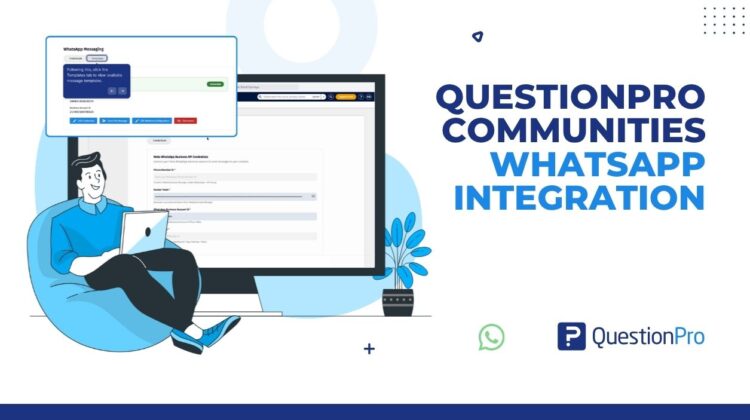
It’s a connection between your Meta WhatsApp Business account and your QuestionPro community, built into the same Send workflow you already use for email. Once connected, administrators create WhatsApp message templates, personalize them with member details, add the survey link, and send invitations through WhatsApp instead of (or alongside) email.
It doesn’t replace your existing distribution channels. It sits next to them. Your filters, your incentive rules, and your delivery logs all stay exactly where they are. You’re just adding a channel members are far more likely to open.
How to use WhatsApp survey distribution in your research
Picture a consumer insights team running a monthly tracker for a regional retail chain. Half the panel responds to email reliably. The other half used to respond, then stopped opening anything from the research platform’s domain.
With the WhatsApp integration, the team builds one approved template, personalizes it with {{first_name}} and the {{survey_link}} variable, and filters the send down to that second group using the same Custom Filter they already use for email campaigns. The message lands in an app members check throughout the day instead of a folder they’ve trained themselves to ignore. The team doesn’t rebuild their process. They route the lagging half of the panel through a channel that still has their attention, and the response rate on that segment catches back up.
The advantages of sending surveys through WhatsApp
A short setup unlocks a few concrete gains for research teams running ongoing panels.
- Higher open rates on invitations.
WhatsApp messages get seen in a way email increasingly doesn’t, especially with members who’ve gone quiet on email specifically.
- One connected workflow.
The survey, audience filter, incentive configuration, and delivery channel are all configured in one place, so nothing is managed outside the platform.
- Personalization without manual work.
Variables for first name, last name, and the survey link populate automatically at send time instead of being typed into individual messages.
- Built-in troubleshooting.
WhatsApp Logs show status and failure reason per message, so a failed send doesn’t just disappear into a mystery.
- Multilingual support.
Separate templates per language mean a global panel doesn’t get a one-size-fits-all message.
Whether you’re running a recurring brand tracker, a one-off concept test, or a multi-market study, the channel decision no longer has to mean exporting member lists into a separate WhatsApp tool.
When to use it, and when not to
WhatsApp works best for panels where members are hard to reach through other channels, where speed matters, or where the audience genuinely lives on WhatsApp day to day. It’s not the right fit if your members haven’t consented to WhatsApp contact, if your study doesn’t involve community-based distribution at all, or if you don’t yet have the Meta Business configuration in place. Treat it as an additional channel in a multichannel strategy, not a replacement for the channels already working.
How to turn on WhatsApp in QuestionPro Communities
Connect your Meta WhatsApp Business account under My Account, then Messaging Center, then Credentials, using your Phone Number ID, Access Token, WhatsApp Business Account ID, and Meta App ID. From there, build and submit a template for Meta approval, then select that approved template the next time you send a survey from your community. The full walkthrough, including template setup and the WhatsApp Logs dashboard, is in the help documentation.
Get started with QuestionPro Communities today
The members who went quiet on email aren’t gone. They’re just somewhere else. Create a free QuestionPro account or talk to your account team about enabling WhatsApp for your next community send.
Frequently asked questions
Yes. You need valid Meta WhatsApp Business API credentials, specifically a Phone Number ID, Access Token, WhatsApp Business Account ID, and Meta App ID, before you can connect WhatsApp to a QuestionPro community. These come from your organization’s Meta Business and WhatsApp API setup.
No. Every WhatsApp template goes through Meta’s approval process first. QuestionPro shows the status as Pending or Approved, and you can use Sync Status to refresh it. Only approved templates can be selected during survey distribution.
Yes. The template builder supports {{first_name}}, {{last_name}}, and {{survey_link}} variables, so one template generates individually personalized messages at send time instead of requiring manual editing per member.
Yes. You select recipients using the same Custom Filter, Existing Filter, or Email Filter options available for any other Communities distribution, and the Filter Summary shows the number of verified recipients before you send.
Yes. WhatsApp Logs include a Failure Reason field alongside status, timestamp, and recipient, so you can troubleshoot individual sends instead of only knowing the campaign went out.
No. It’s positioned as another distribution channel, not a replacement. You can enable WhatsApp alongside email and other notification options on the same delivery screen and choose per campaign which channels to use.
There’s no additional QuestionPro cost to enable the integration itself. You’ll need your own Meta WhatsApp Business account, which carries its own Meta-side setup and any messaging costs Meta applies.