Customer journey maps are powerful tools for understanding how customers interact with your brand. But as organizations mature in their journey management programs, a common challenge emerges:
Journey maps become overloaded with information.
Teams try to add everything into a single map—customer emotions, pain points, KPIs, operational ownership, research insights, and improvement opportunities. The result?
A journey map that is difficult to read, harder to maintain, and nearly impossible to align across teams.
This is where Journey Layers come in.
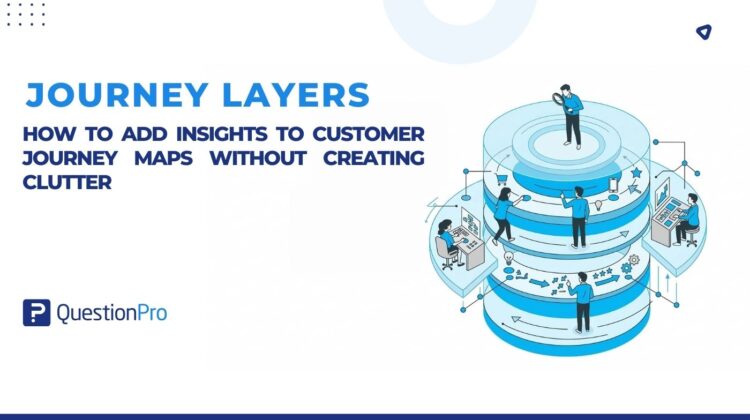
Journey Layers allow organizations to enrich a single journey map with multiple perspectives—without cluttering the core journey.
In simple terms:
One journey. Multiple perspectives. Total clarity.
The Problem: Journey Maps Become Overloaded
When organizations begin using journey maps across CX, Product, UX, and Operations teams, they often encounter a familiar set of challenges.
Different teams want to add different types of information:
- CX teams want to show customer emotions and feedback
- Product teams want pain points and opportunities
- Operations teams need ownership and accountability
- Executives want KPIs and performance metrics
- UX researchers want to attach research insights
Without a structured way to manage this information, teams typically do one of three things:
- Duplicate the same journey multiple times
- Cram everything into a single overcrowded map
- Create disconnected artifacts across tools
This leads to a bigger problem:
No single source of truth for the customer journey.
Introducing Journey Layers
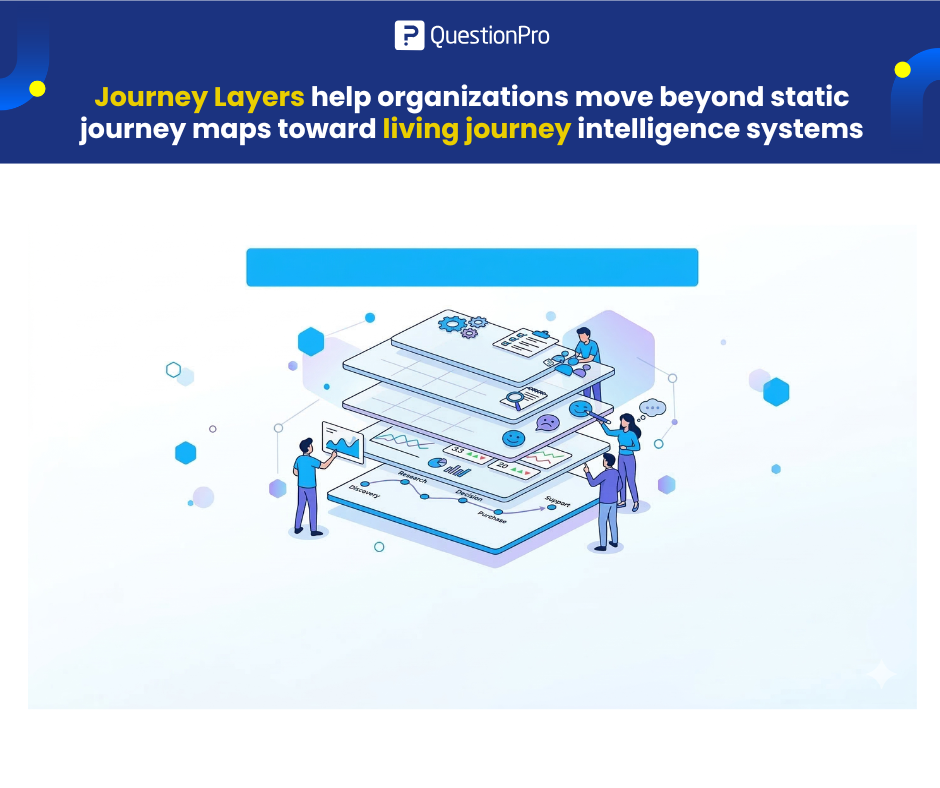
Journey Layers solve this challenge by allowing teams to stack multiple dimensions of insight on top of the same journey map.
Instead of creating separate journeys for emotions, metrics, or research findings, teams can simply create layers.
Each layer represents a different perspective on the same journey.
Examples include:
- Customer emotions
- Pain points
- KPIs and CX metrics
- Ownership and accountability
- Research insights
- Opportunities and improvement ideas
Each layer adds depth—while keeping the core journey clean and easy to understand.
Think of It Like Google Maps
If you’ve used Google Maps, you’ve already experienced layers.
You can toggle:
- Traffic
- Transit
- Satellite view
- Bike routes
The map stays the same, but the information changes based on what you want to see.
Journey Layers work the same way.
You keep one canonical journey map, and simply turn layers on or off depending on your audience or use case.
Why Journey Layers Matter
Journey Layers help organizations move beyond static journey maps toward living journey intelligence systems.
Here’s what teams gain:
1. A Single Source of Truth
Instead of maintaining multiple versions of the same journey, teams maintain one master journey map.
All insights live in the same place.
2. Clearer, More Readable Journeys
By separating insights into layers, journey maps remain clean and easy to interpret.
Teams only see the information that matters for their discussion.
3. Better Cross-Team Collaboration
Different teams can focus on the insights that matter to them.
For example:
- CX teams analyze customer sentiment
- Product teams prioritize pain points
- Operations teams track ownership and accountability
All while working from the same journey foundation.
4. Executive-Friendly Storytelling
Executives often need a high-level view of the journey without research noise.
Layers allow teams to present:
- A simplified journey
- Key KPIs
- Major friction points
Without overwhelming stakeholders.
How Journey Layers Work
Using Journey Layers is simple.
- Open your journey map
- Navigate to the Layers panel
- Create a new layer (for example: Emotions or KPIs)
- Add insights to stages or touchpoints within that layer
- Toggle layers on or off based on your audience
- Share the journey with selected layers visible
Each layer operates independently, making it easy to:
- Compare insights
- Focus discussions
- Avoid information overload
Common Use Cases
Journey Layers support a wide range of CX and product initiatives.
Adding Customer Emotions
Overlay emotional highs and lows across the journey to identify moments that matter.
Visualizing CX Metrics
Add performance metrics like:
- CSAT
- NPS
This allows teams to connect customer sentiment with operational performance.
Highlighting Pain Points for Product Teams
Product managers can focus on layers that surface:
- Customer friction
- Feature gaps
- Improvement opportunities
Assigning Operational Ownership
Operations teams can track who owns each part of the journey, ensuring accountability and faster execution.
Creating Executive-Ready Views
Hide research layers and show only:
- Key journey stages
- Major friction points
- Strategic opportunities
Perfect for leadership presentations.
When Journey Layers Are Most Valuable
Journey Layers are particularly powerful for organizations that:
- Run cross-functional CX programs
- Have multiple teams contributing to journeys
- Want to scale journey governance
- Need different views for different stakeholders
They are less necessary for:
- Very simple journeys
- One-time workshop outputs
- Static journey visualizations
The Future of Journey Management
Traditional journey maps were static artifacts.
Modern journey management platforms are evolving toward living systems of insight.
Journey Layers are a step in that direction.
They allow organizations to explore multiple truths from the same journey without duplicating maps or losing clarity.
The result?
Journey maps that are not just visualizations but dynamic collaboration tools for improving customer experience.
Resource Hub
You can explore Journey Layers in QuestionPro Journey Management here.
Also check this, Journey Layers – Reducing clutter to increase understanding