You spotted the junk in your own data. Getting paid back for it should not take a week and three emails.
The Friday you found the fakes
It is Friday afternoon. Your concept test closed overnight, 800 completes bought through self-service Audience, and you are cleaning the file before the readout on Monday.
Then you see it. A block of respondents finished a twelve-minute survey in ninety seconds. Two open ends are identical, comma for comma. A run of respondents picked the top box down every single grid without breaking stride. You count roughly 60 responses you would not put in front of a client.
You did everything right. You targeted well, you set your quotas, you launched it yourself. But 60 of those completes are noise, and you paid real money for them. So now what.
Learn More: QuestionPro Audience
The old fix meant waiting on someone else
Here is how that Friday used to go.
You open a support email. You paste in 60 response IDs. You write a short paragraph explaining why each one is bad, because you know someone will ask. You hit send. And then you wait.
Maybe your project manager replies that afternoon. Maybe they are out. Maybe the review takes a couple of days and a follow-up email. The whole time, the thing you already knew, that these responses were junk, is sitting in a queue behind a person’s inbox. You were the one who caught the problem, but you were not the one who could fix it. That is the part that grated. You run your own studies, yet the credit for your own bad sample lived on someone else’s calendar.
What changed: the credit is yours to claim
Audience reconciliation takes that whole exchange and hands it to you.
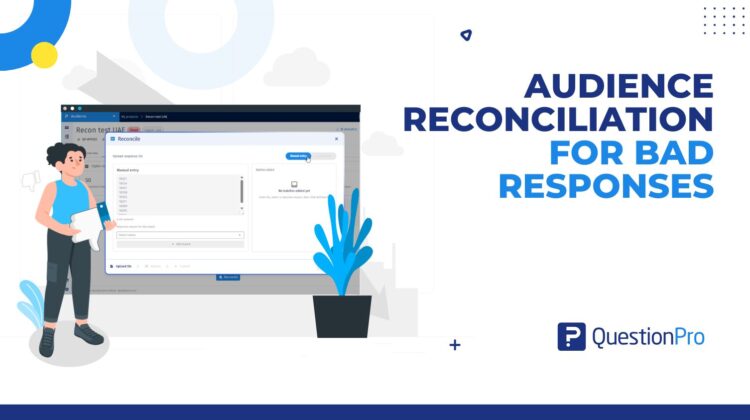
It is a tab that appears inside your completed Audience project. You report the bad response IDs, tag each one with a reason, and request the credit straight back to your wallet. No ticket. No paragraph explaining yourself. No wondering whether anyone read the email. You see a status, you see an estimated refund before you commit, and you see the outcome per response ID when it clears.
The credit comes back at the rate you actually paid for those completes, applied to your QuestionPro wallet as a line you can spend on the next wave. It is the same money, just returned by you instead of requested from someone else.
Back to that Friday, replayed
Now run that same Friday again with the feature in your hands.
You open the completed project and go to the Reconciliation tab. You paste your 60 response IDs, or if you prefer, you drop in a CSV with the IDs and a reason for each. The system checks every ID against your project’s real completes as you go, so if you fat-fingered one or listed a duplicate, it tells you right there instead of bouncing back days later. You pick your reasons from a set of standard categories, glance at the estimated refund, and confirm.
Sixty out of 800 is a normal, healthy cleanup, so the request clears on its own within about five minutes. A minute after approval, the credit is back in your wallet. An email lands confirming it, and another will land if anything about the request changes.
You caught the junk, credited it, and closed the loop before you left for the weekend. The readout on Monday runs on clean data, and nobody had to be chased to make that happen.
Why this lands so well for DIY teams
The point of self-service is that you move at your own speed. Sample buying already works that way. You choose your audience, you launch, the responses come in fast. But the cleanup step used to break the rhythm, because it depended on a human on the other end.
Closing that gap does two things. It gets your money back in minutes instead of days, so budget for the next study is not stuck in limbo. And it takes routine credit requests off your project manager’s plate entirely, which frees that relationship for the work that genuinely needs a human, like tricky targeting or an unusual sourcing question. The small stuff you can judge yourself, you now settle yourself. Clean sample stops being a support conversation and becomes part of your own workflow, right next to the QA you were already doing. If you want the bigger picture on catching bad respondents in the first place, it pairs well with how QuestionPro handles data quality in surveys (https://www.questionpro.com/blog/data-quality-in-surveys/) and survey fraud detection (https://www.questionpro.com/blog/survey-fraud-detection/).
The limits, and why they are there
A few guardrails keep the self-service route honest, and they make sense once you see the logic.
You can flag up to a fifth of a project’s completes, and up to 500 IDs in a request. You have 30 days from when the project closes to raise one, with a 72-hour heads-up in the app before that window shuts. If more than 20% of your sample looks bad, the platform stops you and points you to the audience team on purpose. A failure rate that high is not a routine cleanup. It usually signals something worth a real conversation about targeting or sourcing, and a person should look at it. For everything short of that, the tab is yours.
Get started
If you already buy sample through self-service Audience, your next messy file does not need an email. Open the completed project, find the Reconciliation tab, and clear the responses your QA already flagged. If you are new to running your own studies, you can create a free QuestionPro account and see the DIY Audience flow for yourself, from picking a target to buying completes to getting credited for the ones that did not earn their place.
Frequently asked questions
It is a self-service feature in QuestionPro Audience that lets buyers report bad response IDs, choose a rejection reason, and request credit back to their wallet for unusable completes. It replaces the old support-ticket route, so you recover credits yourself with clear status tracking and an audit trail. Approved credit returns at the original rate you paid per complete.
You can submit only on Completed Audience projects, not on Live, Paused, or Bid ones. The window stays open for 30 days from the survey completion or project close date. A 72-hour in-app alert warns you before it closes. Once the window shuts, the tab will no longer accept a request for that project, so set a reminder if a wave is winding down.
You can flag up to 20% of a project’s total completes, with a maximum of 500 response IDs per request. Every ID must be unique and belong to your own project’s completes. If your bad-response rate climbs above 20%, the system asks you to contact the audience team, since that scale of problem usually needs a human review rather than a routine credit.
Low-risk requests are auto-approved within five minutes. More complex cases go to manual review and are resolved within five business days. Once a request is approved, the credit is applied to your QuestionPro wallet within sixty seconds as a Reconciliation Credit line item. Email notifications keep you posted at submission and on every status change, so you do not have to keep checking.
Yes. Upload a CSV with two required columns, ResponseID and Rejection Reason, plus an optional Notes column. Keep the file under 5 MB and 500 rows per batch. After upload, you see a summary of received, valid, invalid, and duplicate rows before confirming. If any rows fail validation, download the error report, correct them, and upload again.
For routine cleanup, no, and that is the point. You review your own QA output and action the credit yourself in minutes, without emailing support or waiting in a queue. A project manager or the audience team steps in for the larger or unusual cases, such as when more than 20% of your completes are flagged or a project needs a closer look before credits are issued.
Credit is calculated per approved response ID, using the rate you originally paid for that quota cell rather than an average across the project. You see an estimated refund before you submit, and the final amount can change if only part of your request is approved. For anything about rates or your balance, check with your account admin.
It is available across several editions, including Advanced, Team Edition, Research Edition, Communities, and the University Research Edition. Exact availability can depend on your account setup. For details on your plan or to switch it on, talk to your account admin or request a demo rather than assuming from the list here.