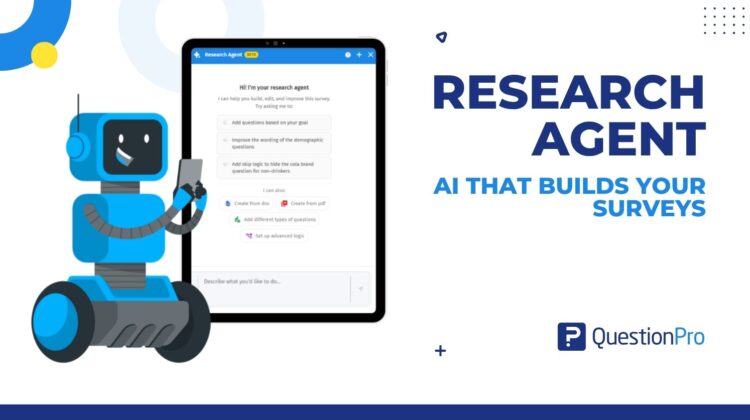
You bring the research design. Research Agent builds the survey around it.
The 4:47 p.m. brief
It’s Thursday afternoon when a client forwards a Word document. The file is called “questionnaire v7.” Inside you’ll find a screener, 34 questions, and a note in red at the bottom: “Screen out anyone who doesn’t buy the category. Only show the concept block to people who’ve heard of us.”
You get it right away. After one read-through, the whole survey is already in your head.
Then you open the survey builder.
Nothing that follows is hard, exactly. It’s just long. Add a question, pick its type, add the next one. Build the screener. Figure out where the concept block belongs, then write the rule that hides it from anyone who’s never heard of the brand. Preview. Find the path that dead-ends. Fix it. Preview again.
By eight o’clock you have a working survey, and four hours of your day went to setup.
That gap, between a brief you understand and a survey that works, is where research time quietly disappears. Research Agent, part of QuestionPro AI, is built to close it. You describe what the survey needs to do, or hand over the document itself. Research Agent plans the structure, builds the questions, and sets up the logic in your draft survey. You review it. You publish it.
Learn More: Research Agent in QuestionPro
What is Research Agent?
Research Agent is an AI agent from QuestionPro AI, built right into QuestionPro. Give it instructions in plain language, and it plans, builds, and configures your survey. It chooses question types, organizes blocks and pages, and applies logic without you having to spell out each step. It works on new surveys and on the ones you started last month.
The real difference is who does the building. Most AI in survey tools helps you write faster. It suggests better wording or a sharper question type, then leaves the construction to you. QuestionPro AI goes a step further with Research Agent, which builds it itself. It returns a survey in your draft workspace, not a list of suggestions to follow.
Three things Research Agent is not
It isn’t a template picker. Templates hand you a fixed layout to work around. Research Agent builds around the objective you describe and sets up the logic to match.
It isn’t a suggestion box, either. The questions, blocks, and rules land in the survey itself, so there’s nothing to copy across.
And it isn’t a black box that rewrites your work. Updates are targeted. Research Agent changes only what you point it at, and your existing questions and settings stay put unless you say otherwise.
Research Agent in Surveys
This post stays inside the survey builder in Research Suite. There, the agent’s job is the survey itself: questions, blocks, page structure, and logic. Research Agent is part of QuestionPro AI and is designed to work wherever your research happens in QuestionPro. What it does depends on the product you open it in. The QuestionPro help center is the place to check what it supports in each one.
What Research Agent does inside your survey
Research Agent does five jobs, and each one replaces a chunk of manual work you already know well.
It builds a survey from a plain-language brief
Tell it what you want to learn. Something like: “Build a post-purchase survey for first-time buyers. Ask about delivery first, then product satisfaction, and send anyone who had a delivery problem to a short follow-up.” That’s a real instruction, and it’s enough. Research Agent picks the question types, puts them in a sensible order, and applies survey design best practices. You start with a structured survey instead of a blank page.
It imports the questionnaire you already have
Most research doesn’t start from scratch. It starts with a document someone emailed you. Upload a Word or PDF file in the chat window. Then tell Research Agent what to do with it, something like “import all the questions from this file.” It pulls out the questions and organizes them into your survey. A client screener, last year’s questionnaire, a workshop draft: any of them can become a survey without anyone retyping a line.
It configures logic from a sentence
Logic is where surveys quietly break. Give Research Agent a question number and describe the rule in your own words: “If Q4 is ‘never,’ skip to Q9.” It handles skip logic, criteria, and show-or-hide conditions on both questions and answer options. It also covers compound branching, where several conditions combine. Afterward, click the Logic icon on the question to see exactly what was set. If you want the background on each type, the survey logic guide walks through them.
It edits a survey you’ve already started
Open the survey in Draft mode and say what you want. “Add a multiple-choice question after Q3 asking about purchase frequency.” “Insert an NPS question at the end of Block 2.” Research Agent puts the question where you said and updates the sequence around it. It can also revise question text, codes, page breaks, separators, and block text.
It explains a survey back to you
Type “Summarize this survey” and Research Agent maps the question flow. It picks out the key topics and describes the logic in plain language. That’s handy when you inherit a study or want a second look at a colleague’s build before fielding. It’s also the quickest answer when a stakeholder asks what the survey actually does and you’d rather not screen-share twenty pages. It works on any survey in your account that you can access.
Research Agent in practice: two studies, two different Thursdays
The agency with a stack of client briefs
Picture a market research agency in the US with more than ten client projects running at once. Nearly every one starts with a client document. Before, a senior researcher built each survey, or a junior built it and a senior checked the logic line by line. Either way, senior time went into setup.
Now the junior researcher uploads the client’s document and asks Research Agent to import the questions. A second instruction covers the logic. Skip respondents who don’t buy the category past the product questions. Show the concept block only to people who know the client’s brand. The junior checks each rule with the Logic icon, then asks for a summary of the full survey. The senior reads that summary instead of clicking through every page. The review becomes a conversation about research design, not a hunt for a dead-end path.
The consumer goods brand adding a module to a tracker
An FMCG brand in the US runs a quarterly brand tracker. This wave needs a new concept module for a spring product launch. The brand team sends the questions in a Word file. The insights analyst opens the tracker in Draft mode, uploads the file, and asks Research Agent to import the concept questions. Then she adds a second instruction: ask those questions only of respondents who are aware of the brand. She checks the logic and asks for a summary of the whole survey to make sure the flow still holds together. Then she publishes.
Same tracker, new wave. Nothing in the existing questionnaire had to be rebuilt.
What you still own
Research Agent does the build. You’re still the researcher.
The work happens in Draft mode, and nothing reaches respondents until you click Publish. The help file recommends checking logic after it’s applied, and the Logic icon on each question makes that quick. Then read the survey through in preview, the way a respondent would. The research question, the sample, and the wording that decides whether your data is any good all stay with you. The agent takes the configuration. It doesn’t take the judgment.
The advantages of Research Agent
The advantages of Research Agent come down to hours returned and mistakes caught earlier.
- A finished build, not a starting point. Questions, blocks, page structure, and logic arrive together, so you’re reviewing a working survey rather than assembling one.
- Logic configured the same way every time. Skip logic, criteria, show-or-hide conditions, and compound branching are applied consistently. That lowers the chance of a broken path reaching respondents.
- Faster from brief to fielding. Document import cuts the retyping, and plain-language instructions cut the rule-building.
- More people can build. Product, CX, and cross-functional teams describe the study they need without platform training, and research teams keep control through review.
- A consistent structure across projects. Research operations teams get one structure and one set of logic conventions, no matter who requested the survey.
- Nothing to export or re-enter. Research Agent works inside the QuestionPro survey builder as part of QuestionPro AI, so changes land directly in your survey.
When to use Research Agent, and when not to
Here’s an honest read on whether it’s a fit.
Use it when
- You need to go from a research brief to a live survey quickly.
- The survey needs complex logic, such as skip logic, compound branching, or conditional display.
- Non-research stakeholders need to build surveys on their own.
- You’re starting from a Word or PDF document.
- You want to understand the structure of an existing survey quickly.
Skip it when
- The survey is one to three questions with no logic. Building by hand is faster.
- You want full manual control over every design decision.
- The research is specialized enough to need deep human judgment at every step.
How Research Agent differs from chat tools and templates
Three other common routes to a survey exist, and each has a real use.
General-purpose AI chat tools are good at drafting questions. What they can’t do is build inside your survey platform. The output is text, so you still choose the question types, set the logic, and structure the blocks yourself. They’re worth using to brainstorm wording before you brief Research Agent.
Assistive AI features inside survey builders suggest and recommend. Most leave the building with you, and most don’t import a document or explain the survey you already have.
Template libraries speed up common use cases, but they’re rigid. Logic isn’t pre-configured, and a template can’t adapt to your specific brief.
Research Agent works natively inside QuestionPro, as part of QuestionPro AI. It doesn’t suggest or fill a template. It does the work, then hands the result back for your review.
How to start with Research Agent in QuestionPro
Go to Research Suite, then Surveys, then New Survey, and open Research Agent. To use it on a survey you’ve already started, open that survey in Draft mode. Then click the Research Agent button in the bottom-left corner of the builder. Type your instruction, and attach a Word or PDF file if you have one. Then check the logic, preview the survey, and publish when you’re happy.
Full setup steps, with short video walkthroughs of each job, are in the Research Agent help file. Availability depends on your QuestionPro license, and the FAQ below lists which ones include it.
Get started
The research design is the part that needs you. The build between your brief and a live survey doesn’t. Hand it to Research Agent and spend the afternoon on the work that needs your judgment.
Start a free trial of QuestionPro and open Research Agent in your first draft survey. Want the bigger picture? Explore QuestionPro AI.
Frequently asked questions
Research Agent is an AI agent from QuestionPro AI that plans, builds, and configures a survey from plain-language instructions. A question generator hands you text to implement yourself. Research Agent adds the questions, organizes the blocks, and sets up the logic inside your draft survey. You review the result before you publish.
Yes. Upload a Word or PDF file with the attachment button in the chat window. Then add an instruction such as “import all questions from this file.” Research Agent extracts the questions and organizes them into your survey. It works from the intent of your original document, so you don’t retype questions or reselect each question type.
It configures skip logic, criteria, compound branching, and show-or-hide conditions for both questions and answer options. Give it the question number and describe the rule in plain language. Then click the Logic icon on that question to confirm what was applied. The help file recommends this check before you publish.
It can edit any survey you open in Draft mode, and it won’t overwrite your work. Research Agent makes targeted updates, so it changes only what you specify. That might be a new question, revised question text, a page break, or a logic rule. Everything else stays as you left it.
Yes, for any survey in your account that you can access. Open it in Draft mode, launch Research Agent, and ask for a summary. It maps the question flow, key topics, and overall structure in plain language. That’s a quick way to review logic, or to brief a colleague or stakeholder before fielding.
It suits enterprise insights teams, CX and VoC program owners, research agencies, and product teams. It helps most when you need a survey fast, or you’re starting from a Word or PDF brief. Skip it for a one- to three-question survey with no logic. Skip it too if you want full manual control of every design decision.
Research Agent, part of QuestionPro AI, is available on the Team Edition, Research Edition, and University Research Edition licenses. If you’re not sure which license your account uses, your account admin can tell you. For any other questions about availability, you can request a demo, and the team will walk you through it.
Yes, Research Agent is part of QuestionPro AI. This post covers Research Agent in Surveys, where it builds and configures surveys. It’s designed to work wherever your research happens in QuestionPro, and what it does depends on the product you open it in. The help center explains what it supports in each one.