• Skip to main content
  • Skip to primary sidebar
  • Skip to footer
QuestionPro

QuestionPro

questionpro logo
  • Products
    survey software iconSurvey softwareEasy to use and accessible for everyone. Design, send and analyze online surveys.research edition iconResearch SuiteA suite of enterprise-grade research tools for market research professionals.CX iconCustomer ExperienceExperiences change the world. Deliver the best with our CX management software.WF iconEmployee ExperienceCreate the best employee experience and act on real-time data from end to end.
  • Solutions
    IndustriesGamingAutomotiveSports and eventsEducationGovernment
    Travel & HospitalityFinancial ServicesHealthcareCannabisTechnology
    Use CaseAskWhyCommunitiesAudienceContactless surveysMobile
    LivePollsMember ExperienceGDPRPositive People Science360 Feedback Surveys
  • Resources
    BlogeBooksSurvey TemplatesCase StudiesTrainingHelp center
  • Features
  • Pricing
Language
  • English
  • Español (Spanish)
  • Português (Portuguese (Brazil))
  • Nederlands (Dutch)
  • العربية (Arabic)
  • Français (French)
  • Italiano (Italian)
  • 日本語 (Japanese)
  • Türkçe (Turkish)
  • Svenska (Swedish)
  • Hebrew IL (Hebrew)
  • ไทย (Thai)
  • Deutsch (German)
  • Portuguese de Portugal (Portuguese (Portugal))
  • Español / España (Spanish / Spain)
Call Us
+1 800 531 0228 +1 (647) 956-1242 +55 9448 6154 +49 030 9173 9255 +44 01344 921310 +81-3-6869-1954 +61 (02) 6190 6592 +971 529 852 540
Log In Log In
SIGN UP FREE

Home Communities

QuestionPro Communities adds WhatsApp integration to win back quiet panelists

questionpro-communities-whatsapp-integration

Every panel manager has the same spreadsheet: a list of members who signed up, completed a profile, took one survey, and then went quiet. QuestionPro Communities WhatsApp integration is designed to bring those inactive respondents back into your research pipeline.

You send another invite. It sits in an inbox next to a hundred other unread messages, lands in promotions, or goes to a member who unsubscribed months ago and nobody flagged it. The research still needs that sample. The deadline doesn’t move just because the inbox did its job of becoming a landfill. This is where QuestionPro Communities just changed what “sending an invite” means.

Content Index hide
1. What is the QuestionPro Communities WhatsApp integration?
2. How to use WhatsApp survey distribution in your research
3. The advantages of sending surveys through WhatsApp
4. When to use it, and when not to
5. How to turn on WhatsApp in QuestionPro Communities
6. Get started with QuestionPro Communities today
7. Frequently asked questions

What is the QuestionPro Communities WhatsApp integration?

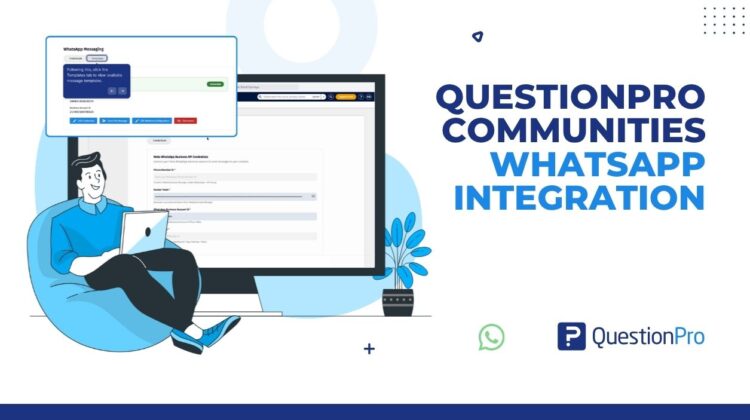
It’s a connection between your Meta WhatsApp Business account and your QuestionPro community, built into the same Send workflow you already use for email. Once connected, administrators create WhatsApp message templates, personalize them with member details, add the survey link, and send invitations through WhatsApp instead of (or alongside) email.

It doesn’t replace your existing distribution channels. It sits next to them. Your filters, your incentive rules, and your delivery logs all stay exactly where they are. You’re just adding a channel members are far more likely to open.

How to use WhatsApp survey distribution in your research

Picture a consumer insights team running a monthly tracker for a regional retail chain. Half the panel responds to email reliably. The other half used to respond, then stopped opening anything from the research platform’s domain.

With the WhatsApp integration, the team builds one approved template, personalizes it with {{first_name}} and the {{survey_link}} variable, and filters the send down to that second group using the same Custom Filter they already use for email campaigns. The message lands in an app members check throughout the day instead of a folder they’ve trained themselves to ignore. The team doesn’t rebuild their process. They route the lagging half of the panel through a channel that still has their attention, and the response rate on that segment catches back up.

The advantages of sending surveys through WhatsApp

A short setup unlocks a few concrete gains for research teams running ongoing panels.

  • Higher open rates on invitations.
    WhatsApp messages get seen in a way email increasingly doesn’t, especially with members who’ve gone quiet on email specifically.
  • One connected workflow.
    The survey, audience filter, incentive configuration, and delivery channel are all configured in one place, so nothing is managed outside the platform.
  • Personalization without manual work.
    Variables for first name, last name, and the survey link populate automatically at send time instead of being typed into individual messages.
  • Built-in troubleshooting.
    WhatsApp Logs show status and failure reason per message, so a failed send doesn’t just disappear into a mystery.
  • Multilingual support.
    Separate templates per language mean a global panel doesn’t get a one-size-fits-all message.

Whether you’re running a recurring brand tracker, a one-off concept test, or a multi-market study, the channel decision no longer has to mean exporting member lists into a separate WhatsApp tool.

When to use it, and when not to

WhatsApp works best for panels where members are hard to reach through other channels, where speed matters, or where the audience genuinely lives on WhatsApp day to day. It’s not the right fit if your members haven’t consented to WhatsApp contact, if your study doesn’t involve community-based distribution at all, or if you don’t yet have the Meta Business configuration in place. Treat it as an additional channel in a multichannel strategy, not a replacement for the channels already working.

How to turn on WhatsApp in QuestionPro Communities

Connect your Meta WhatsApp Business account under My Account, then Messaging Center, then Credentials, using your Phone Number ID, Access Token, WhatsApp Business Account ID, and Meta App ID. From there, build and submit a template for Meta approval, then select that approved template the next time you send a survey from your community. The full walkthrough, including template setup and the WhatsApp Logs dashboard, is in the help documentation.

Get started with QuestionPro Communities today

The members who went quiet on email aren’t gone. They’re just somewhere else. Create a free QuestionPro account or talk to your account team about enabling WhatsApp for your next community send.

Frequently asked questions

Do I need a Meta WhatsApp Business account to use this?

Yes. You need valid Meta WhatsApp Business API credentials, specifically a Phone Number ID, Access Token, WhatsApp Business Account ID, and Meta App ID, before you can connect WhatsApp to a QuestionPro community. These come from your organization’s Meta Business and WhatsApp API setup.

Can I send a WhatsApp survey right after creating a template?

No. Every WhatsApp template goes through Meta’s approval process first. QuestionPro shows the status as Pending or Approved, and you can use Sync Status to refresh it. Only approved templates can be selected during survey distribution.

Can I personalize WhatsApp survey invitations?

Yes. The template builder supports {{first_name}}, {{last_name}}, and {{survey_link}} variables, so one template generates individually personalized messages at send time instead of requiring manual editing per member.

Can I target specific members for a WhatsApp send?

Yes. You select recipients using the same Custom Filter, Existing Filter, or Email Filter options available for any other Communities distribution, and the Filter Summary shows the number of verified recipients before you send.

Can I see why a WhatsApp message failed to deliver?

Yes. WhatsApp Logs include a Failure Reason field alongside status, timestamp, and recipient, so you can troubleshoot individual sends instead of only knowing the campaign went out.

Does WhatsApp replace email invitations in Communities?

No. It’s positioned as another distribution channel, not a replacement. You can enable WhatsApp alongside email and other notification options on the same delivery screen and choose per campaign which channels to use.

Is there an added cost to enable WhatsApp in Communities?

There’s no additional QuestionPro cost to enable the integration itself. You’ll need your own Meta WhatsApp Business account, which carries its own Meta-side setup and any messaging costs Meta applies.

Create memorable experiences based on real-time data, insights and advanced analysis. Request Demo

SHARE THIS ARTICLE:

About the author
Mark Rodricks
Marketing Manager at QuestionPro’s Research & Insights Suite, turning data into decisions with campaigns that inspire, engage, and deliver.
View all posts by Mark Rodricks

Primary Sidebar

Collect insights from real-time analytics

Create and manage a thriving Online Research Community

Create My Community!

RELATED ARTICLES

HubSpot - QuestionPro Integration

QuestionPro CX: A Review of 2024 ◁◁

Dec 31,2024

HubSpot - QuestionPro Integration

Chief Customer Officer: Responsabilidades e impacto

Feb 10,2025

HubSpot - QuestionPro Integration

Just Be Nice: Easier Said Than Done | Tuesday CX Thoughts

Feb 11,2025

BROWSE BY CATEGORY

Footer

MORE LIKE THIS

questionpro-communities-whatsapp-integration

QuestionPro Communities adds WhatsApp integration to win back quiet panelists

Oct 5, 2026

AI Powered AI Themes for Intercept

From Brand Guidelines to Branded Feedback Widget: How AI Is Simplifying CX Intercept Design

Oct 5, 2026

questionpro-mcp-certification

How to get certified in QuestionPro MCP, the headless layer behind the whole QuestionPro platform

Oct 5, 2026

questionpro-product-updates-september-2026

QuestionPro product updates: everything that shipped in September 2026

Oct 4, 2026

Other categories

questionpro-logo-nw
Help center Live Chat SIGN UP FREE
  • Sample questions
  • Sample reports
  • Survey logic
  • Branding
  • Integrations
  • Professional services
  • Security
  • Survey Software
  • Customer Experience
  • Workforce
  • Communities
  • Audience
  • Polls Explore the QuestionPro Poll Software - The World's leading Online Poll Maker & Creator. Create online polls, distribute them using email and multiple other options and start analyzing poll results.
  • Research Edition
  • LivePolls
  • InsightsHub
  • Blog
  • Articles
  • eBooks
  • Survey Templates
  • Case Studies
  • Training
  • Webinars
  • All Plans
  • Nonprofit
  • Academic
  • Qualtrics Alternative Explore the list of features that QuestionPro has compared to Qualtrics and learn how you can get more, for less.
  • SurveyMonkey Alternative
  • VisionCritical Alternative
  • Medallia Alternative
  • Likert Scale Complete Likert Scale Questions, Examples and Surveys for 5, 7 and 9 point scales. Learn everything about Likert Scale with corresponding example for each question and survey demonstrations.
  • Conjoint Analysis
  • Net Promoter Score (NPS) Learn everything about Net Promoter Score (NPS) and the Net Promoter Question. Get a clear view on the universal Net Promoter Score Formula, how to undertake Net Promoter Score Calculation followed by a simple Net Promoter Score Example.
  • Offline Surveys
  • Customer Satisfaction Surveys
  • Employee Survey Software Employee survey software & tool to create, send and analyze employee surveys. Get real-time analysis for employee satisfaction, engagement, work culture and map your employee experience from onboarding to exit!
  • Market Research Survey Software Real-time, automated and advanced market research survey software & tool to create surveys, collect data and analyze results for actionable market insights.
  • GDPR & EU Compliance
  • Employee Experience
  • Customer Journey
  • Synthetic Data
  • About us
  • Executive Team
  • In the news
  • Testimonials
  • Advisory Board
  • Careers
  • Brand
  • Media Kit
  • Contact Us

QuestionPro in your language

  • English
  • Español (Spanish)
  • Português (Portuguese (Brazil))
  • Nederlands (Dutch)
  • العربية (Arabic)
  • Français (French)
  • Italiano (Italian)
  • 日本語 (Japanese)
  • Türkçe (Turkish)
  • Svenska (Swedish)
  • Hebrew IL (Hebrew)
  • ไทย (Thai)
  • Deutsch (German)
  • Portuguese de Portugal (Portuguese (Portugal))
  • Español / España (Spanish / Spain)

Awards & certificates

  • survey-leader-asia-leader-2023
  • survey-leader-asiapacific-leader-2023
  • survey-leader-enterprise-leader-2023
  • survey-leader-europe-leader-2023
  • survey-leader-latinamerica-leader-2023
  • survey-leader-leader-2023
  • survey-leader-middleeast-leader-2023
  • survey-leader-mid-market-leader-2023
  • survey-leader-small-business-leader-2023
  • survey-leader-unitedkingdom-leader-2023
  • survey-momentumleader-leader-2023
  • bbb-acredited
The Experience Journal

Find innovative ideas about Experience Management from the experts

  • © 2022 QuestionPro Survey Software | +1 (800) 531 0228
  • Sitemap
  • Privacy Statement
  • Terms of Use