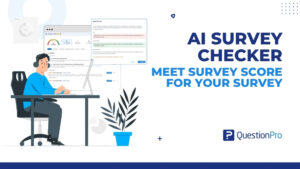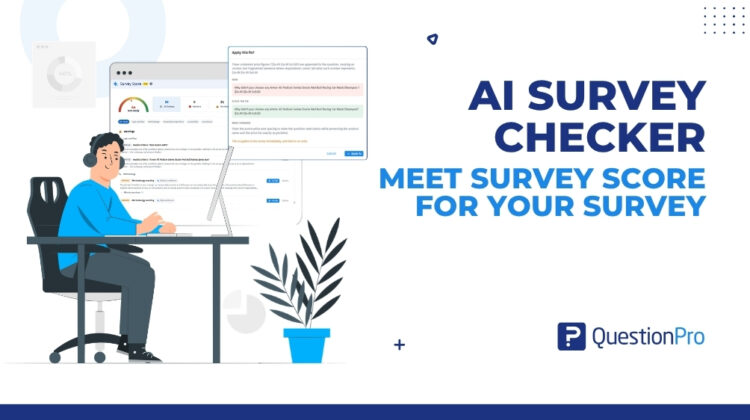
Pilots run a checklist before every flight, even after 10,000 hours in the air. Your survey deserves the same courtesy. Think of Survey Score as your automated AI survey checker, performing a full pre-flight inspection on every question.
Why pilots never skip the walkaround
Before a commercial flight, someone walks around the aircraft checking tires, flaps, and lights. Then the pilots work through a checklist, item by item. They have done this thousands of times. That’s exactly why the checklist exists: experience makes you fast, and it also makes you skip what you’re sure is fine.
Building a survey works the same way. By the time you publish, you’ve read your questions 20 times. You know what question 7 means, so you no longer notice it asks two things at once. You remember moving a block, but not that a branch still points at its old spot.
Skip the walkaround and respondents hit a dead end, a lopsided scale nudges every answer upward, or a page asks for an email address with no privacy notice in sight. By the time anyone notices, the responses are in, and every option is a bad one.
That’s the gap Survey Score fills. Think of it as an AI survey checker built into QuestionPro. Rule-based checks catch the mechanical problems, and AI reviews read your wording like an editor.
Learn More: See how Survey Score reviews a survey before you publish.
What is Survey Score? Your AI survey checker in 30 seconds
Survey score reviews your whole survey before it goes live and tells you, in one number, how ready it is. It does more than suggest. It scores the survey and helps you fix it.
- Where it lives: In the survey builder and in the publish flow.
- What it checks: Logic, accessibility, respondent experience, methodology, and compliance.
- What you get: A readiness score from 0 to 100, placed in one of four bands.
- What else it reads: Two AI reviews look at question wording and whether the survey hangs together.
- What happens next: You fix findings in the review panel, after previewing each change.
Every finding explains what was caught and why it matters, so there’s no spreadsheet of issues to keep.
Quick game: spot the five mistakes in this survey
Here’s a short survey a coffee chain in the US might send after a visit. Count the problems before you scroll on.
- How satisfied are you with our coffee and our staff?
- How would you rate your visit? (Excellent, Very good, Good, Fair)
- Did you order through our mobile app? (Yes, No). If no, skip to question 9.
- Please enter your email address so we can send you a reward.
- Rate each of our 24 menu items from 1 to 10.
Here’s what a survey score would flag.
- Question 1 asks two things at once.
You might love the coffee and dislike the service. A double-barreled question forces one answer for two opinions. The AI wording review catches it and can suggest splitting it into two.
- Question 2’s scale leans positive.
Three of the four options are some version of good, so an unhappy customer has nowhere to land.
- Question 3 sends people to a question that doesn’t exist.
The survey has five questions, so anyone who taps “No” is sent into the void. That dangling branch is a blocker.
- Question 4 collects personal information without a privacy disclosure.
Asking for an email address is fine. Asking without saying how you’ll use it is a compliance gap.
- Question 5 is a 24-row matrix.
On a phone, that’s a wall of tiny buttons, and it pushes people to quit.
Five questions, five problems. Now picture a 40-question survey built by three people over two weeks.
The five checks, in plain language
You don’t need a methods degree to use survey score. Here’s what each check looks for.
Logic: does every path lead somewhere?
Logic decides who sees what. This check looks for dangling branches, questions nobody can reach, and loops that send people back through the same pages. They usually creep in after edits, when you reorder a section or delete a question and a rule quietly breaks.
Accessibility: can everyone actually answer?
A survey only works if every respondent can complete it, including people who use screen readers. This check looks for WCAG-related issues, such as a question with empty text or a matrix too big to answer comfortably.
Respondent experience: how much patience are you spending?
Every survey runs on a patience budget. Length spends it, and so does every open-text box. This check flags surveys that run long or ask for too much typing, before they cost you rushed answers and abandoned responses.
Methodology: Is a question quietly steering the answer?
This is where good intentions go wrong. The check looks for:
- unbalanced scales, like the coffee survey’s four flavors of “good”
- missing validation, like an age field that accepts “banana”
- missing neutral options
- scale lengths that change partway through a battery
None of these break a survey. They make your data less trustworthy. The guide to survey bias explains why.
Compliance: are you keeping your promise with personal data?
Respondents expect to be told how their personal information will be used. This check flags surveys that ask for personal details without consent or privacy disclosure. It’s a quick fix when caught early and an awkward conversation when caught late.
Two AI reviewers that read like an editor
The five checks follow rules. Alongside them, two AI reviewers read your survey the way a sharp editor would.
The first reads each question’s wording, flagging double-barreled questions, vague terms, and awkward phrasing. “How often do you regularly use the app?” is a good example. “Regularly” means something different to everyone, and the question already asks how often.
The second reads the survey as a whole. It spots questions that drift off theme and titles that promise something no question measures.
Both reviews are advisory and never change your score. The score comes only from the rule-based checks, so it behaves the same way every time you run a review.
Reading your score without overthinking it
Every survey starts at 100. Each finding takes points away based on how serious it is:
- Blocker: The landing gear won’t come down. The survey is broken for some respondents.
- Warning: Turbulence ahead. The survey runs, but data quality will suffer.
- Advisory: The snack cart could be better. It’s safe to launch without acting on it.
The score then lands in a band:
- Ready (90 to 100): cleared for takeoff.
- Good (75 to 89): a few things worth tightening.
- Needs work (50 to 74): fix before you fly.
- Not ready (0 to 49): back to the hangar.
Two rules keep the number honest. A single blocker keeps the score below the quality threshold, however clean the rest looks. And a survey with no questions scores 0.
The real win is that authors, reviewers, and approvers can look at the same score and agree on what “ready” means.
Three ways to fix a finding, and you approve every one
Finding problems is half the job. Survey score also helps you fix them without leaving the review panel.
- Fix this: for an issue with one clear correction, you see the exact before and after and apply it with one click. No AI is involved.
- Suggest a fix: for a wording issue, it proposes a rewrite, sometimes splitting one question into two.
- AI-proposed fix: for a finding without one obvious answer, it suggests a change and previews it first.
Nothing is applied until you confirm, and applied fixes can’t be undone, so read every preview. If a colleague edits the survey after you open a preview, the fix is blocked. And if a finding doesn’t suit your study, dismiss it. That clears it from your worklist but won’t raise your score, which only moves when the problem does.
What survey score looks like from your seat
The same review means different things depending on your job.
If you’re building your first surveys
Each finding comes with a reason. Over a few surveys, you’ll start writing balanced scales and single-topic questions without thinking about it. That goes for students building a thesis instrument, too.
If you’re the researcher everyone sends drafts to
You’ve been the human spell-checker for long enough. Survey score takes the mechanical catches off your plate, so you can spend your review time on substance, and it covers surveys that never reach your desk.
If you run a CX or employee listening program
Your surveys are built by many hands across regions and teams. Survey score holds everyone to the same standard, which matters when you compare results across locations or departments.
If you ship surveys for clients
The readiness score makes a clean internal sign-off before anything reaches a client, with fewer revision rounds.
If you own accessibility or privacy
Every survey is checked for WCAG-related issues and for privacy disclosures before it reaches a respondent. It supports your program rather than replacing it.
Whatever your role, the survey score feature page lists every check and shows how it works.
Your survey pre-launch checklist
Pilots split their checklist between what the instruments confirm and what the crew verifies by hand. Items 1 to 5 are where survey score does the heavy lifting. Items 6 to 8 are yours.
- Run survey score on your first full draft, not just the final one. Structural problems are cheapest to fix early.
- Clear every blocker. Someone, somewhere, will hit that dead end.
- Work through the warnings. If you accept one, write down why.
- Read the AI suggestions like editor’s notes. Take what makes questions clearer.
- Refresh after edits, so your score reflects the current version.
- Take the survey yourself on a phone and on a laptop.
- Send a test to a few people outside the project. Fresh eyes catch what you can’t.
- Check the survey against your brief, and loop in legal, privacy or accessibility reviewers for regulated or high-stakes studies.
Where your judgment still matters
Survey score can tell you a scale is lopsided. It can’t tell you whether you’re asking the right people the right question. That part stays with you.
It also leaves the final call to you. If findings are open when you publish, you’ll see them first and can choose to publish anyway. Its accessibility and compliance checks support your obligations but don’t certify a survey as accessible or legally compliant. And it never touches your data. It changes wording, logic, or settings only when you apply a fix.
Get started
Pick the survey you’re about to send. Open it, run the survey score, and see where it lands. One pass of an AI survey checker usually tells you more about your survey habits than any style guide could.
New to QuestionPro? Start a free trial and run your first review on a real survey. Want the details first? Explore the survey score feature page or the step-by-step help file.
Frequently asked questions
You still need a quick human test, but far less of it. Survey score catches mechanical problems such as dead-end branches, unbalanced scales, and missing privacy language. It can’t feel how long a survey takes on a phone or judge whether it answers your brief.
Its AI wording review flags it as a double-barreled question and can suggest a rewrite, often splitting it into two focused questions. Because the suggestion comes from AI, it doesn’t affect your score.
A blocker means some respondents can’t finish the survey, and good wording elsewhere can’t make up for that. So the score stays below its quality threshold whenever a blocker is present.
Scored findings come from five rule-based checks and behave the same way every time. AI suggestions come from two reviews that read the question wording and overall coherence. They are advisory, so they help you polish the survey without moving the score.
Yes. If findings are outstanding when you publish, you’ll see them first and can choose to publish anyway. The one hard rule is that a survey needs at least one question.
Restoring an earlier version clears the record of fixes applied to that survey, because the restored draft may no longer contain the issues they addressed. Run a fresh review afterward so your score matches the version you’re about to launch.