Multilingual has always been core to how QuestionPro is built. Researchers and CX teams around the world have been running surveys, communities, and feedback programs in their own languages for years. Today, that extends to the platform experience itself.
QuestionPro is now available in 230+ languages natively across the platform.
What this means in practice
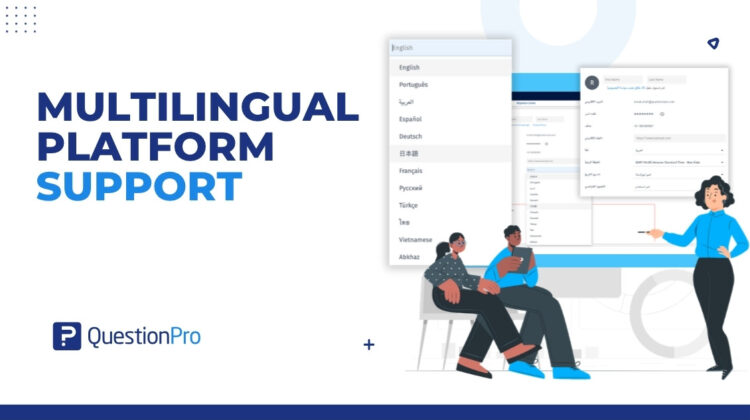
When you log into QuestionPro and set your language preference, the entire platform, every menu, every button, every label, every message, appears in your chosen language. This covers the QuestionPro core application and several satellite applications.
This is not a partial localization. It is not a handful of tier-1 languages with everything else falling back to English. It is available in 230+ languages, spanning every major region in the world. The full list is available at our supported languages help page.
This is separate from QuestionPro’s existing multilingual survey functionality, which allows you to build surveys in multiple languages and let respondents choose their preferred language when they take a survey. Platform language support means the interface your team uses every day, not just the surveys you send to respondents.
Why language parity matters more than most teams realize
It is easy to underestimate how much friction an unfamiliar language creates in professional work. When someone has to mentally translate UI text before they can act on it, every task takes slightly longer. Errors go up. Confidence in the tool goes down.
For global enterprises, this compounds fast. A research team in New York, a people analytics group in Warsaw, an insights team in Sao Paulo if all of them are operating a platform in their second or third language, the cognitive load adds up across thousands of interactions per day.
There is also a practical business cost that gets overlooked: teams working in their non-native language take longer to train, make more configuration errors, and rely more heavily on support resources. Language parity is not just a quality-of-life improvement. It is a reduction in the operational overhead of running a global research program.
Language parity means every team member works with the same confidence and speed as their English-speaking colleagues. That is what this update delivers.
RTL Language Support for Arabic, Hebrew, Persian, and Urdu
Right-to-left languages deserve more than an afterthought.
QuestionPro now supports Arabic, Hebrew, Persian, and Urdu. When a user selects an RTL language, all platform UI text — menus, buttons, labels, and messages — is automatically displayed in that language.
No extra configuration. No manual CSS adjustments. It works automatically when the language is selected.
For organizations running research programs in the Middle East, North Africa, or South Asia, this removes a category of friction that has historically made software adoption harder than it needs to be. An Arabic-speaking researcher in Riyadh or Dubai now has the same native language experience as a researcher in Seattle or London.
How the translation engine works
Expanding platform language support at this scale is not a one-time localization project. It is an ongoing engineering commitment. Every new feature added to QuestionPro generates new UI strings that need to be translated into 230+ languages — and those translations need to appear quickly, not weeks later.
Here is how we built the system to stay current as the platform evolves.
Two AI providers, not one
The translation engine uses both Google Translate and OpenAI, with automatic failover between them. If one provider hits a rate limit or returns an error, the other takes over without any impact to users or to the translation pipeline. The redundancy ensures that translation processing remains reliable even during high-volume periods.
Smart deduplication
The system tracks what has already been translated. If a UI string has been translated into Spanish and French, only the remaining languages are queued for that string. Nothing is ever translated twice, keeping the pipeline efficient and fast.
Priority processing
Languages are processed in order of priority, the highest-traffic languages are always translated first. This ensures the languages most users depend on are never delayed by lower-volume languages in the queue. If you are working in one of our most widely used languages, new feature translations reach you before they reach less common language variants.
Non-translatable content handling
Strings that contain only numbers, punctuation, or symbols are stored as-is without ever being sent to the AI translation layer. This keeps the queue lean and ensures that genuinely translatable content is processed faster.
What this means for users: new UI strings are detected and translated within approximately 60 seconds of being added to the platform. If a translation is briefly unavailable while a new feature propagates, users see the English version as a graceful fallback. The translated version appears shortly after. You will never see a broken or half-translated interface.
Setting your language
Platform language support is now available to all QuestionPro users. To set your language:
- Log into your QuestionPro account
- Go to My Account and select Language
- Choose your language from the list
Every user on your account can set their own language preference independently. A researcher in one office can work in Japanese while a colleague in another works in Portuguese — the platform adapts to each user individually, with no account-level configuration required.
For the full list of supported platform languages, see the supported languages help page.
If you are also looking to build surveys that respondents can take in their own language, see our multilingual surveys guide and our auto-translate feature, which handles survey translation separately from platform language settings.
Frequently Asked Questions
Platform language support changes the language of the QuestionPro interface itself — every menu, button, and label your team sees when using the platform. Multilingual surveys are a separate feature that lets you build surveys in multiple languages and allows respondents to choose their preferred language when taking a survey. Both are now supported, and they are configured independently. You can read more about building multilingual surveys in our multilingual surveys help documentation.
Every user sets their own language preference individually under My Account. There is no requirement that all users on an account use the same language, so global teams with members in different regions can each work in their own language without affecting one another.
Arabic, Hebrew, Persian, and Urdu are supported with automatic right-to-left interface layout adjustment. When a user selects an RTL language, all platform UI text, including menus, buttons, labels, and messages, is automatically displayed in that language.
New UI strings are detected and queued for translation automatically when they are added to the platform. The translation engine processes them within approximately 60 seconds. Priority languages — those with the highest user volumes — are translated first. If a translation is briefly unavailable, users see an English fallback until the translated version is ready.
The translation engine runs on two AI providers simultaneously — Google Translate and OpenAI — with automatic failover between them. If one provider encounters a rate limit or error, the other takes over without interruption. Users and the translation pipeline are not affected by individual provider issues.
No. Platform language support is available to all QuestionPro users at no additional cost. Set your language preference under My Account and the interface updates immediately.
Yes. The 230+ languages of support cover the QuestionPro core application and several satellite applications within the platform. If you have questions about a specific application, our help center or live chat team can confirm coverage.
The complete list of supported platform languages is available at our supported languages help page.