Customer support teams don’t need another place to manage tickets. They need a faster way to get the work done.
A customer raises an issue. A ticket gets created. Someone needs to review it, identify its priority, assign ownership, add internal context, perhaps escalate it, and eventually communicate with the customer.
Now multiply that by hundreds or thousands of tickets.
For customer experience teams, managing tickets isn’t just about resolving customer issues. A significant part of the work happens around the ticket itself.
Finding the right tickets. Updating priorities. Moving tickets between segments. Assigning work. Sending follow-ups. Keeping track of what has been done.
Each activity might take only a few minutes. But across an entire support operation, those minutes add up.
And the problem isn’t necessarily that these workflows are complicated.
It’s that they require people to repeatedly navigate the platform to achieve outcomes they already know they want.
What if they could simply describe the work instead?
That’s the idea behind CX Agent by Closedloop.
What Is CX Agent by Closedloop?
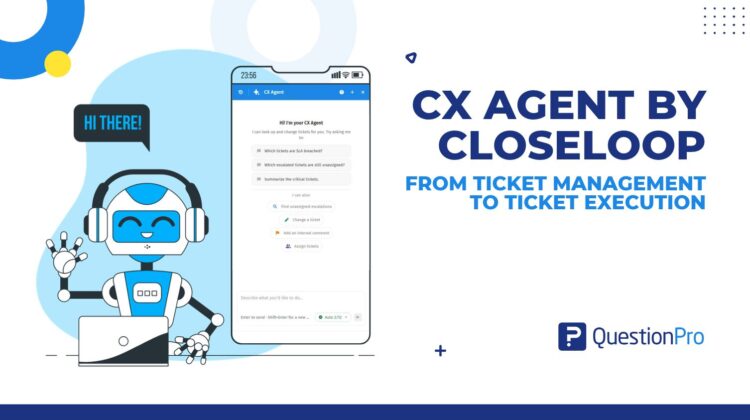
CX Agent is an AI-powered assistant that allows Workspace Admins to find, manage, and act on tickets using natural language.
Instead of navigating multiple screens to complete routine ticket-management tasks, admins can simply describe what needs to happen.
For example:
- “Find all high-priority tickets that are currently unassigned.”
- “Move these tickets to the Escalated segment.”
- “Add an internal comment explaining that these tickets need immediate attention.”
- “Change the priority of these tickets to High.”
CX Agent understands the request, identifies the relevant tickets, and performs supported actions directly within Closedloop.
But there’s an important distinction.
CX Agent isn’t designed to automate every action without supervision. It differentiates between routine changes that can execute immediately and consequential actions that should remain under human control.
That distinction is central to how it works.
The Problem With Traditional Ticket Management
Most customer support platforms provide the functionality teams need to manage tickets.
The challenge is getting through all the steps required to use that functionality.
Consider a support manager who wants to identify unassigned, high-priority tickets and move them into a specific segment.
Traditionally, this could involve:
- Opening the ticket list.
- Applying the relevant filters.
- Reviewing the matching tickets.
- Selecting the tickets that need attention.
- Performing the required updates.
- Repeating the process for other actions.
None of these steps is particularly difficult.
But the accumulated effort creates operational friction.
The same manager could be spending that time understanding why tickets are unassigned, identifying recurring customer problems, or improving the support process.
This is where natural-language execution changes the interaction model.
Rather than asking administrators to navigate the platform to perform every action, CX Agent allows them to express the desired outcome and lets the assistant handle the supported execution.
From Finding Tickets to Actually Getting Work Done
CX Agent is designed around a simple workflow: describe what you need, review the results where necessary, and let the assistant execute the work.
Here are some of the ways it changes day-to-day ticket operations.
1. Find the Tickets That Matter
Finding tickets shouldn’t require knowing exactly which filters to apply.
Admins can describe the conditions in plain language, and CX Agent identifies the matching tickets.
For example:
“Find all unassigned tickets with high priority for this feedback.”
The assistant returns the matching tickets along with a summary and count.
This makes ticket discovery more conversational and reduces the effort involved in navigating multiple filtering options.
Admins can also launch CX Agent directly from a ticket’s details page and refer to the open record as “this ticket.”
2. Execute Routine Ticket Updates
A large part of ticket management involves straightforward updates.
Changing priority. Adding an internal comment. Moving a ticket into a different segment.
These are actions that administrators perform regularly, and they don’t always need another confirmation step.
CX Agent can execute clear requests involving:
- Priority updates.
- Internal comments.
- Moves to a named segment.
For example:
“Move these tickets to the Pending Review segment and add an internal comment saying that the team needs to investigate the recurring issue.”
CX Agent can perform these supported updates without requiring an additional approval.
If a required detail is missing, it asks for clarification rather than making an assumption.
3. Keep Important Actions Under Human Control
Not all ticket actions are equally low-risk.
Sending a customer email, changing a ticket’s status, assigning tickets in bulk, escalating tickets, or creating a new ticket can have operational consequences.
These actions deserve a different treatment.
CX Agent prepares them as approval cards, showing the proposed action and its relevant details.
The administrator can review the information and approve or reject the action.
This creates a clear distinction:
- Routine ticket updates can execute immediately.
- Consequential actions remain subject to explicit approval.
There is also flexibility for teams that perform certain actions repeatedly.
With Always Approve, admins can configure individual action types to execute automatically in future requests. These preferences persist across conversations and can be turned off whenever required.
The objective isn’t to remove human oversight.
It’s to make oversight intentional rather than require manual intervention for every routine update.
One Request Can Handle Multiple Actions
Real operational requests rarely involve just one action.
A manager might want to find a group of tickets, update their priorities, add internal notes, and send customers an email.
Traditionally, this could mean moving between several workflows.
CX Agent supports mixed requests that combine autonomous edits and approval-dependent actions.
It can complete the clear, low-risk updates while preparing the customer emails for approval.
This means administrators don’t have to hold up routine work simply because another action requires review.
Each action has its own outcome, and declining or failing one action doesn’t undo changes that have already been completed.
Automation Is Only Useful When You Can Trust It
One of the biggest challenges with AI-powered execution is knowing what happened after the instruction was given.
- Did the action complete?
- Was it rejected?
- Did something fail?
- Was it executed automatically or approved by an administrator?
CX Agent addresses this through conversation history and action-level visibility.
Every administrator has a personal conversation history that persists across sessions.
They can search previous conversations, reopen them, rename them, or delete them.
The assistant also records completed, declined, and failed actions, including how those actions were authorized.
Completed changes are reflected in the existing ticket activity history, attributed to the assistant acting on behalf of the administrator.
Administrators can also stop an ongoing turn. When they do, actions already completed remain completed, but remaining actions are prevented from running.
These controls make the execution process more transparent and predictable.
Built for the People Managing Customer Experience Operations
CX Agent is particularly relevant to two groups within customer experience organizations.
- For CX leaders, it offers an opportunity to reduce the operational effort associated with ticket management while maintaining control over consequential actions.
- For support operations managers, it simplifies the everyday work of finding tickets, updating records, and coordinating ticket operations.
The value isn’t limited to saving a few clicks.
It’s about reducing the amount of time and attention required to carry out repetitive operational work.
When teams spend less time navigating workflows, they have more room to focus on the customer issues behind those tickets.
The Shift: From Managing Screens to Managing Outcomes
Customer experience platforms have evolved significantly in how they collect feedback, organize customer information, and provide analytical insights.
But the operational workflows that follow those insights still involve considerable manual effort.
AI creates an opportunity to change that interaction model.
Instead of requiring users to understand every screen and control, platforms can allow them to describe their intended outcome and execute supported actions on their behalf.
That’s the thinking behind CX Agent by Closedloop.
You describe the tickets you need to find. You explain the changes you want to make. The assistant handles routine execution and asks for approval when an action requires it.
Less time navigating ticket workflows. More time focusing on customer experience.
That’s the shift from ticket management to ticket execution.