Customer journey maps are a cornerstone of experience and product thinking. But too often, teams try to stuff every insight into one messy diagram, leaving stakeholders confused and insights buried.
What if you could keep one single journey map and yet show it in multiple meaningful ways?
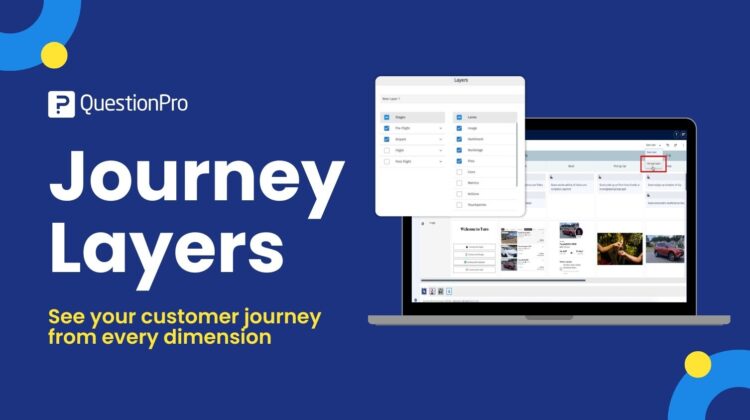
That’s the power of Journey Layers: a modern way to visualize, analyze, and collaborate on journeys from different perspectives – without duplicate maps or data chaos.
In this article, you’ll learn:
- What Journey Layers are – in simple term
- Why traditional journey maps struggle at scale
- How Journey Layers transform collaboration and decision-making
- Real use cases across CX, Product, UX, and Ops
- How to start using this approach today
- Best practices and pitfalls to avoid
Let’s dive in.
What Are Journey Layers (and Why They Matter)
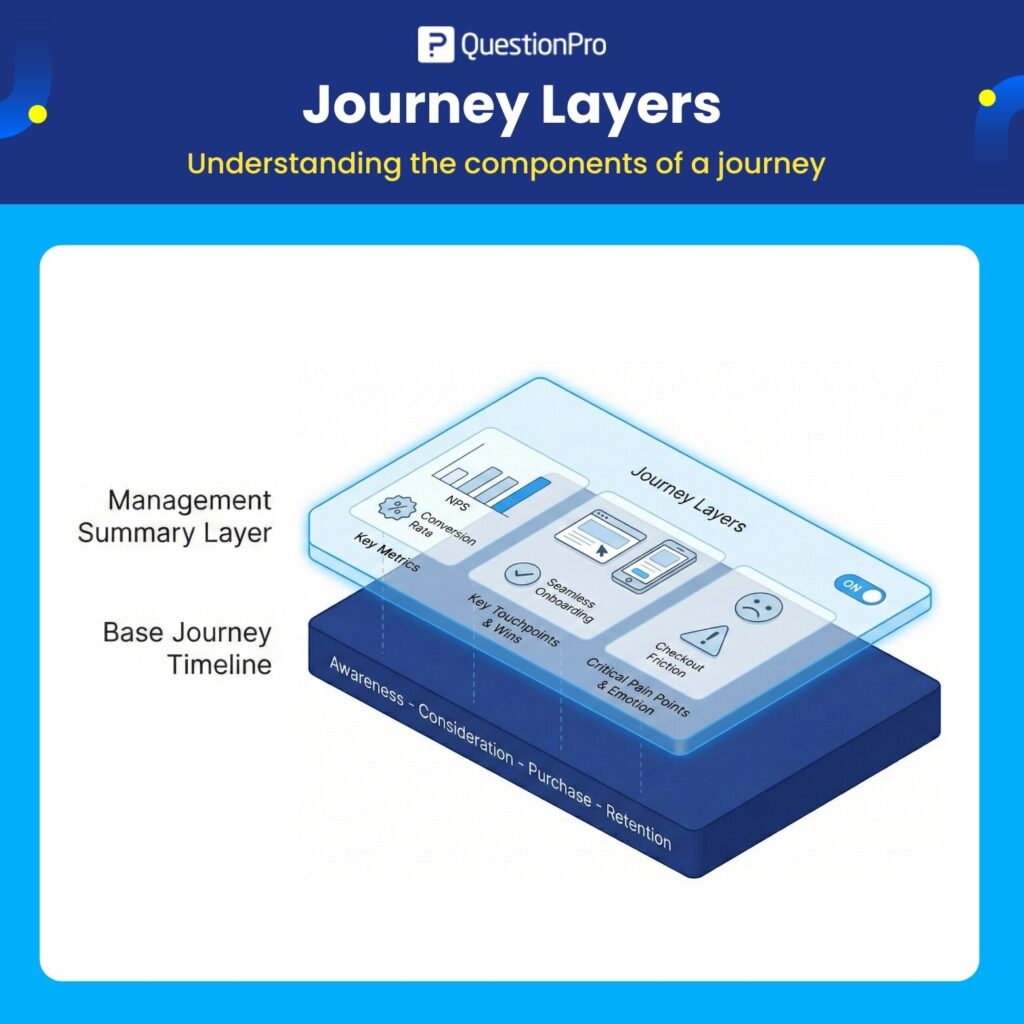
Imagine your customer journey as a clean timeline of stages: Awareness – Consideration – Purchase – Retention.
Traditional journey maps try to put everything on top of that timeline:
- Customer emotions
- Friction points
- Metrics like CSAT or NPS
- Ownership and accountability
- Research insights
- Recommendations and opportunities
This quickly becomes:
- Confusing
- Overcrowded
- Impossible to scale
- Unusable outside workshops
Journey Layers solve this by letting you add multiple dimensions of insight to a single journey, then toggle them on or off based on need.
In simple terms:
Journey Layers help you view the same journey in different ways – without recreating it over and over.
Think of it like this:
- The journey itself is the base map
- Layers are lenses you can turn on and off
As a result:
- Different stakeholders see what matters to them
- The same journey becomes a shared source of truth
- Teams collaborate faster and make better decisions
Why Most Journey Maps Fail at Scale
Journey mapping works great in small, focused workshops – especially when it’s just one team looking at one experience.
But real organizations are not one team.
As journeys grow, teams start to add:
- More context
- More rows
- More comments
- More sticky notes
- More legends and colors
Eventually, the journey isn’t a map — it’s a wall of text.
And that leads to:
- Duplicate journeys for every audience
- Version confusion (“Which one is the latest?”)
- Stakeholder frustration (“I only care about metrics”)
- Lost insights buried inside diagrams
The root cause?
Conventional journey maps assume one size fits all.
But real business problems aren’t one-dimensional.
They require multiple perspectives.
That’s exactly what Journey Layers help you achieve.
The Core Idea Behind Journey Layers
Journey Layers allow you to enrich a core journey with additional insight dimensions without disrupting the base structure.
Each layer represents a particular perspective or type of information.
Here are the most common examples:
| Layer Name | What It Shows |
| Emotion | How customers feel at each stage |
| Pain Points | Where friction happens |
| Metrics/KPIs | Quantitative performance indicators |
| Ownership | Who owns each stage or step |
| Insights & Research | UX research findings and evidence |
| Opportunities | Ideas, gaps, and improvement areas |
Every layer is optional and can be toggled on or off.
So instead of one messy journey with everything crammed in, you get purposeful views tailored to the audience.
Journey Layers vs. Traditional Journey Maps
Let’s compare how each approach works in real life.
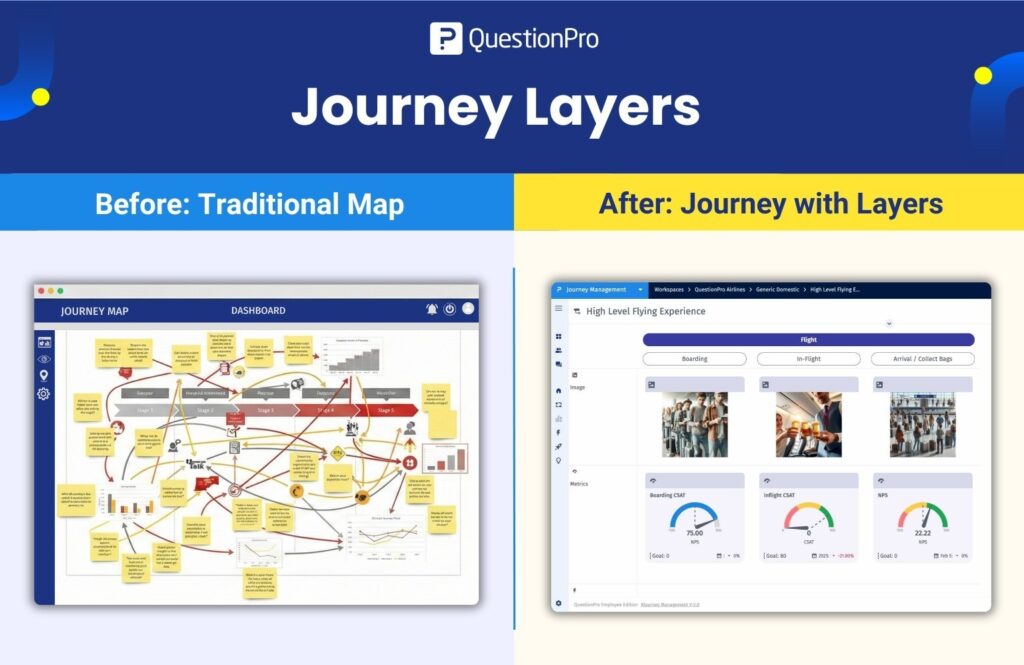
Traditional Journey Maps
- One holistic view
- Everything visible at once
- Hard to scale
- Hard to interpret
- Easy to overwhelm stakeholders
Journey Mapping With Layers
- One journey + multiple contextual views
- Each layer focused on a specific insight type
- Easy for stakeholders to find what matters to them
- Better collaboration across teams
- Cleaner visual communication
Layers turn static journeys into living artifacts that evolve with your business.
How Journey Layers Drive Better Outcomes
1. Faster Stakeholder Alignment
Different teams care about different things.
- CX team? Emotion + pain points
- Product team? Metrics + opportunities
- Ops team? Ownership + processes
- Leadership? High-level outcomes
With layered journeys, everyone sees the story that matters to them without clutter.
2. No More Duplicate Journeys
Since contextual insight sits in layers not in separate diagrams there’s no need to recreate the same journey again and again for different audiences.
That eliminates:
- Version confusion
- Misalignment
- Duplicated effort
One journey – infinitely reusable.
3. Insight-Driven Decision-Making
Metrics and KPIs aren’t buried in spreadsheets or season-old reports.
They live on the journey, visible via layers and directly tied to customer steps.
Teams can answer questions like:
- Where do we lose customers?
- Which emotion spikes drive churn?
- Who owns the biggest pain point?
All without exporting data or switching tools.
Real-World Use Cases for Journey Layers
Journey Layers aren’t just “nice to have.”
They’re practical, high-impact features used every day across teams.
Here are real scenarios where Layers make a difference:
Use Case 1: CX Leadership Reviews
CX leaders must understand both emotion and outcomes without diving into operational noise.
With Layers, they focus on:
- Customer emotions
- High-impact friction points
- Core metric overlays
This helps them drive strategic decisions not just workshop summaries.
Use Case 2: Product Prioritization Meetings
Product teams want to know:
“What should we fix first?”
By turning on:
- Pain point layers
- Metrics/KPI layers
- Opportunity layers
They get a prioritized heatmap of customer struggle points linked directly to impact.
Use Case 3: UX Research Integration
UX teams often maintain research findings in separate slide decks or PDFs.
Rather than siloing insights:
- Attach user quotes to the Research layer
- Map observed behavior to steps
- Connect patterns to pain points
This keeps data contextual, visual, and usable for decision makers.
Use Case 4: Operations and Process Mapping
Operations teams care about handoffs, responsibility, and process inefficiency.
With an Ownership layer:
- Teams can see who owns each stage
- Handovers become visible
- Bottlenecks become measurable
Turning journeys into operational playbooks instead of just visual artifacts.
How to Think About Your Journey Layers
The best part? You’re in control.
Here’s a recommended approach:
Start With Core Layers
These provide immediate impact:
- Emotion
- Pain points
- Metrics
Then Expand
Add layers for:
- Ownership
- Research
- Opportunities
Avoid Layer Overload
Don’t create layers just because you can.
Create layers based on:
- Audience need
- Insight value
- Decision relevance
Layers exist to clarify, not complicate.
Best Practices for Implementing Journey Layers
If you’re ready to adopt Journey Layers, here are proven best practices.
1. Keep the Base Journey Clean
The foundation should focus on:
- Customer stages
- Actions
- Touchpoints
Resist the urge to place every detail in the base view.
2. Standardize Layer Naming
Use consistent labels so everyone understands what a layer represents.
Example:
- CX Emotion | CX Pain Points | Performance Metrics | Ops Ownership
Standardization increases cross-team adoption.
3. Align Layers to Roles
Map layers to stakeholder groups:
- Product cares about Metrics + Opportunities
- CX cares about Emotions + Pain
- Ops cares about Ownership + Process
This makes journeys more usable for each audience.
4. Review Layers Periodically
Layers should evolve as your business and customer understanding evolves.
Common Questions About Journey Layers
Are Layers the Same as Tags?
No.
Tags label elements across journeys.
Layers structure visualization — they are views on the same journey based on information type.
Do Layers Replace Traditional Journey Maps?
Not exactly.
They improve traditional journeys by separating context from structure.
How Many Layers Are Too Many?
There’s no fixed limit but if stakeholders struggle to choose views, you may have too many.
Rule of thumb:
- Only create layers that drive decisions.
Why Journey Layers Are Crucial for Modern CX and Product Teams
Journey mapping is no longer limited to customer experience teams.
Today, journeys:
- Drive product decisions
- Inform operational excellence
- Influence leadership strategy
- Align cross-functional teams
But only if insights are:
- Clear
- Relevant
- Easy to navigate
- Tied to specific perspectives
Journey Layers make that possible.
They turn journey maps from static artifacts into living systems of insight.
What Success Looks Like With Journey Layers
Organizations that adopt layered journeys typically report:
- Faster stakeholder alignment
- Better prioritization decisions
- Higher trust in journey artifacts
- Reduced duplication and wasted effort
- Clearer ownership and execution focus
Journey Layers not only improve mapping they improve results.
The Future of Journey Mapping
As customer expectations rise and experiences become more complex, journey management must evolve.
Flat journey maps won’t keep up.
- The future belongs to:
- Multi-perspective journeys
- Insight-driven decisions
- Dynamic context views
- Shared understanding at scale
Journey Layers are the evolutionary step that makes this possible.
Get Started: Your Next Steps
If you’re ready to unlock the full potential of your customer journeys:
- Start with a clean base map
- Define your first three layers
- Map them to stakeholder needs
- Review and iterate
- Use data and design not gut instinct
Your journey maps will go from moderately useful to strategically essential.
Journey Layers are more than a feature; they’re a new way to think about journeys.
In today’s digital age, insights are everywhere but context is rare.
Layers give you context without confusion.
- One journey.
- Many perspectives.
- Better decisions.
That’s what modern journey management is all about.
You can discover how QuestionPro is redefining the way customer experience is evaluated in these videos: