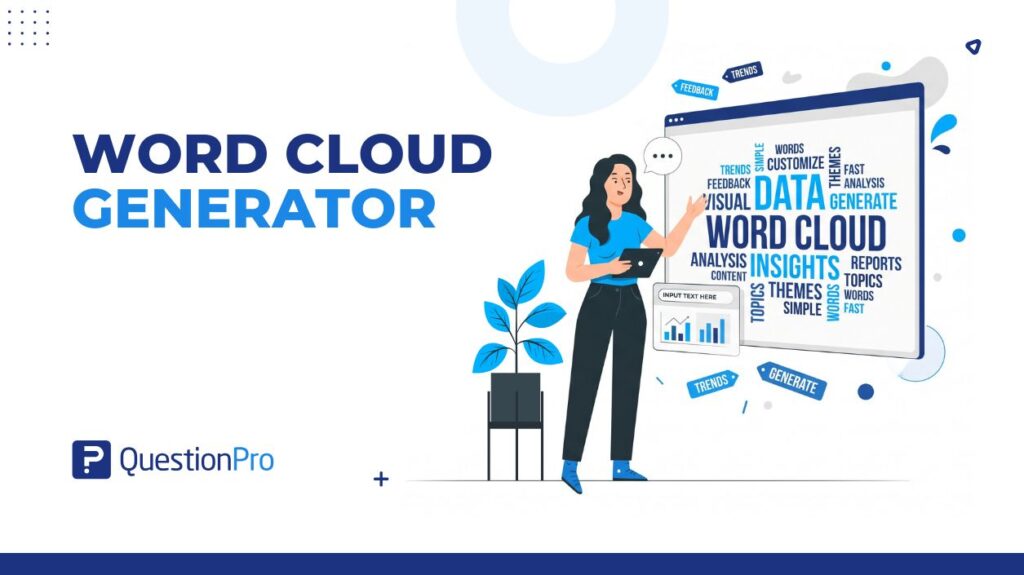
A word cloud generator turns a block of open-ended text into a visual. The most frequent words appear largest. It’s one of the fastest ways to get a first read on what people said. You don’t have to read every response line by line.
Researchers, HR teams, and marketers reach for a word cloud generator when they have hundreds of open-ended answers. They need a starting point, not a finished analysis. The tool works best as a first pass that points to themes worth digging into further.
This guide covers what a word cloud generator does and how it differs from a tag cloud. It also covers where the tool helps, where it misleads, and how to choose one for survey data.
What is a word cloud generator?
A word cloud generator is a text visualization tool. It scans a block of text and counts how often each word appears. It then displays the most frequent words in a cluster sized by frequency.
The bigger the word, the more often it showed up in the source text. Most generators strip out common connector words like “the,” “and,” and “is” automatically. This process is called stop-word removal, so the visual isn’t dominated by grammar instead of meaning.
For survey analysis, the input is usually one column of open-ended responses to a single question, such as “What could we do better?” Feeding a generator that whole column at once produces one cloud. That cloud summarizes what the group said, in aggregate, at a glance.
A useful generator for survey work does three things well.
- Lets you exclude irrelevant words on the fly
- Groups obvious word variants, like “helpful” and “helpfulness,” so they don’t split one idea into two smaller words
- Lets you click a word to see the original responses behind it
Free Word Cloud Generator
Type the text you want to analyze below. Our word cloud generator will provide a free visual representation of the most frequent words in your text, enabling you to gain a better understanding of the text’s subject. Try it now, it’s free!
Word cloud vs. Tag cloud vs. Text cloud: What’s the difference?
These three terms get used interchangeably online, but they started out serving different purposes. That history still shapes what each tool suits best today.
| Term | Original purpose | Best used for today |
|---|---|---|
| Word cloud | Visualizing word frequency in a body of free text | Survey open-ends, interview transcripts, feedback analysis |
| Tag cloud | Displaying user-assigned metadata tags as clickable website navigation | Blog tag pages, content categorization, site navigation |
| Text cloud / phrase cloud | Visualizing frequency of multi-word phrases instead of single words | Preserving context in short-answer data, like “customer service” as one unit |
Most tools now labeled “word cloud generator” cover all three uses in one interface. If you’re evaluating a tool for survey data, confirm it supports phrase-level grouping. A single-word-only generator will split “poor communication” into two disconnected words, which can distort the visual.
How to create a word cloud from survey data
Building a usable word cloud from survey responses takes a few extra steps. This matters if the goal is an accurate read, not just a decorative graphic.
- Export the open-ended column.
Pull just the text responses to one question, not the whole dataset. Mixing multiple questions into one cloud blends unrelated themes together.
- Clean obvious junk first.
Remove blank responses, “N/A” entries, and test data before generating the cloud. These inflate word counts artificially if left in.
- Set stop words and minimum frequency.
Exclude filler words and set a minimum occurrence count, usually 3 to 5 mentions. This keeps one-off responses from cluttering the visual.
- Generate and review, don’t just screenshot.
Click into the largest words to read the responses behind them before drawing conclusions.
- Cross-check against sample size.
A cloud built from 15 responses can look just as confident as one built from 1,500. Note the response count alongside the visual whenever you share it.
Survey platforms that generate word clouds directly from response data skip the manual export-and-paste step. QuestionPro’s Survey Software builds word clouds straight from live open-ended responses. The response count and source data stay attached to the visual instead of getting lost in a copy-paste.
Pros and cons of using word clouds for survey analysis
Word clouds earn their popularity because they’re fast. That speed comes with real trade-offs worth weighing before treating one as a decision-making tool.
Pros:
- Gives a visual summary of hundreds of responses in seconds, with no manual coding required
- Surfaces recurring language researchers might not think to search for directly
- Easy for non-researchers on a team to read and discuss
- Works across many survey types: customer feedback, employee engagement, event feedback, market research
Cons:
- Strips away context; a large word doesn’t reveal whether it was used positively or negatively
- Word frequency isn’t the same as importance; a rare but critical complaint can be invisible next to common filler language
- Interpretation is subjective; two people can read the same cloud and highlight different words as the main finding
- Accuracy depends entirely on response volume and text quality going in
The Nielsen Norman Group has pointed out that most everyday users don’t actually know how to read or act on a tag or word cloud, even though the format looks intuitive at a glance. That gap between how confident a cloud looks and how much it explains is the main risk to plan around.
Top word cloud generator uses for survey teams
Word clouds show up across nearly every field that collects open-ended feedback. They perform differently depending on the type of data feeding them.
| Use case | What the word cloud reveals |
|---|---|
| Employee engagement surveys | Recurring language about management, workload, or culture; a first pass before a full QuestionPro Employee Experience analysis |
| Customer satisfaction surveys | Which product features or service issues come up most often in open comments |
| Market research | Consumer language used to describe a product category, useful for messaging decisions |
| Brand perception studies | Words associated with a brand across reviews, social mentions, and open survey comments |
| Event feedback | Recurring praise or complaints from attendee comments, without reading every form |
| Academic research | Frequent terms across open-ended responses or interview transcripts |
| Website and UX feedback | Common language in “what went wrong” or “what confused you” fields |
Two uses deserve a closer look, since they’re easy to get wrong. A company-wide employee engagement cloud can hide department-level differences, so segment by team first if that distinction matters. In market research, raw consumer language often includes brand misspellings and slang. A generic stop-word list won’t catch these, so a manual review pass matters more here.
Word clouds vs. AI-powered text analysis: When to use each
A word cloud counts words. AI-powered text analysis reads for meaning, groups similar responses into themes, and can tag sentiment on each response.
Use a word cloud for a fast, visual first look, or when the audience is non-technical. It also works when the dataset is small enough to check the words behind the cloud by hand. Reach for AI-powered analysis instead in a few situations.
- Responses need grouping by theme even though people phrase the same complaint differently
- Sentiment needs to be quantified rather than eyeballed
- The open-ended dataset runs into the thousands of responses
QuestionPro’s TextAI module, part of QuestionPro BI, reads open-ended survey responses and sorts them into themes automatically. Those themes then show up on the same dashboard as closed-ended survey scores. The module answers a question a word cloud can only gesture at, showing not just which words came up most, but why a score moved. More detail is in this breakdown of text analysis for survey data.
How to choose the right word cloud generator
The right generator depends less on visual polish than on how the data enters and exits the tool. For survey work, accuracy matters more than aesthetics.
Look for phrase-level grouping so multi-word ideas like “customer service” don’t split apart. Check whether the tool lets you click a word to see the original responses. A cloud without that traceability can’t be verified. Confirm it supports the language your respondents actually use, especially for a multilingual audience.
For sensitive data like HR feedback or healthcare surveys, check where the text gets processed. A tool that runs in-browser or inside your existing survey platform avoids sending confidential responses to a third-party server. If this is one step in a larger project, look for a generator built into a full Market Research Software suite. It saves the export-and-reimport cycle between collection and analysis.
Common mistakes to avoid when building a word cloud
A few habits quietly undermine an otherwise useful word cloud.
- Skipping the stop-word cleanup.
An unfiltered cloud dominated by “the,” “and,” and “very” tells you nothing about content and looks unpolished.
- Generating from too few responses.
Below roughly 30 to 50 responses per question, individual quotes usually beat an aggregate visual, since a handful of outliers can dominate a small cloud.
- Treating word size as sentiment.
A large word only means it was used often, not that it was used positively. “Slow” can dominate a cloud about a beloved product just as easily as a failing one.
- Mixing multiple questions into one cloud.
Combining “what did you like” with “what should we improve” blends positive and negative language, making both harder to read.
- Skipping the source check.
Sharing a cloud without the response count, or without clicking into the largest words first, risks presenting a guess as a finding.
Writing clearer open-ended questions up front also helps. It cuts down on noisy, off-topic responses that make cleanup harder later.
QuestionPro’s word cloud generator for survey teams
QuestionPro’s word cloud feature builds directly from live survey response data. There’s no manual export required, so the visual updates as new responses come in rather than reflecting a one-time snapshot.
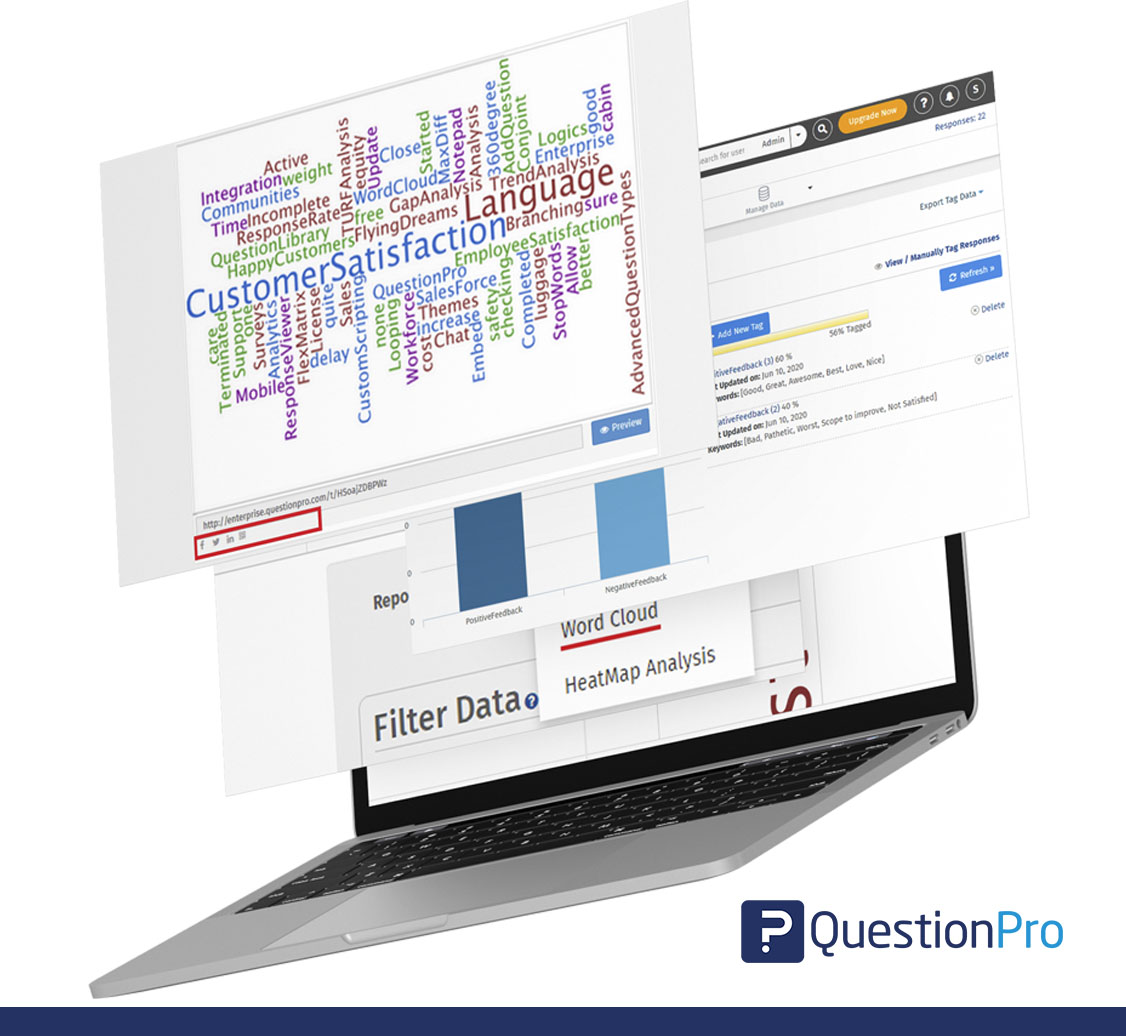
Because it sits inside the survey platform, the word cloud stays connected to its source.
- Clicking a word surfaces the exact responses behind it
- The response count travels with the visual automatically
- New responses update the cloud without a fresh export
That traceability is the main gap in most standalone, paste-your-text generators. The connection between the cloud and the original data gets lost the moment the text is pasted in.
Getting more out of your survey word clouds
A word cloud generator earns its place in a research workflow as a fast first read on open-ended data. It isn’t the final word on what respondents meant. The visual is only as trustworthy as the response volume behind it and the follow-up reading a researcher does afterward.
Treat a word cloud as a map pointing toward themes worth investigating, not a conclusion in itself. Pair it with a look at the actual responses behind the largest words. Reach for theme-based or sentiment-based text analysis once the dataset or the stakes outgrow a simple frequency count.
Frequently Asked Questions (FAQs)
Most basic word cloud generators, including tools built into survey platforms, are free for standard use. Advanced features like phrase grouping, sentiment filtering, or unlimited response volume sometimes sit behind a paid tier. Check the limits before relying on one for a large dataset.
Some can. Look specifically for “phrase cloud” or “n-gram” support in the tool’s settings. Without it, a generator splits multi-word ideas like “poor communication” into two separate words. That weakens the accuracy of the visual for survey feedback.
There’s no strict cutoff, but most researchers treat 30 to 50 open-ended responses per question as a reasonable minimum. Below that, a handful of unusual answers can dominate the visual. This can suggest a pattern that isn’t actually representative of the group.
No. Word clouds need free text to analyze, so they only work on open-ended questions where respondents type their own answer. Closed-ended questions with fixed answer choices are better summarized with a bar chart or frequency table instead.
Many generators support multiple languages, but stop-word lists and word-variant grouping are usually strongest in English. For a US audience that includes Spanish-speaking respondents, confirm the tool’s stop-word list covers that language before trusting the output.