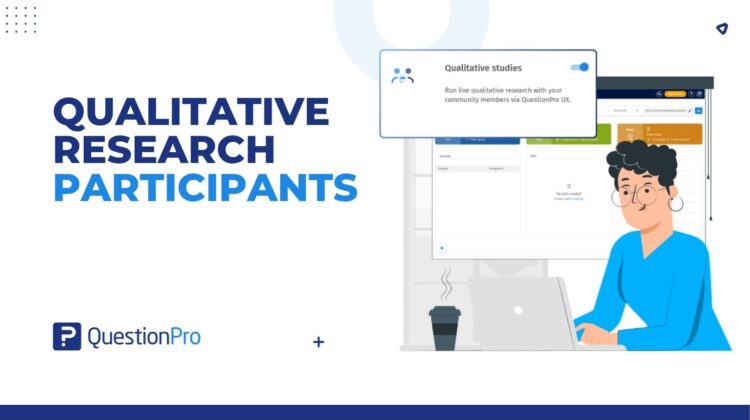
Your research community already answers your surveys. Now you can invite its members into a deeper study, straight from Communities. This makes it easier than ever to connect with the right qualitative research participants.
Action items nobody enjoys writing
Action items from this week’s readout:
- Find out why people stall on the new checkout screen.
- Hear it in their own words, not another chart.
- Do not start hunting for qualitative research participants from scratch.
The researcher added item three. Nobody argued.
Fair enough. Tracking surveys are great at telling you what changed and by how much. Then someone points at the dip in the line chart and asks, “Okay, but why?” The room goes quiet, because a line chart has no feelings to share.
The people who do have feelings are probably already in your research community. If you run one, you’ve spent years building it: recruiting members, learning who they are, and asking them the same questions wave after wave. QuestionPro Communities is built for that. Think of it as panel management software that also gives you insights, with surveys, discussions, and tracking studies in one place.
Members haven’t had a direct route from the community to a specialized study. Now they do. A new connector inside Communities lets panel managers invite selected members to a study built in QuestionPro UX, QuestionPro’s platform for qualitative and UX research. You choose who, set the incentive, and send the invitation without leaving the community. Members head to QuestionPro UX for the study, and the community stays where the relationship lives.
Learn More: See how the connector works in the help center
What is the QuestionPro UX connector for Communities?
It’s a feature inside QuestionPro Communities, in the qualitative studies module. A panel manager picks a study already built in QuestionPro UX, chooses which community members to invite, sets a community-point incentive, and sends the invitation by email, portal notification, or both. In plain terms, it turns your research community into a connected source of qualitative research participants.
A simple way to picture it:
- Communities handle who. Members, filters, incentives, and the invitation all live here.
- QuestionPro UX handles the study. It hosts the specialized activity members are invited to take part in.
It helps to know what it isn’t.
- Not a data transfer. You are inviting people to a study, not exporting your community.
- Not a new panel. It works with members you already have. If you need an audience you don’t have, you’ll still need another source.
How to invite community members to a UX study
First, open your study in QuestionPro UX and check that the activity is live. Then, inside your community:
- Open the modules menu and choose qualitative studies.
- Launch a new study and pick the one you built in QuestionPro UX.
- Set the incentive: a preset number of community points, or a custom amount.
- Choose who to invite: all members, members matching a community filter, or members you identify by email address. Within the filter option, you can also pick a random sample.
- Switch on portal notifications, email, or both.
- Preview the study invitation email. Edit the template if you want to change the wording, switch language versions, or add the community name or the member’s first name.
- Check the audience count, then invite.
Members receive the invitation, and a link in it opens the study in QuestionPro UX. The invitation can show the study name and the incentive. See the help file for the click-by-click version.
Four situations where it earns its keep
- The consumer brand with a long-running tracker.
An FMCG brand in the US has tracked satisfaction with its reorder experience for years. This quarter, the line dips. The insights team builds a short study in QuestionPro UX, filters the community to the members who match, takes a random sample, and invites them from Communities. The tracker said what changed. The study can explain why, and the respondents already know the brand.
- The agency with a client community.
A research agency runs a community for a retail client, and a new qualitative brief arrives. The panel manager selects the existing study, filters for the right members, previews the invitation, and sends it. The agency still screens for quality.
- The product team wants real stories.
A UK bank has redesigned its app onboarding. A product researcher invites community members who fit the profile to a QuestionPro UX study and asks them to describe, in their own words, how it felt. That’s the part a funnel chart leaves out.
- The research director with a continuous program.
Survey waves run on one calendar, qualitative studies on another. When both draw on the same community, a specialized follow-up becomes a normal part of the plan instead of a separate recruitment project.
Why connect your community to qualitative studies
- More from the audience you already built. Members who’ve answered surveys for years can be invited into something deeper.
- One place to manage the invitation. Audience, incentive, and message are set in the community, not across separate tools.
- Qualitative alongside your regular program. Survey waves and qualitative studies can draw on the same members, which supports continuous research.
When to use it, and when not to
Use it when you already run a research community, you run qualitative follow-ups regularly, and your member profiles help you choose who to invite. If qual is newer to you, this guide to qualitative research methods is a friendly place to start.
Look elsewhere, or add another source, when you need an audience your community doesn’t contain, when the study calls for specialist respondents, or when your research lives on a platform other than QuestionPro UX. The connector is built for QuestionPro UX only.
Get started
Pick one study on your calendar and ask a simple question: are the right qualitative research participants already in my community? If they are, start there.
Brand new to Communities? Create your community and build the audience your next study will draw on. Already running one? Ask your account admin for a walkthrough.
Frequently asked questions
It is a feature inside QuestionPro Communities, the research community and panel management software, that lets panel managers invite selected members to qualitative studies built in QuestionPro UX. You choose the study, audience, and incentive, and send the invitation from the community.
Selected members receive the invitation by email, portal notification, or both. A link in the invitation opens the study in QuestionPro UX, and the invitation can show the study name and the community-point incentive. Confirm sign-in and participant experience details for your account before you brief members.
QuestionPro UX is QuestionPro’s platform for qualitative and UX research. Yes, you need access to it because members are invited to studies built there. The connector isn’t designed for other qualitative platforms. Ask your account manager which study types fit your use case before you plan around it.
No. Your community is the right starting point when you want to hear from members you already have. An outside panel is still useful when you need a new audience, specialist respondents, or wider sample coverage. You may well use both, depending on the study.
Start with the audience options: all members, a community filter, or members identified by email address. Inside the filter option, you can also pick a random sample of the group. Check the audience count before you invite. For studies with strict eligibility rules, keep your usual screening and quality checks, because filters narrow the list but don’t replace them.
It can remove some hand-offs, but no time savings are guaranteed. Your results depend on how many matching members you have, how specific your targeting is, and how you recruit today. Try it on one study, compare it with your current process, and judge by what you see.
You can set a community-point amount, either a preset value or a custom number, and it appears in the invitation. Before you promise automatic payouts, confirm how points are awarded and what counts as completing the study for your use case.