

• Skip to main content
  • Skip to primary sidebar
  • Skip to footer
QuestionPro

QuestionPro

questionpro logo
  • Products
    survey software iconSurvey softwareEasy to use and accessible for everyone. Design, send and analyze online surveys.research edition iconResearch SuiteA suite of enterprise-grade research tools for market research professionals.CX iconCustomer ExperienceExperiences change the world. Deliver the best with our CX management software.WF iconEmployee ExperienceCreate the best employee experience and act on real-time data from end to end.
  • Solutions
    IndustriesGamingAutomotiveSports and eventsEducationGovernment
    Travel & HospitalityFinancial ServicesHealthcareCannabisTechnology
    Use CaseAskWhyCommunitiesAudienceContactless surveysMobile
    LivePollsMember ExperienceGDPRPositive People Science360 Feedback Surveys
  • Resources
    BlogeBooksSurvey TemplatesCase StudiesTrainingHelp center
  • Features
  • Pricing
Language
  • English
  • Español (Spanish)
  • Português (Portuguese (Brazil))
  • Nederlands (Dutch)
  • العربية (Arabic)
  • Français (French)
  • Italiano (Italian)
  • 日本語 (Japanese)
  • Türkçe (Turkish)
  • Svenska (Swedish)
  • Hebrew IL (Hebrew)
  • ไทย (Thai)
  • Deutsch (German)
  • Portuguese de Portugal (Portuguese (Portugal))
  • Español / España (Spanish / Spain)
Call Us
+1 800 531 0228 +1 (647) 956-1242 +55 9448 6154 +49 030 9173 9255 +44 01344 921310 +81-3-6869-1954 +61 (02) 6190 6592 +971 529 852 540
Log In Log In
SIGN UP FREE

Home Market Research

Quota Management: From Simple Caps to Full Sample Control

sample-control-with-quota-management

You know exactly who you need to hear from.

The right split by region. The right mix of customer segments. Enough responses from the group that always under-replies, without drowning them out with the group that always over-replies.

The sample plan is clear. It’s the execution that gets messy.

One tool caps a single question. Another handles custom variables. Neither talks to the other, and neither tells you, in the moment, whether the study is actually filling the way you planned it to.

By the time you find out a segment came up short, fieldwork is closed.

That’s the gap Quota Management closes.

What Is Quota Management?

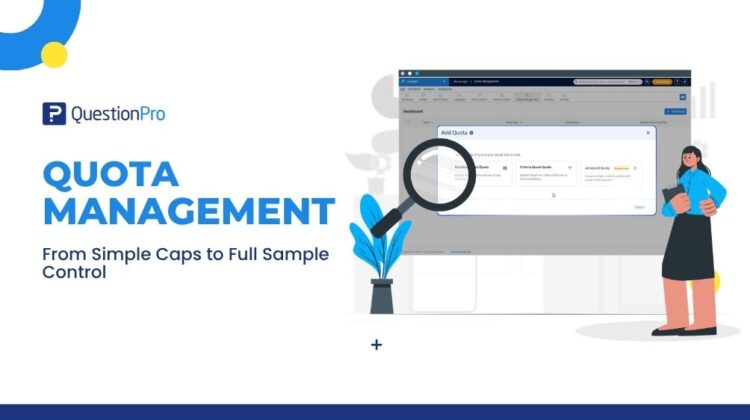
Quota Management is QuestionPro’s central hub for setting and tracking every quota in a survey. It lets you manage question-based, criteria-based, and advanced grouped quotas all in one place.

Most quota tools were built to do one thing: stop collecting once a segment hits its ceiling. That’s useful for the group you’re worried about over-sampling. It does nothing for the group you’re worried about under-sampling.

Quota Management does both. Set a cap where you need one. Set a floor where you need one. Combine conditions across questions where a single answer option isn’t precise enough. And watch all of it fill, live, from one screen.

Stop Managing Sample Composition Across Tools That Don’t Talk to Each Other

Response quotas here. Custom variable quotas there. A researcher balancing demographics, screener answers, and behavioural variables ends up configuring and babysitting several disconnected features, with no single view of how the study is actually shaping up.

Quota Management brings everything together. You can view quota types, groups, rules, and target numbers on a single screen. For example, if you are running a brand tracking study, you can monitor responses from different age groups and locations without hopping between screens.

Capping a Segment and Guaranteeing One Are Not the Same Job

Traditional quotas stop collecting responses once a group is full. This prevents over-representation, but it does not help you reach smaller, slower-to-respond groups that need guaranteed representation.

Minimum quota changes that. Set a target by count or by percentage of total responses, per answer option, and the segment has to be filled, not just capped. Underrepresented groups stop being an afterthought in the final dataset.

Multi-Condition Targeting, Without Building Logic Around It

Reaching specific audiences, like urban smartphone users who prefer online shopping, used to require manual branching logic. Setting this up outside your quota tool took extra time and increased the risk of errors that could distort your sample.

Criteria-Based Quota handles this natively. Combine multiple questions, system variables, or geo-location filters with AND/OR logic, directly in the quota itself. For longer surveys, a second quota check re-validates availability later on, catching the over-quota situations that happen when a lot of respondents are mid-survey at once.

See Fill Status Live. Not After the Study Closes.

Without a central view, teams often realize a key group fell short only after data collection ends. For instance, you might discover too late that you did not get enough feedback from a key customer tier, leaving you to explain the missing data to stakeholders.

The Quota Management dashboard shows every quota’s fill status as a live count and percentage, updating automatically as responses come in or get deleted. Pacing decisions, closing decisions — they get made with real numbers, while the study is still running.

Built for Real-World Sample Plans

Research teams use this single dashboard to replace scattered setup steps. For example, when tracking quarterly satisfaction, you can give stakeholders immediate updates on response rates across regions without compiling data manually.

Customer experience teams use minimum quotas to ensure smaller account tiers get heard alongside high-volume accounts. At the same time, criteria-based quotas handle complex targets like region and product line without manual skip logic.

Agencies use the live dashboard to show progress to clients during fieldwork. Setting minimum quotas allows them to confidently guarantee specific subgroup numbers rather than just capping easy-to-reach audiences.

The Shift

The plan was never the hard part. You already know who you need in the sample and roughly how many of each.

The challenge was managing that plan across tools that only stopped collection, instead of guaranteeing minimums and giving clear, real-time updates.

Quota Management solves this issue. Set your target floors and ceilings, combine conditions, and track incoming responses in real time from a single screen. You will always have the exact numbers ready when team members ask for an update.

Get started today. Try Quota Management on QuestionPro →

Create memorable experiences based on real-time data, insights and advanced analysis. Request Demo

SHARE THIS ARTICLE:

About the author
Jayaprakash Pattanaik
Product Manager | Surveys, VideoAI, Research Agent
View all posts by Jayaprakash Pattanaik

Primary Sidebar

Unlock the Power of Research with QuestionPro Audience

Gain insights from more than 22 million high-quality respondents around the globe

Get a Free Quote Now!

RELATED ARTICLES

HubSpot - QuestionPro Integration

How to Add Live Polls to Google Slides

Sep 03,2026

HubSpot - QuestionPro Integration

Understanding the Key Differences Between Synthetic Data and Mock Data

Nov 10,2025

HubSpot - QuestionPro Integration

When You Have Something Important to Say, You want to Shout it From the Rooftops

Jun 28,2024

BROWSE BY CATEGORY

Footer

MORE LIKE THIS

sample-control-with-quota-management

Quota Management: From Simple Caps to Full Sample Control

Sep 17, 2026

source-selection-in-insightshub

Stop Scouring the Whole Attic: Precise AI Chat with Source Selection

Sep 16, 2026

audio-analysis-in-insightsHub

From Buried Audio to Instant Answers: Introducing Audio Analysis in InsightsHub

Sep 16, 2026

ai-incidence-rate

AI Incidence Rate: Estimate Before You Launch

Sep 13, 2026

Other categories

questionpro-logo-nw
Help center Live Chat SIGN UP FREE
  • Sample questions
  • Sample reports
  • Survey logic
  • Branding
  • Integrations
  • Professional services
  • Security
  • Survey Software
  • Customer Experience
  • Workforce
  • Communities
  • Audience
  • Polls Explore the QuestionPro Poll Software - The World's leading Online Poll Maker & Creator. Create online polls, distribute them using email and multiple other options and start analyzing poll results.
  • Research Edition
  • LivePolls
  • InsightsHub
  • Blog
  • Articles
  • eBooks
  • Survey Templates
  • Case Studies
  • Training
  • Webinars
  • All Plans
  • Nonprofit
  • Academic
  • Qualtrics Alternative Explore the list of features that QuestionPro has compared to Qualtrics and learn how you can get more, for less.
  • SurveyMonkey Alternative
  • VisionCritical Alternative
  • Medallia Alternative
  • Likert Scale Complete Likert Scale Questions, Examples and Surveys for 5, 7 and 9 point scales. Learn everything about Likert Scale with corresponding example for each question and survey demonstrations.
  • Conjoint Analysis
  • Net Promoter Score (NPS) Learn everything about Net Promoter Score (NPS) and the Net Promoter Question. Get a clear view on the universal Net Promoter Score Formula, how to undertake Net Promoter Score Calculation followed by a simple Net Promoter Score Example.
  • Offline Surveys
  • Customer Satisfaction Surveys
  • Employee Survey Software Employee survey software & tool to create, send and analyze employee surveys. Get real-time analysis for employee satisfaction, engagement, work culture and map your employee experience from onboarding to exit!
  • Market Research Survey Software Real-time, automated and advanced market research survey software & tool to create surveys, collect data and analyze results for actionable market insights.
  • GDPR & EU Compliance
  • Employee Experience
  • Customer Journey
  • Synthetic Data
  • About us
  • Executive Team
  • In the news
  • Testimonials
  • Advisory Board
  • Careers
  • Brand
  • Media Kit
  • Contact Us

QuestionPro in your language

  • English
  • Español (Spanish)
  • Português (Portuguese (Brazil))
  • Nederlands (Dutch)
  • العربية (Arabic)
  • Français (French)
  • Italiano (Italian)
  • 日本語 (Japanese)
  • Türkçe (Turkish)
  • Svenska (Swedish)
  • Hebrew IL (Hebrew)
  • ไทย (Thai)
  • Deutsch (German)
  • Portuguese de Portugal (Portuguese (Portugal))
  • Español / España (Spanish / Spain)

Awards & certificates

  • survey-leader-asia-leader-2023
  • survey-leader-asiapacific-leader-2023
  • survey-leader-enterprise-leader-2023
  • survey-leader-europe-leader-2023
  • survey-leader-latinamerica-leader-2023
  • survey-leader-leader-2023
  • survey-leader-middleeast-leader-2023
  • survey-leader-mid-market-leader-2023
  • survey-leader-small-business-leader-2023
  • survey-leader-unitedkingdom-leader-2023
  • survey-momentumleader-leader-2023
  • bbb-acredited
The Experience Journal

Find innovative ideas about Experience Management from the experts

  • © 2022 QuestionPro Survey Software | +1 (800) 531 0228
  • Sitemap
  • Privacy Statement
  • Terms of Use


