Your tracker doesn’t need the same 40 people showing up in wave 1, wave 2, and wave 3. Neither does your benchmark round, your pre- and post-campaign read, or any other study you’re running back to back.
Picture a research team running a quarterly brand health tracker across six markets. Wave 1 goes out, fields cleanly, and the report looks great. Wave 2 goes out three months later, same screener, same quotas, and a chunk of the sample is quietly made up of people who already answered the exact same questions last quarter. They remember their earlier answers. They answer faster, flatter, and more consistently than a genuinely fresh respondent would.
That’s the version of this problem most people picture first, a recurring tracker. But it shows up just as often in a one-time pre- and post-campaign read, a benchmark round run every few months, or any project where you’ve already fielded something similar and don’t want the same people walking back through the door. QuestionPro Audience just built a direct fix for all of it.
What are respondent exclusions in QuestionPro Audience?
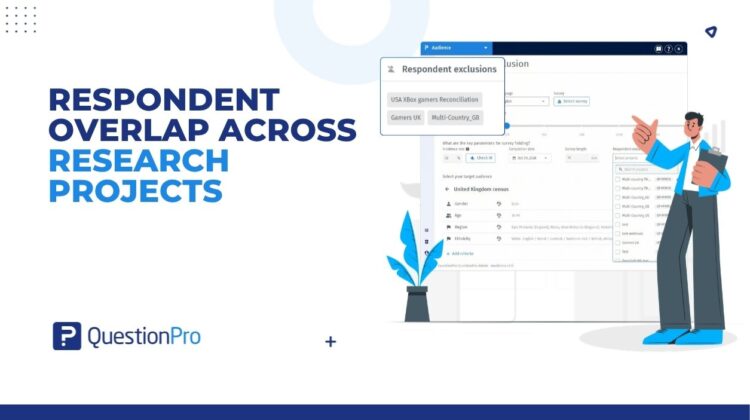
Respondent exclusions keep respondents unique across related specialized sample projects. When you set up a new project, you search for and select earlier projects whose completed respondents shouldn’t be invited back. Pick up to 50 of them.
The exclusion only runs one way. Select Project A while building Project B, and people who completed A are kept out of B. Project A itself doesn’t change, and nobody who already answered it gets bumped from their own completed study.
Internally, some QuestionPro teams refer to the end state this produces as unique respondent waves, since that’s really what you’re protecting: a group of people nobody on this particular study has already heard from. The product name is Respondent exclusions. The result is a wave, round, or read built from people seeing it for the first time.
Who is respondent exclusion relevant for?
This is built for anyone running more than one related Specialized Sample project and trying to keep them independent of each other. In practice, that covers:
- Market research agencies and panel managers running multi-wave or continuous tracking programs, where trend reliability depends on fresh respondents every round.
- Brand and insights teams at enterprises running recurring studies like quarterly brand health checks or NPS measurement, who need a repeatable way to keep each round clean.
- Academic and consumer research organizations running longitudinal or multi-stage designs, where it matters methodologically that an earlier-wave participant doesn’t resurface in a later one.
- Political and social research firms running pre- and post-measurement around a single event, like a campaign or an announcement, where someone who already saw the pre-wave shouldn’t shape the post-wave read.
If your research design depends on a given person answering once, and only once, across a set of connected studies, this is the control built for that.
Where you’ll use respondent exclusions
Take a consumer insights team running a three-wave panel study over six months for a regional retail chain. Before each new wave launches, they open project setup, search for the two or three prior waves by name, and select them in Respondent exclusions. Anyone who completed an earlier wave in the last 90 days is automatically kept out of the new one. No export, no manual cross-reference list, no trusting that someone remembered to run the check.
Now take an agency running a competitor benchmark program across five countries at once. Each country has its own launched project, and the agency wants the next round in every market to draw from a genuinely new sample, not the same respondents who answered the last round. Because a multi-country parent project doesn’t show up in the exclusion list on its own, the team selects the specific launched country projects instead. When they add exclusions to the new multi-country project, QuestionPro applies them to each matching country project where the sample provider lines up.
And then there’s the one-off case. A media company is about to launch a post-campaign awareness survey after running a pre-campaign baseline a few weeks earlier. There’s no third wave coming, no ongoing tracker, just one clean before-and-after comparison that only works if the two groups don’t overlap. During post-campaign setup, they select the pre-campaign project in Respondent exclusions, and anyone who already saw the pre-wave is automatically kept out of the post-wave. That’s a single, deliberate unique respondent wave built around one specific comparison, not a recurring program at all.
The advantages of cutting panel overlap out of your research
A few minutes in project setup buys research teams a handful of concrete wins, whether the project in front of them is a tracker, a benchmark, or a one-time comparison.
- Genuinely independent samples.
Each project draws from people who haven’t already answered the connected study, so comparisons measure real change instead of respondent memory.
- No manual list building.
The exclusion runs automatically against the projects you select, replacing the export-and-match workaround teams used to run by hand.
- Program-level control.
Up to 50 source projects per exclusion list means a complex, multi-wave or multi-country research program can enforce the same discipline everywhere, not just on one study at a time.
- A locked, auditable setup.
The list is editable only while the project is a draft, and the selected projects show up on the Project details page under Launch criteria and audience configuration, so there’s a record of exactly what was excluded and why.
- Less bias from repeated exposure.
Respondents who’ve seen a study before tend to answer differently the second time around. Keeping them out protects the integrity of whatever comparison you’re building, tracker or not.
When to use respondent exclusion, and when not to
Respondent exclusions earn their place in any tracking study, brand health program, pre- and post-campaign measurement, competitive benchmark, or multi-wave panel design where a fresh sample genuinely matters to the result. It’s built for Specialized Sample projects specifically, so it won’t show up as an option elsewhere.
It’s less useful for a one-off study with no related prior project, and it can’t help with a source project that hasn’t launched yet, since the list includes only live, paused, or closed projects. The exclusion window also only reaches back 90 days, so a project tracking changes over a longer horizon will need its own plan for respondents who completed a related study further back than that.
How to turn on respondent exclusions in QuestionPro Audience
Open a new or draft specialized sample project and go to Project specifications. Inside respondent exclusions, use search projects to find earlier studies by name. Each result shows the project name and ID so similarly named projects don’t get mixed up; then select up to 50 you want to exclude. Finish the rest of your setup and launch.
The full click-by-click walkthrough, including how the selection locks after launch and how multi-country matching works, is in the help documentation. If you want the straight step-by-step without the scenario walkthroughs, QuestionPro also has a dedicated post that covers the setup in more detail.
Get started with QuestionPro Audience today
A fresh sample shouldn’t depend on someone remembering to check a spreadsheet before launch, and it shouldn’t matter whether that sample is for wave four of a tracker or the only post-campaign read you’ll ever run. Create a free QuestionPro account or talk to your account team about turning on Respondent exclusions for your next project.
Frequently asked questions
No. It applies to any related specialized sample projects, not just recurring trackers. Teams use it for pre- and post-campaign measurement, competitive benchmark rounds, multi-wave panel studies, and multi-country research programs, anywhere you want a new project’s respondents to be independent of an earlier one.
Specialized sample projects only. If you’re setting up a different project type in QuestionPro Audience, the respondent exclusions option won’t appear in the project specifications.
Up to 50 per project. You search for and select them individually, and each result shows the project name and ID so projects with similar names are easy to tell apart.
No. The exclusion works in one direction only. Selecting an earlier project to exclude its completers doesn’t touch that project’s own data, status, or respondents in any way.
Once your new project launches, anyone who completed a selected project within the previous 90 days is excluded. Completions older than that aren’t automatically caught, so plan separately for longer tracking horizons.
Only while the project is still a draft. Once it’s launched, the selection locks, so it’s worth finalizing which prior projects to exclude before you hit launch rather than after.
You can’t select the multi-country parent project itself, only its individual country projects. Pick the launched country projects whose respondents you want to exclude. When you set up a new multi-country project with exclusions, QuestionPro matches each country automatically, applying the exclusion to the right country project based on its sample provider.
Open the project details page for your project and look under Launch criteria and audience configuration. The respondent exclusions card lists every project you selected, so you don’t have to remember or recreate the list from memory.