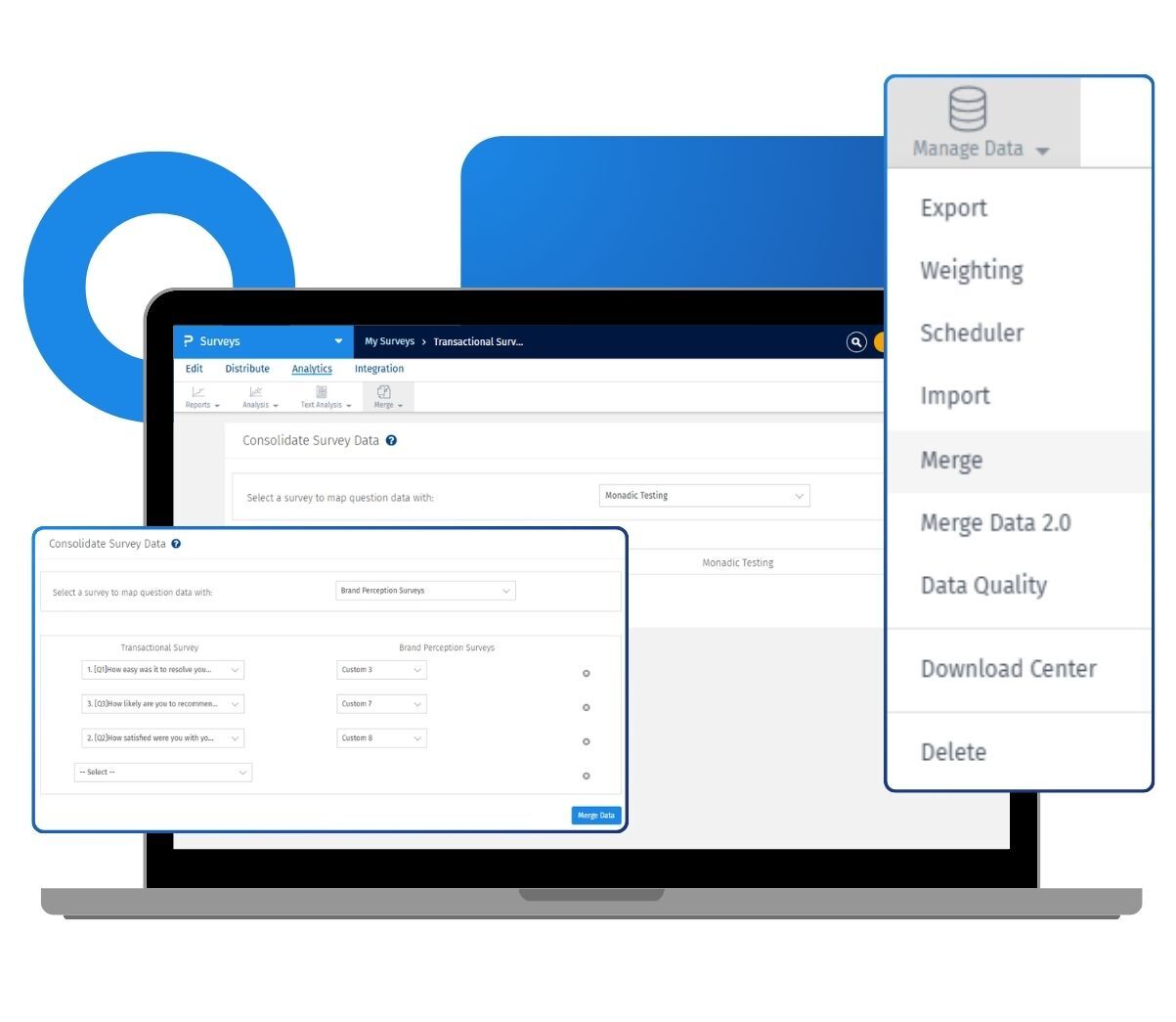
When you merge survey data, you choose the surveys whose responses you want to pull in, and QuestionPro maps the matching questions for you. In merge data 2.0, questions are auto-mapped the moment you select the surveys, and the survey ID of each source survey is stored under the external reference of the merged responses. That keeps your combined data traceable, so you always know where each response came from.
Example of merge data in your surveys
Consider a retail chain in the US that runs the same customer satisfaction survey across its regional stores. Each region collects responses in its own survey, but the analytics team needs one combined view to spot patterns. With merge data, they pull every regional survey into a single master survey and map the matching questions across them. The responses are aggregated into a single dataset, and each response retains its source survey ID. Now the team reports on the entire chain from a single place, without exporting and stitching spreadsheets by hand.
The uses of merged survey data
The uses of merge data are:
Combine multiple survey waves: Pool responses from surveys run at different times into a single survey, so you can study trends across all waves together.
Consolidate regional or team surveys: Bring responses from separate surveys, run by different offices or field teams, into a single master survey for one unified report.
Aggregate identical studies: Merge surveys that share the same question format so their combined responses appear as a single, clean dataset in your reports.
Track the source of every response: Save the source survey name to a custom variable, or rely on the external reference in merge data 2.0, to keep each response traceable.
Analyze two surveys side by side: Copy question data from one survey into another to compare and analyze results collected separately.
The advantages of merge survey data
The advantages of merge survey data are
Auto-mapped questions: Merge data 2.0 matches questions across surveys by their structure as soon as you select them, so you skip the manual pairing step.
A single aggregated view: Instead of juggling several separate reports, you analyze all the merged responses in a single survey.
Traceable data: The source survey ID is recorded under the external reference of each merged response, so its origin is never lost.
Broad question type support: Merging works across all standard question types, as well as specialized formats such as Net Promoter Score, Van Westendorp, HotSpot image testing, MaxDiff, and lookup tables.
Built for research teams: Merge data is part of the QuestionPro Research Suite, so it sits alongside the survey design, distribution, and analysis tools your studies already run on.
How to use merge data in QuestionPro
To use merge data in your research studies, read our help documentation on how to merge data across multiple surveys and how to consolidate and map question data.

 Survey Software
Easy to use and accessible for everyone. Design, send and analyze online surveys.
Survey Software
Easy to use and accessible for everyone. Design, send and analyze online surveys.
 Research Suite
A suite of enterprise-grade research tools for market research professionals.
Research Suite
A suite of enterprise-grade research tools for market research professionals.
 Customer Experience
Experiences change the world. Deliver the best with our CX management software.
Customer Experience
Experiences change the world. Deliver the best with our CX management software.
 Employee Experience
Create the best employee experience and act on real-time data from end to end.
Employee Experience
Create the best employee experience and act on real-time data from end to end.