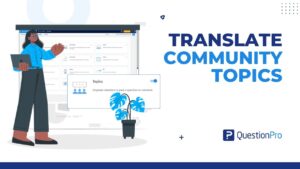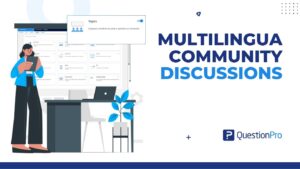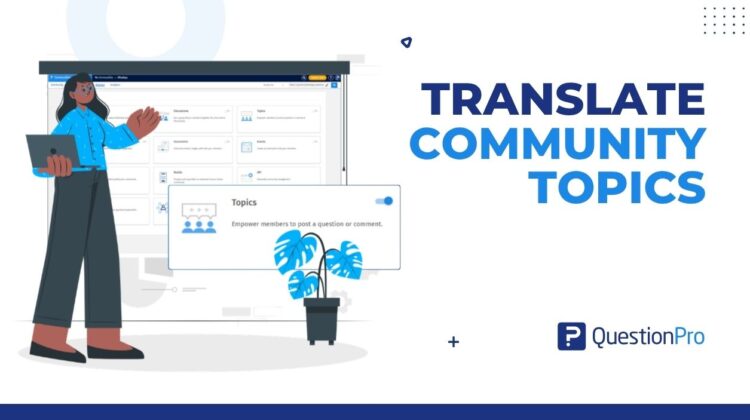
Same question, two or three languages, and one topic you no longer have to keep in sync by hand. The ability to translate community topics directly within your portal keeps every language version connected automatically.
The spreadsheet tab nobody wants to own
Somewhere in a shared drive, there is a tab called “Topic links FR DE final_v3.”
It has a column nobody dares sort. It has a note that says “do not touch.” And it has exactly one person who understands it, who happens to be on leave this week.
That tab exists for a good reason. Your community speaks more than one language, so one discussion question became two posts. Then three. Somebody had to remember which posts were really the same activity, so a spreadsheet got the job.
It works fine, right up until it doesn’t. The question changes. A new colleague takes over the German group. Another language joins the community. Suddenly the tab is the most fragile thing in your engagement calendar.
Multilingual topics in QuestionPro Communities are built to retire it. You write a topic once. You add each extra language as a version of that same topic, with its own translated title and description. You translate the category too. The versions stay linked to the same topic, category, and tags, so the structure lives in the product and not in a tab.
Here’s what it is, how to set it up, what members see, and how to roll it out without making a mess of the first one.
Learn More: See the multilingual topics walkthrough in the QuestionPro help center
What are multilingual topics?
Multilingual topics let panel managers and research managers create a discussion once and add language versions to that same topic. Members read the translated title and description in their selected community language. The versions stay linked to the same topic, category, and tags.
It lives in the topics module of QuestionPro Communities, the space where moderators post questions and prompts, and members join in. What it replaces is the habit of publishing one post per language and linking them yourself. If you already run your panel with panel management software, this sits in the same place you manage the rest of your community.
Three things it is not, so nobody gets surprised:
- It isn’t automatic translation. In this workflow, your team supplies the translated title and description. Choosing a language opens the fields where you type and review that wording. Multilingual surveys are a different feature with their own auto-translate option, which you can read about on the multilingual surveys feature page.
- It isn’t a translator for everything around the topic. Topic and category translations don’t establish automatic translation of replies, notifications, or attachments. Plan those separately.
- It isn’t an audience setting. Showing the right language is one decision. Deciding who is eligible to see the topic is another, and the filter and the other settings on the topic still handle that.
Three moments when separate language posts let you down
You can run a multilingual discussion with one post per language. Plenty of teams do. The pain shows up at three particular moments.
The edit
The research team changes the question. The time frame moves from the past month to the past week, or an example gets cut because it might steer answers. With separate posts, you hunt down every version and hope you found them all.
With one topic, you open it, select each language in turn, and review the wording in one place. It won’t rewrite the translations for you. It does make it much harder to forget one.
The handoff
Different colleagues look after different language audiences. How do they know which posts belong to the same activity?
With one topic, the answer is the topic itself. Everyone opens the same item and sees the same set of versions.
The look-back
Three months later, someone asks which posts made up last quarter’s discussion. Translated titles rarely look alike, so a list of posts won’t tell you. When the versions sit inside one topic, the question answers itself.
How to add a second language to a topic
The help file walks through English as the default language and German as the extra one. The steps are the same for any language you’ve configured.
Before you start
Open your community and go to its language settings. Confirm that the default language and the extra languages you need are set up. If a language isn’t there, nothing downstream will offer it, so check this first.
Then gather four things:
- A clear topic title and description in the default language.
- Reviewed translations of both, for each extra language.
- A category, existing or new, with translated wording ready.
- Tags, plus any images or files the activity needs.
Step 1: Translate the category
- Open Communities, go to My Communities, pick your community, then open Modules and Topics. Check that the Topics module is switched on.
- Open Settings and choose the Categories tab. Click the category name to edit it. If you need a new category, add one first with a title, a description, and the criteria option that fits.
- Pick the extra language from the language dropdown. The default text appears on the left, and the fields for the selected language appear on the right.
- Type the translated title and the translated description on the right. Fill in both.
- Review both sides, then save. Repeat for every extra language.
Edit the default-language fields only when you mean to change the original wording.
Step 2: Create the topic
- In the Topics module, open all topics, then click Add topic.
- Enter the title in the default language.
- Write the description. Include the question and what you’d like members to share.
- Pick the category, review the filter, and add your tags.
- Add an image or a file if the activity needs one, then click add topic.
A tip: write the default text as if it’s going to be translated, because it is. Plain words, a clear time frame, and one clear ask are far easier to match in another language than a clever idiom.
Step 3: Add the translation
- In all topics, click the topic title to open its details.
- Click the three-dot menu and choose Edit to open the update topic window.
- Check the default-language title and description.
- Pick the extra language from the language dropdown.
- Type the translated title in the right-hand title field. Then type the complete translated description in the right-hand description field.
- Review the category, filter, tags, and supporting content.
- Scroll down if you need to, and click Update.
Step 4: Check what you saved
Reopen the topic and select the extra language to confirm that the title and description saved. Then repeat step 3 for each additional language. That’s the whole job: one topic, every version inside it.
What your members actually see
Members read the topic according to their selected community language. In a multilingual community, members can switch their preferred language while they’re in the portal, and the multilingual capabilities page for QuestionPro Communities notes that their choice is remembered when they return. So if an English topic has a German version, a member using German reads the German title and description.
If you translate the category, its title and description give members the same surrounding context in their own language. That helps them understand the subject your discussions are organized around.
Two things deserve care.
First, translate both the title and the description. A translated title sitting above an untranslated description means the member knows the subject but not the ask. That’s a half-localized experience.
Second, check images and files on their own. A screenshot with English text on it won’t translate itself.
Before you invite anyone, view the topic in the member portal in every intended language. Reopening the saved topic shows what you typed. The portal shows what members get.
Four scenarios from a panel manager’s desk
These are illustrative workflows, not customer results.
The weekly discussion
A beverage brand in Canada runs a weekly discussion for English and French audiences. Each week, both groups get the same question: tell us about the last time you tried a new drink.
The panel manager creates the topic in English, adds the French title and description, translates the category once, and keeps the tags together. Next week, the routine repeats with a fresh prompt and the category already done.
The usage story
A streaming service wants members to describe a recent evening spent watching something. The prompt asks for detail: what they watched, what happened, what worked, and what didn’t.
The panel manager gives the English and Spanish audiences a complete, equivalent question and description. Spanish-speaking members aren’t left guessing at the instructions.
The concept check
A regional bank wants reactions to a new service idea from its English and German members. The research team keeps the language versions associated with the same activity, then reviews the prompt and the supporting concept material for each audience.
The supporting material gets its own check, because translating the topic doesn’t translate the concept material.
The new language
A telecom panel adds Portuguese for an existing member group. Instead of converting the whole calendar, the team picks one existing topic, translates it and its category, and checks the member experience before extending the approach.
What changes depending on your job
Not everyone reads this feature the same way. Find the line that sounds like your week.
- You run the community day to day.
The change is administrative. You stop creating and linking separate language posts, and you stop maintaining the tab that tracks them.
- You care about what members experience.
The change is clarity. Members get the full title, the full description, and the category context in their chosen language, instead of a partially translated activity.
- You answer for the research.
The change is consistency. Equivalent prompts sit inside the linked versions, so reviewing them together is simpler.
Which of these is closest to what your team deals with? Start there, and choose your first topic to match.
The advantages of multilingual topics
The practical payoff comes down to a handful of things:
- One home for every language version. The title, description, category, and tags stay together.
- Less linking work. No separate post per language, and no manual cross-referencing.
- A prompt members can read in full. The title and description arrive in the selected community language.
- Category context that carries over. A translated category title and description help members see where a topic fits.
- Cleaner handoffs. Colleagues can see which language versions belong to the same activity.
- A routine you can repeat. Once your first topic is set up, the next weekly discussion follows the same path.
What it doesn’t do is promise a participation bump. Language is one part of the reading experience, which also depends on how relevant the subject is, when you post, and who you invite. You can judge the effect in your own panel, alongside those factors.
When to use it, and when not to
It fits best when your community already runs topics in more than one language, or when you’re about to add a language. A recurring discussion calendar is a good signal. So is a team where several colleagues cover different language groups.
It offers less if your community works in a single language, or if you don’t run discussion topics yet. In that case, work out what you’d like to ask members first, then come back to languages.
And be clear about what it won’t cover. It won’t translate replies, notifications, or attachments for you. It won’t choose the audience for a topic. And it doesn’t replace a moderator who can understand what members write in each language. Plan those pieces separately.
Run a small pilot before you roll it out
Start with one topic in two languages. Before you build it, agree on five things:
- The discussion prompt and the two community languages.
- Who prepares and approves the translations. A named reviewer makes the pilot workable.
- The category, tags, audience settings, and any supporting material.
- A moderator who can read replies in both languages.
- One main measure of success, and a date to review it.
Pick the measure to match your problem:
- If the goal is less administration, compare the setup and linking effort against a similar activity. Track translation preparation separately, since that work doesn’t disappear.
- If the goal is a complete language experience, check the title, description, and category wording in each intended member language view.
- If the goal is clearer participation, ask whether members understood the request. Look at participation by language only where you have reliable counts.
Afterward, ask a few plain questions. Was setup easier to coordinate? Were all the language fields complete? Did members ask about the wording? Was moderation manageable? Those answers shape topic number two.
Sending survey invitations in a chosen survey language is a separate workflow. The help file on multilingual send invitation covers it.
Eight checks before you publish
The help file offers a readiness list. Here it is in short form:
- Every intended language has a complete title and description.
- Each version asks the same question and gives equivalent instructions.
- Time periods and requests for examples match across languages.
- The translated category title and description are in place.
- The category, tags, audience settings, and supporting materials are what you intended.
- You reopened the saved topic and checked each language version.
- You viewed the topic in the member portal in every intended language.
- Moderation is arranged for each language members will use.
And when you change the original question, review and update the other versions too.
If something looks off, start here:
- A language is missing from the dropdown. Check that it’s configured in your community languages.
- A translation is incomplete. Edit the topic, choose the language, complete both fields, and click Update.
- The category is untranslated. Edit the category separately and save its translation.
- The original wording changed. Check the default-language fields. Translations go in the right-hand fields.
- A member sees a different language. Check their selected community language and the saved translation for it.
Get started
Your next discussion is already somewhere on the calendar. Pick one topic, pick two languages, and add the second one to the same topic instead of a new post. Then retire the tab.
New to Communities? Create your community and build a panel that can speak to every member. Want to see it with a prompt from your own calendar? Ask your account admin or request a demo.
Curious about the wider workflow? This post on making multilingual community discussions easier to manage takes a broader look. For the basics of the module itself, the communities topics help file explains how topics work.
Frequently asked questions
Multilingual topics let panel managers create a discussion once and add translated versions to that same topic. You supply a translated title and description for each extra language, and you can translate the category too. Members read the topic in their selected community language, and the versions stay linked to the same topic, category, and tags.
Not in this workflow. Your team supplies the translated title and description, and choosing a language opens the fields where you enter and review that wording. That matters for research because someone who understands both the language and the question’s intent should check the wording before members see it.
No. You add each language version by editing the existing topic and choosing the extra language from the language dropdown. The translated title and description stay linked to that topic. You create the topic once in the default language, then repeat the translation steps for every extra language you’ve configured.
Yes. Edit the category, choose the extra language, and enter a translated title and description. The category tells members what subject a discussion belongs to, so translating it gives them context in their own language. Repeat the steps for each extra language, and complete both fields before you save.
Members see the topic according to their selected community language. If an English topic has a German version, a member using German reads the German title and description. The language needs to be configured for your community first. Check the topic in the member portal in each language before you invite anyone to take part.
No. Topic and category translation doesn’t establish automatic translation of member replies, notifications, or attachments. Plan those separately. Check images and files for language suitability, prepare any supporting communication, and arrange a moderator who can understand what members write in each language you’ve set up.
Check the actual portal behavior in your account before launch rather than assuming. The safest approach is to complete the title and description for every intended language, reopen the saved topic, and view it in the member portal in each language. If a translation is incomplete, edit the topic, choose the language, finish both fields, and click Update.
It supports a more personalized reading experience, but it doesn’t promise a fixed increase. Participation also depends on how relevant the subject is, when you post, and who you invite. Assess the effect in your own panel by asking whether members understood the request and by comparing participation by language where you have reliable counts.