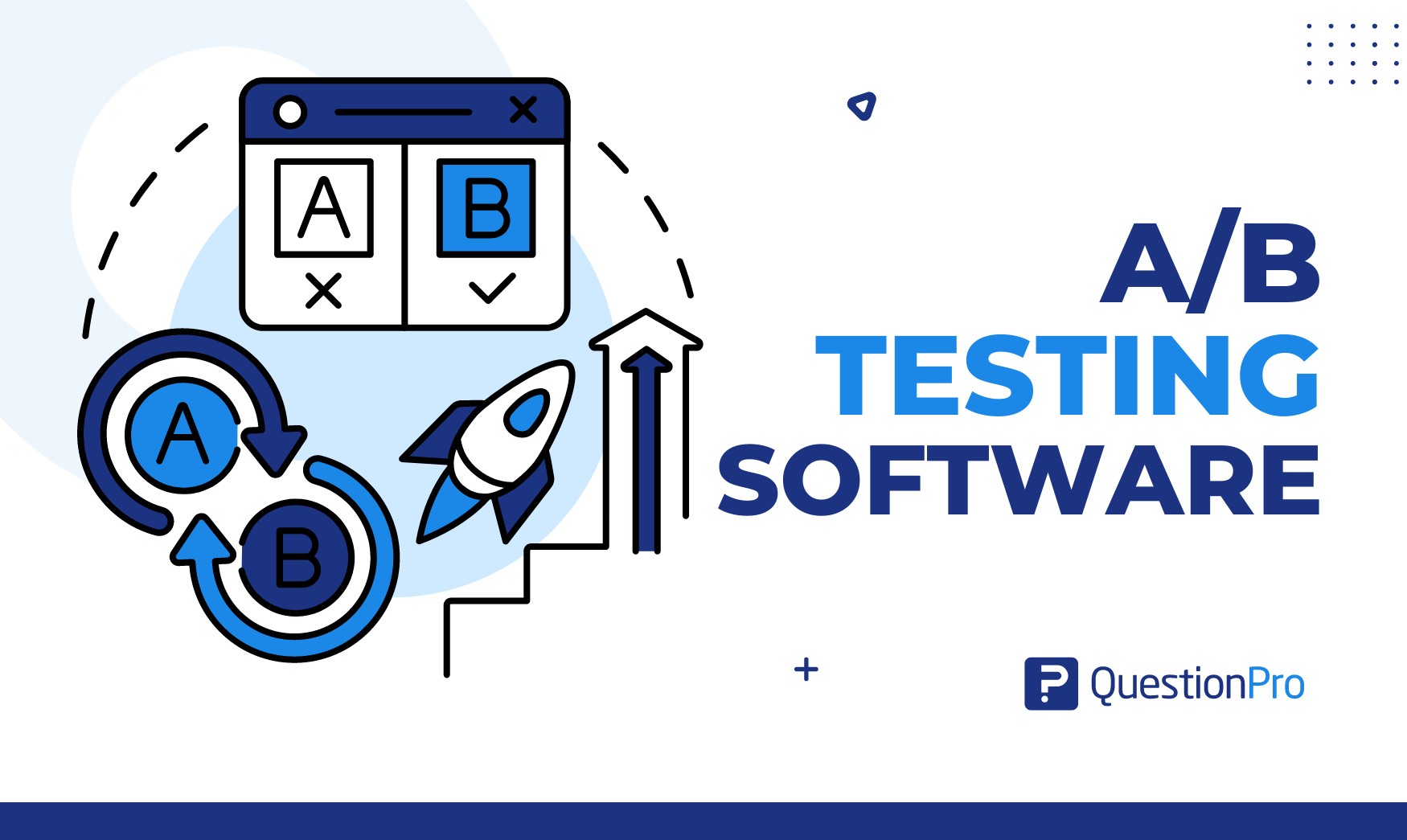
A/B testing software is the tool that turns a guess about your website into a measurable answer. Instead of debating which headline, button, or layout converts better, you show each version to real visitors and let the results decide.
The market has shifted since Google Optimize shut down in September 2023. Marketers and product teams now split between enterprise experimentation suites, developer-first platforms, and free open-source tools, each built for a different scale of testing.
In this guide, we’ll break down what A/B testing software actually does, how to judge one platform against another, and which 12 tools are worth a serious look in 2026.
What is A/B testing software?
A/B testing software is a platform that shows two or more versions of a webpage, app screen, or email to different groups of users, then measures which version performs better against a goal such as clicks, sign-ups, or purchases.
The practice itself is called A/B testing, or split testing. The software is simply what makes it possible to run that experiment at scale, without manually splitting traffic or crunching the numbers by hand.
A simple example makes this concrete. An online retailer wants to know if a green “Add to Cart” button outsells a red one. The software shows version A (red) to half of visitors and version B (green) to the other half, then reports which color led to more completed purchases.
How does A/B testing software work?
A/B testing software works by randomly splitting incoming traffic between two or more variants, tracking how each group interacts with the page, and calculating which variant wins based on a predefined success metric. Reliable data collection throughout the test matters as much as the analysis method used at the end.
Most platforms handle this process through a common set of building blocks:
- Variant creation: A visual editor or code snippet lets you build the alternate version of a page, button, or message.
- Traffic allocation: The tool controls what percentage of visitors sees each variant, often starting with an even 50/50 split.
- Goal tracking: You define the metric that decides a winner, such as conversion rate, click-through rate, or average order value.
- Statistical analysis: The platform calculates whether the difference between variants is real or just random noise, expressed as a confidence level.
- Reporting: A dashboard shows results in real time, so teams can end a test early if one variant is clearly underperforming.
A retailer testing checkout page layouts, for instance, might run version A (single-page checkout) against version B (multi-step checkout) for two weeks, then let the software declare a winner once enough orders have been recorded to trust the result.
Types of A/B testing you can run
Not every experiment is a simple two-version test. Knowing the difference between testing types helps you pick software with the right feature set instead of paying for capabilities you won’t use.
| Test type | What it compares | Best for |
|---|---|---|
| Classic A/B test | Two full versions of one page or element | Testing a single change, like a headline or button color |
| Multivariate test | Multiple elements at once, in combination | Finding which combination of changes performs best |
| Split URL test | Two entirely separate URLs | Redesigns too different to build as one page with a toggle |
| Feature flag test | A new feature switched on for one user group | Product teams rolling out features gradually and safely |
Most marketing teams start with classic A/B tests. Multivariate testing and feature flagging tend to matter more once a team has higher traffic and a dedicated experimentation program.
Why do businesses need A/B testing software?
Businesses need A/B testing software because it replaces guesswork with evidence, showing exactly which design, message, or feature actually moves the metrics that matter.
The main reasons teams adopt it include:
- Removing guesswork from decisions.
Instead of debating opinions in a meeting, teams can point to real user behavior. - Improving the user experience.
Testing reveals what visitors actually respond to, which supports better user experience research over time. - Increasing conversions.
Small, tested changes to a signup form or pricing page often compound into meaningful revenue gains. - Reducing costly mistakes.
A full redesign based on a hunch can backfire. A tested rollout catches problems before they scale. - Staying competitive.
Teams that test continuously improve faster than teams that redesign once a year and hope for the best.
How to choose the right A/B testing software for your business
The right A/B testing software depends less on which tool has the most features and more on which one matches your team’s technical skill, traffic volume, and testing goals.
- Testing depth.
Some businesses only need simple page-level A/B tests. Others need multivariate testing, split URL testing, or feature flagging for product rollouts. Pick a tool that covers what you’ll actually run, not everything a vendor offers. - Site speed impact.
Testing scripts that load slowly can distort your results and hurt SEO. Look for asynchronous implementation so pages render without visible flicker or delay. - Targeting precision.
A platform should let you target tests by URL, device, location, or traffic source, so you can run experiments for a specific target audience segment instead of your entire visitor base. - Statistical trustworthiness.
Confirm the tool shows confidence levels clearly and doesn’t just declare a winner the moment a small lead appears. Weak statistical methods lead to false positives. - Support and onboarding.
Multi-channel support matters more than it seems, especially in the first few months while your team learns to design tests correctly.
12 Best A/B testing software platforms in 2026
Here are 12 platforms worth evaluating in 2026, ranging from enterprise experimentation suites to free, developer-first tools.
1. VWO
Best for: Teams that want testing, heatmaps, and session recordings in one platform.
VWO combines A/B testing with behavioral analytics, so you can see not just which variant won but why, through visual session data.
Pros:
- Built-in heatmaps and session recordings
- Visual editor for non-technical users
- Strong asynchronous script support
Cons:
- Can slow page load if not configured carefully
- Advanced plans get expensive at higher traffic tiers
Pricing: Paid plans, with pricing based on monthly tracked users. Contact VWO for a current quote.
2. Optimizely
Best for: Enterprise teams running complex, full-stack experimentation programs.
Optimizely’s experimentation platform covers web, feature flagging, and server-side testing, making it a common pick for large product organizations.
Pros:
- Intuitive visual editor
- Multi-armed bandit testing and feature flagging
- Strong support for full-stack experimentation
Cons:
- Custom pricing that can be steep for smaller teams
- Some advanced features need engineering support
Pricing: Custom, quote-based.
3. AB Tasty
Best for: Marketing teams that want fast, agile experimentation with personalization built in.
AB Tasty pairs A/B testing with client-side and server-side personalization, aimed at teams that iterate quickly.
Pros:
- Strong client-side visual editor
- Solid personalization feature set
- Responsive customer support
Cons:
- Reporting interface can feel cluttered
- Pricing model has several tiers to navigate
Pricing: Custom, quote-based.
4. Kameleoon
Best for: Teams that want AI-assisted personalization alongside standard A/B testing.
Kameleoon uses AI to help identify which audience segments respond best to which variant, cutting down on manual analysis.
Pros:
- AI-powered segment recommendations
- Server-side testing support
- Regular feature updates
Cons:
- Reporting customization is limited
- Learning curve for AI-driven features
Pricing: Custom, quote-based.
5. Convert
Best for: Privacy-conscious teams that need GDPR-compliant testing.
Convert focuses on compliant data handling while still supporting A/B, split URL, and multivariate testing across web properties.
Pros:
- Privacy-first, GDPR-compliant by design
- Minimal learning curve
- Broad third-party integrations
Cons:
- Support can be slower on lower-tier plans
- Costs rise for larger teams
Pricing: Custom, quote-based.
6. Adobe Target
Best for: Enterprises already running on Adobe Experience Cloud.
Adobe Target ties A/B testing and personalization directly into the broader Adobe marketing stack, which simplifies data sharing for existing Adobe customers.
Pros:
- Deep integration with other Adobe products
- Advanced personalization capabilities
- Strong documentation and training resources
Cons:
- Steep learning curve for new users
- Overkill for teams outside the Adobe ecosystem
Pricing: Custom, quote-based.
7. Statsig
Best for: Product and engineering teams that want feature flags and experimentation combined.
Statsig blends feature flagging, A/B testing, and product analytics into one platform, with a statistical engine built to handle sequential testing correctly.
Pros:
- Generous free tier for early-stage teams
- Strong statistical rigor
- Broad SDK support across platforms
Cons:
- Costs can climb quickly past the free tier
- Best suited to teams comfortable working close to code
Pricing: Free tier available, then usage-based pricing.
8. PostHog
Best for: Startups and technical teams that want an all-in-one, open source product suite.
PostHog combines experimentation with analytics, session replay, and feature flags, and offers a self-hosted option for teams that want full data control.
Pros:
- Free tier covers a high volume of monthly events
- Open source with a self-host option
- SQL access to raw experiment data
Cons:
- Requires more technical comfort than no-code tools
- Fewer built-in personalization features than marketing-first platforms
Pricing: Free up to a generous event volume, then usage-based.
9. GrowthBook
Best for: Engineering teams that want a self-hosted, open source experimentation platform.
GrowthBook is built for teams that want to own their experimentation data and infrastructure rather than relying on a third-party SaaS platform.
Pros:
- Fully open source and self-hostable
- No vendor lock-in on experiment data
- Straightforward feature flag integration
Cons:
- Requires engineering resources to set up and maintain
- Less suited to non-technical marketing teams
Pricing: Free self-hosted option, with paid cloud and enterprise tiers.
10. LaunchDarkly
Best for: Product and engineering teams that want experimentation tied directly to feature releases.
LaunchDarkly is built around feature flags first, with experimentation layered on top, making it a strong fit for teams that want to test features as they ship rather than after.
Pros:
- Deep integration into the software release lifecycle
- Strong flag targeting and rollout controls
- Reliable for high-traffic, high-stakes releases
Cons:
- No free tier
- Requires developer involvement to configure
Pricing: Custom, quote-based.
11. Unbounce
Best for: Marketing teams that need a landing page builder with testing built in.
Unbounce combines a drag-and-drop landing page builder with A/B testing, so campaigns and experiments live in the same workflow.
Pros:
- Built-in A/B testing for landing pages
- Drag-and-drop builder with customizable templates
- Scales from small campaigns to larger programs
Cons:
- Testing features are limited outside of landing pages
- Some template elements are hard to customize deeply
Pricing: Paid plans, contact Unbounce for current rates.
12. Crazy Egg
Best for: Small businesses that want testing plus visual behavior data on a budget.
Crazy Egg pairs A/B testing with heatmaps and scrollmaps, giving smaller teams visibility into user behavior without an enterprise price tag.
Pros:
- Heatmaps and scrollmaps included
- Simple setup for non-technical users
- Budget-friendly compared to enterprise suites
Cons:
- Fewer advanced targeting options than larger platforms
- Reporting is less detailed at scale
Pricing: Paid plans, contact Crazy Egg for current rates.
A/B testing software vs. conversion rate optimization platforms: What’s the difference?
A/B testing software runs the individual experiment, while a conversion rate optimization platform manages the entire process around it, including research, hypothesis prioritization, and reporting across many tests.
| Aspect | A/B testing software | CRO platform |
|---|---|---|
| Core function | Runs and measures a single experiment | Manages an ongoing testing program |
| Typical features | Variant creation, traffic split, statistical results | Heatmaps, user research, test prioritization, roadmapping |
| Who uses it | Marketers or developers running one test | Growth or CRO teams managing a testing calendar |
In practice, the line blurs. Many platforms on this list, including VWO and AB Tasty, function as both. The distinction matters mainly when a vendor’s website leads with “optimization platform” language but offers no actual experiment engine underneath it.
How to measure the success of an A/B test
You measure the success of an A/B test by checking whether the difference between variants is statistically significant, not just by looking at which number is higher.
A result only counts as reliable once it clears a confidence threshold, typically 95%, which tells you the observed difference is unlikely to be random chance. According to Nielsen Norman Group, A/B testing is excellent at showing what happened to a metric, but it can’t explain why users behaved that way, which is one reason it works best alongside qualitative research rather than as a standalone decision tool.
Key figures to track when evaluating a test:
- Primary conversion metric, tied to your test’s actual goal, such as purchases or sign-ups.
- Sample size, large enough to reach statistical significance within a reasonable timeframe.
- Confidence level, generally 95% or higher before acting on a result.
- Secondary key performance indicators, like bounce rate or time on page, to catch unintended side effects.
Common A/B testing mistakes to avoid
Most failed A/B tests fail for the same handful of reasons, and most of them are avoidable with better test design rather than better software.
| Mistake | Why it hurts your results |
|---|---|
| Ending a test too early | Small early leads often disappear once sample size grows |
| Testing too many elements at once | Makes it impossible to know which change drove the result |
| Ignoring statistical significance | Leads to decisions based on random noise, not real signal |
| Skipping an A/A test first | Hides tool or setup errors that will distort every future test |
| Running tests during unusual traffic periods | Holiday spikes or outages can skew results in either direction |
Avoiding these errors matters more than picking the fanciest tool. A well-run test on a basic platform beats a poorly designed one on an expensive platform, and pairing results with direct user feedback often surfaces a mistake before it shows up in the data.
How QuestionPro supports smarter A/B testing decisions
A/B testing software tells you which version won. It doesn’t tell you why customers prefer it, and that’s where research plays a role.
Before running a test, teams can use QuestionPro to validate hypotheses with real customer input, testing messaging, pricing concepts, or page ideas through surveys before committing engineering time to build variants. After a test ends, QuestionPro can help teams understand the “why” behind a winning variant through follow-up feedback, closing the gap that pure behavioral data leaves open.
This works alongside a testing program rather than replacing it:
- Before the test: Validate which ideas are worth building and testing at all.
- After the test: Collect qualitative feedback on why the winning variant resonated.
Teams already using QuestionPro Customer Experience tools for broader experience tracking can fold this kind of pre- and post-test research into existing feedback workflows instead of running it as a separate project.
Testing is never really finished
Picking a tool is the easy part. The harder, more valuable work is building a habit of testing consistently, documenting what you learn, and feeding those results back into the next hypothesis.
Whichever platform you choose from this list, treat it as one part of a larger practice of listening to what users do and, just as importantly, asking them why.
Frequently Asked Questions (FAQs)
Yes. PostHog and GrowthBook both offer free options, with PostHog providing a generous free tier for cloud usage and GrowthBook offering a fully free, self-hosted version for teams comfortable managing their own infrastructure.
Most tests need at least one to two full business cycles, often two to four weeks, to account for weekday and weekend behavior differences and to collect enough traffic for a statistically significant result.
Sample size depends on your current conversion rate and the minimum improvement you want to detect. Lower baseline conversion rates and smaller expected improvements both require larger sample sizes to reach reliable significance.
Yes. Most platforms on this list, including VWO, AB Tasty, and Unbounce, offer visual, drag-and-drop editors that let marketers build and launch variants without developer involvement, though multivariate and server-side tests usually still need engineering support.
Google Optimize shut down permanently in September 2023. Former users have largely moved to platforms like GrowthBook or PostHog for free, self-hosted options, or to VWO and Optimizely for a more comparable feature set.