An AI quiz maker online helps users create quiz questions, answer options, and assessments faster using artificial intelligence. It can support teachers, trainers, researchers, and businesses by generating question ideas, structuring quizzes, and helping you review what people know.
In the USA, online quizzes are used across classrooms, corporate training, employee learning, customer education, and market research. AI can save time, but it should not replace human review.
A good quiz still needs clear goals, accurate questions, and answer choices that make sense for the audience.
What is an AI quiz maker online?
An AI quiz maker online is a tool that uses artificial intelligence to help create live polls or quizzes from a topic, prompt, document, or learning goal. It can generate questions, answer choices, scoring logic, and sometimes feedback for respondents.
Artificial intelligence can analyze patterns, generate content, and make suggestions based on input. In quiz creation, AI can help turn raw ideas into structured questions more quickly.
A typical AI quiz maker may support:
- Multiple-choice questions
- True or false questions
- Short-answer questions
- Open-ended questions
- Knowledge checks
- Training assessments
- Exam practice questions
- Scored quizzes
The main value is speed. Instead of starting from a blank page, users can begin with AI-generated drafts and then review, edit, and publish the quiz.
What are the pros and cons of an AI quiz maker online?
An AI quiz maker online can save time and improve quiz setup, but it still needs human review. AI can draft questions quickly, but it may miss context, nuance, or subject-specific accuracy.
Pros of AI quiz makers online
AI quiz makers are useful when you need to create questions quickly or organize learning content into a testable format.
Key benefits AI quiz makers online:
- Efficiency: AI can create draft quiz questions in minutes.
- Adaptability: Questions can be adjusted by topic, audience, or difficulty level.
- Consistency: AI can help create a balanced question set across similar topics.
- Data support: Some tools can help analyze quiz responses and performance patterns.
- Scalability: You can create more quizzes for training, education, or research without starting from scratch every time.
Cons of AI quiz makers online
AI quiz makers can also create weak questions if the prompt is unclear or the source material is poor.
Common limitations AI quiz makers online:
- Accuracy risks: AI may generate incorrect or misleading answers.
- Limited creativity: Some questions may feel generic or repetitive.
- Data dependency: The quality of the output depends on the quality of the input.
- Limited subjectivity: AI may struggle with questions that require judgment, interpretation, or lived experience.
The safest approach is to use AI as a draft assistant, not as the final editor.
How do you make an AI quiz?
You can make an AI quiz by defining the topic, generating draft questions, reviewing the output, and publishing the final version in an online quiz maker.
Step 1: Define your topic and quiz goal
Start by deciding what the quiz should measure. A quiz for a school lesson will be different from a quiz for employee training, customer education, or market research.
Before using an AI quiz generator, clarify:
- Topic
- Audience
- Difficulty level
- Number of questions
- Question types
- Scoring rules
- Learning or research goal
A clear goal helps the AI create more useful questions.
Step 2: Generate and tailor your questions
Next, enter a prompt or topic into the AI question generator. The tool can create draft questions, answer options, and sometimes explanations. A better prompt gives better output.
For example, instead of writing “Create a marketing quiz,” write: “Create a 10-question multiple-choice quiz for beginner marketing students about customer segmentation, positioning, and survey research.”
After the first draft, adjust the questions. Remove weak items, rewrite confusing wording, and check whether each answer choice is fair.
Step 3: Review, test, and publish the quiz
Before publishing, test the quiz as if you were the respondent. Look for unclear wording, repeated questions, missing answer options, or answer choices that give away the correct response.
Check that:
- Each question supports the quiz goal
- The correct answer is actually correct
- Distractors are plausible but not confusing
- The quiz works on mobile
- Scoring is set up correctly
- Results or feedback are easy to understand
This review step matters. AI can help create the quiz, but people still need to check quality.
Also read: How a multiple-choice quiz maker imparts a better learning experience
How can you generate exam questions with AI?
You can generate exam questions with AI by giving the tool a clear subject, learning objective, difficulty level, and question format. The more specific the prompt, the better the draft questions will be.
For example, a teacher might ask for:
- 10 multiple-choice questions on photosynthesis for 8th-grade students
- 5 scenario-based questions for a nursing training module
- 8 true-or-false questions about workplace safety
- 6 short-answer questions for a business research methods class
AI-generated exam questions should always be reviewed before use. Check the facts, difficulty level, answer key, and whether the question matches the learning objective.
What are the best practices for using an AI quiz maker online?
The best way to use an AI quiz maker online is to treat AI-generated questions as drafts. Good quiz design still depends on clear goals, careful review, and a strong understanding of the audience.
Use these best practices:
- Define the quiz goal before generating questions.
- Use specific prompts with audience, topic, and difficulty.
- Review every question for accuracy.
- Avoid leading or confusing wording.
- Mix question types only when it improves the quiz.
- Keep answer choices clear and balanced.
- Test the quiz before sending it.
- Review quiz results to improve future questions.
For workplace training or academic use, review is especially important. A poorly written question can confuse learners, create unfair scoring, or measure the wrong skill.
How can QuestionPro AI help create quizzes and surveys?
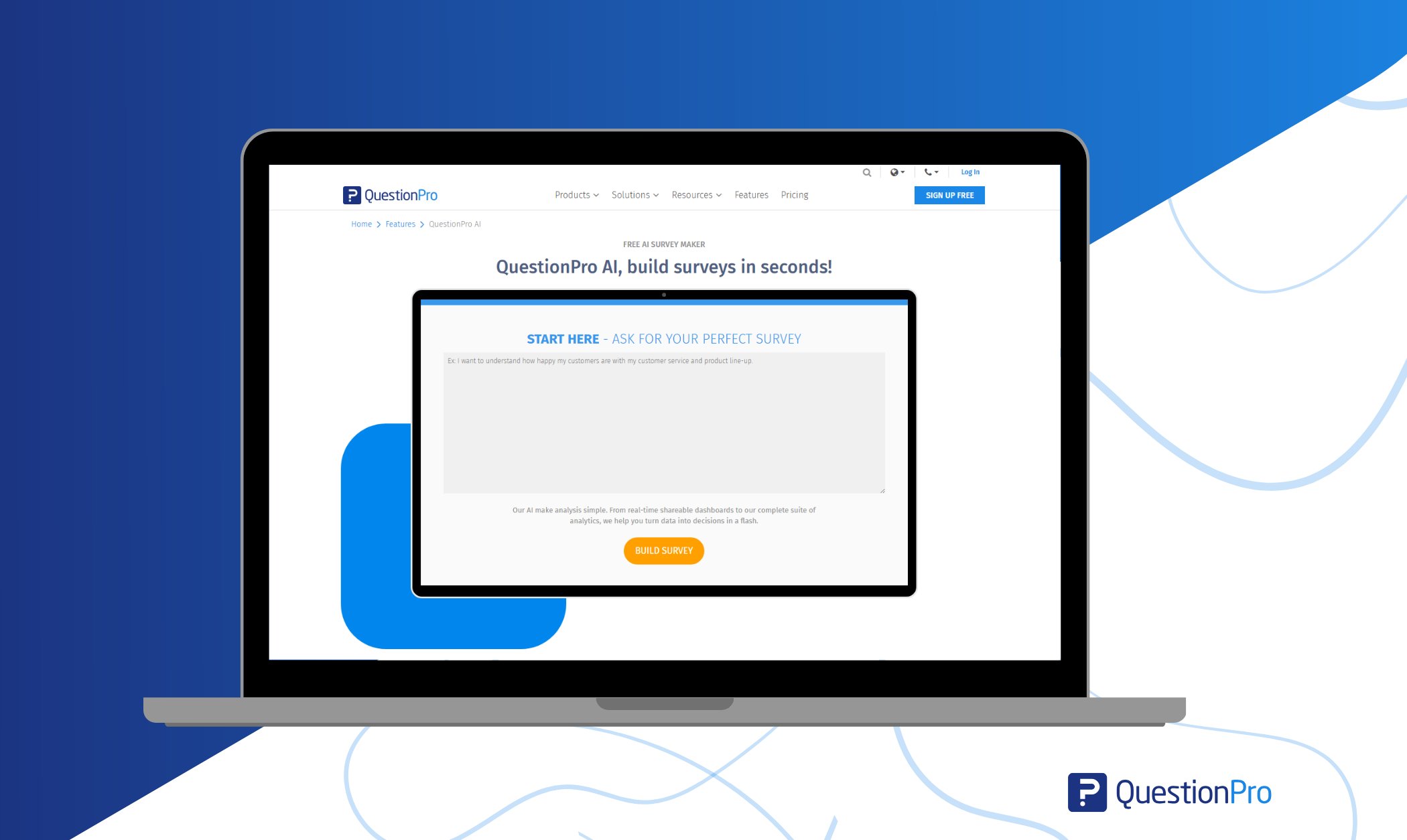
QuestionPro AI can help users create quizzes, surveys, and assessments faster by generating questions from a topic, prompt, or research idea.
QuestionPro AI survey builder is designed to help you build surveys quickly, reduce setup time, and start with AI-generated question drafts. For quiz-style use cases, QuestionPro AI can help you:
- Generate quiz or survey questions from a topic
- Create draft answer options
- Build training or knowledge-check surveys
- Support research screeners
- Create customer education quizzes
- Add logic, branching, or scoring when needed
- Analyze responses after collection
The value is not only speed. It is the ability to move from an idea to a working quiz or survey faster while still keeping human review in the process.
Final thoughts
An AI quiz maker online can make quiz creation faster, easier, and less stressful. It helps users generate questions, organize answer options, and build assessments without starting from a blank page.
The best results come when AI supports human judgment. Use AI to create a strong first draft, then review the quiz for accuracy, clarity, fairness, and fit before sharing it.
Frequently Asked Questions (FAQs)
An AI quiz maker online is a tool that uses artificial intelligence to help generate quiz questions, answer choices, and assessment formats based on a topic or goal.
Yes. AI can create exam question drafts based on a subject, difficulty level, learning objective, and question type. A human should review them before use.
AI-generated quiz questions can be useful, but they are not always accurate. Review each question for facts, clarity, difficulty, and fairness before publishing.
Teachers, trainers, HR teams, researchers, marketers, and businesses can use AI quiz makers for learning checks, assessments, training quizzes, screeners, and engagement quizzes.
Check that every question matches the goal, has clear wording, includes fair answer choices, works on mobile, and has the correct scoring setup.