• Skip to main content
  • Skip to primary sidebar
  • Skip to footer
QuestionPro

QuestionPro

questionpro logo
  • Products
    survey software iconSurvey softwareEasy to use and accessible for everyone. Design, send and analyze online surveys.research edition iconResearch SuiteA suite of enterprise-grade research tools for market research professionals.CX iconCustomer ExperienceExperiences change the world. Deliver the best with our CX management software.WF iconEmployee ExperienceCreate the best employee experience and act on real-time data from end to end.
  • Solutions
    IndustriesGamingAutomotiveSports and eventsEducationGovernment
    Travel & HospitalityFinancial ServicesHealthcareCannabisTechnology
    Use CaseAskWhyCommunitiesAudienceContactless surveysMobile
    LivePollsMember ExperienceGDPRPositive People Science360 Feedback Surveys
  • Resources
    BlogeBooksSurvey TemplatesCase StudiesTrainingHelp center
  • Features
  • Pricing
Language
  • English
  • Español (Spanish)
  • Português (Portuguese (Brazil))
  • Nederlands (Dutch)
  • العربية (Arabic)
  • Français (French)
  • Italiano (Italian)
  • 日本語 (Japanese)
  • Türkçe (Turkish)
  • Svenska (Swedish)
  • Hebrew IL (Hebrew)
  • ไทย (Thai)
  • Deutsch (German)
  • Portuguese de Portugal (Portuguese (Portugal))
  • Español / España (Spanish / Spain)
Call Us
+1 800 531 0228 +1 (647) 956-1242 +55 9448 6154 +49 030 9173 9255 +44 01344 921310 +81-3-6869-1954 +61 (02) 6190 6592 +971 529 852 540
Log In Log In
SIGN UP FREE

Home Surveys Assessments

Multiple Choice Quiz Maker: How It Works and How to Create Better Quizzes

multiple-choice-quiz-maker

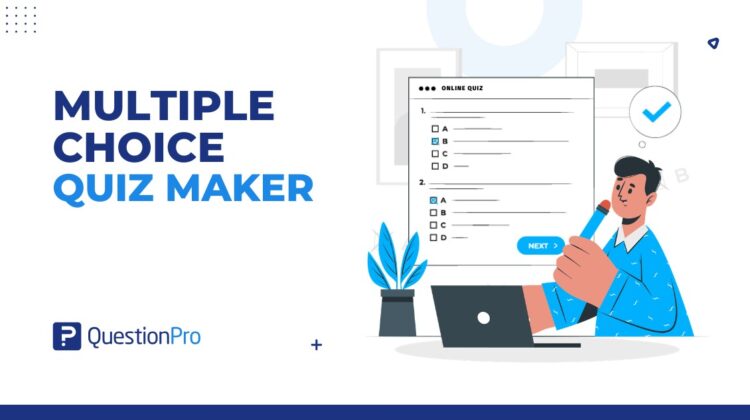
A multiple choice quiz maker is an online tool that helps teachers, trainers, and businesses create quizzes with predefined answer options. It can support student evaluation, employee training, eLearning, certification programs, onboarding, and quick knowledge checks.

Multiple choice quizzes are popular because they are easy to distribute, simple to score, and useful for measuring what people remember or understand. But the tool alone does not create a strong quiz. The quality depends on clear questions, fair answer options, and results that help instructors or trainers improve learning.

For schools, universities, and training teams in the USA, an online quiz maker can make assessment faster while keeping results easier to track over time.

Content Index hide
1. What is a multiple choice quiz maker?
2. How does a multiple choice quiz maker work?
3. Why use a multiple choice quiz for learning and assessment?
4. What are the benefits of using an online quiz maker?
5. How do you create a multiple choice quiz?
6. What are the best practices for writing multiple choice questions?
7. What features should a multiple choice quiz maker include?
8. How can QuestionPro help create multiple choice quizzes?
9. What mistakes should you avoid?
10. Final thoughts
11. Frequently Asked Questions (FAQs)

What is a multiple choice quiz maker?

A multiple choice quiz maker is software that lets users create, distribute, score, and analyze quizzes made of multiple choice questions.

A multiple choice question gives learners a question or statement, followed by several answer options. One option is usually the best answer, while the incorrect options are called distractors.

Distractors are wrong answer choices that should be realistic enough to test understanding without misleading learners unfairly.

A multiple choice quiz maker usually helps with:

  • Creating questions.
  • Adding answer options.
  • Marking correct answers.
  • Setting scores.
  • Randomizing questions or answers.
  • Sharing quizzes online.
  • Collecting responses.
  • Showing results and reports.

The main purpose is to make quiz creation and evaluation easier, especially when many learners need to complete the same assessment.

How does a multiple choice quiz maker work?

A multiple choice quiz maker works by letting the quiz creator build questions, add answer choices, set the correct answer, publish the quiz, and review results after learners respond.

The usual workflow looks like this:

  1. Create a quiz.
  2. Add multiple choice questions.
  3. Enter answer options.
  4. Select the correct or best answer.
  5. Add scoring rules.
  6. Add feedback messages if needed.
  7. Set quiz rules, such as time limits or randomization.
  8. Share the quiz through a link, email, website, LMS, or training platform.
  9. Review scores, completion rates, and answer patterns.

An LMS, or learning management system, is software used to manage online courses, learning content, and learner progress.

Some quiz makers also allow branching logic, question banks, certificates, mobile-friendly quizzes, and automatic feedback after each question.

Why use a multiple choice quiz for learning and assessment?

A multiple choice quiz is useful for learning and assessment because it gives learners a structured way to recall information, apply concepts, and check their understanding quickly.

Multiple choice questions work especially well when the goal is to test:

  • Definitions.
  • Concepts.
  • Processes.
  • Rules.
  • Scenario-based decisions.
  • Reading comprehension.
  • Product knowledge.
  • Compliance training.
  • Course retention.

They are also useful for self-assessment. A short quiz after a lesson can show learners which topics they understand and which ones need more review.

For instructors and trainers, quiz results can reveal knowledge gaps across a class, course, or team. If many learners miss the same question, the topic may need to be explained better.

In workplace learning, a training evaluation can combine quiz questions with feedback questions to measure both knowledge and course quality. 

What are the benefits of using an online quiz maker?

An online quiz maker helps reduce manual work and makes quiz results easier to manage.

Key benefits include:

  • Faster quiz creation: Build and reuse questions instead of starting from scratch.
  • Automated scoring: Save time by grading responses instantly.
  • Consistent evaluation: Give every learner the same structure and rules.
  • Online distribution: Share quizzes through links, email, websites, or training platforms.
  • Reusable question libraries: Store questions for future assessments.
  • Immediate feedback: Show learners what they got right or wrong.
  • Mobile access: Let learners complete quizzes on different devices.
  • Reporting: Track scores, completion rates, and question-level performance.
  • Scalability: Run quizzes for small groups or large audiences.

This makes online quiz tools useful for classrooms, universities, online courses, corporate training, customer education, and certification programs.

How do you create a multiple choice quiz?

To create a multiple-choice quiz, start with the learning goal, write focused questions, add one best answer, create realistic distractors, set scoring rules, test the quiz, and review the results.

1. Define the learning goal

Start by deciding what the quiz should measure.

A quiz can test basic recall, applied knowledge, course completion, product understanding, safety rules, compliance knowledge, or training effectiveness.

A clear goal keeps the quiz focused. Without one, questions can become random or too easy to guess.

2. Write a clear question stem

The question stem is the main question or prompt learners respond to.

A good stem should be clear enough that learners understand the problem before seeing the answer options. Avoid long setup text unless the question needs a scenario.

Weak stem:

Which of the following is true?

Better stem:

Which step should a customer support agent take first when handling a refund request?

The better version tells the learner exactly what decision they need to make.

3. Add one best answer

A strong multiple choice question should have one correct or best answer.

If two options could reasonably be correct, learners may feel tricked. That weakens the quality of the assessment and makes results harder to interpret.

Use “best answer” when the question involves judgment or application. Use “correct answer” when the answer is factual.

4. Create realistic distractors

Distractors should be believable, but clearly wrong for someone who understands the topic.

Good distractors often come from common mistakes learners make. For example, in a product training quiz, wrong answers can reflect common misunderstandings about features, pricing, or support steps.

Avoid distractors that are obviously silly, much longer than the correct answer, or written in a different tone.

5. Set scoring and feedback rules

Decide how points will be awarded.

You may use:

  • One point per correct answer.
  • Weighted scoring for harder questions.
  • Pass or fail thresholds.
  • Feedback after each question.
  • Feedback at the end of the quiz.
  • Certificates after passing.

Feedback helps learners understand why an answer was correct or incorrect. This is especially useful in training and eLearning quizzes.

6. Test the quiz before sharing

Before publishing, test the quiz as a learner.

Check:

  • Spelling and grammar.
  • Correct answers.
  • Scoring.
  • Mobile display.
  • Question order.
  • Randomization.
  • Time limits.
  • Feedback messages.
  • Results page.

A quick test can catch confusing wording, broken logic, or answer options that are not mutually exclusive.

7. Review results and improve the quiz

After learners complete the quiz, review the results.

Look for:

  • Questions most learners missed.
  • Questions almost everyone answered correctly.
  • High dropout points.
  • Average scores.
  • Completion rates.
  • Patterns by group or course.

If a question performs poorly, the issue may be the wording, the lesson content, or the answer options. A quiz maker should help you improve the assessment over time.

What are the best practices for writing multiple choice questions?

The best multiple choice questions are clear, fair, focused, and aligned with the learning goal.

The University of Waterloo’s guide on designing multiple-choice questions explains how to write clear stems, use plausible distractors, avoid trick questions, and improve assessment quality. 

Use these best practices:

  • Keep the stem focused: Ask one clear question at a time.
  • Use familiar language: Match the terminology used in the course or training.
  • Avoid trick questions: Test understanding, not confusion.
  • Use one best answer: Do not include two nearly correct answers unless the question is clearly asking for the best choice.
  • Make distractors realistic: Use common mistakes as wrong answers.
  • Keep options similar: Answer choices should be similar in length, tone, and grammar.
  • Avoid wording clues: Do not repeat key terms from the stem only in the correct answer.
  • Avoid overlapping options: Answer options should be mutually exclusive.
  • Limit answer choices: Three to five options are usually enough.
  • Avoid “all of the above” and “none of the above”: These can encourage guessing and make results harder to interpret.
  • Read the question out loud: This helps catch awkward grammar and unclear wording.

Good multiple choice questions should not reward test-taking tricks. They should measure whether the learner understands the material.

What features should a multiple choice quiz maker include?

A good multiple choice quiz maker should include question creation, scoring, reporting, feedback, sharing tools, and flexible question types for different assessment needs. 

Look for a platform that offers:

  • Multiple choice question types.
  • Single-answer and multiple-answer options.
  • Question libraries.
  • Answer randomization.
  • Quiz timers.
  • Scoring rules.
  • Feedback messages.
  • Results and analytics.
  • Mobile-friendly design.
  • Templates.
  • Branching or logic.
  • Exportable reports.
  • LMS or website sharing options.
  • Security and access controls.
  • Completion tracking.

For learning programs, reporting matters as much as quiz creation. Scores should help instructors, trainers, or managers understand where learners are doing well and where support is needed.

How can QuestionPro help create multiple choice quizzes?

QuestionPro’s online survey software supports multiple choice questions that can be used to build quizzes, assessments, training checks, and feedback forms. 

For example, teams can use multiple choice questions to create structured answer options, collect responses, and analyze results in a consistent format.

QuestionPro can be useful when teams want to combine quiz-style questions with surveys, feedback forms, training evaluations, or course assessments.

It is a practical fit for:

  • Student evaluations.
  • Employee training checks.
  • Customer education quizzes.
  • Product knowledge assessments.
  • Event learning checks.
  • Certification preparation.
  • Course feedback.

The tool helps with setup and analysis, but strong quiz quality still depends on clear questions and fair answer choices.

What mistakes should you avoid?

The biggest mistake is assuming that multiple-choice questions are easy to write well. They look simple, but weak wording can lead to poor results.

Avoid these common mistakes:

  • Writing vague question stems.
  • Making the correct answer obviously longer.
  • Using tricky or misleading wording.
  • Adding irrelevant details to the question.
  • Creating unrealistic distractors.
  • Using overlapping answer options.
  • Repeating the same answer pattern.
  • Testing tiny facts instead of useful understanding.
  • Using terms learners have not been taught.
  • Adding too many answer options.
  • Forgetting to review score reports after the quiz.

A multiple choice quiz should help learners and instructors understand progress. If the quiz only checks memorization or encourages guessing, it needs revision.

Final thoughts

A multiple choice quiz maker can save time, simplify scoring, and make assessments easier to manage. But the tool is only one part of the learning experience.

The best quizzes start with a clear goal, use focused questions, include realistic distractors, and give results that help instructors or trainers respond. A well-built quiz does more than grade people. It shows what learners understand and where they need more support.

Create memorable experiences based on real-time data, insights and advanced analysis. Request Demo

Frequently Asked Questions (FAQs)

What is the best use of a multiple-choice quiz maker?

A multiple choice quiz maker is best for knowledge checks, student evaluation, employee training, certification preparation, onboarding, and online learning assessments. It works well when questions have clear answer choices and results need to be scored quickly.

How many answer options should a multiple-choice question have?

Most multiple choice questions work well with three to five answer options. More options are not always better. Weak distractors can make questions easier to guess and harder to interpret.

Can multiple choice quizzes test more than memorization?

Yes. Multiple choice quizzes can test application, analysis, and decision-making when questions use scenarios, examples, or problem-solving prompts. The key is writing stems that require learners to apply what they know.

Are online multiple choice quizzes useful for corporate training?

Yes. US companies often use online multiple choice quizzes for onboarding, compliance training, product education, and employee knowledge checks. Automated scoring and reporting make it easier to track completion and learning gaps.

What makes a good distractor in a multiple choice quiz?

A good distractor is clearly wrong but believable to someone who has not fully understood the topic. Strong distractors often reflect common mistakes, misconceptions, or incomplete knowledge.

Should quizzes show feedback after each answer?

Feedback is useful when the quiz is designed for learning. It helps learners understand why an answer was right or wrong. For formal exams, feedback may be shown after completion instead of after each question.

SHARE THIS ARTICLE:

About the author
Adi Bhat
Aditya Bhat, a.k.a. ‘Adi’, is a thought leader in market strategy and business development. He leads QuestionPro's sales teams to partner with companies, government organizations, and nonprofit institution.
View all posts by Adi Bhat

Primary Sidebar

Gain insights with 80+ features for free

Create, Send and Analyze Your Online Survey in under 5 mins!

Create a Free Account

RELATED ARTICLES

HubSpot - QuestionPro Integration

Top 11 Survey Platforms for Employee Listening in 2025

May 12,2025

HubSpot - QuestionPro Integration

What’s Coming Up in July 2023?

Jul 10,2023

HubSpot - QuestionPro Integration

Insight: Definition & meaning, types and examples

Aug 19,2024

BROWSE BY CATEGORY

Footer

MORE LIKE THIS

insighthub-for-higher-education

How Can Your Institution Turn Decades of Research Into Accessible, Trusted Knowledge? A Guide to InsightsHub for Higher Education

Jun 14, 2026

Best Workday Peakon Alternatives for Universities in 2026

Jun 11, 2026

insighthub-for-brands

How Can Your Brand’s Research Actually Drive Decisions? A Guide to InsightsHub for Brands

Jun 11, 2026

What Is an MCP Survey Tool? A Guide for Academic Researchers.

Jun 11, 2026

Other categories

questionpro-logo-nw
Help center Live Chat SIGN UP FREE
  • Sample questions
  • Sample reports
  • Survey logic
  • Branding
  • Integrations
  • Professional services
  • Security
  • Survey Software
  • Customer Experience
  • Workforce
  • Communities
  • Audience
  • Polls Explore the QuestionPro Poll Software - The World's leading Online Poll Maker & Creator. Create online polls, distribute them using email and multiple other options and start analyzing poll results.
  • Research Edition
  • LivePolls
  • InsightsHub
  • Blog
  • Articles
  • eBooks
  • Survey Templates
  • Case Studies
  • Training
  • Webinars
  • All Plans
  • Nonprofit
  • Academic
  • Qualtrics Alternative Explore the list of features that QuestionPro has compared to Qualtrics and learn how you can get more, for less.
  • SurveyMonkey Alternative
  • VisionCritical Alternative
  • Medallia Alternative
  • Likert Scale Complete Likert Scale Questions, Examples and Surveys for 5, 7 and 9 point scales. Learn everything about Likert Scale with corresponding example for each question and survey demonstrations.
  • Conjoint Analysis
  • Net Promoter Score (NPS) Learn everything about Net Promoter Score (NPS) and the Net Promoter Question. Get a clear view on the universal Net Promoter Score Formula, how to undertake Net Promoter Score Calculation followed by a simple Net Promoter Score Example.
  • Offline Surveys
  • Customer Satisfaction Surveys
  • Employee Survey Software Employee survey software & tool to create, send and analyze employee surveys. Get real-time analysis for employee satisfaction, engagement, work culture and map your employee experience from onboarding to exit!
  • Market Research Survey Software Real-time, automated and advanced market research survey software & tool to create surveys, collect data and analyze results for actionable market insights.
  • GDPR & EU Compliance
  • Employee Experience
  • Customer Journey
  • Synthetic Data
  • About us
  • Executive Team
  • In the news
  • Testimonials
  • Advisory Board
  • Careers
  • Brand
  • Media Kit
  • Contact Us

QuestionPro in your language

  • English
  • Español (Spanish)
  • Português (Portuguese (Brazil))
  • Nederlands (Dutch)
  • العربية (Arabic)
  • Français (French)
  • Italiano (Italian)
  • 日本語 (Japanese)
  • Türkçe (Turkish)
  • Svenska (Swedish)
  • Hebrew IL (Hebrew)
  • ไทย (Thai)
  • Deutsch (German)
  • Portuguese de Portugal (Portuguese (Portugal))
  • Español / España (Spanish / Spain)

Awards & certificates

  • survey-leader-asia-leader-2023
  • survey-leader-asiapacific-leader-2023
  • survey-leader-enterprise-leader-2023
  • survey-leader-europe-leader-2023
  • survey-leader-latinamerica-leader-2023
  • survey-leader-leader-2023
  • survey-leader-middleeast-leader-2023
  • survey-leader-mid-market-leader-2023
  • survey-leader-small-business-leader-2023
  • survey-leader-unitedkingdom-leader-2023
  • survey-momentumleader-leader-2023
  • bbb-acredited
The Experience Journal

Find innovative ideas about Experience Management from the experts

  • © 2022 QuestionPro Survey Software | +1 (800) 531 0228
  • Sitemap
  • Privacy Statement
  • Terms of Use