

• Skip to main content
  • Skip to primary sidebar
  • Skip to footer
QuestionPro

QuestionPro

questionpro logo
  • Products
    survey software iconSurvey softwareEasy to use and accessible for everyone. Design, send and analyze online surveys.research edition iconResearch SuiteA suite of enterprise-grade research tools for market research professionals.CX iconCustomer ExperienceExperiences change the world. Deliver the best with our CX management software.WF iconEmployee ExperienceCreate the best employee experience and act on real-time data from end to end.
  • Solutions
    IndustriesGamingAutomotiveSports and eventsEducationGovernment
    Travel & HospitalityFinancial ServicesHealthcareCannabisTechnology
    Use CaseAskWhyCommunitiesAudienceContactless surveysMobile
    LivePollsMember ExperienceGDPRPositive People Science360 Feedback Surveys
  • Resources
    BlogeBooksSurvey TemplatesCase StudiesTrainingHelp center
  • Features
  • Pricing
Language
  • English
  • Español (Spanish)
  • Português (Portuguese (Brazil))
  • Nederlands (Dutch)
  • العربية (Arabic)
  • Français (French)
  • Italiano (Italian)
  • 日本語 (Japanese)
  • Türkçe (Turkish)
  • Svenska (Swedish)
  • Hebrew IL (Hebrew)
  • ไทย (Thai)
  • Deutsch (German)
  • Portuguese de Portugal (Portuguese (Portugal))
  • Español / España (Spanish / Spain)
Call Us
+1 800 531 0228 +1 (647) 956-1242 +55 9448 6154 +49 030 9173 9255 +44 01344 921310 +81-3-6869-1954 +61 (02) 6190 6592 +971 529 852 540
Log In Log In
SIGN UP FREE

Home CX

Why CX Analytics Needs More Than a Dashboard: Introducing Upgraded Closedloop Analytics

closedloop-analytics

A dashboard can show that a metric changed.

But CX teams also need to understand what contributed to that change, which tickets need attention now, and how performance varies across their operation.

That’s where analytics can become difficult to use.

When teams can’t move from a metric to the tickets behind it, or bring key signals into one view, they have to piece together the story themselves. The upgraded Closedloop Analytics experience is designed to make that investigation more direct.

What has been upgraded?

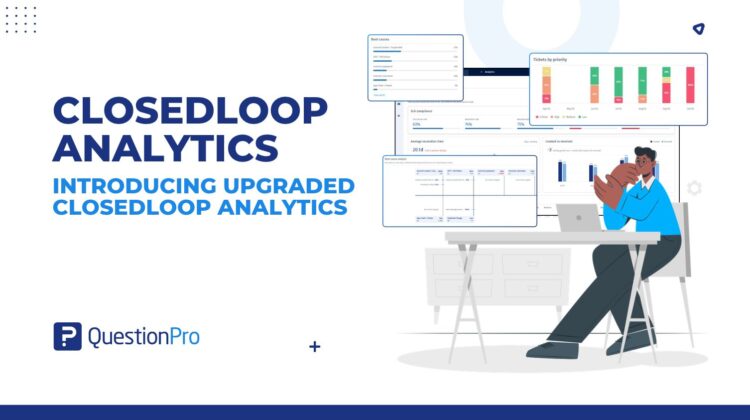
The upgrade is a redesigned Analytics experience for reviewing CX performance across closed-loop outcomes, SLAs, root causes, segments, and support staff.

It brings these analytics together in a structured dashboard, with drilldowns from supported metrics to filtered ticket lists. Workspace admins can configure which widgets appear and share the dashboard with external stakeholders through a public link.

The idea is simple:

CX metrics → The tickets behind them → A clearer view of performance

See What Needs Attention Right Now

The upgraded Analytics now separates these “Right now” Attention KPIs in a prominent way. The Attention view includes:

  • SLA-breached tickets
  • Unassigned tickets
  • Critical-aging tickets

These indicators are dependent on the selected reporting period, so teams can review current conditions as well as historical trends.

Follow Supported Metrics Into the Ticket List

A metric can raise a question. The next step is finding the tickets related to it.

Analytics now supports drilldowns from applicable metrics to the corresponding filtered ticket list. The drilldown combines the current Analytics filters with the filters for the selected metric.

Period-based metrics carry the selected reporting period into the ticket list. “Right now” Attention KPI drilldowns aren’t restricted to that period.

This gives teams a direct path from supported measures to the tickets contributing to them.

Review Performance Across the Customer Experience

CX performance includes more than one outcome. Closedloop Analytics brings together measures across several areas:

  • Closed-loop outcomes: Winback completion, Loop FCR, detractor recovery, and Winback NPS.
  • SLA and resolution performance: SLA compliance, average resolution time, created versus resolved tickets, and resolved ratio by priority.
  • Diagnosis: Ticket type, priority, survey source, root causes, and actions taken. Root Cause Analysis is available in a fishbone view with drilldown support.
  • Segments: Ticket volume and average resolution time across selected segments.
  • Support staff: Queue ownership and related performance metrics available in the dashboard.

Teams can select a reporting period using Last 7, Last 30, or Last 90 days; This month; Last month; or a custom date range. Trend charts adjust their granularity based on the selected period.

Configure the Dashboard for Your Workspace

Different workspaces may want to focus on different analytics.

Workspace admins can show or hide configurable widgets, choose count or percentage display for charts where both modes apply, and select between 1 and 8 segments when segment options are available. Attention widgets remain visible.

These settings apply at the workspace level, giving workspace users a consistent Analytics experience.

Share the Dashboard With External Stakeholders

Sometimes CX performance needs to be shared with people outside the product.

Analytics now lets users enable dashboard sharing and copy a public link. External viewers can access the shared dashboard without product access. Password protection is available as an option.


Experiences change the world. Deliver the best with our CX management software and delight your customers at every touchpoint. Request Demo

SHARE THIS ARTICLE:

About the author
Anmol Sahetya
Product Manager
View all posts by Anmol Sahetya

Primary Sidebar

Take full control of your customer journey

Make immediate business actions with our CX management platform

Learn more

RELATED ARTICLES

HubSpot - QuestionPro Integration

Experimental vs Observational Studies: Key Differences

Jul 14,2024

HubSpot - QuestionPro Integration

Frontline Employee Survey Channels Compared: SMS vs WhatsApp vs QR Code vs Microsoft Teams

Oct 16,2026

HubSpot - QuestionPro Integration

Product Testing Survey: 50 Questions, Examples, and Tips

Jan 05,2026

BROWSE BY CATEGORY

Footer

MORE LIKE THIS

closedloop-analytics

Why CX Analytics Needs More Than a Dashboard: Introducing Upgraded Closedloop Analytics

Oct 30, 2026

Student Experience Data for ATEC Mission-Based Compacts: A Guide for Australian Universities

Oct 27, 2026

prioritize-customer-feedback-with-kpis

Impact on KPI in TextAI: Prioritize customer feedback by what it scores, not how loud it is

Oct 26, 2026

survey-reporting-dashboard

Survey reporting dashboard in QuestionPro BI: Let AI draft it, or teach it from your existing dashboards

Oct 26, 2026

Other categories

questionpro-logo-nw
Help center Live Chat SIGN UP FREE
  • Sample questions
  • Sample reports
  • Survey logic
  • Branding
  • Integrations
  • Professional services
  • Security
  • Survey Software
  • Customer Experience
  • Workforce
  • Communities
  • Audience
  • Polls Explore the QuestionPro Poll Software - The World's leading Online Poll Maker & Creator. Create online polls, distribute them using email and multiple other options and start analyzing poll results.
  • Research Edition
  • LivePolls
  • InsightsHub
  • Blog
  • Articles
  • eBooks
  • Survey Templates
  • Case Studies
  • Training
  • Webinars
  • All Plans
  • Nonprofit
  • Academic
  • Qualtrics Alternative Explore the list of features that QuestionPro has compared to Qualtrics and learn how you can get more, for less.
  • SurveyMonkey Alternative
  • VisionCritical Alternative
  • Medallia Alternative
  • Likert Scale Complete Likert Scale Questions, Examples and Surveys for 5, 7 and 9 point scales. Learn everything about Likert Scale with corresponding example for each question and survey demonstrations.
  • Conjoint Analysis
  • Net Promoter Score (NPS) Learn everything about Net Promoter Score (NPS) and the Net Promoter Question. Get a clear view on the universal Net Promoter Score Formula, how to undertake Net Promoter Score Calculation followed by a simple Net Promoter Score Example.
  • Offline Surveys
  • Customer Satisfaction Surveys
  • Employee Survey Software Employee survey software & tool to create, send and analyze employee surveys. Get real-time analysis for employee satisfaction, engagement, work culture and map your employee experience from onboarding to exit!
  • Market Research Survey Software Real-time, automated and advanced market research survey software & tool to create surveys, collect data and analyze results for actionable market insights.
  • GDPR & EU Compliance
  • Employee Experience
  • Customer Journey
  • Synthetic Data
  • About us
  • Executive Team
  • In the news
  • Testimonials
  • Advisory Board
  • Careers
  • Brand
  • Media Kit
  • Contact Us

QuestionPro in your language

  • English
  • Español (Spanish)
  • Português (Portuguese (Brazil))
  • Nederlands (Dutch)
  • العربية (Arabic)
  • Français (French)
  • Italiano (Italian)
  • 日本語 (Japanese)
  • Türkçe (Turkish)
  • Svenska (Swedish)
  • Hebrew IL (Hebrew)
  • ไทย (Thai)
  • Deutsch (German)
  • Portuguese de Portugal (Portuguese (Portugal))
  • Español / España (Spanish / Spain)

Awards & certificates

  • survey-leader-asia-leader-2023
  • survey-leader-asiapacific-leader-2023
  • survey-leader-enterprise-leader-2023
  • survey-leader-europe-leader-2023
  • survey-leader-latinamerica-leader-2023
  • survey-leader-leader-2023
  • survey-leader-middleeast-leader-2023
  • survey-leader-mid-market-leader-2023
  • survey-leader-small-business-leader-2023
  • survey-leader-unitedkingdom-leader-2023
  • survey-momentumleader-leader-2023
  • bbb-acredited
The Experience Journal

Find innovative ideas about Experience Management from the experts

  • © 2022 QuestionPro Survey Software | +1 (800) 531 0228
  • Sitemap
  • Privacy Statement
  • Terms of Use

