As CX teams grow, not every manager needs the same level of access to customer tickets.
A manager responsible for day-to-day ticket handling may need to create, edit, comment, and respond to tickets. A team lead may also need to assign or escalate tickets. Another manager may be responsible for RCA and other higher-level actions.
When all managers have the same access, it becomes difficult to align permissions with these different responsibilities.
This is the problem Manager Roles addresses in Closed Loop Feedback.
Moving from broad access to role-based permissions
Previously, manager access to ticket actions was largely all-or-nothing. Delete access was also handled separately through a dedicated global setting.
This created two problems.
First, administrators couldn’t easily define different permission levels for different managers.
Second, sensitive actions such as deleting tickets couldn’t be restricted to specific groups of managers without changing a broader setting.
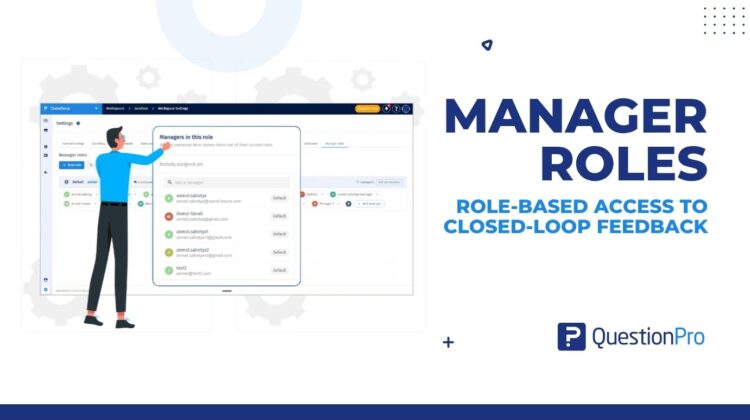
Manager Roles introduces a workspace-level role-based permission model.
Workspace admins can now create roles, configure their permissions, and assign managers to those roles.
A manager’s role determines which ticket actions they can see and perform.
Define permissions around responsibilities
Roles are configured around five permission groups:
- Work on tickets
- Collaborate on a ticket
- Route & escalate
- Resolve & analyse
- Destructive
Within these groups, admins can control individual actions such as:
- Create and edit tickets
- Comment and respond
- Manage watchers
- Assign or reassign tickets
- Escalate tickets
- Set root cause / RCA
- Delete tickets
This allows an organization to create permission sets that reflect how its CX team actually operates.
For example, an organization could have a Team Lead role with assignment and escalation permissions, while reserving RCA or delete permissions for a more senior role.
The roles themselves are configurable, so organizations don’t have to fit their team structure into predefined permission levels.
A Default role for everyone else
Not every manager needs a custom role.
Manager Roles includes a system Default role that administrators can configure.
Existing and new CX managers are assigned to the Default role when Manager Roles launches. Administrators can then move individual managers to a custom role when their responsibilities require a different permission set.
This provides a baseline access model without requiring administrators to configure every manager individually.
Managing changes as responsibilities evolve
Permissions often need to change when people move between responsibilities.
With Manager Roles, administrators can move a manager between the Default role and custom roles, or between different custom roles.
Each manager belongs to only one role at a time.
This means an administrator doesn’t need to rebuild an individual’s permissions whenever their responsibilities change. They can simply move the manager to the appropriate role.
Custom roles can also be duplicated when an administrator needs to create a similar permission set.
Delete access is now part of the role
One of the important changes in Manager Roles is how delete access is handled.
Previously, delete ticket access was controlled through a separate global setting.
With Manager Roles, Delete is a permission within the role.
This means an administrator can create a role that has access to delete tickets while keeping that permission disabled for other roles.
The existing Settings → Delete ticket access entry now directs administrators to Manager Roles, where this permission is managed.
Permissions are enforced where managers work
Manager Roles doesn’t only define what permissions look like in Workspace Settings.
The assigned role controls the actions available to managers throughout the CX experience.
Unauthorized actions can be hidden or disabled across areas including:
- Dashboard
- Ticket details
- Ticket tabs
- Watchers
- Ticket action menus
- Assignment
- Escalation
- RCA
- Responding
- Resolving
- Deleting tickets
Permissions are also enforced at the backend level, so restricting an action isn’t dependent only on whether the corresponding UI control is visible.
Built for growing CX teams
The underlying problem with broad permissions becomes more noticeable as CX teams become more structured.
When every manager has the same access, the permission model doesn’t necessarily reflect the organization’s operating model.
Manager Roles provides a way to define that operating model explicitly:
Create roles → define permissions → assign managers → manage access as responsibilities change.
For workspace administrators, this provides a centralized way to manage manager access.
For CX managers, it means the ticket actions available to them can reflect the responsibilities associated with their role.
Manager Roles is available under Workspace Settings → Manager Roles in Closed Loop Feedback.