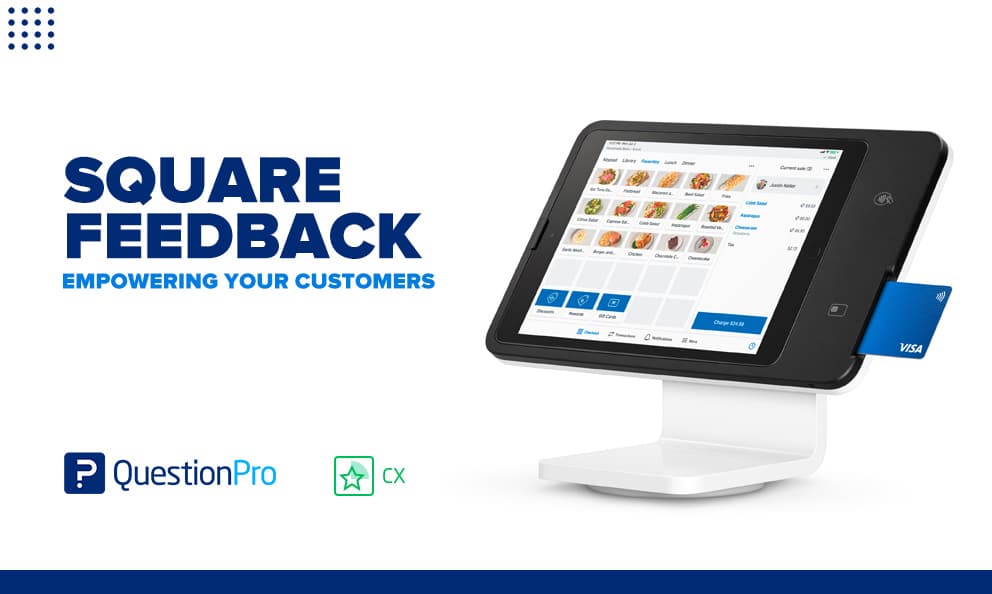
Square Feedback is a free feedback tool built into Square Point of Sale that lets customers rate a purchase directly from their digital receipt. It gives small businesses like cafes, salons, and retail shops a fast way to hear from shoppers right after checkout.
The feature is useful for catching small problems early. It only captures one moment though: the point of sale. It does not connect that feedback to broader patterns across a business, a location, or a customer relationship over time.
In this article, we’ll cover how Square Feedback works, where it comes up short, and what businesses can do to turn checkout comments into a complete customer feedback strategy.
What is Square Feedback?
Square Feedback is a built-in feature of Square Point of Sale (POS), the payment and business management system used by many small businesses. It lets customers leave private comments about a purchase through their email or text digital receipt, without needing a separate survey link.
Square, founded in 2009 by Jack Dorsey and Jim McKelvey, added Feedback in 2014 to turn its digital receipts into a two-way channel between buyers and sellers. The feature sits inside the broader customer feedback software category, but it focuses narrowly on the checkout moment rather than the full customer relationship.
Square Feedback includes a few core capabilities:
- Private replies: Customers and business owners can message each other about a specific purchase without the exchange becoming public.
- Receipt-based collection: Feedback appears as a prompt inside digital receipts sent by email or text.
- Refunds and coupons: Business owners can resolve a bad experience directly by offering a refund or a coupon.
- Dashboard access: Feedback shows up in the Square Dashboard or the Point of Sale app, so owners can check it from any device.
The tool is free for any business already using Square Point of Sale. There is no separate license or add-on fee for turning it on.
How does Square Feedback work?
Square Feedback works by adding a short prompt, “How was your experience?”, to a customer’s digital receipt. The customer’s reply routes straight to the business owner through the Square Dashboard.
The full flow looks like this:
- A customer chooses an email or text receipt at checkout.
- The receipt includes a one-tap feedback prompt.
- The customer rates the experience and can add written comments.
- Square notifies the business owner in the Dashboard or the Point of Sale app.
- The owner can reply privately, issue a refund, or send a coupon to resolve the issue.
Square’s own help center walks through the setup steps for enabling feedback collection and notifications inside the Dashboard. Most businesses can turn the feature on in a few minutes, since it uses receipts they are already sending.
Square Feedback vs Square Point of Sale: What’s the difference?
Square Feedback often gets confused with Square Point of Sale itself, but the two are not the same thing. Point of Sale is the full system a business uses to accept payments, track inventory, and manage sales. Feedback is one feature inside that system, focused only on collecting comments about a transaction.
Square Feedback is also different from a public review site like Yelp or Google Reviews. Reviews left on those platforms are visible to anyone searching for the business. Comments left through Square stay private between the customer and the business, unless the business separately asks for a public review.
This distinction matters for a simple reason: a private comment through Square Feedback helps a business fix a problem quietly, but it does nothing to build public trust or search visibility the way a public review does.
Pros and cons of Square Feedback
Square Feedback earns its place in a checkout flow because it is quick to turn on and free to use. It also has real limits once a business needs the fuller view of the customer experience that a customer experience management platform provides. Weighing both sides helps a business decide if the built-in feature is enough on its own.
Pros
- Free with any Square Point of Sale account
- Works automatically through receipts customers already receive
- Lets a business resolve complaints privately before they become public reviews
- Ties feedback to a specific transaction and customer record
- Requires no extra software or setup cost
Cons
- Only captures feedback tied to a digital receipt, so cash-only or paper-receipt customers are missed
- Offers no survey logic, branching, or custom questions
- Does not calculate a standardized score, such as CSAT (Customer Satisfaction Score) or NPS (Net Promoter Score)
- Provides limited reporting and no cross-channel analysis
- Cannot connect checkout comments to feedback from other touchpoints, like support calls or a website visit
How much does Square Feedback cost?
Square Feedback costs nothing extra for businesses that already use Square Point of Sale. The feature is included at no charge and does not require a paid plan upgrade to turn on.
This was not always the case. When Square first launched the feature in 2014, it charged sellers a monthly fee to access it. Square later folded Feedback into its free Point of Sale tools, where it remains today as a standard part of the digital receipt experience.
Where Square Feedback fits in the customer journey
Square Feedback covers a single point in a much longer path a customer takes before, during, and after a purchase. Mapping that path shows exactly where the tool adds value, and where it stops.
The table below uses a fictional grocery store to show common touchpoints, the pain points customers hit at each one, and where a tool like Square Feedback could help.
| Stage | Touchpoint | Customer action | Pain point | Where feedback helps |
|---|---|---|---|---|
| Awareness | Social media | Discovers the store online | Limited information | Not covered by Square Feedback |
| Consideration | Store website | Browses products | Hard-to-navigate site | Not covered by Square Feedback |
| Decision | In-store display | Sees promotions | Overwhelmed by choices | Not covered by Square Feedback |
| Point of sale | Checkout counter | Completes the purchase | Long queues, rushed service | Square Feedback captures the moment directly |
| Service | Customer support | Seeks help after the sale | Slow response times | Not covered by Square Feedback |
| Loyalty | Personalized offers | Receives tailored deals | Irrelevant offers | Not covered by Square Feedback |
Out of six stages, Square Feedback only reaches one. A business that relies on it alone has no structured way to hear from customers at the other five stages, even though problems can show up anywhere along that path. Plotting all six on QuestionPro’s customer journey mapping software, paired with Survey Software to collect structured input at each stage, closes that gap.
Common mistakes businesses make with checkout feedback
The biggest mistake is treating Square Feedback as a full customer feedback system rather than one input among several. A single checkout comment cannot explain why a customer churned three months later or why sales dropped at one location. That risk is real: according to PwC research on customer experience, 32 percent of customers say they will walk away from a brand they love after just one bad experience.
A few other mistakes show up often:
- Ignoring negative feedback instead of replying, which wastes the tool’s biggest advantage: fast, private resolution
- Never asking customers about stages outside checkout, like delivery, support, or the website
- Treating every comment as equally important instead of watching for repeated themes
- Failing to train staff on what to do when a refund or coupon is requested through feedback
- Never comparing feedback trends across locations, since Square Feedback reports are limited by design
Businesses that make these mistakes often assume checkout feedback tells the whole story about customer satisfaction. It usually does not.
How to measure the impact of checkout feedback
Measuring impact starts with looking at patterns, not individual comments. A single complaint about slow service does not mean much on its own, but ten similar comments in a week point to a real operational problem.
Businesses can track a few simple signals inside Square Feedback: the ratio of positive to negative comments, how quickly staff reply, and how often a refund or coupon resolves an issue. These numbers give a rough read on checkout satisfaction, though they cannot be benchmarked against industry standards the way a structured survey score can.
For a deeper read on this kind of tracking, see this guide to POS data analysis, which covers how to turn transaction and feedback data into decisions rather than just a running log of comments.
When your business outgrows Square Feedback
A single location with a small, steady customer base can often run on Square Feedback alone for a while. Growth changes that math quickly. Multiple locations, a wider mix of channels, or a push to reduce customer churn all call for more structure than a receipt prompt can provide.
A few signs point to outgrowing the built-in tool:
- Feedback volume is too high to read comment by comment
- Leadership wants a single satisfaction score to track over time, not just a stream of comments
- The business needs to compare experience across locations or channels
- Customer feedback needs to reach teams beyond the front counter, like marketing or product
This is where a dedicated customer experience program becomes useful. A closed-loop feedback system, one that routes a complaint to the right team and tracks whether it was resolved, closes gaps that a private receipt comment cannot. QuestionPro Customer Experience software offers this kind of structure, built for businesses that have outgrown a single checkout prompt.
Checkout feedback is a starting point, not the finish line
Square Feedback does one job well: catching a bad experience at checkout before it becomes a public complaint. That is worth having in place for any business already using Square Point of Sale.
The businesses that get the most value treat it as a first layer, not the only one. Pairing it with a structured way to track satisfaction, map the full customer journey, and close the loop on every complaint turns a handful of receipt comments into a real customer experience strategy.
Frequently Asked Questions (FAQs)
No. Square Feedback stays private between the customer and the business. A customer can still choose to leave a public review separately, but the two systems are not connected and one does not control the other.
No. Feedback submitted through a Square digital receipt is only visible to the business, not to other customers or the public. This is part of what makes it useful for resolving problems before they turn into public complaints.
Usually not. The prompt appears inside a digital receipt sent by email or text, so customers who decline a digital receipt or pay without one typically will not see the feedback option at all.
Square Feedback asks one open-ended question tied to a single purchase. A structured satisfaction survey uses set questions and scoring, like CSAT or NPS, which makes results easier to track and compare over time.
Yes, to a limited degree. Square Dashboard lets business owners view and filter feedback, but it does not offer the deeper segmentation or trend analysis found in dedicated feedback and experience platforms.