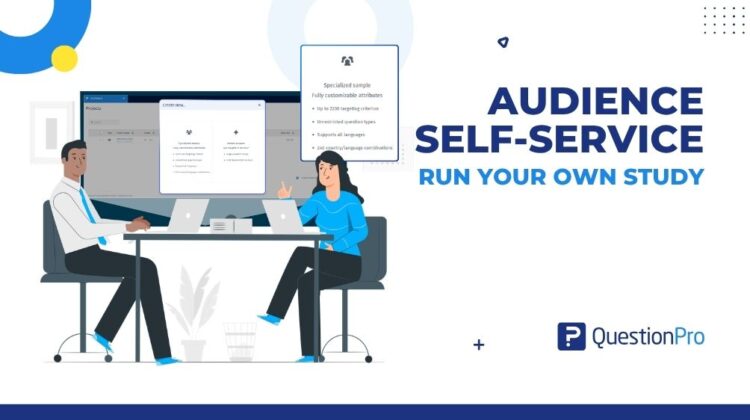
You already know what a good sample looks like. Now you can source it, shape it, launch it, and fix it yourself. Built directly into QuestionPro, audience self-service puts you in total control of your sample from initial brief to final response reconciliation.
The reply-all that started every study
Audience self-service is the difference between a study you request and a study you run.
Here is the old version. A brief lands on your desk. You need respondents from three countries by month’s end. So you open an email and start typing.
Who is the audience? How many completes? What incidence rate should we assume? You guess at that last one and hit send. Then you wait. You wait for the quote. You wait for the feasibility check. You wait for someone to ask whether you really need that age split.
Nobody in that chain did anything wrong. The people on the other end were quick and kind. But your study spent the first days of its life sitting in an inbox that was not yours.
Now replay it. You open QuestionPro Audience, pick your countries, and apply your audience. The feasibility and cost per interview update as you go. You launch when you are ready. You fix problems when you find them. The study stays in your hands from the first click to the final credit.
This post follows one study through every step you can now own. Picture a packaged food brand testing a new snack concept, and picture yourself as the researcher in charge.
Learn More: Explore QuestionPro Audience and the self-service research sample behind it.
What is audience self-service?
Audience self-service lets you source and manage research respondents yourself, inside QuestionPro Audience. You choose the countries, define the audience, review feasibility and cost per interview, launch the survey, and monitor fieldwork. No request email required. It replaces the loop of quotes and check-ins that used to sit between your survey and your sample.
It is built for anyone who runs research on QuestionPro, across several license types. You bring a survey from your account, ideally built in QuestionPro’s market research survey software. QuestionPro provides the panel, targeting, quotas, and controls.
If you are new to buying samples, our guide to buying survey responses covers the basics. Our post on DIY market research shows what changes when you run the work yourself.
Three things it is not:
- It is not a black box. Every setting is visible, and the estimate shows what you are committing to before you launch.
- It is not a solo mission. If your audience is not feasible, a Contact button sends your project to the Audience team. They reply by email with options.
- It is not limited to simple studies. Balanced samples, nested quotas, and multi-country projects all live in the same workflow.
Scope it: choose your markets, your audience, and your number
Back to the snack concept test. You have a survey, a deadline, and three target markets. You do not have a quote yet. Good. You do not need to wait for one to see where you stand.
Pick your markets from 58 countries
Open Audience, click Create project, and choose Specialized Sample. Then choose your country. QuestionPro Audience reaches respondents in 58 countries from one screen.
Each country brings its own targeting options. Some markets offer states or provinces. Others offer regions or counties. Income, education, and household filters change based on locally available data. You do not reconcile those differences in a spreadsheet. The platform shows only what exists for the country you pick.
That means the audience you build for Germany reflects how Germany counts its own population. The estimate panel also updates as you enter your response target, survey length, and completion date. You see feasibility, cost per interview (CPI), and total project cost before you commit to anything. The specialized sample help article walks through every field.
Start from a trusted audience, not a blank screen
Now define who you want. You can build your audience criterion by criterion from the audience qualification library. Or you can start from an audience template.
Default templates cover common research audiences: census, homeowners, gamers, full-time employees, parents, and children through parents. Hover over a card to preview its criteria. Click Select, and every criterion fills in. Then adjust whatever you need. Your edits change only the current project. The default template stays exactly as it was.
Built a version you like? Click Save Template and give it a name. It appears under My Templates for next time. You can rename, edit, or delete it whenever you want.
Here is where it pays off. Your quarterly tracker starts from the same saved audience every wave. Nobody rebuilds it from memory, and nobody drifts by one criterion. Audience templates turn a setup chore into a one-click habit. The help article shows the full flow.
Get a realistic incidence rate before you commit
Incidence rate is the share of screened people who qualify for your study. It drives your timeline and your cost per interview. It is also the number every researcher ends up guessing.
Next to the incidence rate field, click Check with AI. Audience reads your survey, your screener logic, and the targeting filters you applied for each country. It returns a suggested incidence rate with the reasoning behind it. Click Apply AI estimated IR to use it. Click Use my own IR to keep yours.
It also flags reach problems early. Say your survey needs owners of one specific electric vehicle brand, but the panel can only target car owners. The estimate reflects that gap. You find out before launch, not three days into the field.
Two honest limits apply. The estimate is a planning number, not a promise about on-field incidence. And once the project is live, IR management tracks how incidence rate behaves in the field. Our post on the AI incidence rate estimate goes deeper. The IR by AI help article covers the details.
Shape it: make the sample look like the market
Reaching the right people is half the job. Getting them in the right proportions is the other half. Random collection tends to over-represent the groups that are easiest to recruit. You hit your number of completes, and the skew hides inside it.
Balance by census or by your own percentages
Audience balancing controls who fills your sample. Open a criterion such as age, gender, ethnicity, or region. Switch the balancing toggle on. Then choose your mode.
Census mode applies official government distributions for the region you are sampling. Custom mode lets you set your own percentage for every option. Want to balance only certain ages? Define your own age ranges and percentages. Add or remove ranges as needed.
For ethnicity and region, you may need to add the criterion first through Add Criteria, then demographic. Save, and the platform manages the distribution through fieldwork.
Then comes the part you will notice most. You stop building quota cells by hand. You stop refreshing a dashboard to see which group is lagging. Trackers, public opinion studies, and concept tests can all start from a sample that reflects your population. The audience balancing help article includes a short video of custom age balancing.
Nest your quotas when one level is not enough
A single-level quota can look perfect and still hide a problem. Gender splits evenly. Age is balanced. Regions look fine. Then you cross them and find your youngest respondents all live in one region.
Nested quota fixes that. It applies quotas across up to three criteria at once, drawn from age, gender, region, and ethnicity. Think of a cell like women aged 18 to 34 in the western region. You set the percentage for each combination. The platform manages fieldwork against that structure.
Three prerequisites apply. Your project needs at least 100 completes. Audience balancing must be applied. And at least two qualifications need balancing. Once those are in place, the Nested quota button activates. Pick your criteria, edit the segments, and save. Some countries support only age, gender, and region, so check your market first.
Why it matters beyond one study: tracking studies stay consistent from wave to wave because the sample structure repeats. The nested quota help article shows how to add a third criterion or remove the quota later. For quota rules inside the survey itself, our post on quota management covers that side.
Widen it: one project, many countries
Your snack concept is heading to three markets. Without a multi-country launch, that means three projects, three setups, and three places to check. With it, you build one.
Choose Specialized Sample and select two or more countries in the Country field. A Select all option is there if you want every market. Set your response target once. It applies to each country individually. Then click each country tab under Select your audience and set that market’s targeting separately. Audience saves each country’s settings as you switch tabs.
The Your estimate panel shows a Cost by country table with the response target, CPI, and total for each market. It also shows overall respondents, the estimated completion date, and a grand total. If a price check is running, wait for it. If it fails, click Retry. If a country is flagged as not feasible, adjust its targeting or remove it before you click Create project.
Behind the scenes, QuestionPro creates one parent project for the whole study and one child project per country. Click Launch on the parent, and every ready country starts. Credits are checked per country, so markets that can start do start. If some cannot, you see a message and a Launch remaining countries button.
Fieldwork gets easier to steer. Open the Overview tab and switch between all countries and a single market. Use Pause, Resume, or Close on one country without touching the rest. One market finishes early? Close it. Another needs a breather? Pause it.
One rule to remember. You can add or remove countries only while every country is still in Bid status. Once any country starts collecting, the country list locks. Read the full walkthrough in our post on multi-country launch. The multi-country launch help article and our guide to multi-country survey research go further.
Test it: launch small before you commit
You have a feasible audience, a balanced sample, and a launch button. Do not press the big one yet.
Open the Launch menu, and you will see two options. A soft launch releases your survey to 10, 20, 30, 40, or 50 percent of your total sample. Use it to check survey length, confirm the real incidence rate, and catch logic slips while they are small. A full launch collects every response at once.
Once fieldwork is running, watch the live numbers from your main dashboard. IR management tracks on-field incidence rate and related field metrics. It can send notifications and CPI guidance if performance changes.
This is the same check a careful project manager would run. Now you run it on your own timeline, and you decide what happens next.
Fix it: reclaim credit for bad responses yourself
Fieldwork closes, and you clean the file. Some completes do not belong. Maybe a batch of gibberish open ends. Maybe a cluster of speeders. You targeted well, and you still paid for noise.
Audience reconciliation adds a Reconciliation tab to completed projects. Open it and click Reconcile. Paste in your bad response IDs, up to 500 per request. Or upload a CSV with an ID and a rejection reason on each row. Pick from standardized rejection reasons. The system checks every ID against your project’s confirmed completes. It flags invalid, duplicate, or already-submitted IDs before you submit. Review the estimated refund, confirm, and send.
Then the timing. Low-risk requests are auto-approved within five minutes. Complex cases go to manual review and are resolved within five business days. Approved credit lands in your QuestionPro wallet within about a minute, at the original quota-cell rate you paid. Every request stays in your Reconciliation History table, and email updates arrive as the status changes.
The guardrails are short. The project must be in Completed status. You have 30 days from completion or close, with a 72-hour in-app alert before the window shuts. You can flag up to 20 percent of total completes. If more than a fifth of your sample looks bad, the platform points you to the Audience team. That pattern deserves a conversation, not a routine claim.
For prevention and cure, see how QuestionPro approaches data quality in surveys. The audience reconciliation help article has the full CSV format.
The benefits and advantages of audience self-service
Follow the study from brief to credit, and a pattern shows up. Every step that used to wait on someone else now waits only on you.
The benefits you feel
- Autonomy over your own timeline. You move when your brief moves, not when an inbox does.
- Confidence before you commit. Feasibility, cost per interview, and total project cost are on screen before you launch.
- Representative samples without manual quota work. Census or custom balancing and nested quotas handle the cell math.
- Global reach from one screen. Fifty-eight countries, each with targeting that adapts to local census structures.
- Consistency from wave to wave. Saved templates and nested quotas keep audience definitions and sample structures the same every time.
- Less admin. Estimates, exceptions, and credits all happen inside the platform where you already work.
The advantages over the old way
- Quotes and feasibility. Before, a request and a wait. Now, a live estimate as you set up the project.
- Audience setup. Before, you rebuilt it from scratch for every project. Now, a template in one click.
- Quotas. Before, you built and monitored cells by hand. Now, census or custom balancing plus nested quotas.
- Multi-country studies. Before, one project per market. Now, one parent project with a child for each country.
- Bad responses. Before, IDs were compiled by hand, an email, and days of waiting. Now, a tab, a CSV, and a five-minute review for low-risk cases.
When self-service fits, and when to choose another route
Good guidance includes the limits. Here is where each path works best.
Self-service fits well when
- You know your target audience and can describe it with the qualification library.
- You run recurring trackers that need the same audience and sample structure every wave.
- You are running one survey across two or more countries.
- You need a nationally representative sample, or a custom distribution you can define in percentages.
Choose another route when
- Your audience is not feasible. If adjusting the targeting does not fix it, click Contact. The Audience team reviews your request and replies by email with cost and options.
- More than 20 percent of completes look bad. Reconciliation stops at that point and points you to the Audience team.
- Each country needs a different survey. Multi-country launch uses one survey across all countries, so separate projects are the answer.
- You are running an Instant Answers project. Multi-country launch applies to specialized sample projects only.
- You are surveying your own customers or employees. Standard survey distribution fits those studies better than panel sample.
One more note. Running a single-country study? A standard project is a better fit than a multi-country setup.
How to run your first self-service study in QuestionPro
- Open Audience and click Create project. Then choose Specialized Sample to start a self-service project.
- Name the project and select your survey. The survey must be set to Active in your survey settings to appear in the list.
- Choose your country. Pick one for a single-market study, or two or more for a multi-country project.
- Set your targets. Enter your response target and completion date. Survey length fills in from your survey, or you can enter 1 to 20 minutes.
- Estimate your incidence rate. Try Check with AI, or enter your own value between 10 and 99 percent.
- Build your audience. Start from a template or the qualification library. Add audience balancing and nested quota where you need them.
- Review the estimate. Check feasibility, cost per interview, and total project cost. Adjust until it fits.
- Create the project and launch. Choose a soft launch to test first, or a full launch to collect everything.
- Monitor, then reconcile. Track progress on your dashboard. When the project completes, use the Reconciliation tab for any bad responses.
The specialized sample help article covers each field in detail.
Get started
You already know what a good sample looks like. Audience self-service lets you source, shape, launch, and fix it on your own clock.
Pick one audience you use often and save it as a template. Then run a quick feasibility check. It takes a few minutes and shows you what the estimate panel can do.
Create a free QuestionPro account and open QuestionPro Audience to start your first self-service project. If you want the wider toolkit around it, explore the QuestionPro Research Suite.
Frequently asked questions
Audience self-service lets you source and manage research respondents yourself inside QuestionPro Audience. You choose countries, define your audience, review feasibility and cost per interview, and launch. You then monitor fieldwork and request credit for bad responses. No request email is needed. It works with a survey in your QuestionPro account and covers single-country and multi-country studies.
No, not for routine work. You can set up, check feasibility, launch, and monitor a project on your own. Reach out when your audience shows as not feasible or when you want help with a difficult target. The same goes when more than 20 percent of your completes look bad. The contact button on the feasibility panel sends your project over, and the team replies by email.
QuestionPro Audience reaches respondents in 58 countries. For a multi-country study, choose two or more countries in one specialized sample project. QuestionPro creates a parent project plus a child project for each country. The response target applies to each country, and each keeps its own audience settings. You can add or remove countries only while every country is still in bid status.
Audience balancing sets the distribution for each criterion, such as age, gender, ethnicity, or region. It uses census data or your own percentages. Nested quota applies quotas across up to three of those criteria together. For example, women aged 18 to 34 in one region. Nested quota needs at least 100 completes and balancing on at least two qualifications.
Yes. Audience templates let you apply a set of qualifications in one click. Default templates cover census, homeowners, gamers, full-time employees, parents, and children through parents. You can also save your own from any audience you build, then rename, edit, or delete it later. Edits you make after applying a template change only the current project.
Treat it as a planning number, not a guarantee. It reads your screener questions, your applied targeting, and historical panel profiling data where available. Then it suggests an incidence rate with its reasoning, plus a note if your target looks hard to reach. Real field incidence can still differ after launch, so IR management tracks it live. You can always enter your own value instead.
Use the reconciliation tab on a completed project. Add up to 500 response IDs per request by pasting them or uploading a CSV. Choose a rejection reason for each. Low-risk requests auto-approve within five minutes. Complex cases go to manual review and are resolved within five business days. You have 30 days from completion, and requests can cover up to 20 percent of completes.
Availability varies by feature and license. A specialized sample is available on Advanced, Team Edition, Research Edition, Communities, Customer Experience, and University Research Edition licenses. Audience balancing and nested quota are available on Team Edition, Research Edition, Communities, and University Research Edition. Audience templates and reconciliation also include Advanced. Confirm your own setup with your account admin, or request a demo.