



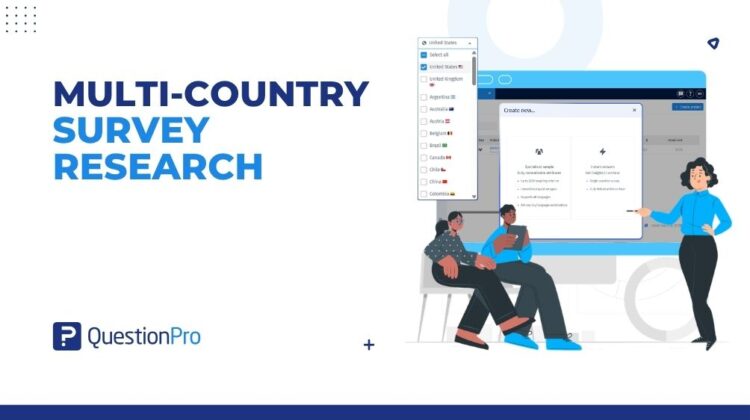
Run one Specialized Sample project across many markets — with unified monitoring and per-country control
It’s 8 PM on a Tuesday. A research operations manager at a consumer goods company is pulling together a fieldwork status report for a six-country brand equity study that launched three days ago. Handling this kind of multi-country survey research usually means wrestling with fractured systems long after the workday should have ended.
She has six browser tabs open — one for each Audience project. She’s copying response counts into a spreadsheet, calculating overall completion rates by hand, and trying to make sure none of the project IDs get mixed up.
A colleague messages her: “Which market is furthest behind?” She has to check three dashboards before she can answer.
This is the operational reality of multi-country survey research when the platform doesn’t match how international studies actually work.
Why Global Survey Research Creates More Work Than It Should
Multi-country research is standard practice for any organization that operates across markets. According to insights from ESOMAR, global research spend and cross-border data collection continue to expand rapidly as brands scale internationally. Brand tracking, product testing, consumer segmentation, pricing research — all of these study types need regional data to produce findings that hold across geographies.
The problem isn’t the research design. It’s the operational reality that follows:
- Creating a separate Audience project for each country, even when the survey, timeline, and core fieldwork parameters are identical.
- Maintaining consistent audience targeting across markets without a unified setup workflow — a change to one country’s configuration doesn’t carry across to others.
- Tracking cost, completion, and feasibility simultaneously across multiple disconnected project dashboards.
- Making mid-study adjustments — pausing a market that’s running ahead, restarting one that stalled — without a centralized control view.
The operational load scales with every country added. A two-country study is manageable. A six-country study becomes a coordination challenge. A ten-country study can consume more research operations time than the analysis that follows it.
Cost visibility compounds the problem. Understanding total investment across markets — and how CPI varies by country — requires manually aggregating estimates from separate project setups, often after parameters have already changed.
The Case for a Unified Multi-Country Research Workflow
Feedback from research operations teams pointed to a consistent pattern: the hardest part of running international studies wasn’t finding the right respondents. It was managing the logistics.
Most multi-country studies share the same survey instrument, the same fieldwork timeline, and the same core project parameters. What changes by country is the audience composition and, frequently, the cost per completed response.
If that’s the structure of a multi-country study in practice, the platform should reflect it: one parent project representing the full study, with country-level child projects that share core parameters but operate independently.
That’s the principle behind Multi-Country Launch in QuestionPro Audience.
What Is Multi-Country Launch in QuestionPro Audience?
Multi-Country Launch is a feature in QuestionPro Audience that lets research teams run a single Specialized Sample project across multiple countries simultaneously, within one unified workflow.
Instead of creating and managing a separate Audience project for each market, you configure the core study once — survey, response targets, fieldwork dates — and set audience targeting per country within the same setup flow. The platform creates a parent project that gives you a consolidated view of the full study, and individual child projects for each country that operate independently in the background.
One project to create. One place to monitor. Independent control at the country level when you need it.
How to Set Up a Multi-Country Survey Project: Step by Step
Setting up and launching a multi-country study in QuestionPro Audience follows a single end-to-end workflow.
Project setup
1. Open Audience and click Create project.
2. Select Specialized Sample as the project type.
3. Enter a project name and attach your survey.
4. Open the Country selector and choose two or more countries. A Select all option is available.
5. Set your response target. This number applies to each country individually.
6. Fill in Incidence rate, Completion date, and Survey length.
7. Click each country tab under Select your audience and configure audience targeting per market. Settings are saved per country as you move between tabs.
8. Review your estimate panel. It shows a Cost-by-country breakdown: response target, CPI (cost per completed response), and total cost per country, plus overall Respondents, estimated completion date, and total across all markets.
9. If any country is flagged as not feasible, adjust the targeting criteria or remove that country. If a price check fails, click Retry.
10. Click Create project.
Launching and monitoring
To launch, open the parent project and click Launch from the Project details page. Credits are checked per country independently — if one country isn’t ready, others can still start. A Launch remaining countries button appears when additional countries become available.
From the Overview tab, monitor all countries together or drill into a single market. The Countries area shows each country’s status, project ID, completed responses, target, and a progress bar. Pause, Resume, and Close controls are available per country, so you can manage individual markets without affecting the others.
On the Audience home page, the parent project row shows the full study. Expand it to see each country’s child project row, with its own project ID, status, progress, CPI, actual cost, and total cost.
Important: Countries can only be added or removed while all countries remain in Bid status — before any country starts collecting responses. Once fieldwork begins in any country, the Country list is locked.
From Eight Dashboards to One: How a Healthcare Research Team Changed Its Workflow
A patient experience research team at a healthcare consultancy runs studies across five countries in Europe and North America — two to three times per year.
Previously, the team’s research coordinator would set up five separate Audience projects for each study wave. Each required individual configuration: survey attachment, audience targeting, response targets, and fieldwork dates. Tracking status meant checking five separate dashboards throughout the fieldwork period.
After adopting Multi-Country Launch, the process changed.
The coordinator sets up one parent project, selects the five countries, and configures audience targeting per market within the same workflow. Before creating the project, the cost estimate panel shows CPI and total cost per country side by side. In one study wave, the CPI for one country is significantly higher than expected. The team adjusts the audience targeting for that market, the cost recalculates automatically, and they proceed.
Once launched, one parent project covers the full study. When one country closes its quota three days ahead of schedule, the coordinator closes that country from the parent project view without touching the others. The remaining countries complete on schedule.
The same study that previously required managing five separate project entries now runs from one.
International Research Operations at Scale
Multi-Country Launch is part of QuestionPro Audience’s ongoing direction toward reducing the operational overhead of international research — making global studies manageable at scale, not just technically possible.
As research programs grow in frequency and scope, the platform continues to evolve around the needs of teams running multi-country studies routinely. The goal is straightforward: spend less time on project administration and more time on the insights.
Multi-Country Launch is now available in QuestionPro Audience. Learn more in the help file.



