Stop coordinating with five different sample suppliers just to run one international study. Effective global audience recruitment shouldn’t require endless email chains and waiting games.
The global research waiting game
Imagine you need product feedback from IT directors in the United States, healthcare specialists in Germany, and electric vehicle owners in Japan. A few years ago, this project required opening separate email threads with three regional sample vendors. You sent your screening requirements to each vendor. Then you waited 48 hours for feasibility estimates.
When those estimates arrived, nothing matched. One vendor defined household income using brackets that made no sense in Asia. Another vendor warned they could not reach your target audience in smaller European cities. You spent days aligning spreadsheets and reconciling definitions before you even touched your survey logic. Every extra step added costs, delays, and friction.
International research does not need to work this way. You can run global audience recruitment directly from a single screen.
Learn More: Specialized Sample Feature
What is Specialized Sample?
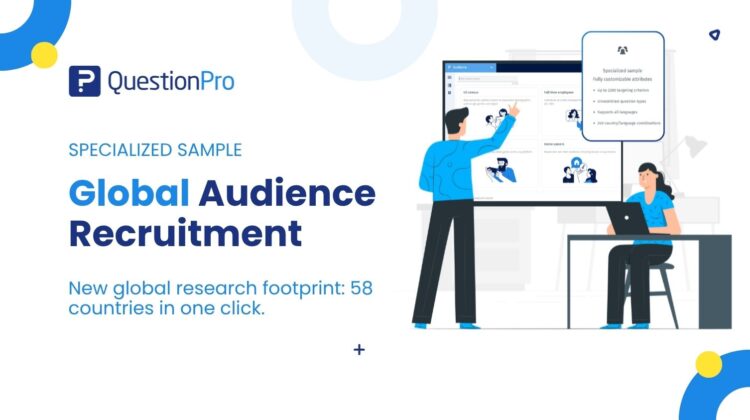
Specialized Sample is a self-service respondent recruitment tool built directly into QuestionPro audience software. It gives research teams instant access to verified respondents across 58 countries. You choose your target market, set demographic filters, and review real-time feasibility without leaving the platform.
This tool replaces manual sample procurement. You no longer need to send manual requests for proposals, negotiate with account representatives, or manage disjointed respondent panels.
International studies often stumble on local census variations. Administrative boundaries, education systems, and income brackets change from one region to another. Specialized Sample handles these differences behind the scenes. The platform adapts automatically when you select a country. It displays only the demographic options and geographic filters supported in that specific market.
How to use Specialized Sample in your research
Let us look at a practical scenario. An enterprise software provider wants to test messaging for a new cloud platform. They need feedback from IT decision makers and procurement leaders across four key markets: the United States, Germany, Singapore, and Australia.
Instead of contracting four local research suppliers, the research team opens QuestionPro. They create an audience project and select the United States. They specify their sample size, survey length, and screening criteria using the qualification library. The platform immediately calculates sample feasibility, cost per interview, and total project cost. They repeat this process for Germany, Singapore, and Australia within minutes.
To protect their project budget, the team uses the built-in soft launch control. They release the survey to 10 percent of their target sample size in each country. As initial responses arrive, they monitor live metrics across the research platform. They verify the actual incidence rate and confirm that respondents complete the survey within the expected time. Once they verify data quality, they release the remaining 90 percent with one click.
The advantages of Specialized Sample
- Instant feasibility checks give you immediate clarity. You see exact respondent availability and project costs before spending budget.
- Country-aware demographic filters remove confusion from international research. The interface automatically updates to reflect local census standards for each country.
- Built-in soft launch controls minimize risk. Testing your survey on a small sample fraction helps you spot logic issues before full deployment.
- Transparent cost estimates provide complete financial visibility. You see your cost per interview and total expense before launching.
- Unified respondent management keeps your work inside one dashboard. You do not need to juggle multiple vendor accounts or external file transfers.
When to use it, and when not to
Specialized Sample works best when you need fast, reliable access to external audiences across multiple markets. It is ideal for international product testing, multi-country brand tracking, and targeted B2B research. If you need to survey procurement leaders, HR directors, or niche consumer segments like electric vehicle owners, this feature simplifies the entire process.
However, this tool is not designed for every scenario. Do not use Specialized Sample if you are surveying your own internal customer lists or employee panels. For those projects, simple email or SMS distribution through standard survey software is the right approach. It is also not meant for offline qualitative studies that require physical focus groups or in-home product visits.
How to turn on Specialized Sample in QuestionPro
Setting up your global research project takes only a few simple steps. Log into your QuestionPro account and navigate to the Audience section. Click the option to create a project, then choose Specialized Sample in the pop-up window.
Select your target country from the 58 supported options. Next, enter your required number of completed responses, target field duration, expected incidence rate, and survey length. Apply your specific demographic and industry filters from the qualification library.
The right side of your screen will display your live feasibility status, estimated cost per interview, and total project cost. Select your active survey, choose either a partial soft launch or a live launch, and begin data collection. For complete visual guidance, review our specialized sample help documentation.
Get started
Global market research no longer requires endless email chains or vendor negotiations. Reach target respondents across 58 countries from one unified workspace.
Frequently asked questions
Currently, QuestionPro Audience supports respondent recruitment across 58 countries. The platform automatically adjusts available geographic and demographic filters to match the census and administrative structures of whichever country you select.
A soft launch releases your survey to 10, 20, 30, 40, or 50 percent of your required sample first. This allows you to evaluate data quality, verify survey length, and check the real incidence rate before committing your full research budget.
The incidence rate calculation relies strictly on your screening questions. It reflects the percentage of total screened participants who qualify for your survey criteria. Survey dropouts and completion behaviors do not alter this initial screening figure.
If the self-service feasibility check indicates your target criteria cannot be met automatically, click the contact button on the feasibility panel. Your project details will be sent directly to the Audience team, who will review custom recruitment options and contact you by email.
Yes. The qualification library offers filters for specialized B2B roles like IT directors, procurement managers, and HR leaders. You can also target niche consumer groups, including electric vehicle owners, parents, and healthcare specialists.
No. You can select any active survey already built inside your QuestionPro account. Once selected from the dropdown menu, the system automatically pulls in the survey and calculates estimated survey length for your project feasibility.