Your study is delayed, not canceled. It just needs more respondents on board. A quick sample boost helps you speed up survey data collection without splitting your dataset.
Why do live surveys fall behind?
Attention, passengers booked on your brand tracker: your responses are experiencing a delay. More are expected to arrive. We cannot say when.
Ever watched a response counter stall at 212 of 400 while the deadline walks closer? Then you know this announcement by heart. It’s one of the most ordinary problems in research. It’s also one of the most irritating, because every obvious fix has a catch.
Once a study is in the field (the stretch when your survey is live and collecting answers), you usually get three choices. Wait and hope. Close the project and start over, which means rebuilding your targeting and quotas. Or open a second project for the leftovers, which splits your report across two places.
None of those is great. Sample boost was built for exactly this moment. It lets you invite more respondents to a project that’s already live, so you finish the study in the project you started.
Learn More: How sample boost works in the QuestionPro help center
What is sample boost?
Sample boost, also called project push, is a control on live projects in QuestionPro Audience. That’s where you buy survey respondents for your study. One push invites more respondents to the project you already have. You don’t close it. You don’t relaunch it.
Here’s what happens behind the scenes. The platform opens another project in the backend, for only the responses you still need. You never have to manage that project. Everything it collects flows into your original one.
It helps to say what sample boost isn’t:
- It isn’t a restart. Your project stays live the whole time.
- It isn’t a duplicate. You won’t get a second Audience project or a second report.
- It isn’t a settings change. Targeting, qualifications, quotas, and survey settings are copied as they are.
That last point has one exception, and it comes up in a minute.
How does a push work, step by step?
The whole process is short:
- Go to the projects page.
- Hover over the live project you want to boost.
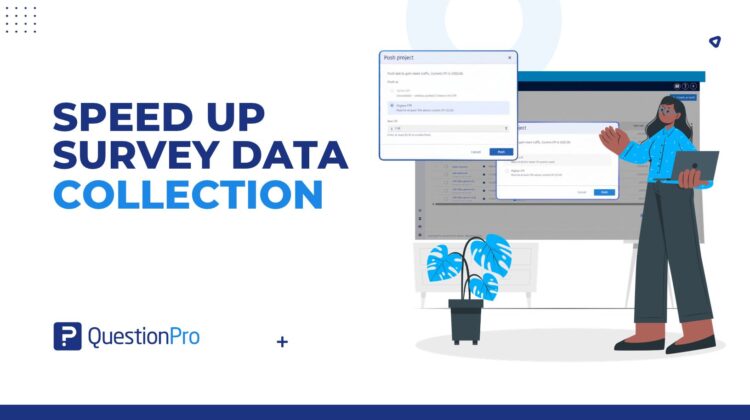
- Click Push.
- Choose push at the same CPI or push at a higher CPI.
- Review the details and confirm.
CPI stands for cost per interview, the rate attached to each completed response. It’s the exception: the only setting that can change, and only if you pick the higher option.
Here are the rules. Push at the same CPI is available for the first two pushes on a project. After that, the next push has to be at least 10% above the current CPI. So if a study keeps lagging, any extra spend is a decision you make on purpose, not a surprise you find later.
What stays the same after a push?
Quite a lot, which is the point. Earlier projects keep collecting. Responses from all of them are combined in your original project. When you close that project, every associated project closes with it, and you don’t have to do anything extra.
Reporting stays clean too. If you ever need to dispute a response, Audience tracks which backend project it came from. Reconciliation still works the way it normally does.
How do you use sample boost in real research?
A brand tracker two days before a readout
An FMCG brand in the US is tracking awareness ahead of a Thursday leadership readout. By Tuesday afternoon, the study is well short of its target. The researcher pushes the live project at the same CPI, since it’s the first push. Quotas, targeting, and report stay exactly as they were. On Thursday, one dataset goes into the deck.
A narrow audience and a client deadline
A research agency is surveying a small professional group for a client. Narrow groups fill slowly. After two same-CPI pushes, the study is still short. The project lead chooses to push at a higher CPI, at least 10% above the current rate. Then they tell the client up front. The decision is visible and deliberate, not something discovered after field closes.
A concept test with a merchandising meeting looming
An in-house insights manager at a regional retailer is testing holiday concepts. The meeting date can’t move. Closing and relaunching would mean rebuilding quotas under time pressure, so the insights manager pushes the live project instead. The remaining responses arrive in the same project, and the readout stays on schedule.
When should you skip it?
Sample boost suits a live project that needs more respondents. It’s the wrong tool in a few cases:
- The project is already closed. Use top-up instead, which adds responses after the field has ended.
- You want a separate project with its own report. A push never creates one.
- You want to change targeting or quotas. A push copies them as they are.
- Your survey is the slow part. More respondents won’t help if people drop out because the questionnaire is long or the screening is strict. Fix that first.
Can you push a project from your AI assistant?
Yes. Connect the QuestionPro MCP to an AI assistant, and you can run a push in plain words. MCP is the connection that lets an assistant work with your QuestionPro account once you’ve signed in and allowed access.
Start by asking it to show the live projects that are behind schedule. It lists each one with the responses collected, the responses needed, and the completion date. Then ask it to push the one that needs help. It checks which options are open. That includes whether the same CPI is still available and the lowest CPI you can use for a higher push. You choose, then confirm.
One caution. A push at a higher CPI reserves the extra credit right away, and the assistant can’t undo it. Check the number before you say yes. The assistant does the legwork. The decision stays with you.
Get started
Next time a live study starts to slip, you don’t need a new plan or a new project. Open the projects page, hover, and push.
New to QuestionPro? Create a free account to start your first study. Or ask your account manager to walk you through sample boost on a live project.
Frequently asked questions
Compare the responses you’ve collected with the responses you still need and the date you need them. If the gap is bigger than the time left allows, it’s a good moment to push. Your AI assistant, connected through MCP, can list your live projects with those same three figures, which makes the comparison quick.
CPI is cost per interview, the rate attached to each completed response in an Audience project. When you push at the same CPI, the new backend project uses the current rate. When you push at a higher CPI, it uses a rate at least 10% above it. It’s the only setting a push can change.
No. Responses from every project created by a push are combined in your original Audience project, so reporting, management, and closing all stay in one place. Audience also tracks which backend project each response came from, which keeps reconciliation accurate if you ever need to review a response.
No. A push works only on live projects. If your project has closed and you still need more responses, top-up is the route. It’s designed for adding responses after the field has ended, while sample boost is for projects that are still collecting.
A push adds respondents, but it won’t fix a survey that people abandon. If completion is low because the questionnaire is long or the screening is strict, a boost brings more traffic into the same problem. Look at length and screening questions first, then push if you still need more responses.
No. You pick the same CPI or a higher CPI, review the details, and confirm. The platform builds the backend project, copies your settings, and combines the responses. You keep working in the one project you already know, whatever your experience level.
Yes, if you’ve connected the QuestionPro MCP and signed in. The assistant can find live projects that are behind, show which push options are available, and run the push once you confirm. A push at a higher CPI reserves the extra credit immediately, and the assistant can’t reverse it, so check the CPI first.