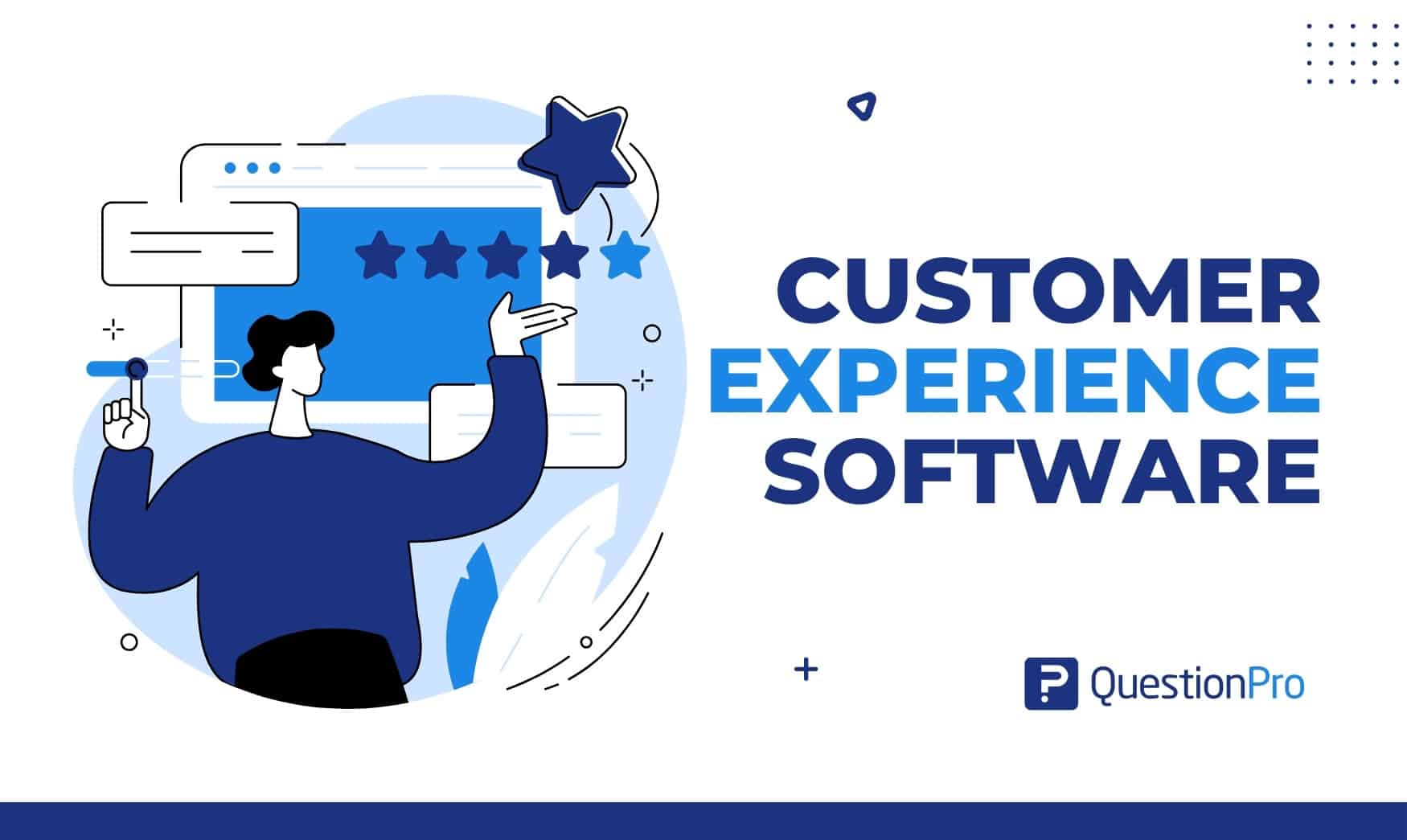
Customer experience software is a set of tools that collect customer feedback, analyze it, and help teams act before unhappy customers leave. Most people who have a bad experience never complain. They quietly stop buying, and the brand rarely learns why.
The category is crowded, though. Help desks, survey tools, reputation platforms, and enterprise suites all use the same label, and each solves a different problem. Buying the wrong type wastes months and budget.
In this guide, we’ll define the category, compare 15 platforms, and show how to choose, measure, and roll out the right one.
What is customer experience software?
Customer experience software is a category of tools that collect customer feedback across touchpoints, analyze what it means, and route action to the right team. Customer experience (CX) is the sum of every interaction a person has with a brand, from the first ad to the latest support ticket.
Good CX software answers three questions:
- How do customers feel? It measures scores such as NPS, CSAT, and CES.
- Why do they feel that way? It analyzes comments for themes and sentiment.
- Who is fixing it? It assigns follow-up to a named owner.
Teams use it to track scores such as Net Promoter Score (NPS), which measures how likely customers are to recommend a brand. They also use it to read open-text comments, flag at-risk accounts, and prove that fixes worked.
How is CX software different from a CRM, help desk, or survey tool?
CX software measures how customers feel and why. A CRM records who they are, a help desk resolves their issues, and a survey tool collects raw responses. Many products blend two or more of these jobs, which is why buyers often compare the wrong things.
| Tool type | Core question | Main output | Typical user |
|---|---|---|---|
| CX software | How do customers feel, and why? | Scores, themes, closed-loop actions | CX, insights, and operations teams |
| CRM | Who is the customer, and where are they in the pipeline? | Contact records, deal stages | Sales and marketing teams |
| Help desk | Can we resolve this issue quickly? | Tickets, response times | Support agents |
| Survey tool | What did respondents answer? | Raw response data, charts | Researchers and general teams |
Are CX software, CX platforms, and customer experience management software the same?
In practice, yes. Vendors use CX software, CX platform, customer experience management (CEM or CXM) software, and customer experience management platform for the same category.
Some buyers use “platform” for broader suites and “software” for single tools. Check the feature list, not the label.
Why does customer experience software matter?
It matters because unhappy customers rarely tell you. They leave, and the cost shows up later as churn and lost revenue.
- Loyalty is fragile.
A PwC survey of 15,000 consumers, reported by Adobe, found that 32% of customers would walk away from a brand they love after one bad experience.
- Retention drives profit.
Bain & Company research describes how raising customer retention by as little as 5 percent can lift profits by as much as 95 percent.
- Problems surface earlier.
Feedback alerts catch issues in days, not in the next quarterly report.
- Teams share one view.
Marketing, support, and product see the same customer data instead of separate spreadsheets.
What is customer experience management?
Customer experience management (CEM or CXM) is the practice of designing, measuring, and improving every interaction a customer has with a business. Software is the tool, and management is the discipline.
A company can own the best platform and still run a weak program if no one acts on what it learns. The goal is higher satisfaction, loyalty, advocacy, and customer lifetime value, which is the total revenue one customer brings over the relationship.
That takes alignment across marketing, sales, support, and product, not only the CX team. This is why CEM software usually includes shared dashboards and task routing, and why the software and management terms often blur together.
What types of customer experience software are there?
There are seven main types, and each one answers a different question. Most buyers need one or two, not all seven.
| Type | What it does | Best for | Examples |
|---|---|---|---|
| Feedback and experience management | Surveys, analytics, closed-loop action | Measuring and fixing sentiment | QuestionPro Customer Experience, Qualtrics XM, Medallia, InMoment |
| Help desk and service | Tickets, knowledge base, chat | Resolving customer issues | Zendesk, Freshdesk, Zoho Desk, Intercom |
| CRM-connected service | Service tools inside a CRM | Teams already on that CRM | Salesforce Service Cloud, HubSpot Service Hub |
| Contact center | Voice, routing, digital channels | High call volumes | Genesys Cloud CX |
| Reputation and messaging | Reviews, listings, texting | Local and multi-location brands | Birdeye, Podium |
| Digital experience analytics | Heatmaps, session replay, funnels | Website and app friction | Contentsquare |
| Customer success | Health scores, churn playbooks | B2B subscription businesses | Gainsight |
The first type is what most teams mean by CX software. It powers a voice of the customer program, which collects feedback from every channel and turns it into decisions.
What features should customer experience software include?
Look for seven core features. Together they cover the full loop from hearing customers to fixing problems.
- Multichannel feedback collection: Surveys by email, SMS, web, mobile, and QR code, plus reviews and support tickets.
- Text and sentiment analysis: Groups open comments into themes and tags each one as positive, negative, or neutral.
- Closed-loop workflows: Creates a task when a customer reports a problem, assigns an owner, and tracks time to resolve.
- Role-based dashboards: Executives see trends, while a store manager sees only their own location.
- Journey mapping: Shows where customers struggle across stages. Dedicated customer journey mapping software layers scores and sentiment onto each stage.
- Integrations: Connections to your CRM, help desk, BI tools, and chat apps, so insights reach the people who act on them.
- Security and compliance: Role-based access, encryption, and support for rules such as CCPA and HIPAA.
What are the best customer experience software platforms?
The 15 platforms below span seven categories. None is best for everyone, so start with the problem you need to solve.
We left out content management systems and generic form builders because they do not manage the customer relationship. Pricing models change often, so confirm current plans on each vendor’s site.
Comparison at a glance
| Platform | Category | Best for | Pricing model |
|---|---|---|---|
| QuestionPro Customer Experience | Feedback and experience management | Measurement plus closed-loop follow-up | Quote-based, free sign-up |
| Qualtrics XM | Feedback and experience management | Large enterprises | Custom quote |
| Medallia | Feedback and experience management | Enterprise voice of the customer | Custom quote |
| InMoment | Feedback and experience management | Mid-market and enterprise programs | Custom quote, tiered by data volume |
| Zendesk | Help desk and service | Support-led teams | Per agent |
| Freshdesk | Help desk and service | Small and mid-size support teams | Per agent, free tier |
| Intercom | Help desk and AI support | AI-first support | Per seat plus usage |
| Salesforce Service Cloud | CRM-connected service | Salesforce users | Per user |
| HubSpot Service Hub | CRM-connected service | HubSpot users | Free tools, then per seat |
| Zoho Desk | Help desk and service | Budget-conscious teams | Per agent, free tier |
| Genesys Cloud CX | Contact center | High call volumes | Per user |
| Birdeye | Reputation and messaging | Multi-location brands | Custom quote |
| Podium | Reputation and messaging | Local businesses | Custom quote |
| Contentsquare | Digital experience analytics | Website and app teams | Free tier, then custom |
| Gainsight | Customer success | B2B subscription teams | Custom quote |
1. QuestionPro Customer Experience
QuestionPro Customer Experience brings survey, ticket, review, and digital feedback into one voice of the customer view. It tracks NPS, CSAT, and CES, scores churn risk, and reads open-text sentiment and themes. Role-based dashboards and AI-built dashboards let each team see its own numbers.
- Best for: Teams that want measurement and follow-up in one platform.
- Standout: Closed-loop ticketing, journey management with AI-built personas, and listed support for GDPR, CCPA, HIPAA, and ISO 27001.
- Watch for: Teams that need a shared inbox and live chat usually add a help desk.
- Pricing: Quote-based by program scope, with month-to-month contracts and free sign-up.
2. Qualtrics XM
Qualtrics XM is an enterprise suite that covers customer, employee, product, and brand experience. It offers advanced survey logic, journey mapping, predictive analytics, and role-based dashboards. Large programs use it to connect feedback to operational data.
- Best for: Large enterprises with a dedicated insights team.
- Standout: Depth of analytics and the breadth of experience programs.
- Watch for: Cost and setup effort can be heavy. This Qualtrics alternative comparison helps if you need a lighter option.
- Pricing: Custom quote.
3. Medallia
Medallia is an enterprise voice of the customer platform. It collects feedback across digital, phone, and in-person touchpoints, then applies analytics to find what drives loyalty. Retail, financial services, and telecom brands use it widely.
- Best for: Large brands with many locations and channels.
- Standout: Scale and the ability to push insights to frontline managers.
- Watch for: A high cost of entry and a long implementation.
- Pricing: Custom quote based on scope.
4. InMoment
InMoment is a customer experience improvement platform built around voice of the customer programs. It combines surveys, text analytics, and predictive models to rank which issues cost the most. Analysts can then focus on the fixes with the biggest payoff.
- Best for: Mid-market and enterprise programs with dedicated analysts.
- Standout: Predictive analytics tied to business outcomes.
- Watch for: Smaller teams may not use the advanced features.
- Pricing: Custom quote, tiered by data volume and features.
5. Zendesk
Zendesk is a help desk and service suite. It covers ticketing, a knowledge base, chat, voice, and AI agents. Zendesk lists paid plans from $19 per agent per month on annual billing.
- Best for: Support-led teams that need fast, multichannel ticketing.
- Standout: A large app marketplace and strong automation.
- Watch for: Feedback analytics are lighter than in dedicated experience platforms.
- Pricing: Per agent, with higher tiers for suites and AI add-ons.
6. Freshdesk
Freshdesk is the help desk from Freshworks. It offers omnichannel ticketing, automation rules, a customer portal, and an AI assistant. A free tier and a trial make it easy to test before you commit.
- Best for: Small and mid-size support teams.
- Standout: Quick setup and clear agent workflows.
- Watch for: Complex workflows can hit customization limits.
- Pricing: Free tier, then per agent.
7. Intercom
Intercom is an AI-first customer service platform. It combines a messenger, a help desk, and an AI agent called Fin that answers conversations without a human. Teams use it to deflect routine questions and hand complex ones to people.
- Best for: Teams that want AI to resolve routine questions.
- Standout: Conversational support across web and mobile.
- Watch for: Usage-based AI pricing grows with volume, so test resolution quality before you scale.
- Pricing: Per seat, plus usage-based fees for AI resolutions.
8. Salesforce Service Cloud
Salesforce Service Cloud is the service layer of the Salesforce CRM. It handles case management, omnichannel routing, a knowledge base, and Agentforce AI features. Agents see the full customer record, including past orders and open deals.
- Best for: Companies already running sales on Salesforce.
- Standout: Customer data shared across sales, service, and marketing.
- Watch for: Setup and admin effort are significant.
- Pricing: Per user per month, by edition.
9. HubSpot Service Hub
HubSpot Service Hub adds tickets, a knowledge base, and customer feedback surveys to the HubSpot CRM. Surveys cover NPS, CSAT, and CES. Results land on the same contact record that sales and marketing use.
- Best for: Teams already using HubSpot for marketing and sales.
- Standout: Free tools and a single customer record.
- Watch for: Feedback analysis is lighter than in dedicated platforms.
- Pricing: Free tools, then paid seats for advanced features.
10. Zoho Desk
Zoho Desk is a help desk that fits the wider Zoho suite. It offers ticketing, automation, and an AI assistant called Zia. Zoho’s pricing page lists a free plan for up to three users.
- Best for: Budget-conscious teams and existing Zoho customers.
- Standout: Low entry cost and tight Zoho integrations.
- Watch for: Advanced features sit in higher tiers.
- Pricing: Free plan, then per agent.
11. Genesys Cloud CX
Genesys Cloud CX is a cloud contact center platform. It routes voice and digital conversations, manages agent schedules, and records interactions for quality review. Large service operations use it to balance calls across teams.
- Best for: Organizations with high call volumes.
- Standout: Intelligent routing across voice and digital channels.
- Watch for: It targets contact centers, not survey-led experience programs.
- Pricing: Per user, with custom enterprise quotes.
12. Birdeye
Birdeye is a reputation and messaging platform. It requests reviews, monitors listings, and helps teams respond to feedback across many locations. Franchises use it to keep ratings visible and consistent.
- Best for: Multi-location brands such as clinics, dealerships, and retailers.
- Standout: Review management at scale.
- Watch for: Survey customization is limited.
- Pricing: Custom quote.
13. Podium
Podium combines text messaging with review requests. Local businesses use it to talk with customers, collect reviews, and take payments in one inbox. Texting often gets faster replies than email.
- Best for: Local service businesses.
- Standout: Text-first customer communication.
- Watch for: Enterprise teams may outgrow its analytics.
- Pricing: Custom quote.
14. Contentsquare
Contentsquare is a digital experience analytics platform. It shows heatmaps, session replays, and journey analysis, so teams can see where visitors get stuck. Product and web teams use it to prioritize fixes.
- Best for: Product and web teams that optimize sites and apps.
- Standout: Behavioral data at very large scale.
- Watch for: It shows what users do, not why, unless you add surveys.
- Pricing: Free tier, with custom pricing at scale.
15. Gainsight
Gainsight is a customer success platform. It scores account health, triggers playbooks, and flags churn risk for subscription businesses. Customer success managers use it to decide which accounts need attention this week.
- Best for: B2B software and subscription teams.
- Standout: Account-level health scoring.
- Watch for: It targets managed accounts, so consumer brands need other tools.
- Pricing: Custom quote.
How do you choose the right customer experience software?
Choose by the problem you need to solve first, then test candidates against your real data. Features matter less than whether the tool changes what your team does.
Match your biggest gap to a software type
| Your biggest gap | The question to ask | Look at |
|---|---|---|
| Hearing customers | Do we know why scores move? | Feedback and experience management |
| Helping customers | Are tickets resolved fast? | Help desk and service |
| Using CRM data | Does service sit with sales data? | CRM-connected service |
| Public reviews | Do we reply to every review? | Reputation and messaging |
| Digital friction | Where do visitors drop off? | Digital experience analytics |
| Account retention | Which accounts are at risk? | Customer success |
Seven questions to ask every vendor
- Does a low score automatically create a task with an owner and a deadline?
- Which of our systems does it integrate with, and how deep is the integration?
- Can non-technical staff build surveys and dashboards without a developer?
- How does it handle security? Ask about CCPA and HIPAA support if you serve California residents or patients.
- What is the total cost, including seats, response volume, onboarding, and extra modules?
- How does the vendor’s AI use our data, and can we opt out of model training?
- Can we pilot one customer journey for 60 to 90 days before signing a long contract?
How much does customer experience software cost?
Cost ranges from free to six figures a year, depending on the pricing model. The model matters more than the headline price.
- Per agent or seat.
Help desks charge each support agent monthly. Zendesk lists plans from $19 per agent, and Zoho Desk offers a free plan for up to three users.
- Per response or volume.
Survey-led platforms often scale with the number of responses, contacts, or touchpoints.
- Custom enterprise quote.
Large suites such as Qualtrics, Medallia, and InMoment quote by scope. QuestionPro Customer Experience also prices by program scope, with month-to-month contracts.
- Hidden costs.
Budget for onboarding, integrations, training, and extra seats. These often add up to more than the license.
Ask for a written quote based on your expected response volume and number of users. Compare it across two or three vendors on the same assumptions.
How do you measure customer experience?
Track one score per question: loyalty, satisfaction, effort, and outcome. No single metric tells the whole story.
| Metric | What it measures | How it works | Use it when |
|---|---|---|---|
| NPS | Loyalty | Customers rate likelihood to recommend from 0 to 10. Promoters score 9 to 10 and detractors 0 to 6. NPS equals % promoters minus % detractors. | Tracking relationship health each quarter |
| CSAT | Satisfaction with one interaction | Customers rate satisfaction on a 1 to 5 scale. CSAT is the % of 4 and 5 responses. | Right after a purchase or support case |
| CES | Effort | Customers rate how easy a task was, often on a 1 to 7 scale. | After self-service or service tasks |
| Churn rate | Outcome | % of customers lost in a period. | Checking that scores predict behavior |
| First contact resolution | Support quality | % of issues solved in the first interaction. | Reviewing help desk performance |
Start with net promoter score for relationship health, then add CSAT and CES at key moments. Customer satisfaction (CSAT) measures how happy someone is with one interaction, while customer effort score (CES) measures how easy that interaction felt.
How do you set targets?
Set targets from your own data, not from an industry average. Use four rules.
- Baseline first: Collect scores for 90 days before you set any goal.
- Review monthly: Compare each segment to its own baseline.
- Respond fast: A common standard is to contact every detractor within 48 hours.
- Track recovery: Count how many cases you close and how many customers raise their score afterward.
What are the best practices for customer experience management?
Strong programs follow eight habits. Each one turns software output into a better customer experience.
- Understand your customers.
Combine surveys, interviews, and behavior data to build personas for each segment.
- Map the journey.
Chart each stage from awareness to renewal, and mark the moments where opinions form.
- Personalize with care.
Use customer data to tailor messages and offers, and avoid anything that feels intrusive.
- Support every channel.
Keep context intact when a customer moves from chat to phone to email.
- Collect feedback at key moments.
Ask after purchase, onboarding, and support, not on a fixed calendar.
- Measure a few metrics well.
Pick NPS, CSAT, or CES for each stage and set clear targets.
- Close the loop.
Tell customers what changed because of their feedback.
- Turn happy customers into advocates.
Invite reviews and referrals after a strong experience.
What does CX software look like in practice?
CX software turns a score into a task, and a task into a fix. The three illustrative scenarios below show how different teams do it. They are examples, not customer case studies.
A multi-location restaurant group
A US restaurant group prints a QR code on every receipt. Diners answer two questions and leave a comment. Low scores from one location route to its general manager the same day.
Text analysis shows that most complaints mention slow drive-thru service. The manager adds a second order station.
The group then tracks three numbers for eight weeks:
- Weekly CSAT for that location
- Share of detractors contacted within 24 hours
- Share of comments that mention speed
A regional healthcare provider
A clinic network sends a short survey after each visit.
- Signal: Patients report long waits at check-in.
- Action: Operations moves two front-desk staff to the morning peak.
- Measure: CSAT for check-in rises, and the complaint theme shrinks.
- Guardrail: The team confirms that the tool supports HIPAA before sending any survey that touches health details.
A B2B software company
A software firm links feedback to renewal risk in four steps.
- It sends an NPS survey 30 days after onboarding.
- It asks every respondent for the reason behind the score.
- It creates a task for the account manager when a score is 6 or lower.
- It reviews churn among contacted accounts against accounts it did not contact.
How is AI changing customer experience software?
AI now handles the slowest parts of CX work: reading comments, grouping themes, and drafting replies. It speeds up analysis, but people still need to approve any action that touches a customer.
Today’s tools classify sentiment, extract themes from thousands of comments, and predict which accounts may churn. Some also draft replies or resolve routine support questions without an agent.
AI has limits. It can misread sarcasm, miss context, or state something wrong with confidence. Keep a human review step for refunds, apologies, and anything legal.
Ask vendors three questions. Does the AI train on our customer data? Which certifications cover the AI system, such as ISO/IEC 42001? Can we see why the model tagged a comment the way it did?
Common mistakes to avoid when buying CX software
Most failed rollouts come from process gaps, not software gaps. Avoid these seven mistakes.
- Choosing by feature count: A long checklist hides whether the tool fits your workflow.
- Measuring without acting: Scores without owners become a report nobody reads.
- Skipping the closed loop: A detractor who never hears back is more likely to leave.
- Over-surveying: Asking the same customer after every touchpoint lowers response rates.
- Ignoring open-text feedback: Comments explain why the score moved.
- Using one survey for every journey stage: Onboarding and renewal need different questions.
- Forgetting integrations: Feedback stuck outside your CRM or help desk never reaches the team that can act.
Step-by-step guide to rolling out CX software
A good rollout starts small and proves value in one journey before it spreads. Plan for 90 days to a first result. A wider customer experience program can follow once the first journey works.
- Pick one journey.
Choose a high-volume moment, such as onboarding or first purchase.
- Set the baseline.
Collect NPS, CSAT, or CES for 30 days with no changes.
- Assign owners.
Name one person per issue type who acts on low scores.
- Build the loop.
Create alerts, tasks, and a 48-hour response rule.
- Fix the top theme.
Use text analysis to find the biggest complaint and fix it.
- Review and expand.
Compare scores to the baseline at day 90, then add the next journey.
How do you calculate the return on CX software?
Estimate return by comparing the revenue you keep from lower churn with the cost of software and staff. A simple model fits on one page.
| Input | Illustrative value |
|---|---|
| Customers | 10,000 |
| Average annual revenue per customer | $500 |
| Annual churn before the program | 20% (2,000 customers) |
| Revenue lost to churn | $1,000,000 |
| Annual churn after the program | 18% (1,800 customers) |
| Revenue kept | $100,000 |
| Software and staff cost | $40,000 |
| Net gain | $60,000, or a 150% return |
These numbers are for illustration only. Use your own churn, revenue, and cost figures.
To keep the estimate honest, compare contacted customers with a similar group you did not contact. Other factors, such as pricing changes, also move churn.
How does QuestionPro Customer Experience close the feedback loop?
QuestionPro Customer Experience ties one survey question to an automatic follow-up workflow. AskWhy collects the score, the reason, and a comment at once, and closed-loop feedback routes unhappy responses to an owner.
How does AskWhy work?
AskWhy combines an NPS question, root cause questions, and a comment box in a single survey item. A voting system lets customers spread five points across the issues that matter most, which shows urgency, not just topic.
Four views then make the answers usable:
- Sentiment analysis labels each open-ended response as positive, negative, or neutral.
- Distribution charts show how often each issue appears and where the hot spots are.
- Churn risk flags passive customers, not only detractors, who rarely complain and often leave.
- Mobile-friendly design lets customers answer on a phone.
How does closed-loop routing work?
When a response signals a problem, the platform takes four steps.
- It routes the response to an owner with a recommended fix.
- It creates a ticket and tracks time to resolve.
- It escalates cases that stay open past the deadline.
- It drafts a reply with AI Response Assist, which the owner reviews and sends.
QuestionPro states that it does not train AI on customer data, and lists ISO/IEC 42001:2023 certification for AI management.
Customer experience software is a commitment, not a purchase
The best customer experience software is the one your team uses every week to fix real problems. A strong tool with no owners, no response rule, and no follow-through produces reports, not results.
Start with one journey, one score, and one person accountable for each issue. Prove that a fix moved the number, then expand. That habit, more than any feature list, separates programs that last from ones that fade after launch.
Frequently Asked Questions (FAQs)
Often, yes, but they can start light. A free help desk tier plus a simple NPS or CSAT survey covers most early needs. Upgrade to a full platform when feedback volume or multiple locations make manual tracking unreliable.
Some can, but most teams combine two or three tools. A feedback platform measures sentiment, while a help desk resolves cases. Check that the two integrate, so a low score creates a ticket automatically.
A focused pilot on one journey usually takes four to eight weeks, and a first measurable result takes about 90 days. Enterprise suites with many integrations and locations can take several months to roll out fully.
User experience (UX) covers how easy a product or interface is to use. CX covers the whole relationship, including marketing, sales, support, and billing. UX is one part of CX, so a great interface cannot fix poor service.
It can be, if the vendor supports the rules that apply to you. Healthcare teams should ask about HIPAA support and a business associate agreement. Brands serving California residents should confirm CCPA tools, such as data deletion requests.